Repository navigation
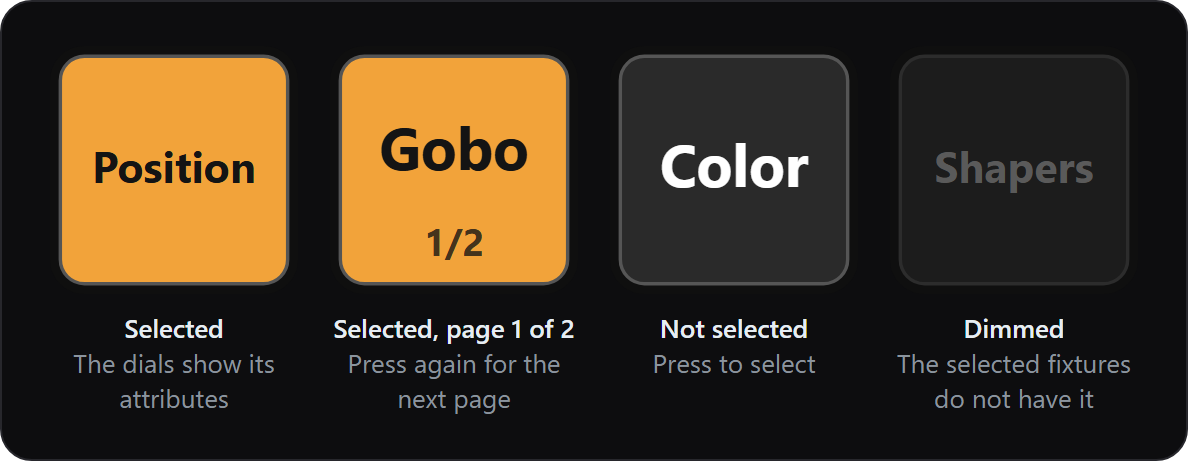
What the keys show
CueDeck draws its keys from what grandMA3 reports, and tries to look like grandMA3's own pool cells and executors.
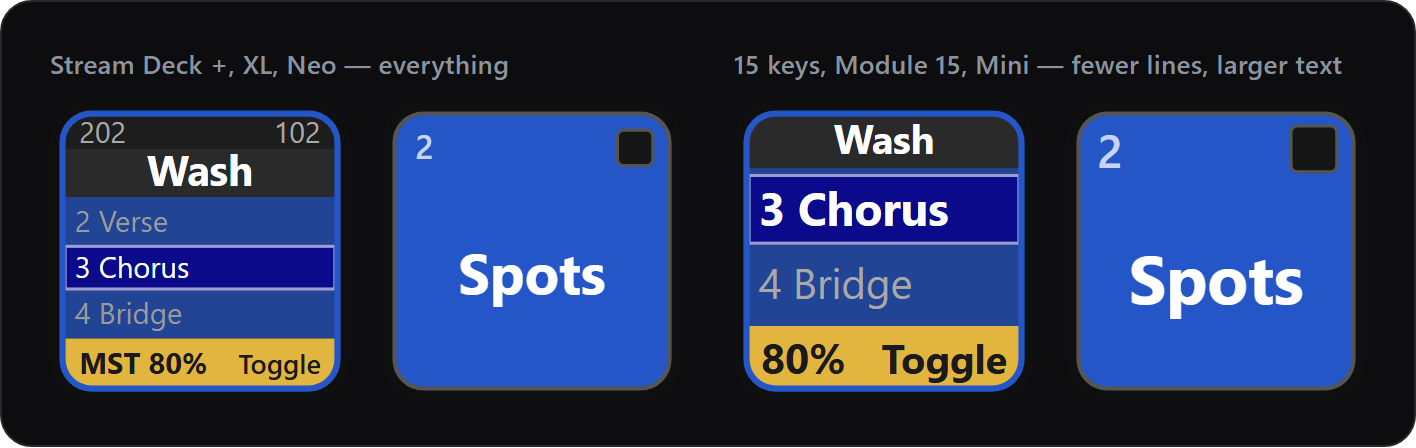
An executor on a key is drawn like the playback window in grandMA3.
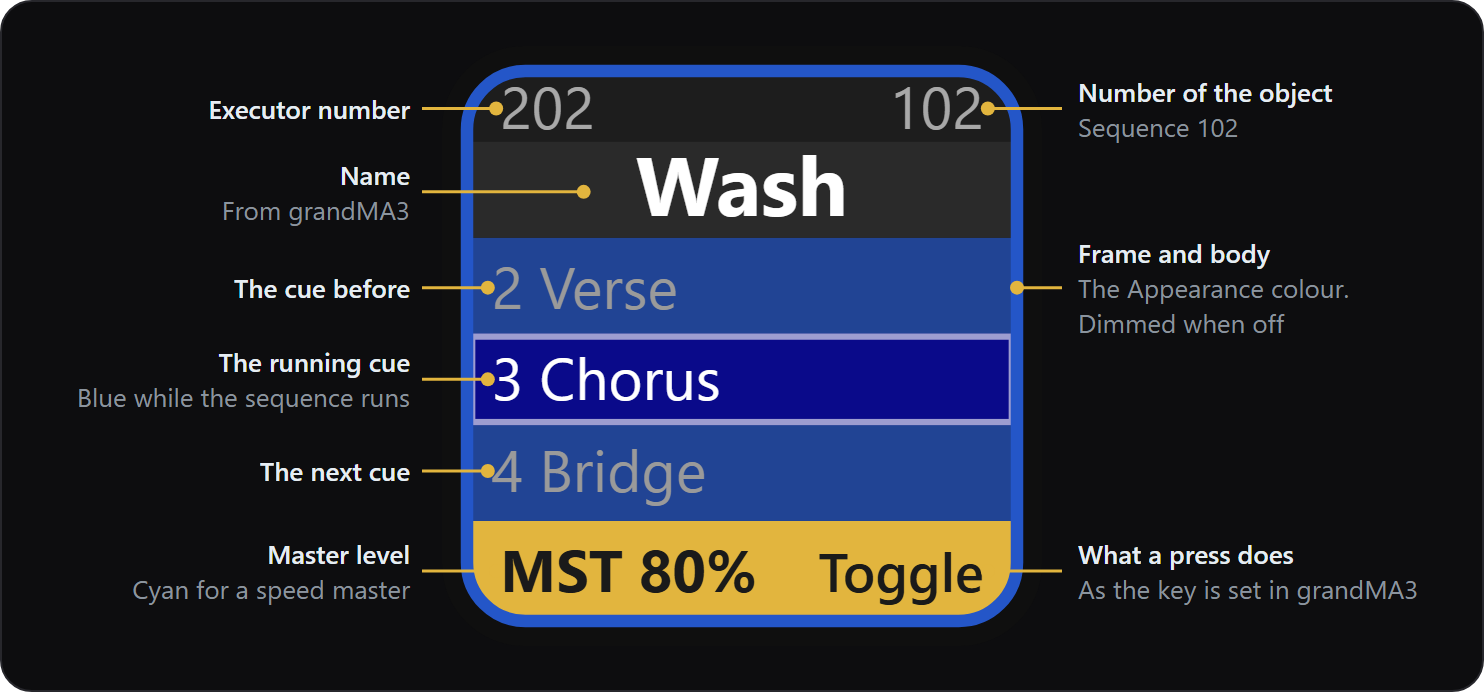
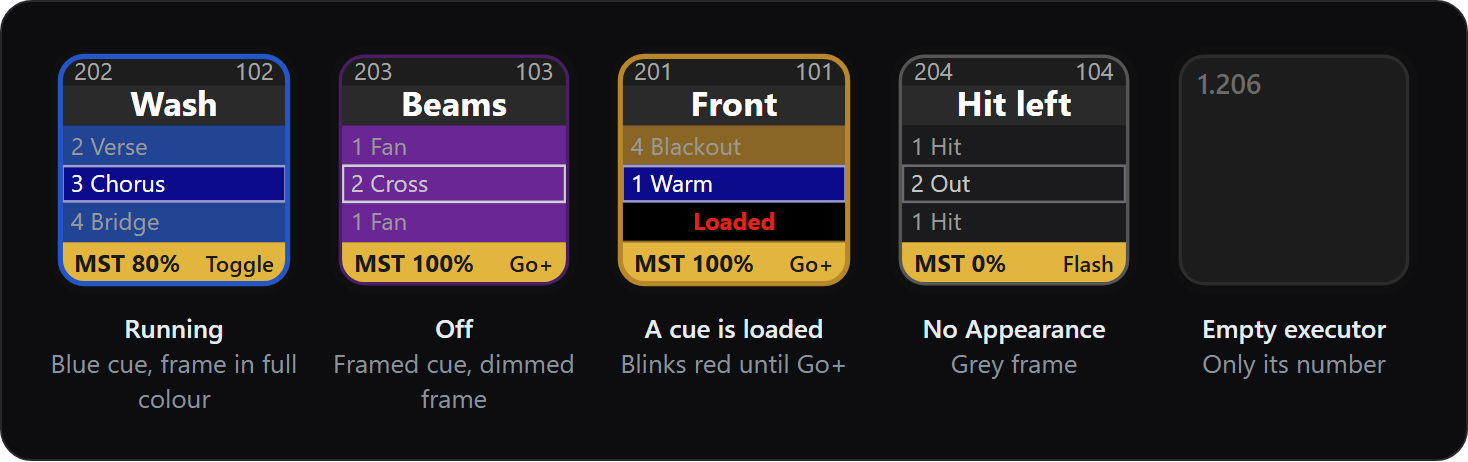
- The cue list goes round: after the last cue comes the first. When a sequence is off, grandMA3 shows the last cue in the middle and cue 1 as the next — so does CueDeck.
- Loaded means a cue has been loaded, with the Load command or by holding a Fader dial in and turning. It runs on the next Go+.
Groups, presets, sequences, macros, Quickeys — anything a Slot key shows.
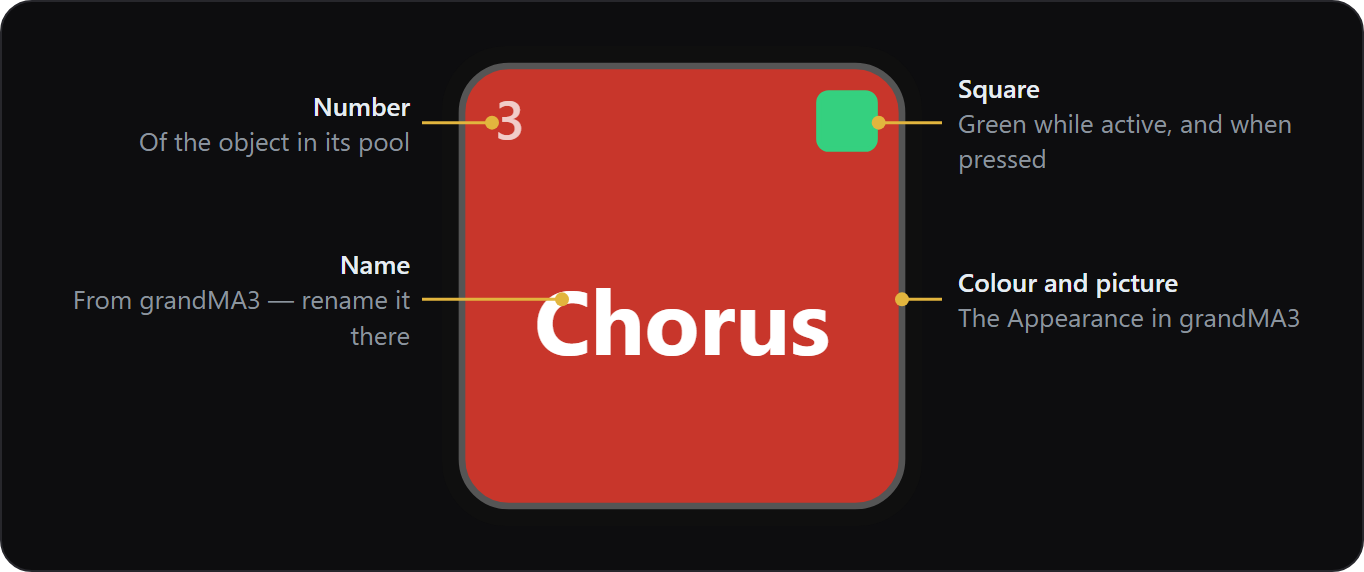
- A dark key with only a number: that object does not exist in the show.
- grandMA3 keeps names unique by adding
#2,#3. The keys hide that ending.
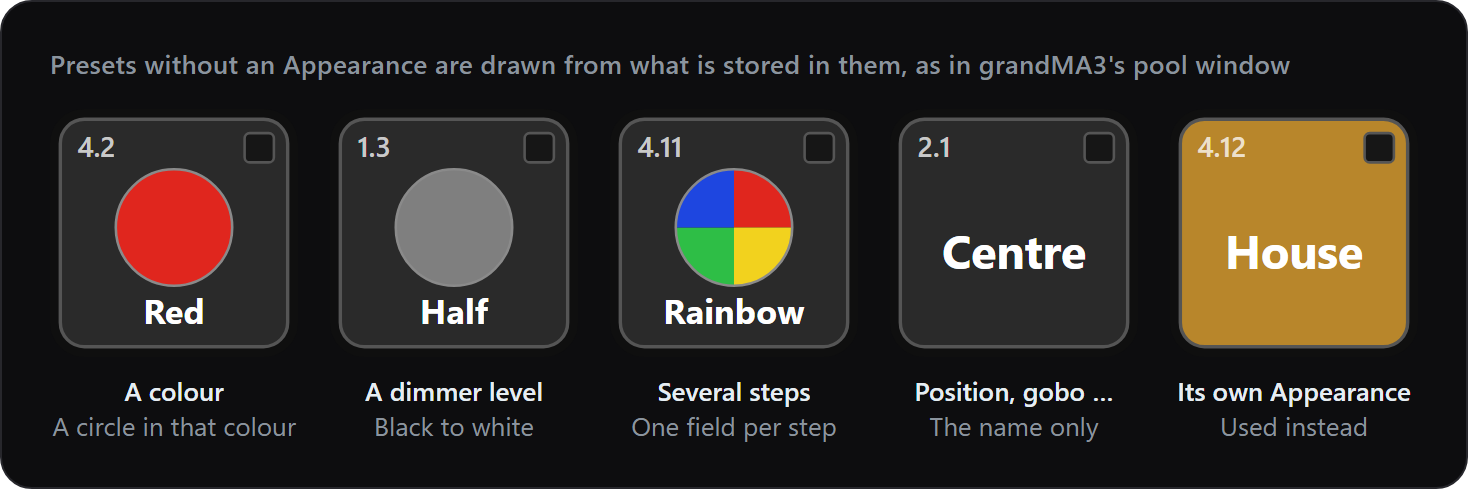
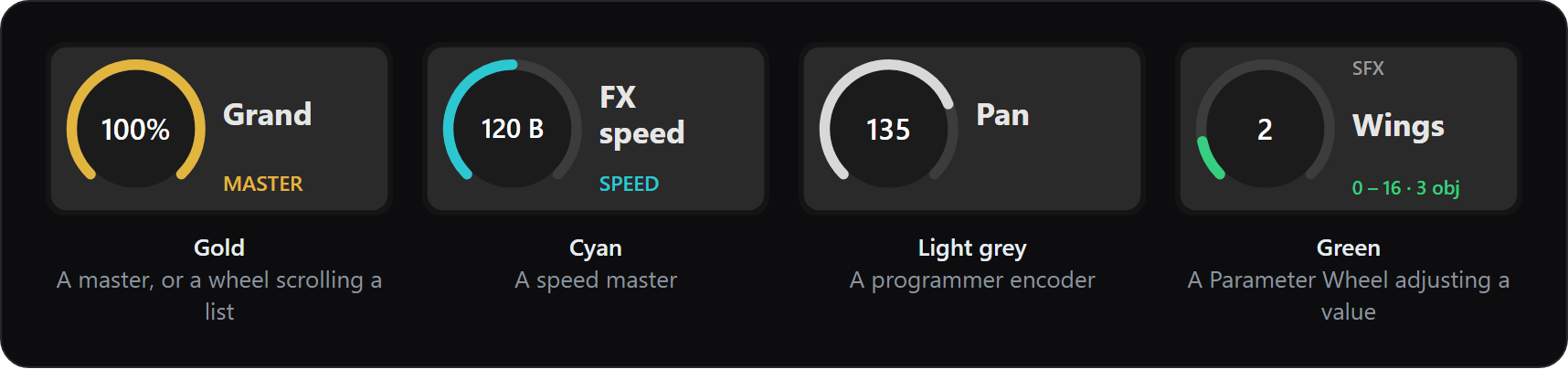
The colour of the ring tells you what the dial is.
Decks with small keys get fewer lines and larger text. See Stream Deck models.
Colours and names always come through. Appearance pictures are read from the disk of the grandMA3 machine, so they only show when grandMA3 onPC runs on the same computer as the Stream Deck.