Repository navigation
Guide Neo
Eight keys and five pages: a small deck for running a show. This guide follows the CueDeck Neo starter profile — import it first.
This profile has not been tried on a real Stream Deck Neo yet. If something is off, open an issue — a photo helps.
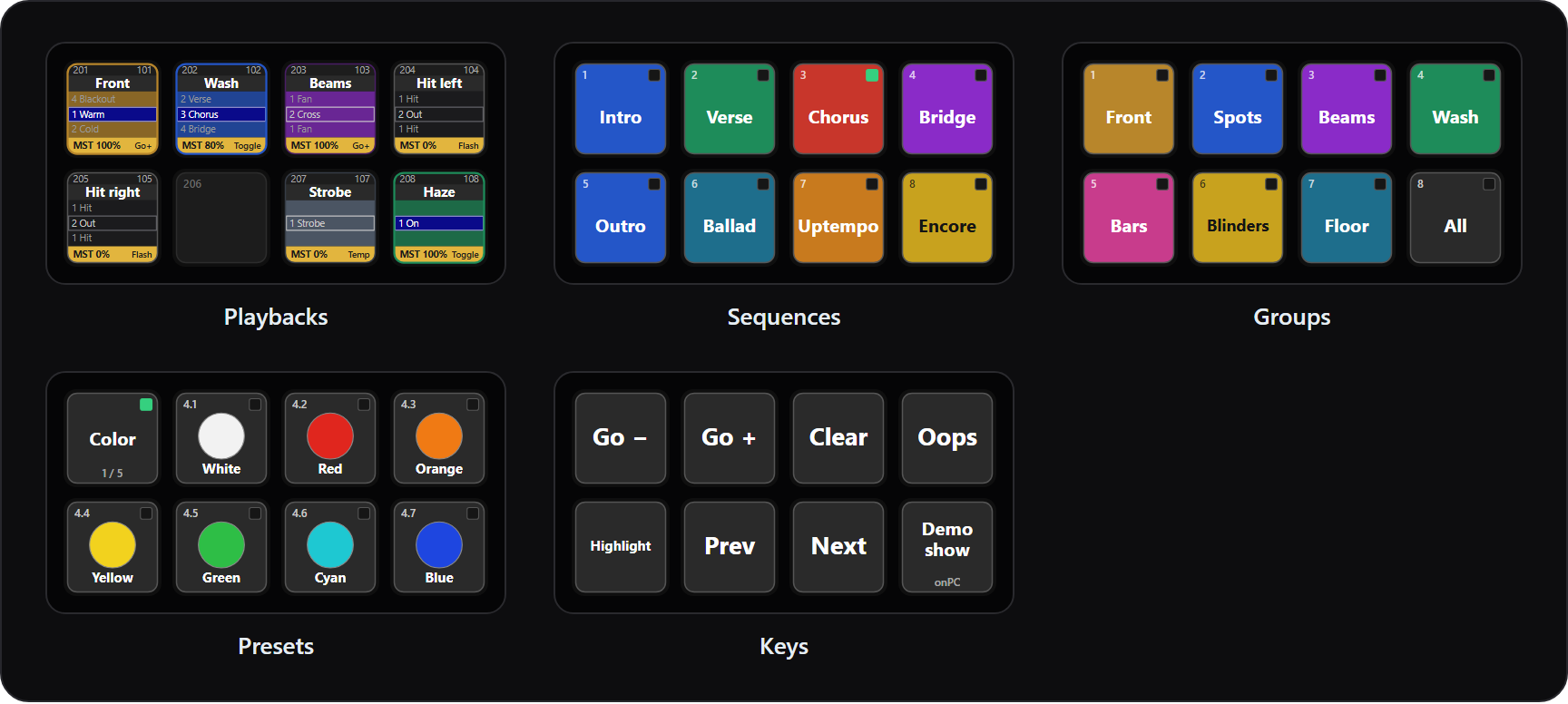
The two touch points under the keys turn the page.
| Page | The keys | A press |
|---|---|---|
| Playbacks | Executors 201–208 on the active page | What that key is set to in grandMA3 |
| Sequences | Sequence 1–8 | Go+. Long press = Off |
| Groups | Group 1–8 | Selects |
| Presets | A mode key and seven presets | Applies. Press the mode key again for the next pool |
| Keys | Go −, Go +, Clear, Oops, Highlight, Prev, Next | That grandMA3 command |
This deck has no dials. Use grandMA3's own encoders and faders for values and levels, and the deck for everything you press. More on that in Guides.