Repository navigation
Guide Mini
Six keys, one page: one key picks what four others show. This guide follows the CueDeck Mini starter profile — import it first.
This profile has not been tried on a real Stream Deck Mini yet. If something is off, open an issue — a photo helps.
-
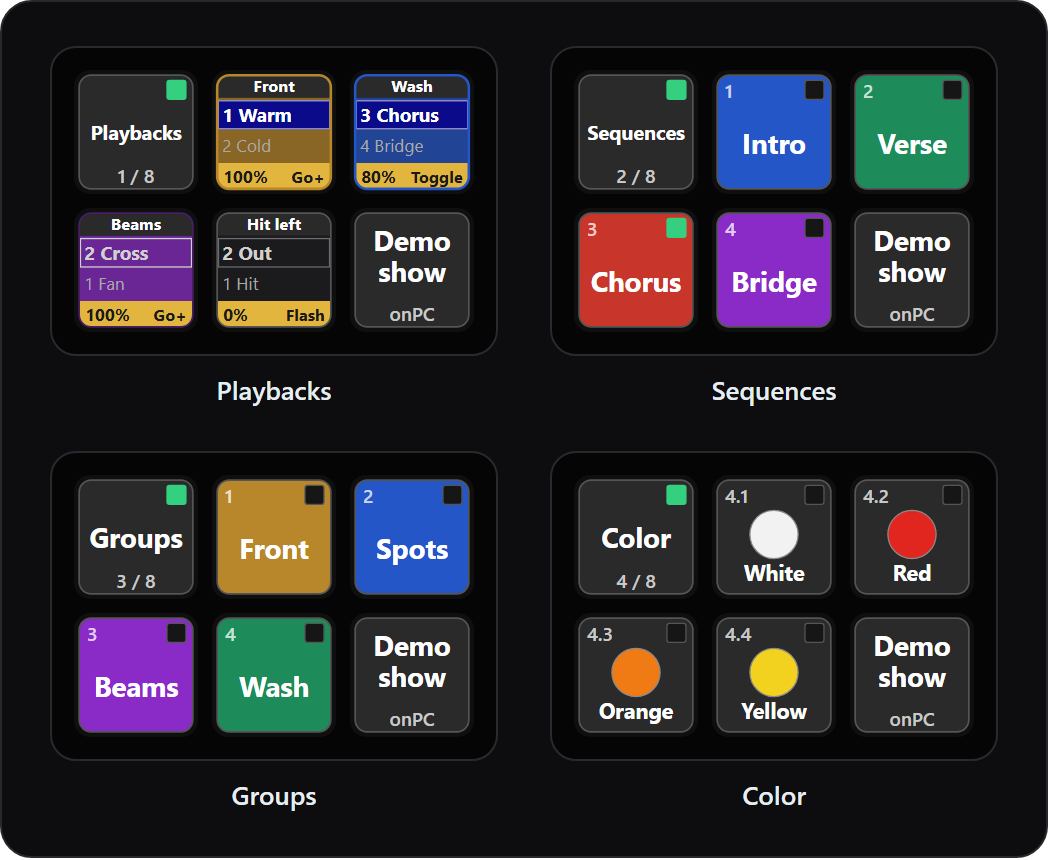
Top left is the mode key. Press it to step: Playbacks → Sequences → Groups → Color → Position → Gobo → Beam → Dimmer, and round again. It shows where it is:
2 / 8. - Four keys follow it: executors 201–204, Sequence 1–4, Group 1–4 or the first four presets of the pool.
- Bottom right is the Connection key, so you can see that grandMA3 is found.
The keys are small, so they are drawn with fewer lines and larger text.
This deck has no dials. Use grandMA3's own encoders and faders for values and levels, and the deck for everything you press. More on that in Guides.
-
Fewer steps on the mode key: open its settings and remove the lines you do not use. Each line is
Name = first object. -
Other numbers: change the number on a line —
Playbacks = Page *.211. -
Four fixed keys instead: give the first Slot key a start of its own, for example
Page *.201, and remove the mode key.