Repository navigation
Guides
Pick the guide for your Stream Deck. Each one starts from the starter profile for that model and shows how to work with it.
| Your deck | Guide | What it is best at |
|---|---|---|
| Stream Deck + | Stream Deck + | Programming: encoders, faders with their cue lists, cue pickers |
| 15 keys, Module 15 | 15 keys | Playback and pools on one page |
| XL | XL | A playback wing on one page, pools on the other |
| Neo | Neo | A small show deck: five pages of eight |
| Mini | Mini | One key picks what four others show |
The XL, Neo and Mini profiles have not been tried on real decks yet. CueDeck itself is developed on a Stream Deck + and a Stream Deck Module 15, and a tester has run it on a Stream Deck XL.
Without dials, CueDeck is a playback and selection surface whose keys label themselves.
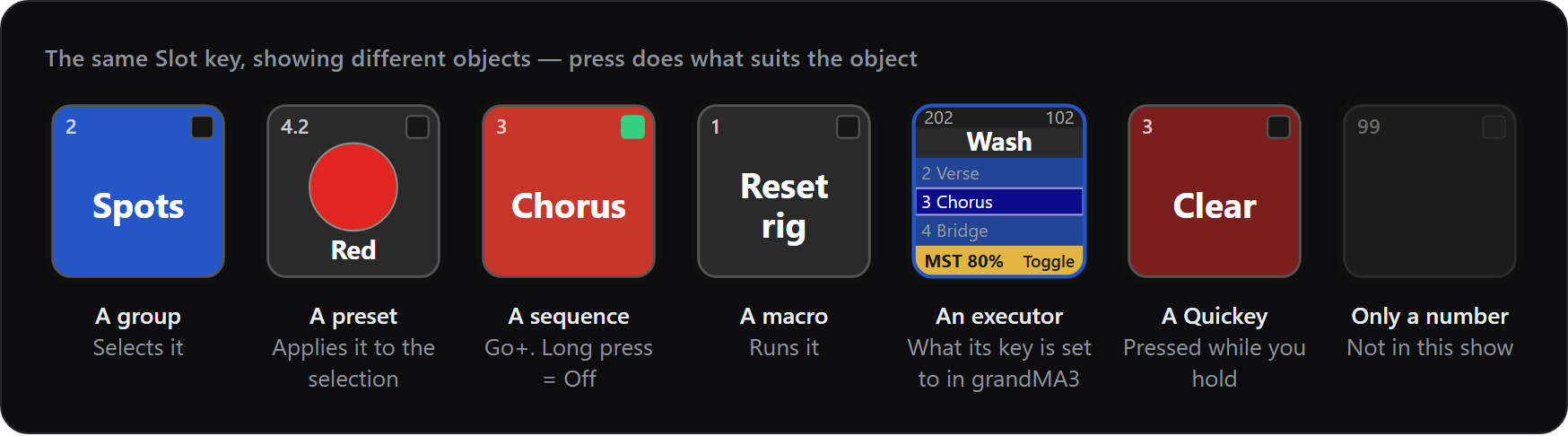
- Playbacks as keys. Executors drawn as in grandMA3, with the running cue and the next one. A press does what that key is set to in grandMA3: Go+, Flash, Toggle, Temp.
- Pool windows on keys. Groups, presets with their colour, sequences and macros, named and coloured by the show. Mode keys change what the grid shows.
- Shortcuts. The show's own Quickeys — Store, Update, Clear, Oops — and the feature groups.
- Bumps and looks. Pages of Flash or Temp keys, and MAtricks looks on one press.
What keys cannot do: turn an encoder, set a fader level, or scroll through a cue list. For those, use grandMA3's own encoders and faders, or a MIDI fader controller set up under grandMA3's MIDI remotes.
What the dial actions do when you put them on a key is listed in Stream Deck models.