Repository navigation
Guide 15 keys
Fifteen keys, one page: the top row picks what the ten keys below show. This guide follows the CueDeck 15 starter profile — import it first. It is for the 15-key Stream Deck and the Stream Deck Module 15.
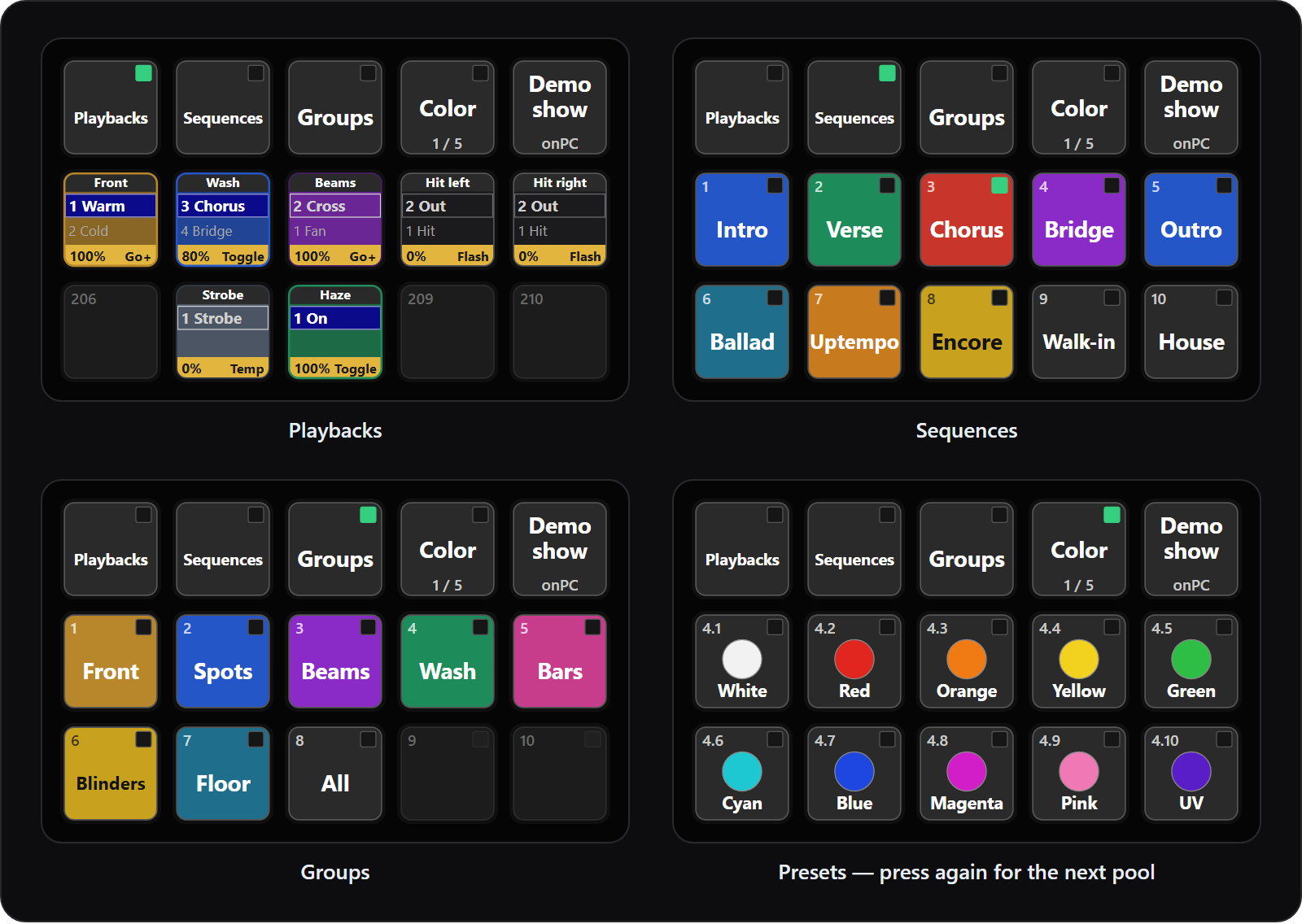
The ten keys are executors 201–210 on the page that is active in grandMA3. Each shows the running cue and the next one, and a press does what that key is set to in grandMA3 — Go+, Flash, Toggle, Temp.
The keys are small, so the drawing is simpler than on a Stream Deck +: fewer lines, larger text.
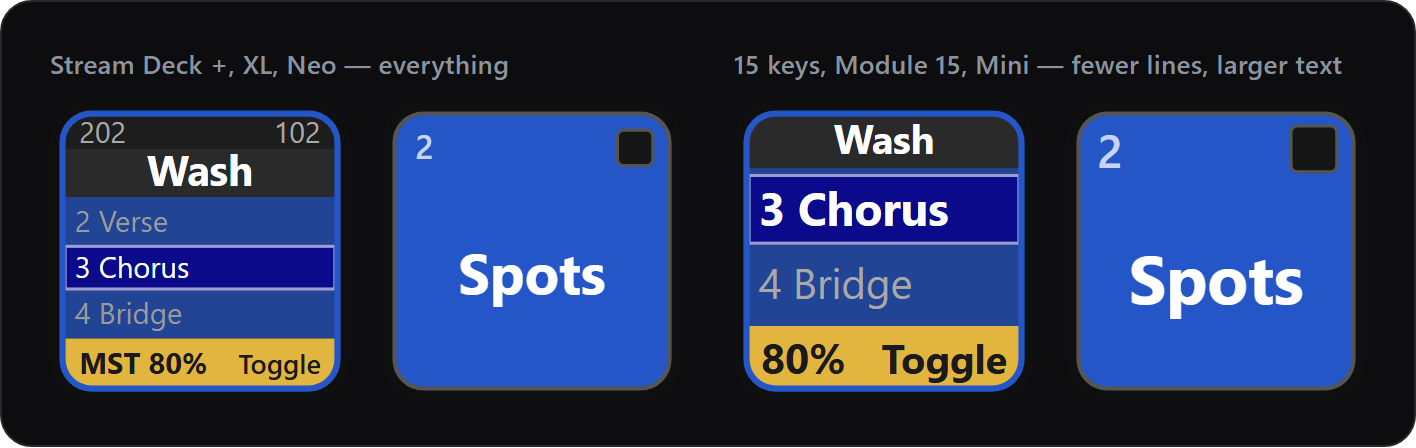
Want a key to flash whatever grandMA3 says? Set Press to Flash in that key's settings. The choice is written on the key.
Press a key in the top row and the ten keys change. The square is lit on the one that is chosen.
- Sequences: press = Go+, long press = Off.
- Groups: press selects.
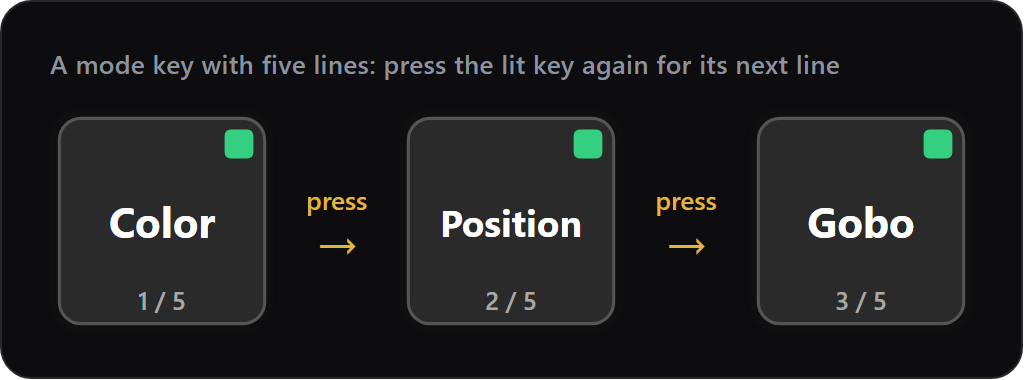
- Presets: press applies to the selection. Press the preset key again for the next pool — Color, Position, Gobo, Beam, Dimmer.
This deck has no dials. Use grandMA3's own encoders and faders for values and levels, and the deck for everything you press. More on that in Guides.
-
Other numbers: open the settings of a key in the top row. Each line is
Name = first object—Playbacks = Page *.201. Change the number and all ten keys follow. -
More modes: add a mode key with
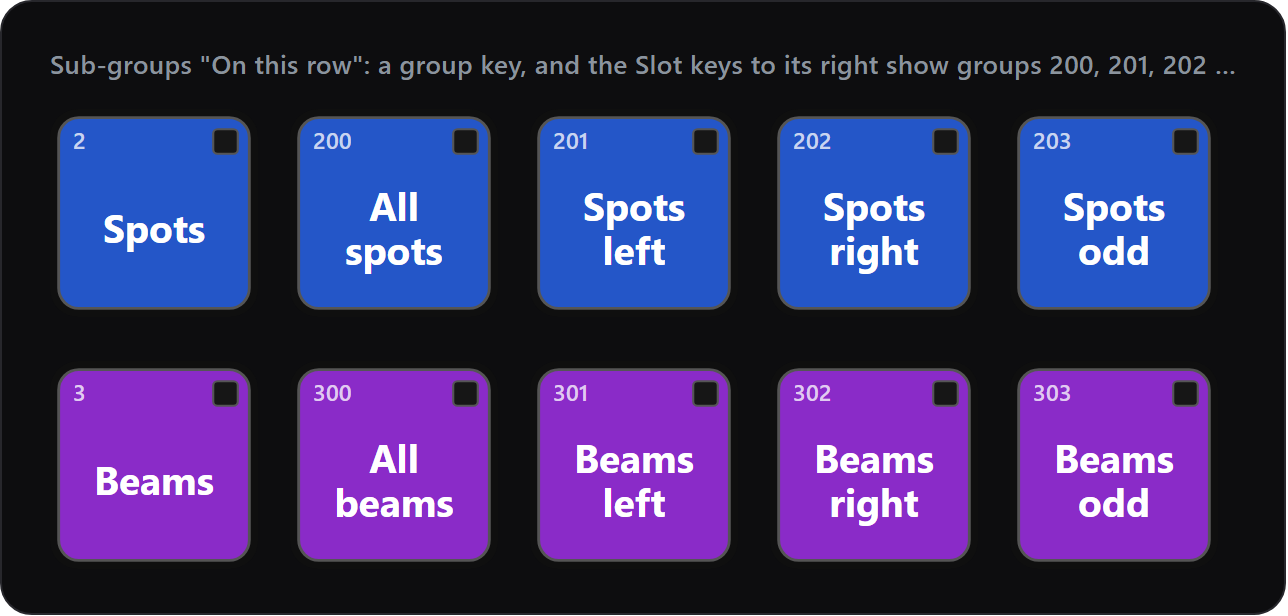
Macros = Macro 1orKeys = Quickey 1. - One row per fixture type: put a Select key first on a row and let the keys after it show that group's sub-groups.
- Text too small or too large: Key text in the settings of the Connection key.