Repository navigation
Design: Door Controller
Status: design (2026-11-21). Hardware ordered. The firmware's logic is built and tested on a computer (issue #121); the ESP32 part is not built yet.
A general door controller: our own firmware on a small relay board that opens locks and reports whether they are shut. Its first use is a locker function: a few small cabinet doors, each with its own lock. Later the same firmware can drive other doors.
The firmware is our own, written for Maker Connect. Deliberately not ESPHome or Tasmota. This changes the first plan in Door Access, where Home Assistant drove the hardware.
Lockers and doors are access (getting in), not machine permissions (who may use which machine). See Door Access.
An ESP32 board with relays and inputs, ordered 2026-11-19 and not yet arrived. Its exact relay and input ratings are checked when it is in hand.
Plan for the lockers: one relay per locker lock (opens it), one input per locker lock (reads its switch).
For the lockers only. A small cabinet lock: one per locker door. Room and building doors get their own locks, chosen later.
Electronic lock with feedback, metal, 12 V DC. We have 4, for 4 lockers.
Shop: Tinytronics: Electronic lock with feedback, metal, 12V DC

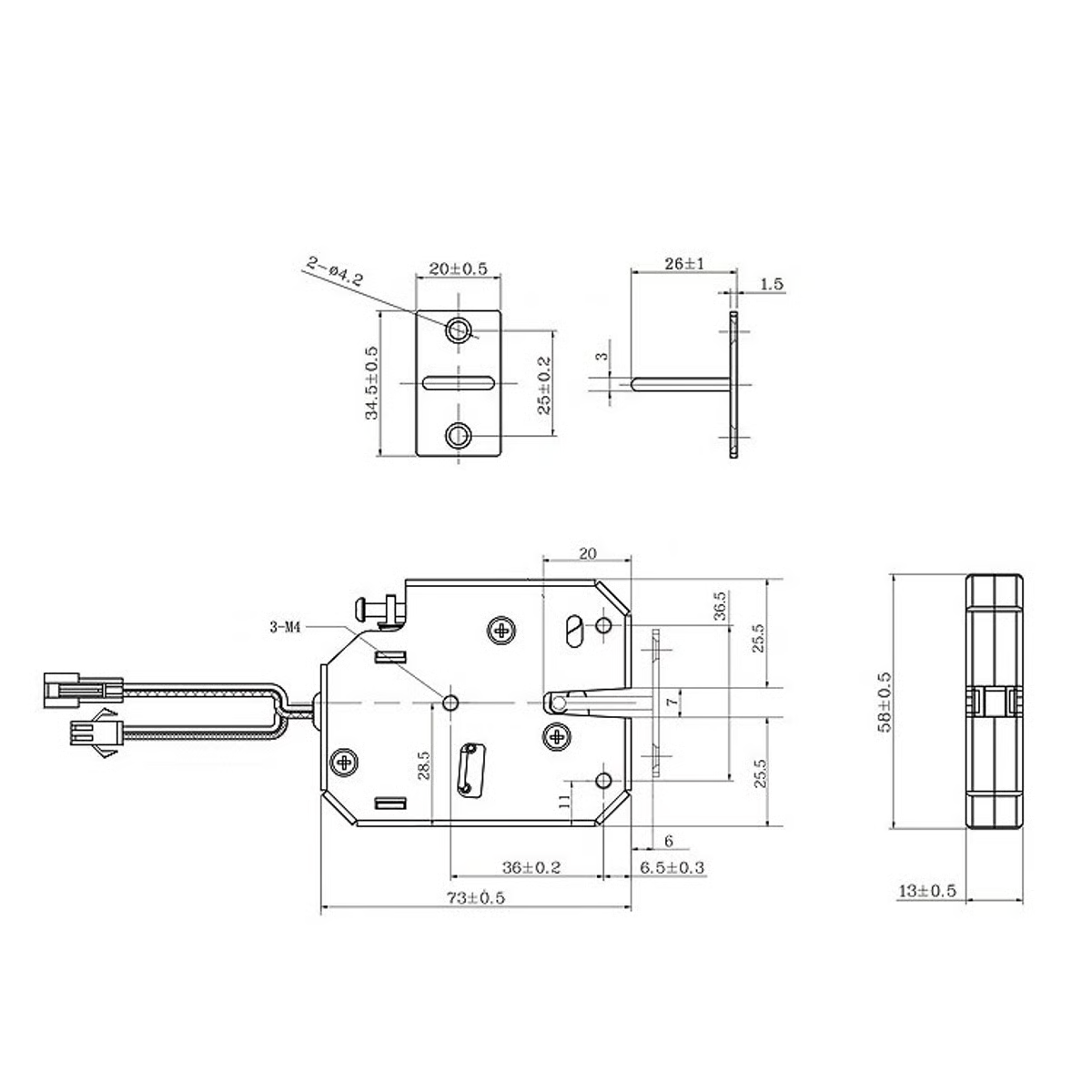
How it works:
- Opening: 12 V on the red and black wires (polarity does not matter). The solenoid releases the hook, which springs out.
- Feedback: when the lock is closed, the blue and white wires are connected by an internal switch (normally open). Open lock = open circuit.
| Property | Value |
|---|---|
| Model | SARY XG-07C-12V |
| Supply | 12 V DC (min and max) |
| Current while opening | about 2000 mA (±10 % at 12 V) |
| Longest activation | 0.5 s |
| Cooldown after each activation | at least 10 s |
| Feedback switch | physical, NO, closed when locked; lifespan 300,000 |
| Size | 73 × 58 × 13 mm, 148 g |
| Mounting | M4 thread |
| Connectors | power: JST-SM (compatible) male; switch: JST-SM (compatible) female |
| Wires | 0.15 m |
| Operating range | −20 to 40 °C, 5–90 % RH |
| In the box | the lock and its hook |
These come from the XG-07C's datasheet. Other locks get their own limits from their own datasheet. A longer pulse burns out the coil.
- Opening is a pulse of at most 0.5 s. The firmware enforces this itself. No setting, command or bug may hold a relay on longer.
- At least 10 s between two pulses of the same lock. An open request inside that time waits or is refused with a reason. It is never sent through.
- The switch is the truth. "Locked" means the blue/white circuit is closed. After a pulse the firmware reports what the switch says, not what it asked for.
- Doors without a switch exist too. The board cannot tell a missing switch from an open door, so it reports what the input reads. In the hub you set per lock whether a switch is fitted; the names of the doors, their room and who may open them are set in the hub too. The board itself has no settings beyond Wi-Fi and the hub's address.
- At about 2 A per lock, the power supply must cover every lock that can be pulsed at the same time.
Because we build and manage the firmware ourselves, it can be kept tighter than ESPHome or Tasmota, if we do it right.
-
Remote updates (OTA), only through the hub. The controller fetches an update from the hub over its own outgoing, encrypted (TLS) connection, like the agent does. Nobody pushes firmware to it directly.
-
Only our signed firmware runs. Images are signed with our own key, like the hub and agent releases. ESP32 Secure Boot v2 makes the board start only signed firmware, also for someone with a cable on the board. Flash encryption keeps the Wi-Fi details and the hub key unreadable. Anti-rollback stops an older version being put back.
-
A web page, read only, in the Maker Connect house style (house colour
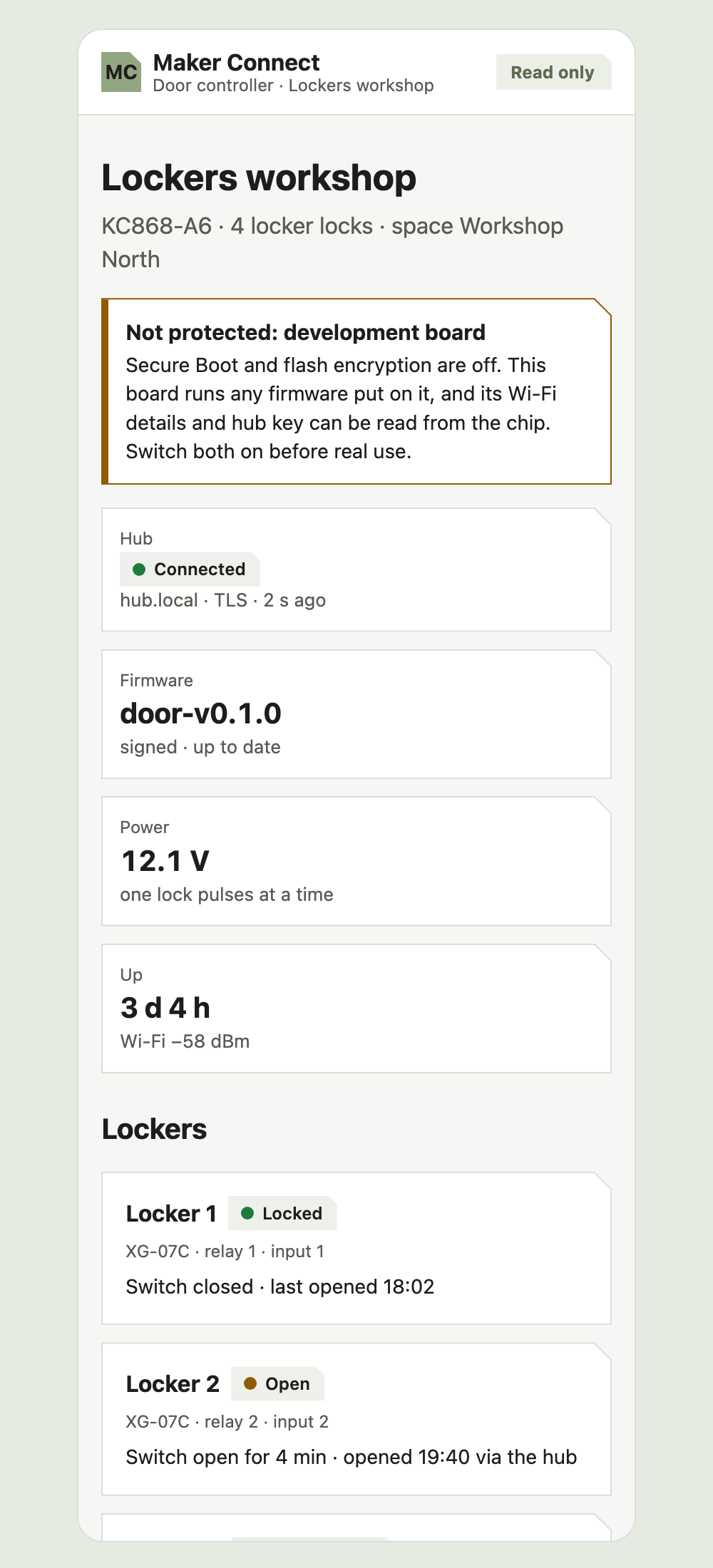
#93A682with dark text on it). It shows the state: each lock open or shut, the firmware version, the link to the hub. Once set up, it has no buttons, no settings and no secrets. Opening a lock and changing anything go through the hub, where the person's rights are checked. Mockup of the status page (example data; development board, so the warning shows):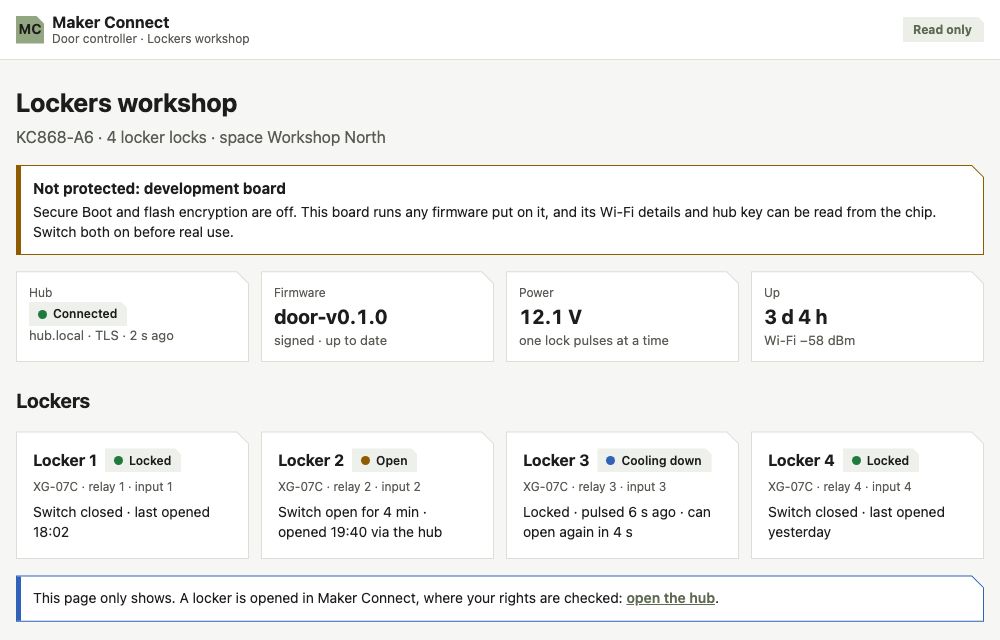
-
Setting up an empty board. A new board, or one put back to empty, has no Wi-Fi yet and no screen. It then opens its own Wi-Fi hotspot,
Maker-Door-XXXX(the last digits of its serial number), protected by a password printed on a sticker on the board. Connect a phone to it and a setup page opens:- Fill in the Wi-Fi network, its password, and the hub's address. The board saves them and joins the network.
- The board registers with the hub. The page shows a code; type it into the hub, as for a Prusa printer. If the hub cannot be reached, the board tries again after a minute with a new code.
- After that the hotspot is off. The page is reachable on the network at
door-xxxx.local, read only, as described above.
The setup page is the only page with fields, and only an empty board shows it, on its own hotspot.
-
Back to empty only by hand. The Wi-Fi and the link to the hub are erased only with a button on the board itself, never over the network. So nobody on the network can move the board to another hub. Which button is chosen when the board is in hand.
-
The safety limits are in the code. The 0.5 s pulse and the 10 s cooldown cannot be changed by any setting or command.
Secure Boot and flash encryption are optional during development. A board without them runs any firmware and its flash can be read, so the user is warned clearly: on the controller's own page, in the hub next to the device, and in the setup steps. The warning says what is not protected and how to switch it on.
Before we start:
- Secure Boot and flash encryption are switched on by eFuses, and that is permanent. A mistake bricks the board, so test it on one board first.
- Secure Boot v2 needs ESP32 chip revision 3 or later. Check which ESP32 the KC868-A6 has when it arrives.
- The controller itself must sit behind a lock: anyone who reaches the wires can put 12 V on a lock.
- Who may open which locker, and how: a badge, the website, or both?
- Which button on the KC868-A6 puts the board back to empty (check when the board is in hand).
Answered:
- When the hub cannot be reached, no lock opens: a lock opens only on an open command from the hub, and a command that arrives too late is refused.
- How it talks to the hub: itself, with the same Prusa Connect protocol as a Prusa printer (registration by code, then one WebSocket). See issue #121.
- How many locks may pulse at once, and so how big is the power supply?