Repository navigation
Design: Print Farm
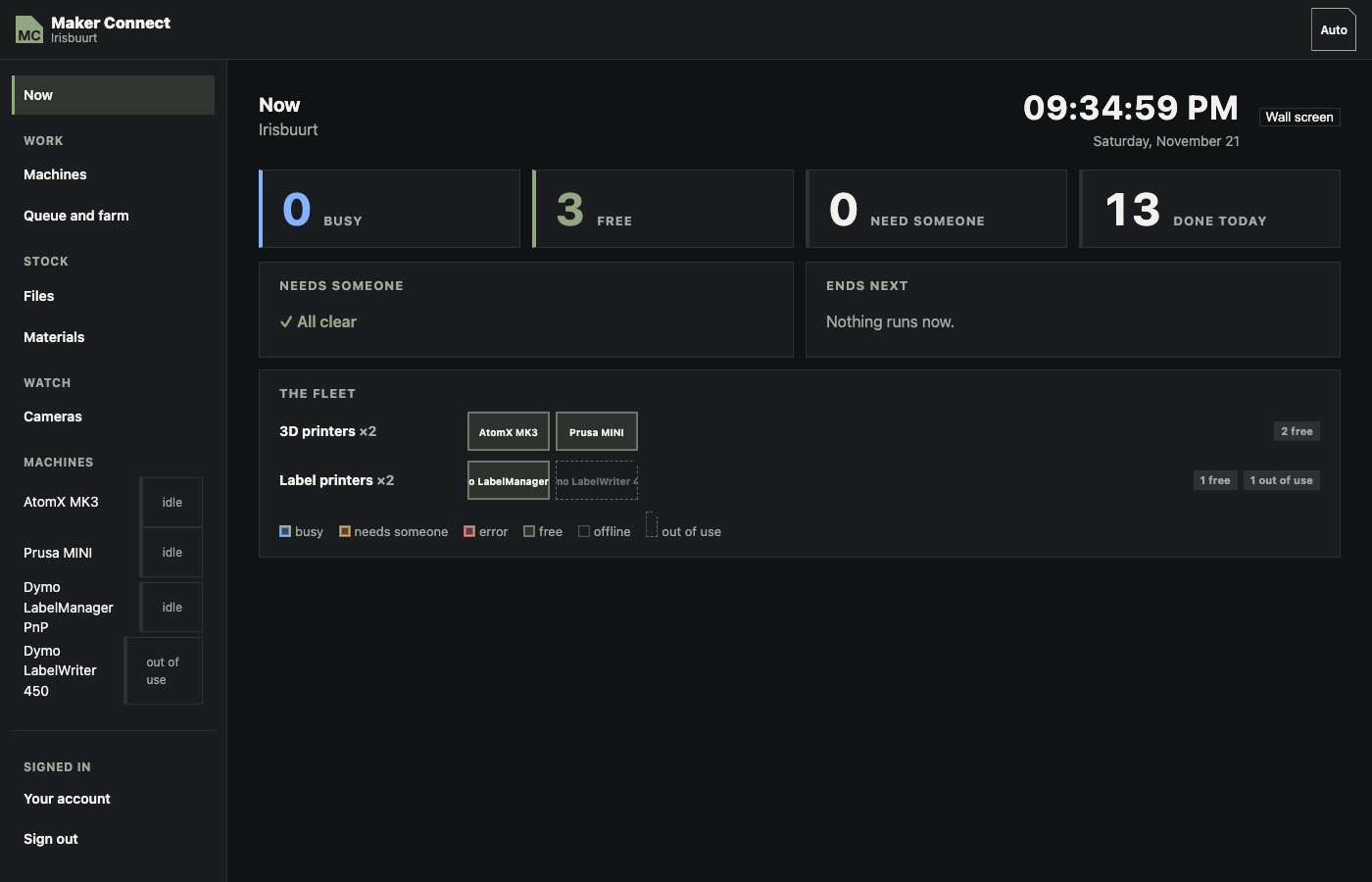
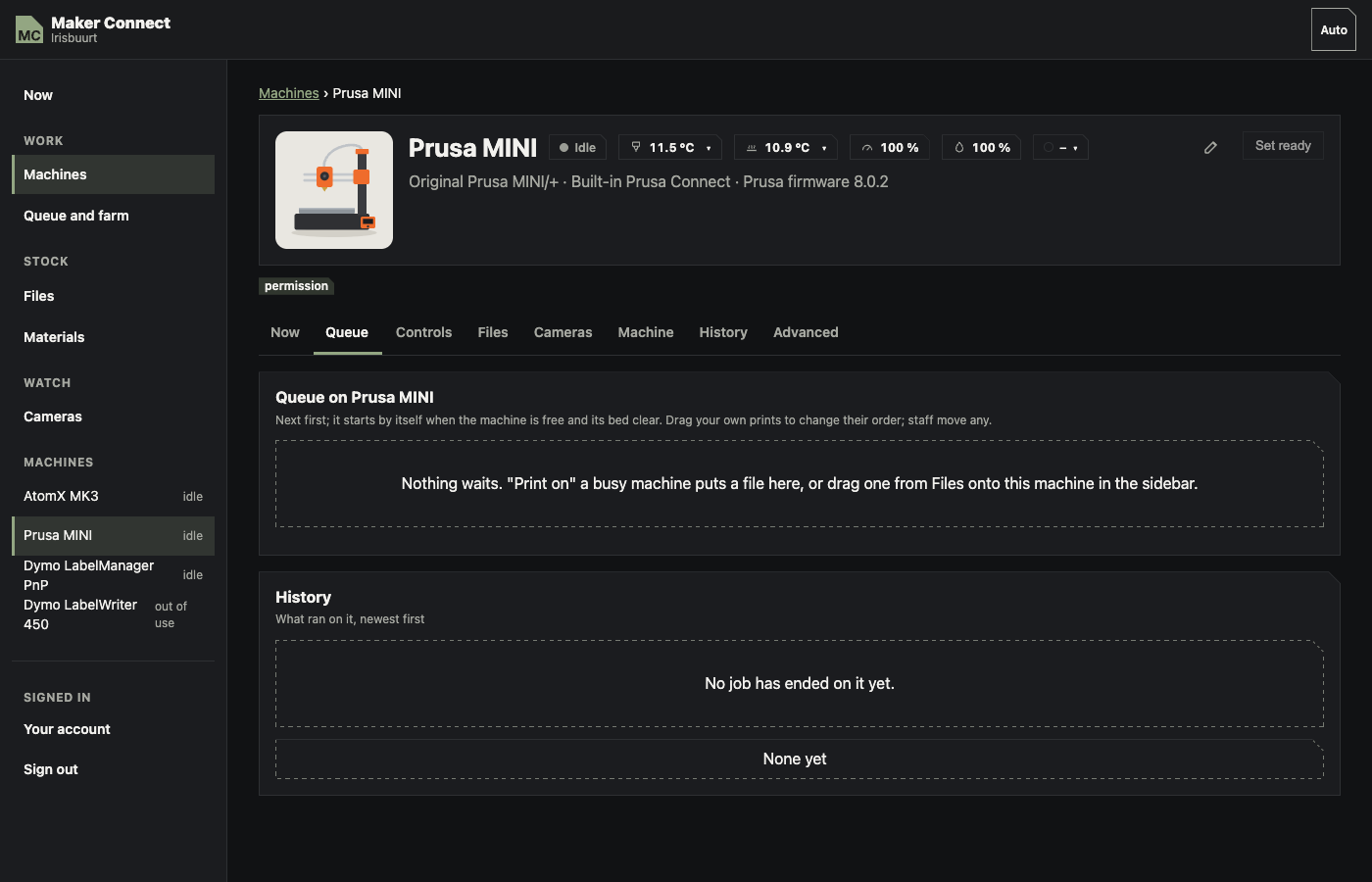
Status: partly built (2026-11-06), not yet tried with real printers. In the hub now: projects and parts (1), the dispatcher's rule (2), pause and stop (5), hold after every print with Set ready and Bad print (8), compatible jobs n/m (13), load and unload filament (14), the schedule (19), the wall screen (20), build plates on machines and part files (24, without sheets as Materials items with wear), upkeep (25) and the numbers per machine (26). The rest is still design.
It builds on what is there:
- jobs per machine, with "taken" (the print is off the bed)
- Materials (which spool is loaded in which machine)
- organisations, spaces and roles (Multi-Tenant Hub)
- label printers, with codes to scan
Today each machine has its own jobs. Someone picks a file and a machine, and that is all. A farm works the other way round:
- Say what has to be made and how many.
- Free machines that suit the work take it by themselves.
- People confirm what came off the bed.
- The counts go up from those confirmations.
Making machines work as one fleet is what this page is about.
Ideas only, built our own way. Better well stolen than badly invented.
Prusa Connect Farm (Prusa's, closed). Seen in screenshots and on Prusa's pages, 2026-11-06.
- Printers are nodes in one network: jobs go to whichever printer can take them. On a printer, "compatible jobs: 25/25".
- Orders, a queue, actions, labels on printers (
MK4-BL), and printers filtered by state, type and label. - Per printer: success rate, filament used, telemetry, load and unload filament with a material, and a job history linked to the order.
- Scanners (Zebra) match the label on a part. A rejected part goes back for a reprint, right at the printer.
- Prusa Connect (not Farm) has a queue per printer on a timeline, with when each job will end, and Set ready: the bed is clear, the next one may start.
- It runs in Prusa's cloud, on-prem, or as the lightweight Prusa Connect Local.
print-farm-manager by Joel Telling
(MIT; read at b5bb0a2). A self-hosted Node.js and React app. Its maker runs a farm of more
than 50 printers with it: Prusa (PrusaLink), Bambu (MQTT and FTPS), Elegoo (SDCP), Klipper
(Moonraker) and OctoPrint in one fleet. MIT, so code may be borrowed, with credit in the
file it lands in. It has no login (it is meant for a trusted network), and it has parked
filament tracking on purpose.
- Every kind of machine: lasers (GRBL, through the agent), label printers, Klipper and Prusa, in one place.
- Materials: Spoolman-compatible. The hub knows which spool, material and colour is in which machine, and jobs count it off.
- Organisations, spaces, roles and permissions per machine: a makerspace with members, not one shop with one operator.
- A label printer of our own: a label for every part or plate is already a job like any other.
- Self-hosted on a Pi, a NAS or a server, or hosted for many spaces: the same software.
flowchart LR
    P["Project<br/>XRP kits, March<br/>priority, active"] --> T["Part<br/>Chassis<br/>target 1000, done 995"]
    T --> G["G-code per profile<br/>prusa/mk4s: 10 per plate<br/>prusa/mini: 4 per plate"]
    G -->|"the dispatcher picks"| J["Job<br/>on MK4S 07"]
    J -->|"someone confirms it is good"| L["Ledger<br/>+10, by Mia, job 812"]
    L --> T
| Level | What | From |
|---|---|---|
| Project | A run with a name, a priority and a state (draft, active, paused, done). It may also be an order for someone. | print-farm-manager, Farm |
| Part | One physical part: how many are needed (target) and how many are made (done). Open while done < target. |
print-farm-manager |
| G-code per profile | The plate for one machine model (our profiles): how many parts it holds, its time and filament. At most one per model per part. | print-farm-manager |
| Job | One plate on one machine, as now, linked to its part. | as now |
| Ledger | Every change to done, with who or what and why: a confirmed plate, a rejected part, a correction by hand. |
print-farm-manager |
Whole plates only: the plates still needed are ceil((target − done) / per plate). At
995 of 1000 with 10 per plate, one more plate goes out, and the part ends at 1005. That is
right: never half a plate.
-
Projects, parts, and G-code per profile, as above. The number per plate is read from
the file name when it starts with
10x_, and can be changed. -
One rule for what a free machine takes next, written once. Both the dispatcher and
the schedule (19) use it, so they never disagree. The rule:
- the part is open and its project active
- there is G-code for the machine's profile
- the machine is in an allowed group (11)
- the loaded material and colour match what the part needs, known from Materials
- then by project priority, project age, the parts' order, and part age
- Fill free machines: every free machine that suits gets work at once, all racing to the same target. A batch size can limit how many start together.
- A job on a chosen machine still works as now (Print on, from Files), next to the queue.
- Pause or stop a project: no new plates; plates on a bed finish.
- Hold a machine: out of the queue without removing it. This is the "out of use" that is built, made to count for the queue.
- Explain why a part does not go out: "no MK4S G-code", "nothing with PETG loaded", "all MK4S held". This uses the same rule as 2. print-farm-manager has this, and it saves operators a lot of guessing.
-
Hold after every print, and Set Ready. A finished plate holds its machine. Someone looks, takes it off, and confirms. Only then:
- the count goes up (or the plate is marked failed: back in the queue)
- the machine takes the next plate
"Taken" is built; this makes it the step that releases the machine. On a Prusa with built-in Connect, the printer's own
SET_PRINTER_READY(in firmware 6.3.0), so it can be done at the printer too. -
The ledger:
donechanges in one place only, with one ledger row each time. A test reads the source and fails if anything else writesdone. That is the same idea as the test that reads every route for its access rule. -
Their hard lessons, as rules:
- No phantom credit. A plate counts on one real event (a confirmation), never from a time window. Their 24-hour "recovery" window counted Bambu plates twice after every restart.
-
No stale status. The first state after a machine connects may be an old
FINISHED. Nothing counts from that. The MINI's flow already needs to seePRINTINGbefore it believesFINISHED. - No way around a hold. Code never releases a held machine by itself; only a person does.
-
Groups and labels on machines (
MK4-BL, "Room 2", "Big ones"). Filter the machine list by them, and let a project or part only go to some groups. - Statistics per machine: success rate, filament used, hours printing, failed and why. The jobs already hold this. It combines with OctoFarm's ideas on the Roadmap (costs, use, a heatmap).
- "Compatible jobs: n/m" on a machine: how much of the queue it could take now.
-
Load and unload filament from the machine page, with a material from Materials:
- It heats to the material's temperatures, then runs
M701orM702(or the firmware's own way). - The loaded spool is set too.
- It heats to the material's temperatures, then runs
- Add many machines at once from a CSV file (name, model, address, group). This is for agents and printers that are reached by address.
- Back up and restore a space as one file: machines, projects, parts, the ledger, materials. Also to move a space to another server.
- A label for every plate or part: when a plate is confirmed, the space's label printer prints a label with a QR code (project, part, plate, machine, date). Our DYMOs, or a Zebra later.
-
Scan to accept or reject: scanning a part's label at a station marks it good or
rejected, with a reason. A rejected part comes off
done(through the ledger) and goes back in the queue. That is Farm's Zebra flow, with our own scanners: a camera, a USB barcode reader, or a phone.
-
Build plates (sheets) (user, 2026-11-06). Prusa's flexible sheets (smooth PEI, textured,
satin) go from one printer to another of the same size. The MK3S's magnetic sheets fit
the MK2.5(S), MK3(S), MK4 and Core One too (user, 2026-11-06); the MINI has its own size.
So the plate on a machine is said by name, not tied to a model: whoever moves one says
where it is now.
- A part's file can need a kind of sheet, as it can need a material.
- A machine knows which sheet is on it (Farm shows its "Sheet type").
- Sheets are items in Materials with a count of prints. A sheet wears: replace it after so many.
- Moving a sheet to another printer is like loading a spool.
-
Upkeep per machine (user, 2026-11-06): "service every 200 printing hours", shown as
hours until it is due. When due:
- the machine needs someone
- the dispatcher sends it no new plate
- Maintenance done starts the count again, in the audit log
- Per machine: jobs run, parts made (as confirmed), success rate, printing hours.
- The schedule: a timeline per machine of what it will print and when each plate ends. It is worked out from the rule (2) and the G-code's times, without touching anything. Like Prusa Connect's queue timeline.
- A wall screen (TV): the fleet at a glance, big and readable from across the room: what runs, what waits for someone, what ends next.
- Notices when someone is needed: a plate is done and holds its machine, a machine has an error, a material is running out. Sent by ntfy, Home Assistant or a webhook (Roadmap, OctoFarm 7).
- Bambu, as a bridge: LAN mode with MQTT and FTPS. print-farm-manager's driver (MIT) is a working example of it. This is the "bridge" already on the Roadmap; it is the one exception to "devices connect to the hub themselves".
- Elegoo Centauri (SDCP over WebSocket, or MQTT), OctoPrint, PrusaLink: their drivers show what each needs. PrusaLink was set aside as "a local option", and can come back as a bridge in the agent.
How it should look (the Now page, the fleet list, a machine's page, the queue): The Website.
| Step | What | Ideas |
|---|---|---|
| 1 | Projects, parts, G-code per profile; the ledger and its guard test | 1, 9 |
| 2 | The dispatcher: the rule, filling free machines, hold and Set Ready (SET_PRINTER_READY on a MINI), why a part waits |
2–8, 10 |
| 3 | Groups and labels on machines; statistics per machine; compatible jobs | 11–13 |
| 4 | The schedule; the wall screen; notices | 19–21 |
| 5 | Labels per part; scanning to accept or reject | 17, 18 |
| Later | Loading filament from the page, CSV import, backup of a space, Bambu and other bridges | 14–16, 22, 23 |
- Who may confirm a plate: any member at the machine, or only someone with an permission on it (use or operate)?
- Orders from outside: a customer, a teacher, a member asking for 30 parts. Is that a project with a requester, or something of its own?
- More than one plate per file (a 3MF with several plates): one job per plate, or later?
- Machines shared between spaces of one organisation: can a project in one space use machines in another?