Repository navigation
Machine Profiles
A profile is what Maker Connect knows of a machine model: its size, its firmware, what the hub matches it by when a machine reports its model, and a drawing. One TOML file and one SVG per model, in profiles/, by brand. They are built into the hub, so it stays one file to install.
331 machines of 99 brands: see Supported Machines. Most 3D printers are made from Marlin's example configurations, 37 more from Klipper's printer configurations; a few are made by hand (the Prusas with their own recognition, the Ortur laser, the DYMO with its tapes).
scripts/import-profiles.sh clones (or updates) Marlin's example configurations into reference/, makes one profile per machine model, and writes the Supported Machines page:
-
One profile per model: the folder under the brand is the model; deeper folders are its variants (other boards, upgrades: the Ender-3 has 25), and the names they all give themselves (
CUSTOM_MACHINE_NAME, what the printer says toM115) go into[detect] machine_types, so any of them is recognised. -
Facts only: bed size and height (
X_BED_SIZE,Y_BED_SIZE,Z_MAX_POS, a delta's radius), the hottest usable nozzle and bed (Marlin's limits less 15 and 10 °C), extruders, how it moves (COREXY,DELTA: for its drawing), the firmware version (CONFIGURATION_H_VERSION). -
Hand-made wins: a profile without the
source = "marlin-configurations@…"line is never overwritten; delete that line from a made one to take it over. When both know a machine, the hand-made one is recognised first. - Run it now and then: Marlin updates its examples with each release.
The Prusas (with their own recognition), the DYMO with its tapes, the Vorons (0.2, Trident and 2.4 in 250, 300 and 350, Switchwire, Legacy: from the stock configs in VoronDesign's repositories, GPL-3.0), and ten diode lasers from their makers' published specs (see Lasers). A machine without a profile is drawn as one of its kind.
The same script fetches Klipper's config folder into reference/klipper and makes a profile from each printer-*.cfg (a printer as sold; the generic-* boards and the examples are left out), for the printers Marlin's examples do not have:
-
Which printers, and their names: a table in
crates/import/src/klipper.rs. Klipper's file names (printer-creality-cr5pro-ht-2022.cfg) do not give a model's name as its maker writes it, and many of its printers have a profile already, or are a variant of one (another board, another tool head). 37 of its 108 printers are new. -
Facts only: the bed and height (
position_maxof[stepper_x],[stepper_y],[stepper_z]; a delta'sprint_radiusand[stepper_a] position_endstop), the hottest usable nozzle and bed (max_templess 15 and 10 °C, as with Marlin's), extruders, how it moves (kinematics).firmware = "klipper",source = "klipper-config@…". - Not connected yet: a printer on Klipper is reached through Moonraker, not over USB as Marlin is. Until that is built, its profile gives a virtual one and tells which files fit it.
The filament catalogue of the Materials page is made the same way, from PrusaSlicer's own vendor profiles (filaments/prusaslicer-prusa-fff.toml, by the same script).
Next sources to add the same way: Klipper's printer configs, and PrusaSlicer's vendor profiles (FFF and SLA), which also give the name a slicer writes into a file, so "sliced for" matches the machine.
brand = "Prusa"
model = "Original Prusa i3 MK3S/+"
kind = "fdm"                       # fdm, laser, cnc, cutter, label, paper, other
build_volume_mm = [250, 210, 210]  # x, y, z
bed_origin_mm = [0, 0]             # where X0 Y0 is, from the bed's front left corner
nozzle_mm = 0.4
firmware = "prusa"                 # prusa, marlin, klipper, grbl, dymo-d1, ...
max_nozzle_c = 300
max_bed_c = 120
printer_models = ["MK3S"]          # the slicer's printer_model, to tell a file was sliced for it

[detect]                           # what the hub matches to pick this profile
model_code = 302                   # Prusa's M862.2 Q
machine_type = "Prusa i3 MK3S"     # M115's MACHINE_TYPE (or a USB product name)
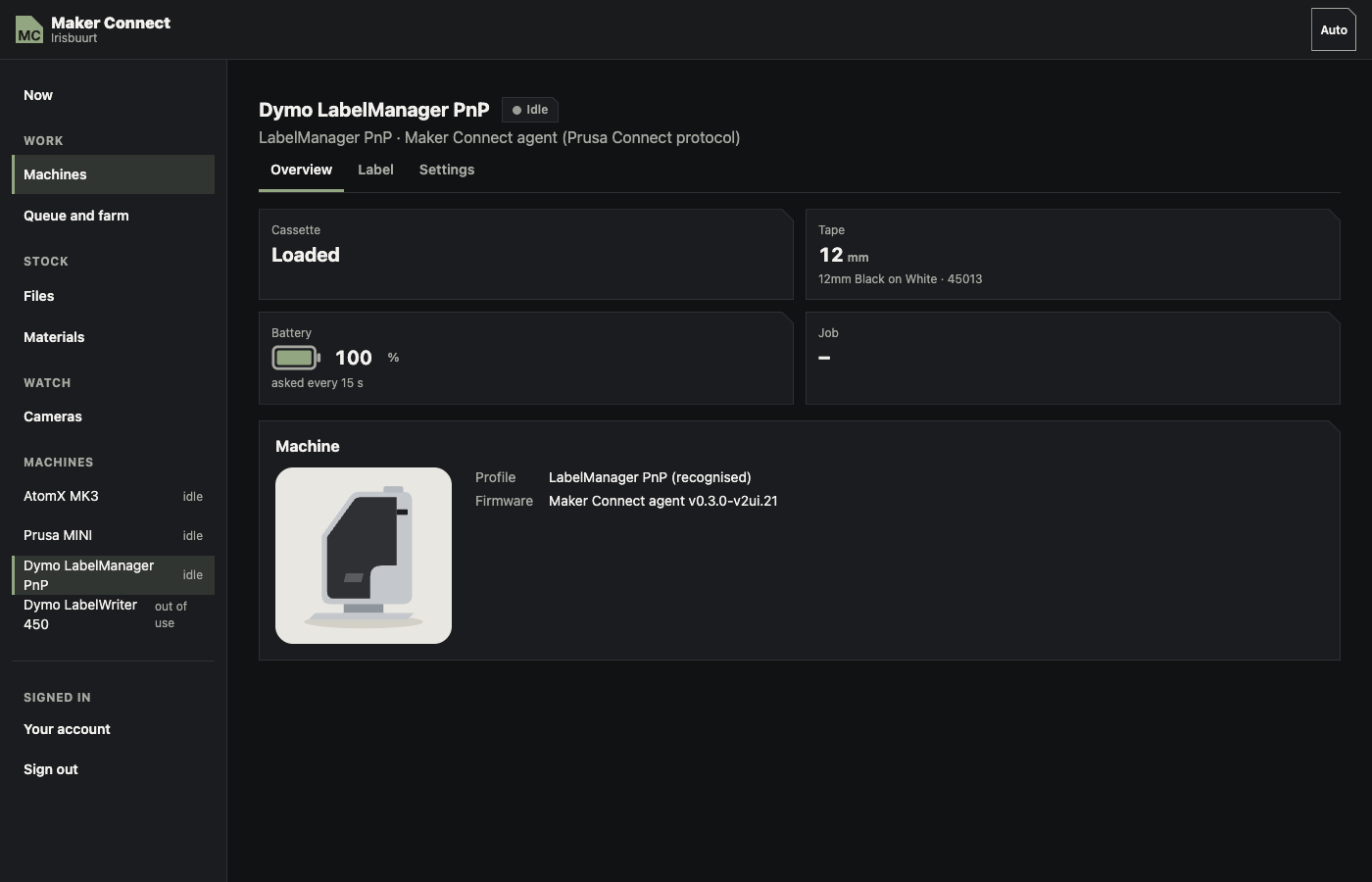
A label printer has no build volume; it lists the media it takes instead:
dpi = 180
head_dots = 64

[[media]]
id = "45013"                       # the article number, on the cassette
name = "12mm Black on White"
width_mm = 12
ink = "#000"
background = "#fff"
Values marked # check are not yet confirmed on the machine itself.
profiles/<brand>/<model>.svg, 160 × 160, in the style of the others: a light rounded square, a soft shadow, the machine in a few flat shapes from the side it is best known by. No logos. A profile without one shows a drawing of its kind and how it moves (profiles/_generic/: bed slinger, CoreXY, delta, laser, CNC).
- Copy a profile of the same kind; measure or look up the values; mark what you could not check with
# check. - Draw it (or leave the drawing out: the page then says "No picture yet").
-
cargo test -p maker-connect-hubloads every profile, so a typo shows at once. - A pull request per machine.