Repository navigation
Materials
The Materials page (in the sidebar) keeps every spool and cassette the space has: what is left, where it is, what is loaded in which machine. It is built on Spoolman's model (vendors, filaments, spools) and speaks its API, so what works with a Spoolman works with Maker Connect: Moonraker, OctoPrint's Spoolman plugin, Mainsail, Fluidd, and scales such as SpoolmanScale. See Spoolman below.
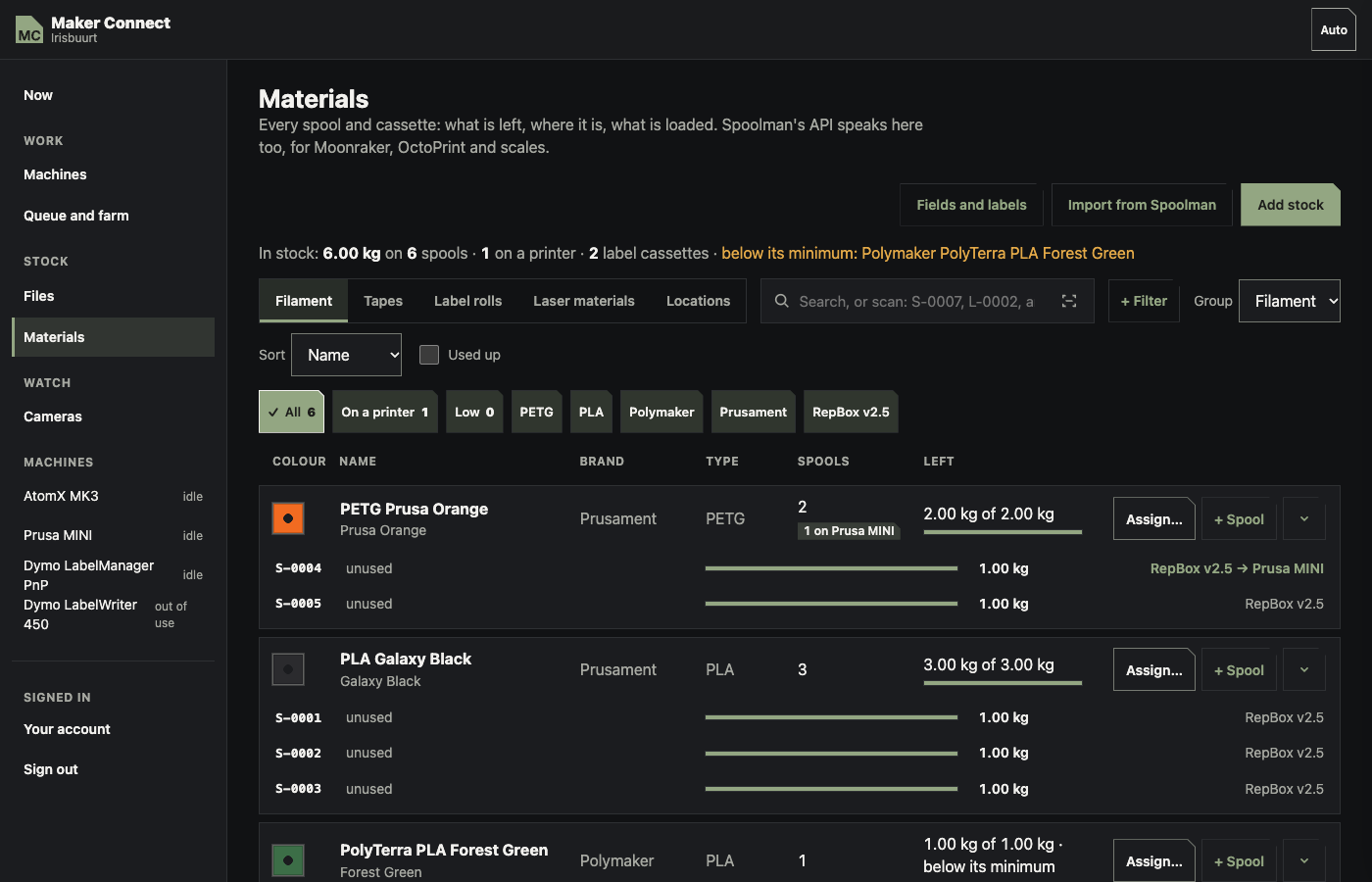
The tabs split the stock by kind: Filament, Tapes, Label rolls, Laser materials, and Locations (the board, below). Above them, what is in stock in all, how many are on a printer, and what is below its minimum.
Each filament is a row with its colour, brand, type, its spools and what is left of them; below it, each spool by its code (S-0004) with what is left and where it is (RepBox v2.5 → Prusa MINI when it runs from a dry box into a printer). Search (or scan) narrows it, the chips filter (On a printer, Low, a material, a brand, a location), + Filter adds more, Sort and Group order it, Used up shows the archived ones too. On a row, + Spool adds a spool of that filament and Assign… puts one somewhere.
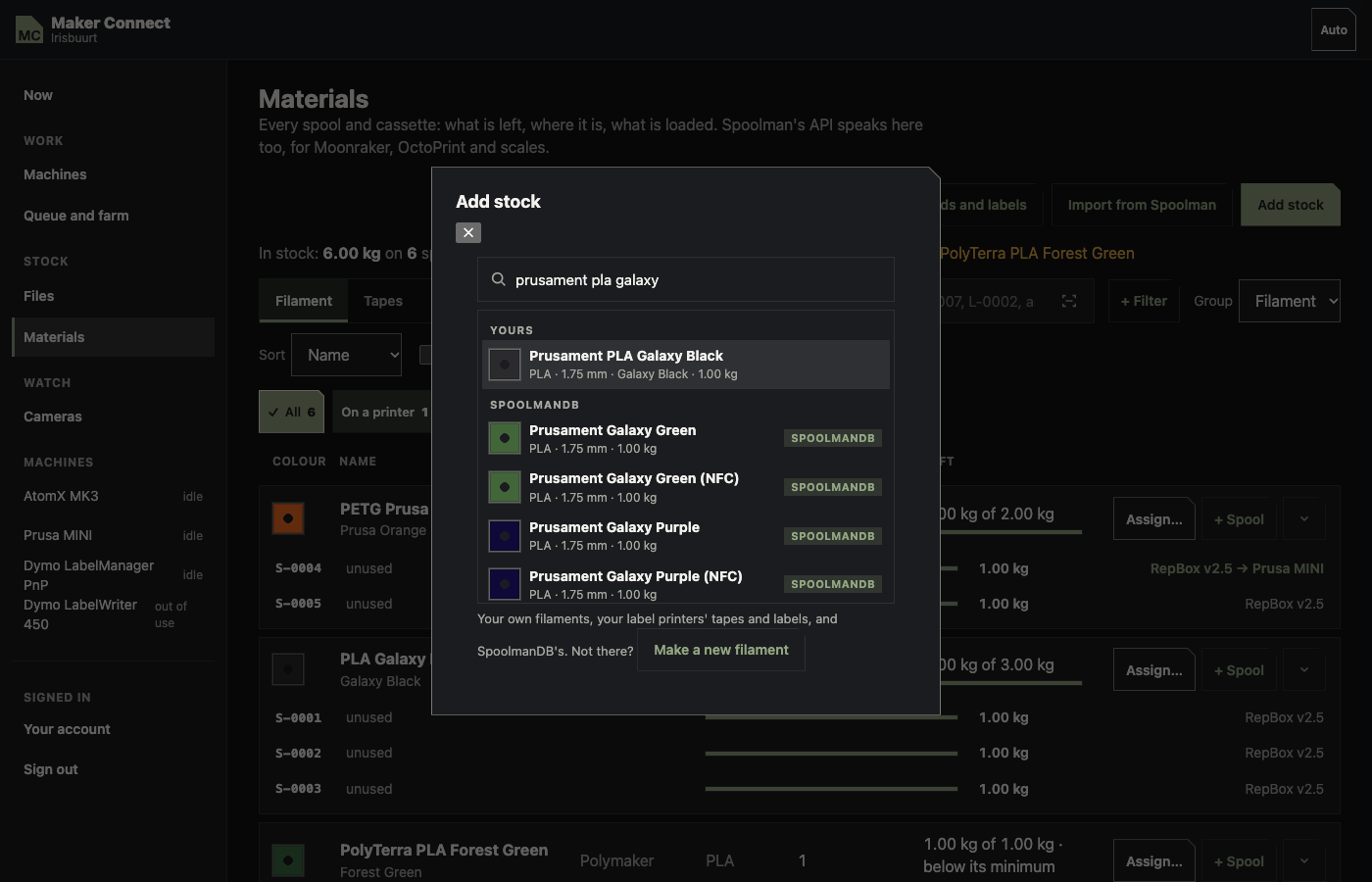
Add stock, then type what it is: your own filaments, your label printers' tapes, and SpoolmanDB (thousands of filaments of their makers, with their colours, weights, empty spools and temperatures) are searched at once. Pick one, then how many, where, what each holds, the empty spool, the lot and the price: each becomes a spool with its number (S-0012). Not found? Make a new filament: a vendor (an existing one or a new one), a material (picking one from SpoolmanDB's list fills in its density and temperatures), its colour.
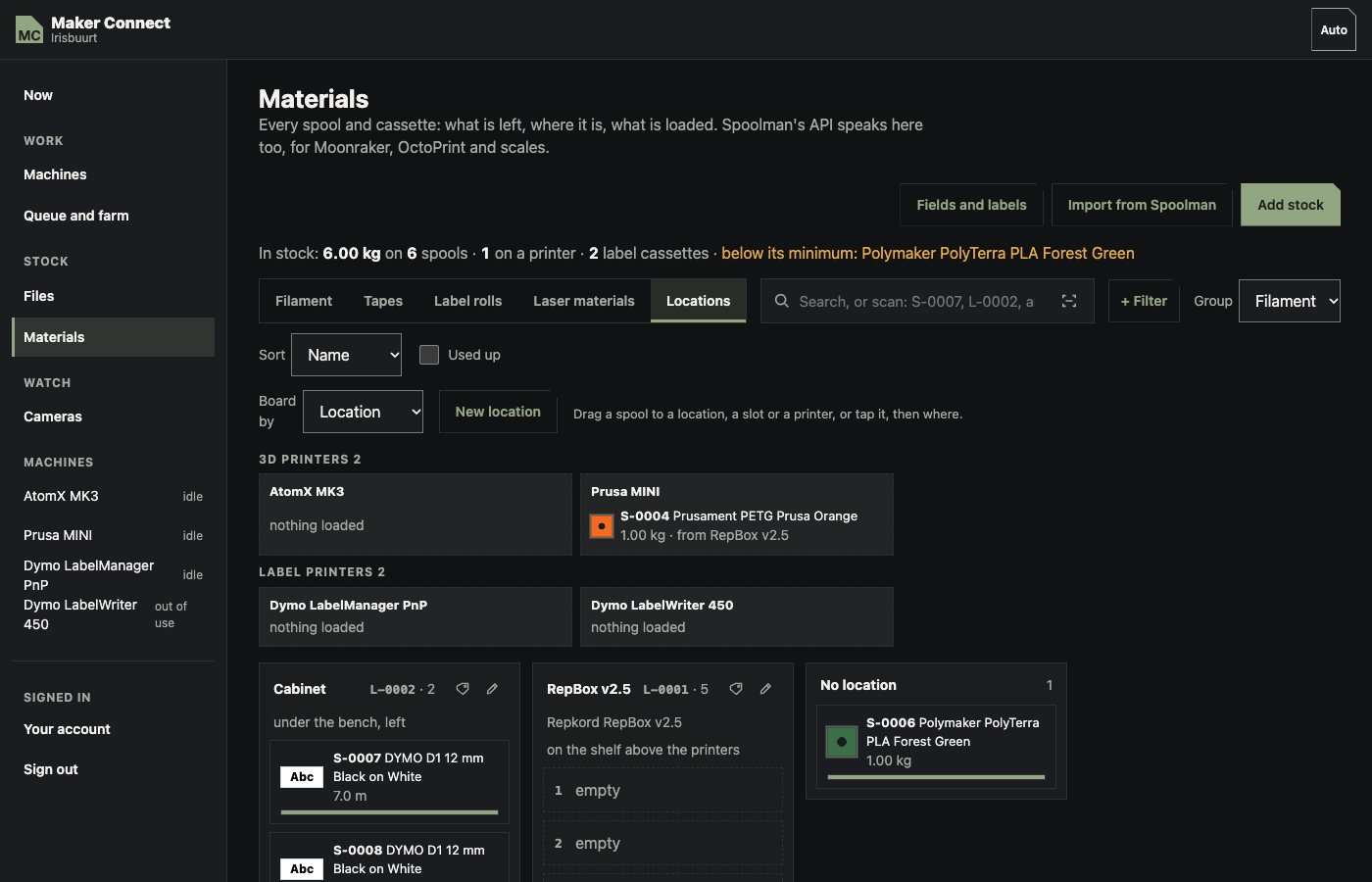
The Locations tab shows the board. On top, the machines grouped by kind (3D printers, label printers), each with the spool or cassette loaded in it; this strip stays in view as you scroll. Below, a column per location (a shelf, a cabinet, a dry box: each with a code such as L-0003) and one for spools without a location. Drag a spool onto a location, a slot or a machine, or tap it and then where it goes.
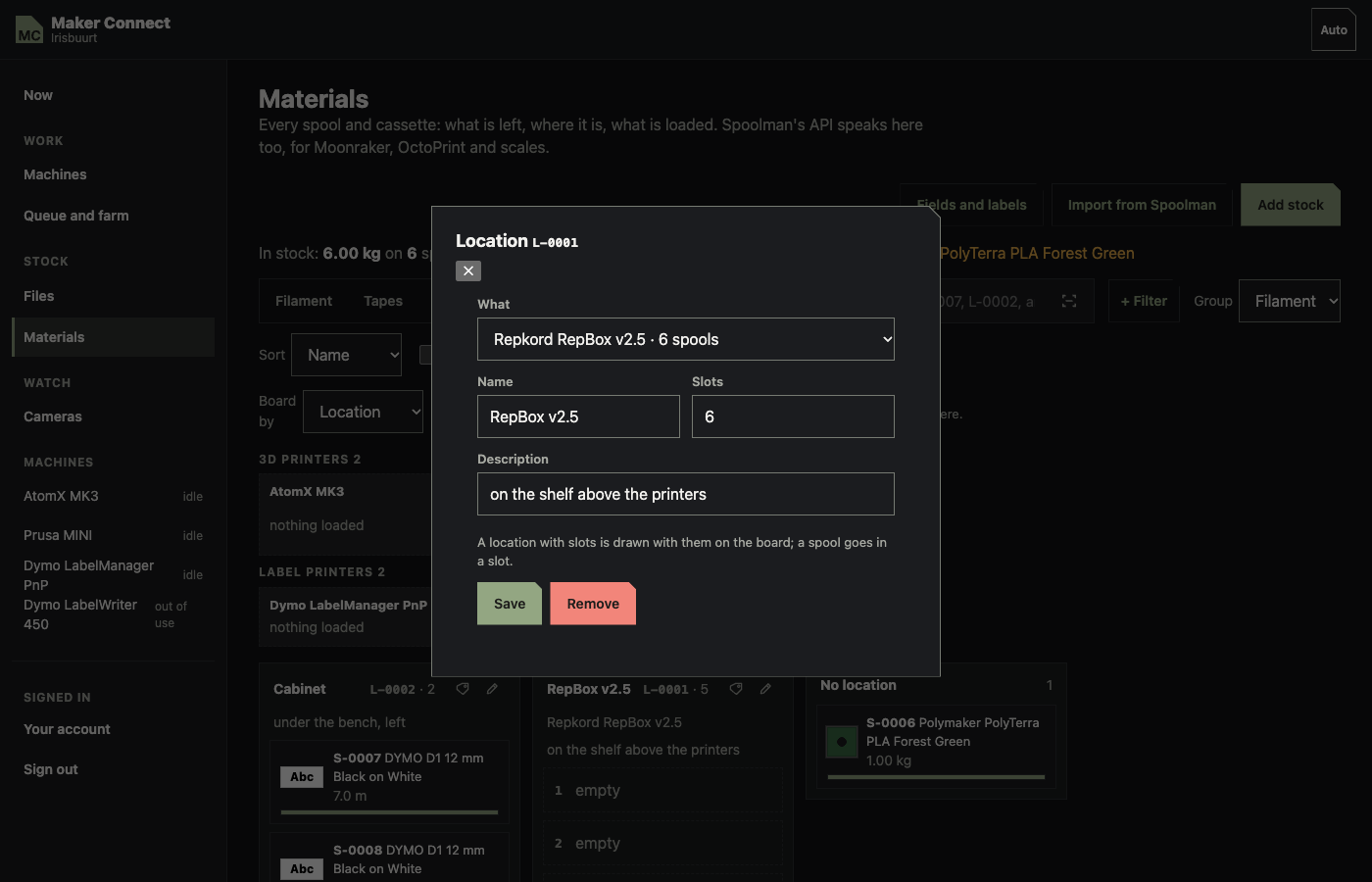
- New location: a name, a description (under the bench, left), and what it is. Pick a dry box from the list (SUNLU, eSUN, Creality, Bambu Lab, Polymaker, Anycubic, EIBOS, BlueRolls, Repkord's RepBox) and its slots are filled in, or give a number of slots yourself.
- A location with slots is drawn with them: a spool goes in a slot, and an empty slot says so.
- In a column's head, the tag icon prints the location's label (its code as a QR code, scanning it moves the open spool there) and the pencil changes its name, description and slots, or removes it (its spools go to No location). Hover over either to see what it does.
What fits where. A label tape goes into a label printer, a filament into a 3D printer, and a dry box holds filament only. When you pick a spool, the places it cannot go are greyed out, and dropping it there is refused with a reason.
Loading from a dry box. A spool loaded from a dry box keeps its location and slot: the filament runs from the box into the printer, and the board shows it on the printer from RepBox v2.5. A spool loaded from a shelf or with no location leaves it: it is on the printer now. Moving a loaded spool to another dry box keeps it loaded; moving it to a shelf takes it off the machine. Not loaded in the inspector unloads it.
Board by groups the board by one of your own fields instead (a choice or a short text: Drying: open, sealed, in the dryer), and dragging sets that field.
Type or scan into the search box, or anywhere on the page (a USB or Bluetooth barcode scanner types the code and Enter):
-
S-0007opens that spool; a link from a label (…/stock#S-0007) does too, and so do Spoolman's own labels (WEB+SPOOLMAN:S-7,…/spool/show/7): labels printed before moving here still work. -
L-0002(a location's label) moves the open spool there, or shows what is there. - An EAN finds the filament it is the article number of, and starts adding spools of it.
- An NFC tag's UID opens the spool it is linked to.
- The camera button reads a QR code or a barcode with the camera (Chrome and Edge; the browser allows the camera on https or on localhost). A phone's own camera app opens a label's QR code directly.
A print that finishes counts the filament its file says (grams, or metres turned into grams) off the spool loaded in its machine; a stopped one, the part it got through. A label counts its length in metres off the cassette. Each is a line in the spool's history (used −12.5 g · job cube.gcode). When Moonraker reports use itself while a print runs, the job does not count it again.
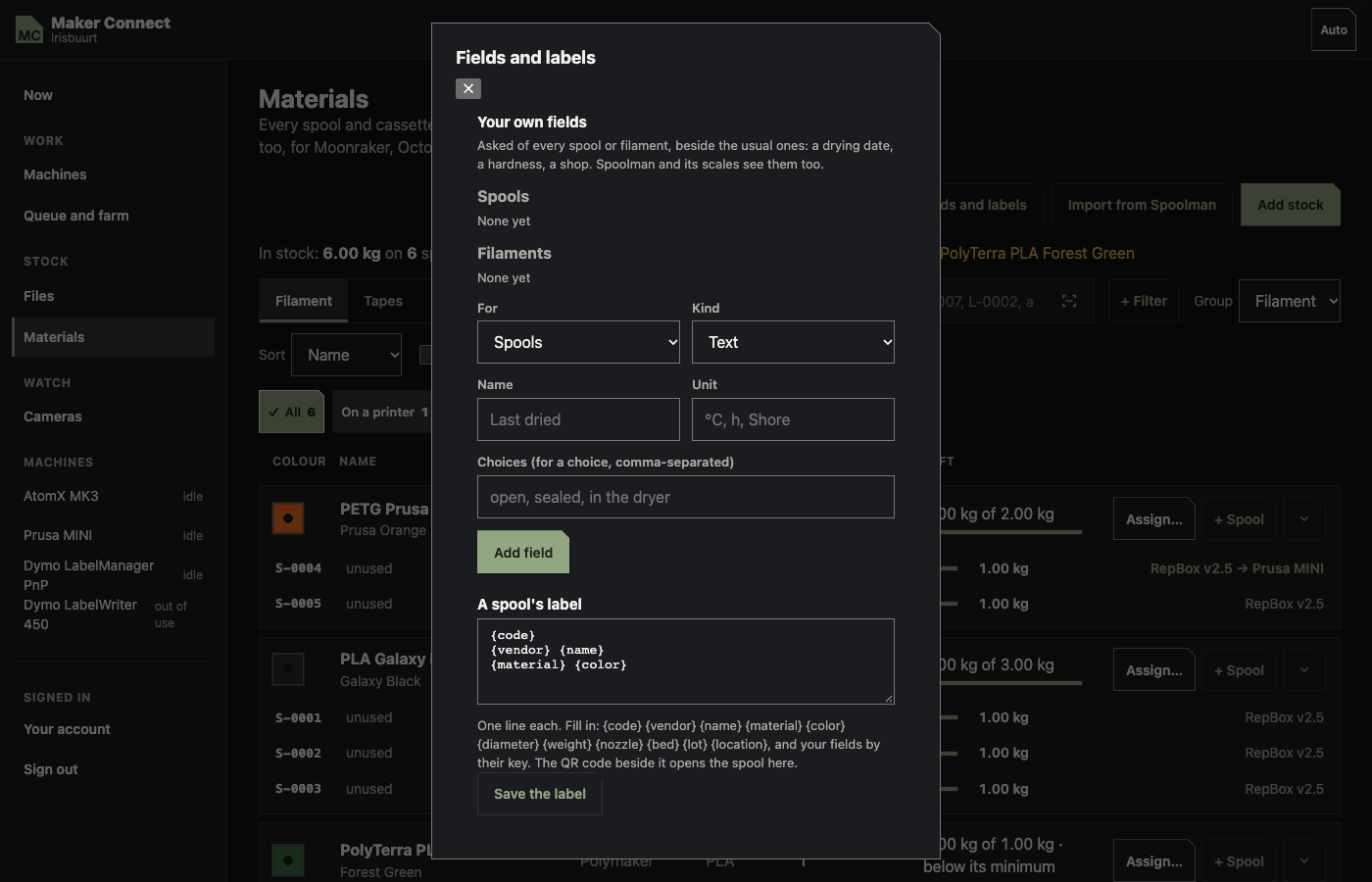
Fields and labels adds fields to every spool or filament: text, a number, a date, yes or no, a choice (Last dried, Drying, Shore hardness). They are asked in the inspector, shown to Spoolman's clients, and can group the board. A spool's label says what its label holds, one line each: {code}, {vendor}, {name}, {material}, {color}, {diameter}, {weight}, {nozzle}, {bed}, {lot}, {location}, and your fields by their key. The QR code beside it opens the spool.
-
Its API, at this hub's address:
http://<hub>:8460/api/v1/…, as Spoolman's: vendors, filaments and spools with their filters, sorting and paging;useandmeasure; NFC tags (linking, scanning, readers) as Spoolman 0.27 has them; extra fields; settings; export as CSV or JSON; its WebSockets. Give it to:-
Moonraker (Klipper):
[spoolman]server: http://<hub>:8460inmoonraker.conf: it then counts filament off the active spool as it prints. - OctoPrint's Spoolman plugin, Mainsail and Fluidd (through Moonraker), KlipperScreen.
- Scales: SpoolmanScale and others that speak to a Spoolman weigh a spool and write it back here.
-
Moonraker (Klipper):
- Moving here: Import from Spoolman reads a running Spoolman (its address) or its JSON export of spools: vendors, filaments, spools, tags and fields. A spool keeps its number where it is free, so its labels and tags still find it.
- Moving back: export the spools as CSV or JSON, or Copy to that Spoolman writes everything to a running one through its API.
What Spoolman does not have stays Maker Connect's and goes out as extra fields: a material's kind and unit (a label tape counts metres), its colour's name, a tape's ink and width, the machine a spool is loaded in (loaded_in) and its slot in a dry box (slot). A dry box's slots and model stay here too; Spoolman sees the location by its name. Spools from before this model moved over by themselves: a brand became a vendor, a material a filament, an item a spool with its number.