Repository navigation
Design: Stream Deck
Idea, work in progress. Nothing here is built into Maker Connect yet: the screenshots are a demo with made-up data that talks to no hub. Decisions and the discussion: #190.
An Elgato Stream Deck for quick management and overview: small screens as keys, showing at a glance what the machines do and letting you act on them in one press. It would be a device of the agent, like the DYMO printers, plugged into the computer beside it.
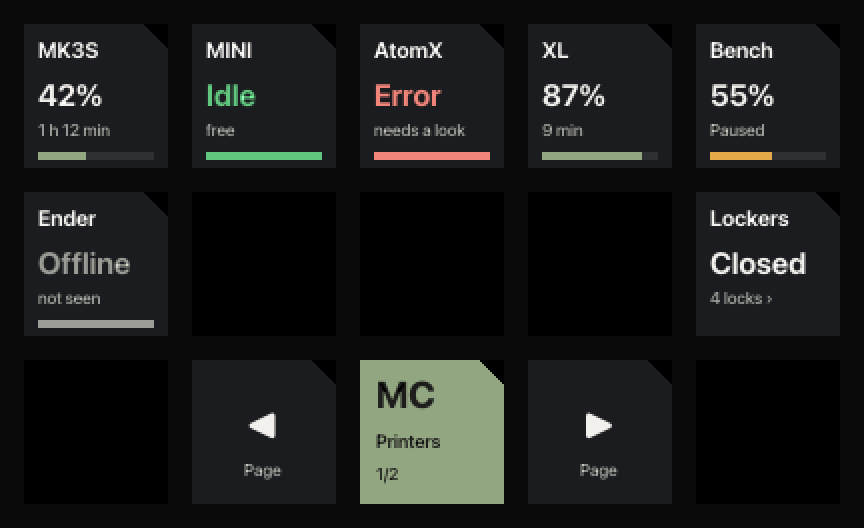
The demo runs on a Stream Deck Original V2 (15 keys) through deckhand, our fork of the Rust crate elgato-streamdeck (its example maker_connect_demo).
- The bottom row is always navigation, on every screen: Back, previous page, where you are (the house colour; press it to go home), next page.
- The top two rows are the content. A page per group of machines; a key per machine with its name, its value (percent done, or its state), a line under it (time left, "free", "needs a look") and a bar in its state's colour.
- A machine in error blinks, the whole key in the fault colour.
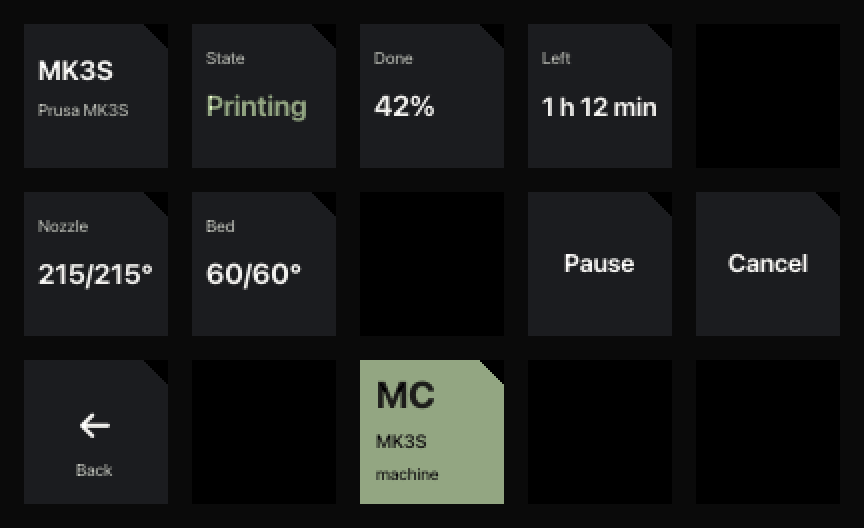
- Press a machine for its own page: state, done, time left, nozzle and bed; Pause/Resume, and Cancel that asks for a second press.
| Overview, AtomX blinking | A machine |
|---|---|
 |
 |
Lockers: the four locks of the Door Controller. Press one to open it: "Opening" (the lock's pulse), the door "Open", then the lock rests 10 s before it can open again.

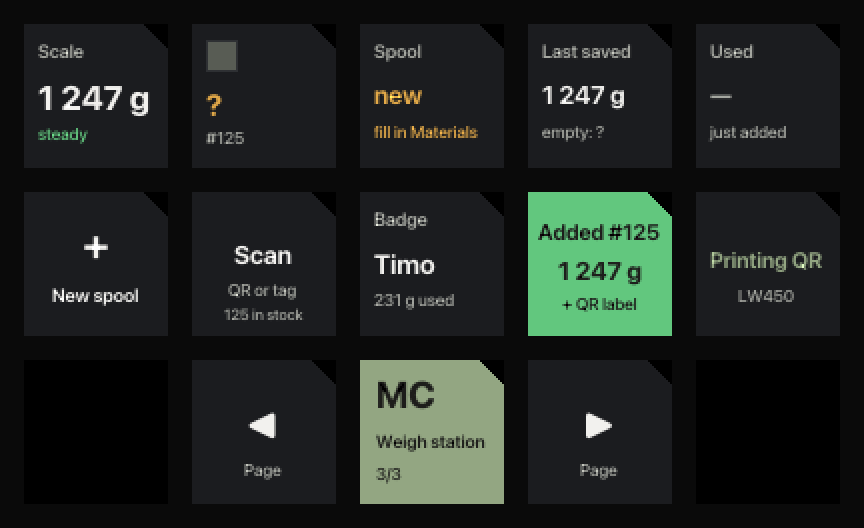
A DYMO scale, a LabelWriter 450 and the deck side by side. The deck shows only the spool on the scale, picked by scanning its QR label or tag (a stock has hundreds of spools; no list on the deck).
- Scale: the weight live, "settling" then "steady".
- The spool: its colour, material, number, name and brand; the weight last saved and the filament left; used since then.
- Badge: who is at the desk (an RFID card). Save puts the weight in Materials and books the grams used on that person: filament use per member.
- New spool: a new roll on the scale, Save adds it with its weight only and prints its QR label at once; type and brand are filled in later in Materials.
| Spool scanned, steady | Saved: 231 g booked on Timo | A new spool, QR label printing |
|---|---|---|
 |
 |
 |
Idea only: pictures drawn by the demo's program with made-up data; nothing of this is built. The owner chose these four ideas for pictures (2026-11-23).
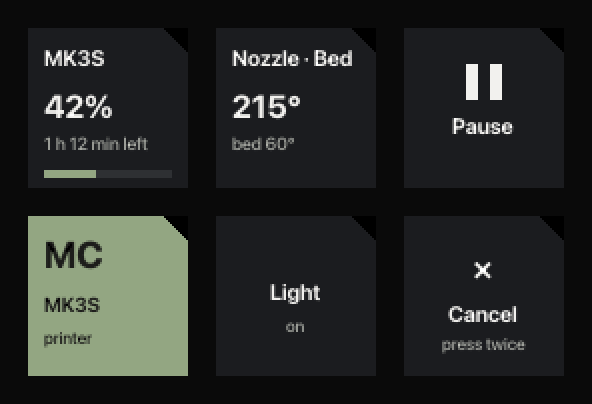
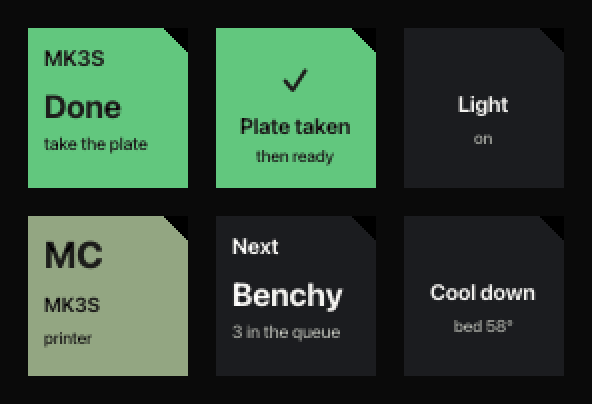
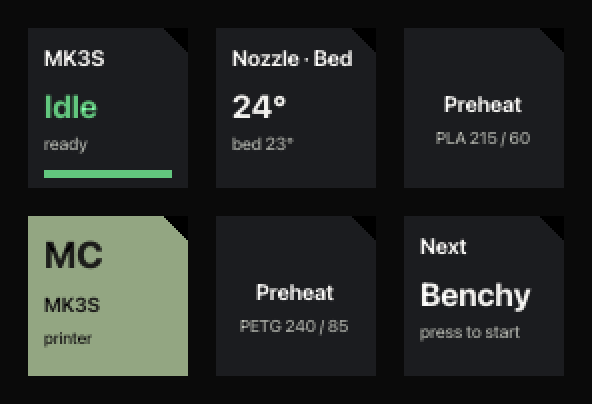
The Mini has 6 keys (3 × 2, 80 × 80 px). A whole row for navigation would leave too little, so one fixed key, bottom left, says where you are (the house colour) and stays there; the other five are the content and change with what the printer does.
The Mini stands beside one printer. The top-left key is always its state; the actions change with it.
| Printing: Pause, Light, Cancel (press twice) | Done: one big green "Plate taken" | Idle: preheat, the next job |
|---|---|---|
 |
 |
 |
"Plate taken" is the step the hub already asks for after a print ("say it was taken first"); then the printer is ready for the next job.
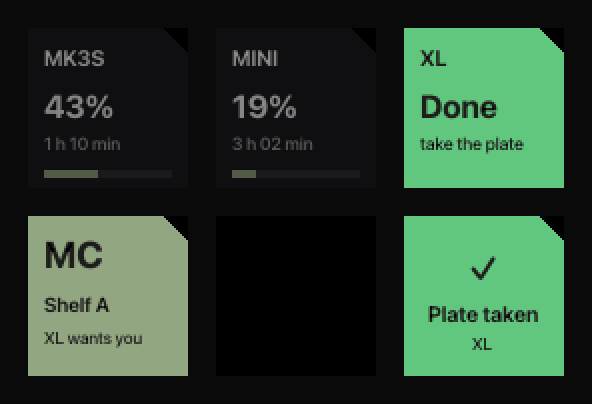
A key per printer; press one to choose it (the selected tint and a bar on the left), and the bottom row gives its actions. A printer that is done lights up green across the room: take the plate, press Plate taken, and the next job in the queue can start (for a printer; a laser starts only by a person).
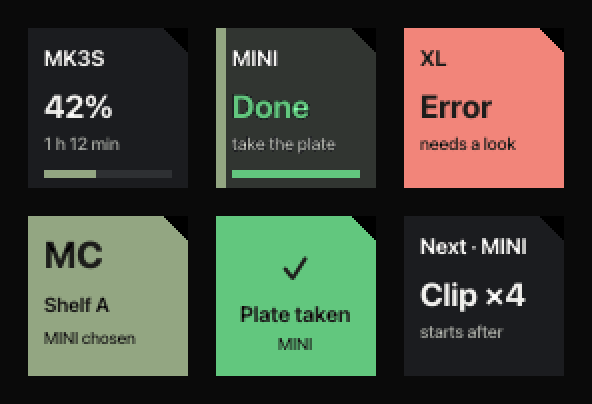
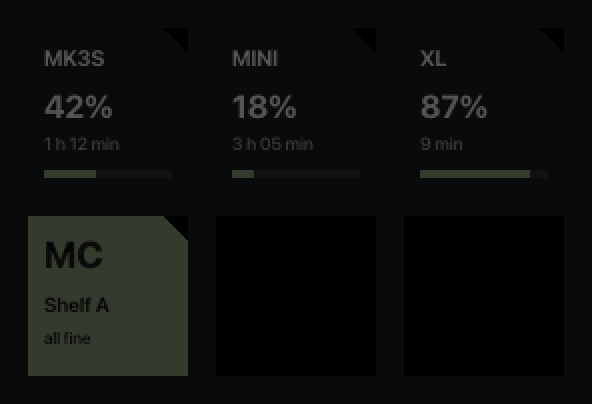
Dimmed and calm while all is well; when a printer wants someone (done, an error, filament out, a plate waiting) the deck gets bright and that key lights up, visible from the desk.
| All fine, dimmed | The XL wants you |
|---|---|
 |
 |
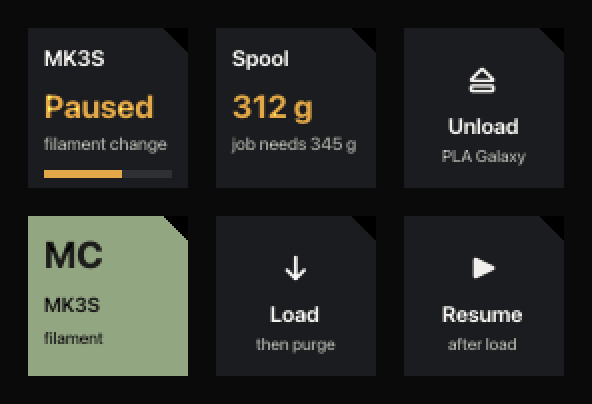
The loaded spool on a key, orange when the job needs more than is left; Unload, Load and Resume for a filament change in a pause (ties in with the weigh station above: weigh and scan the spool).
Open for all four: who may press (per deck rights in the hub, e.g. pause and "plate taken" but no cancel; or a badge); more printers than fit (the fixed key as "next group"); whether deckhand drives the Mini well (upstream lists the Mini and Mini Mk2; not tried).
The deck is black, so the keys use the dark colours of the House Style: every key is a card with the one 45° cut corner top right, status colours are their own and never translucent, the house colour #93A682 carries dark text.
On the branch wip/191-192, not in a release: the agent drives the deck (see The Agent). It shows the agent's own devices as their cards on the agent's page show them, read only, in this style, with the bottom row as navigation; a card on the agent's page turns it on and off. It does not talk to the hub yet: the groups and pages of machines, the lockers and the weigh station above need the hub and a new part of the agent's protocol (to be written).
- How the deck talks to the hub: keys in, what each key shows out (a new part of the agent's protocol).
- Who presses: a laser job is started only by a person; a badge at the deck could say who.
- The badge reader and the spool scanner (QR or RFID): which, and on which device.
- Windows and Linux (so far tried on macOS only).
- A key is not an emergency stop. Stopping stays the machine's own button.