Repository navigation
Updates
Maker Connect's hub updates itself from its About page. Every update is checked before it is used. If a new build does not work, the old one comes back by itself.
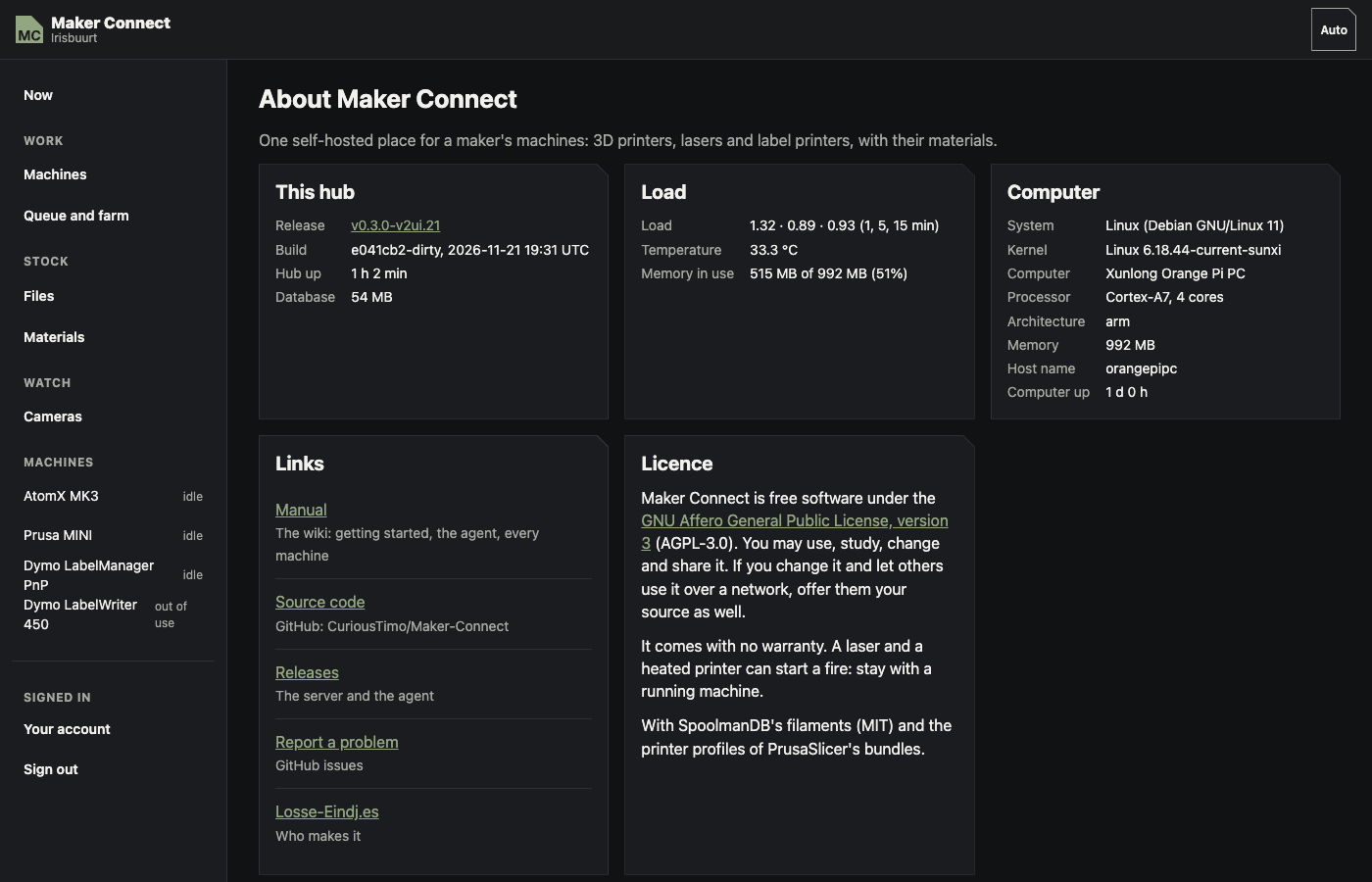
Only the person who runs the server (the first account, or another instance admin) can do this.
- Open About from the menu at your name, top right.
- Under Updates the hub says whether a newer release is out, with its notes. It also says when jobs are running. Printers on Prusa Connect and agents keep going during the update and catch up afterwards, which takes a few seconds.
- Click Update to … and confirm.
What happens then:
- The hub fetches the release for its system from GitHub and checks it against Maker Connect's release key (see below).
- It backs up the database to
maker-connect-backups/maker-connect-<time>-before-<release>.db. - It tries the new build on a copy of the database: open it, build the pages, take a port. A build that fails this trial is never put in place.
- It puts the new build in place and keeps the old one as
maker-connect-hub.previous. - It stops serving and starts the new build, on trial. The old build waits and keeps an eye on it. The new one must keep running for 20 seconds. If it stops, or does not confirm itself within 2 minutes, the old build stops it, puts the database backup back, and starts itself again.
- The page reloads when the hub answers again. About → Updates says how the last update went, including why one went back.
This works on Linux (also under systemd) and macOS. On Windows, update by hand: stop the hub, unpack the new release over the old one, and start it again.
Not yet in v2: an agent is updated by hand. Stop it, put the new build in place of the old one (same folder, so its settings and pairing stay), and start it again. Updating agents from the hub, signed and with a way back as the hub's own update, comes with #55.
Every release has a SHA256SUMS file with the checksum of each file, and a SHA256SUMS.sig. That is an Ed25519 signature over the release's tag and that list, made with Maker Connect's release key. The public half of the key is built into the hub, which refuses a release when:
- its signature does not hold (another key, or a list that was changed);
- a file's checksum is not on the list (a file that was changed);
- the tag does not match (an old release passed off as a new one);
The private half of the key is kept by whoever makes the releases, and is never in the repository. Releases are made with scripts/build-release.sh hub <version> and scripts/build-release.sh agent <version>; both sign. See crates/update.
The hub and the agent are released separately on GitHub, each with its own version:
-
hub-v…: the hub for every system, as an archive with SpoolmanDB. -
agent-v…: the agent for every system.
The hub's Add machine page offers the agent builds in its maker-connect-downloads/ folder, beside its database.