AI Pulse Analysis
- Scene-by-scene evaluation: AI analyzes individual scenes in triplets (previous/current/next) to provide story pulse assessment and grade evaluation.
- Multiple ordering options: Run analysis in manuscript order (Narrative mode) or by subplot order to get different perspectives on narrative scene flow.
- Editorial signal at a glance: This is the Radial Timeline bread-and-butter evaluation system shown in scene hover meta, giving valuable editorial feedback on what is working and what is not in the manuscript.
- Compact hover option: A settings toggle can hide previous and next scene analysis so hover meta shows only the current scene for a slimmer read.
The Pulse Triplet Analysis is the key first line of defense in stress testing the manuscript from a developmental editor's viewpoint.
Modes: Progress mode (key 1), Narrative mode (key 2), Chronologue mode (key 3)
Command: Scene pulse analysis (manuscript order), Scene pulse analysis (subplot order)
Settings: AI LLM for scene analysis
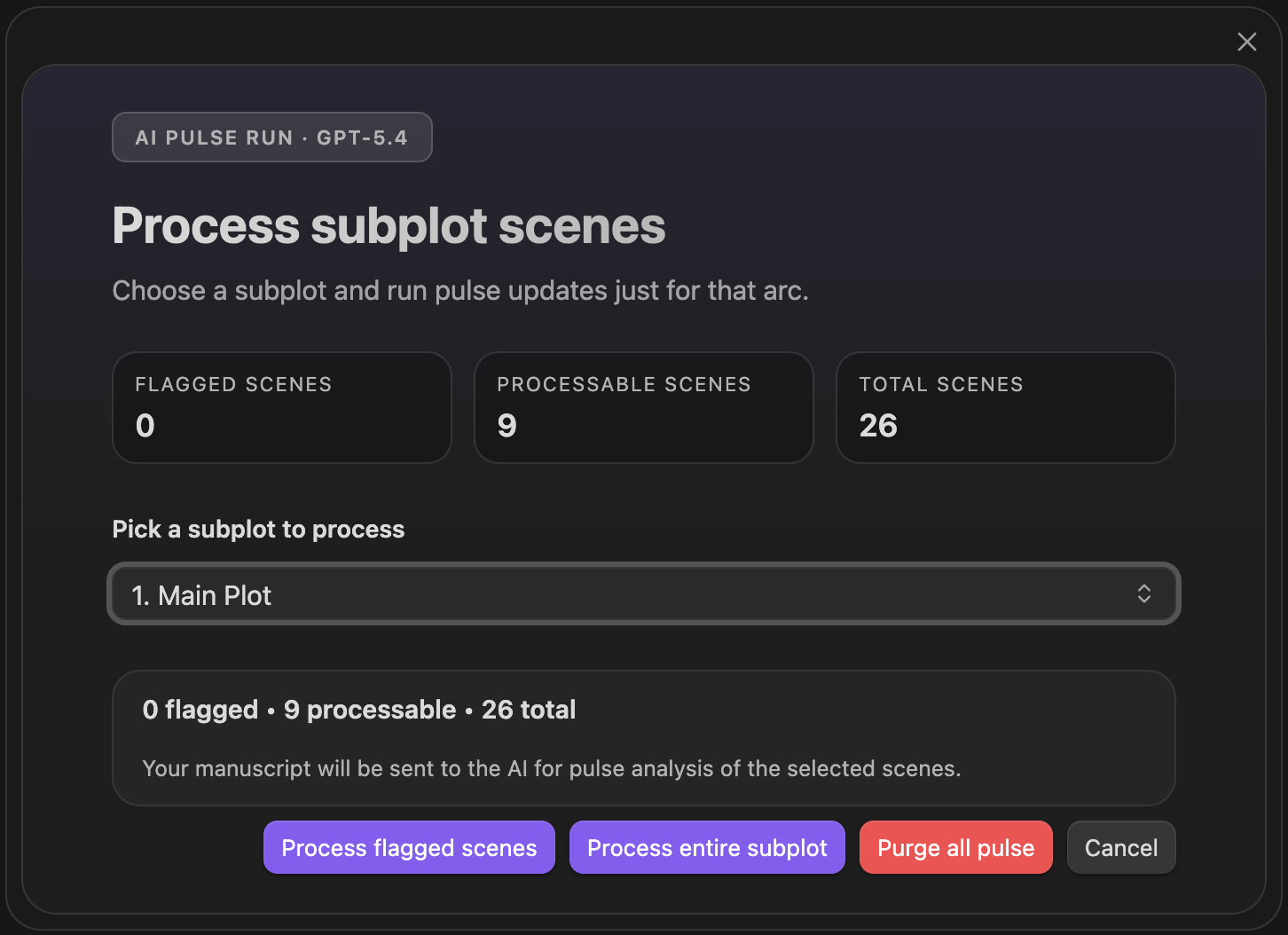
AI Pulse Triplet Analysis
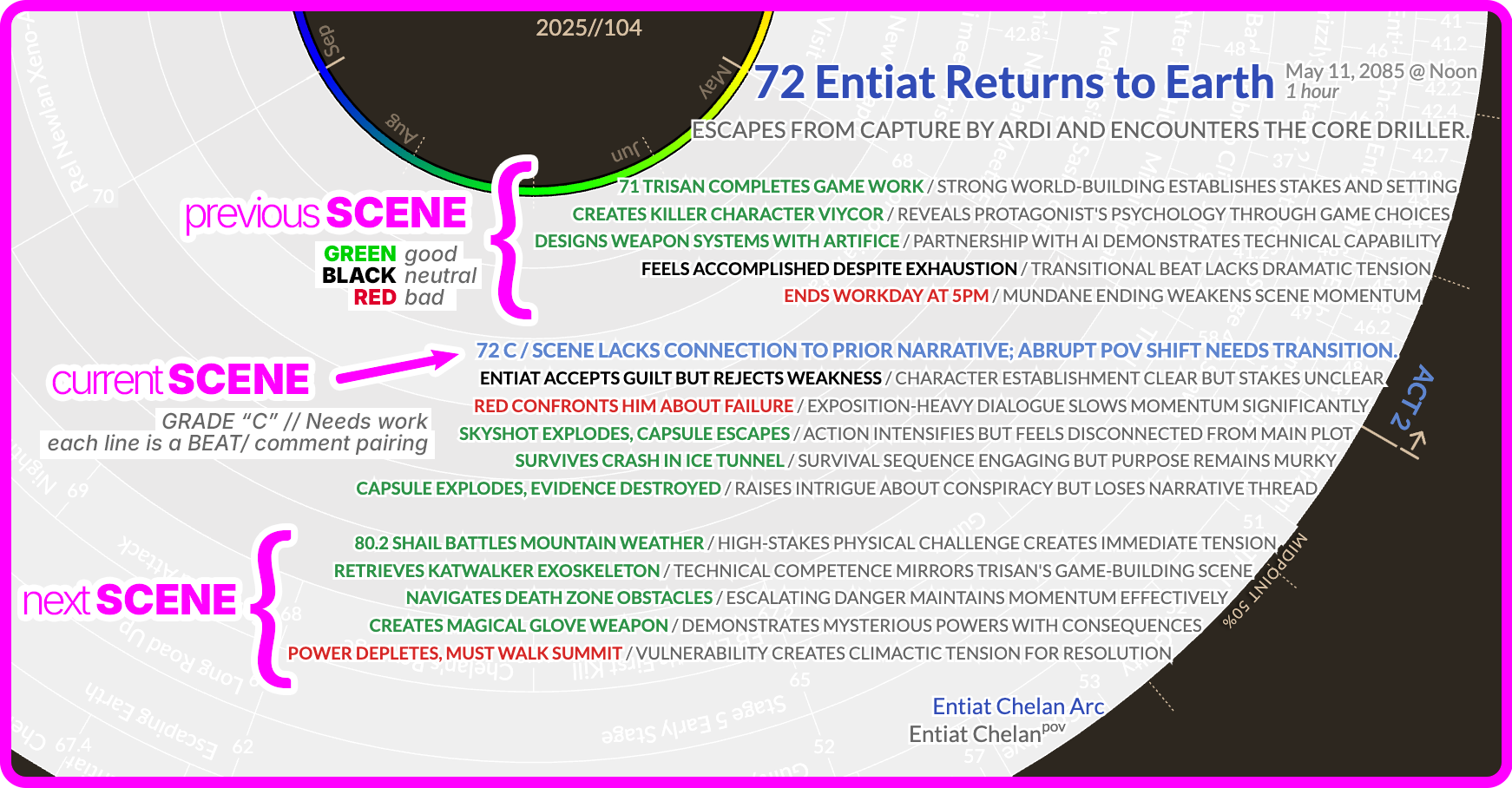
Pulse triplet output — previous, current, and next scene grades surfaced in hover
Pulse currently works best with the hosted AI providers:
- Anthropic Claude
- OpenAI GPT
- Google Gemini
Local/OpenAI-compatible setups are documented under Settings → AI → Local LLM. For Pulse itself, use the hosted providers above for now.
For the command-specific batch workflows, see: