Repository navigation
Home
LENA is a household food assistant: it keeps your recipes, pantry, meal plans, grocery lists, food events, and wine cellar in one place — shared with everyone in your household.
This wiki is written for people using LENA, not for developers. It explains how the web and mobile apps work and how to get the most out of them.
Also in the app: the same guides ship inside LENA itself — open
/docson your deployment (linked from the landing page header) for the in-app version of this documentation.
| Web app | Mobile app | |
|---|---|---|
| Best for | Planning, organizing, editing, events | In the kitchen and at the store |
| Sign in | Google account | Google account |
| Highlights | Full catalog management, recipe editor, event timelines | Barcode scanning, pantry adjustments, grocery check-off, cook-from timelines |
Everything you do syncs to your household instantly — check an item off a grocery list on your phone while someone else watches it update on the web.
- Getting Started — sign in, set up your profile, join or create a household
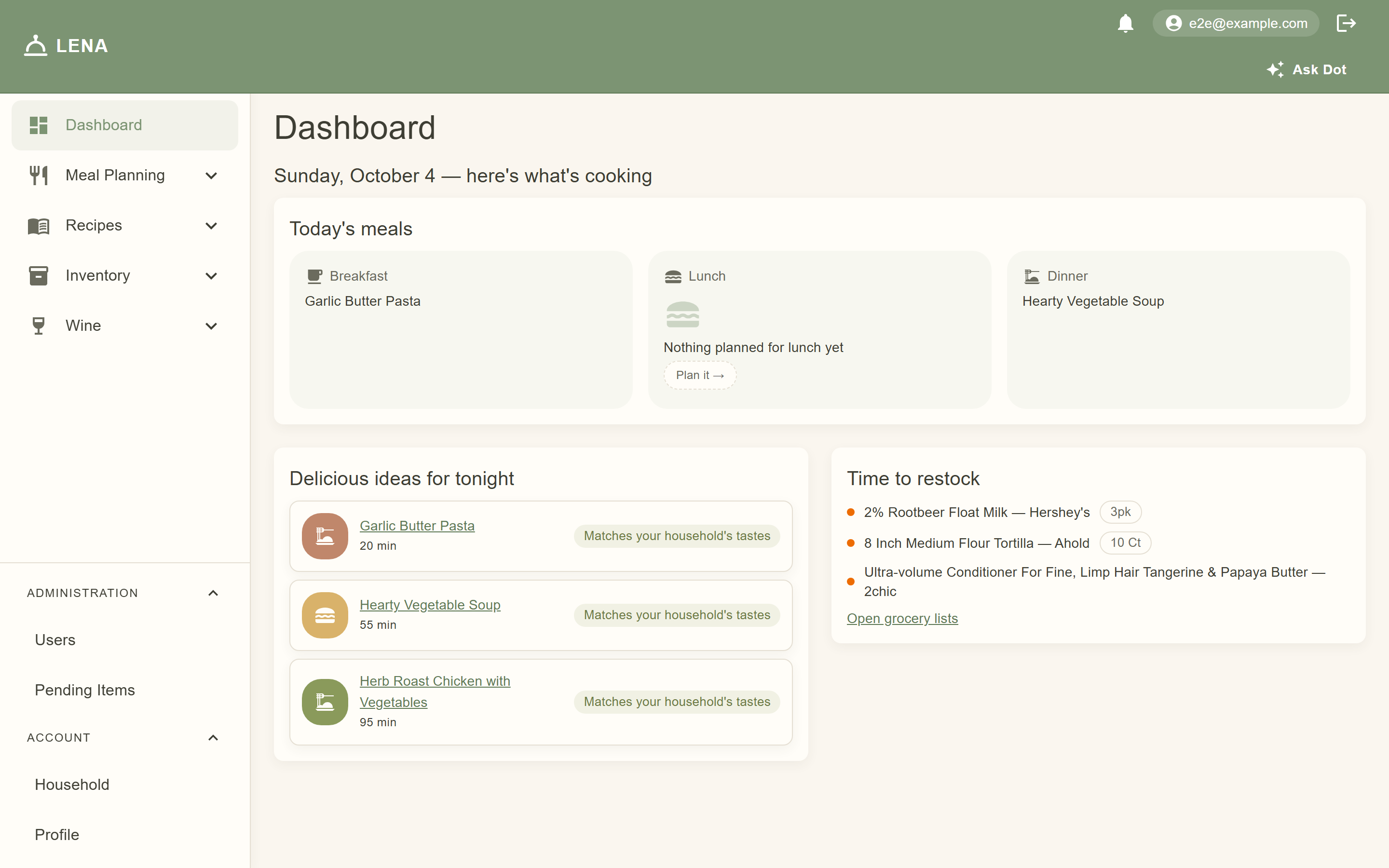
- Your Dashboard — today's meals, recommendations, running-low stock, and the notification bell
- Households & Members — inviting family, roles, sharing, and accepting invites
- Recipes — browsing, favorites, ratings, the recipe editor, and importing recipe photos
- Meal Planning — building a weekly menu
- Grocery Lists — generating a list from a meal plan and shopping with it
- Food Events — planning a dinner party or holiday meal with a cooking timeline
- Inventory & Pantry — the item catalog, brands, and tracking what's on your shelves
- Ingredients — generic ingredients vs branded products, usual brands, and household overrides
- Allergy Tracking — member allergy/dietary records, cooking warnings, and the AI flag-review queue
- Wine Cellar — tracking bottles and cellar details
- Analytics & Recommendations — how LENA learns your household's tastes
- AI Assistant — Ask Dot, suggest-meals/fixes, pairings, and the review queues
- Privacy & Local AI — what the model can see, what stays on your device, and where the authority lives
- Themes — light/dark on web and mobile, with a dark-mode gallery
- Using the Mobile App — scanning barcodes, pantry counts, and cooking on the go
- Tips & FAQ — answers to common questions
- Plan — on Sunday, open the web app and fill in a weekly meal plan (Breakfast / Lunch / Dinner for each day).
- Shop — generate a grocery list from that plan. It pulls the ingredients your menu needs minus what the pantry already has.
- Cook — follow the dashboard each day to see what's for dinner; rate recipes you've tried.
- Restock — scan grocery barcodes with your phone to add purchases to the pantry, or scan them again when you use them up.
- Celebrate — hosting guests? Create a food event, pick your recipes, and let LENA build a backwards-scheduled cooking timeline.