Repository navigation
Dashboard and Notifications
The Dashboard is the first thing you see when you open the web app — it's your "what's happening today" page.
If you have an active weekly meal plan (one whose week contains today), the Dashboard shows today's Breakfast, Lunch, and Dinner slots with the recipe you've assigned to each. It's the quickest way to answer "what's for dinner?"
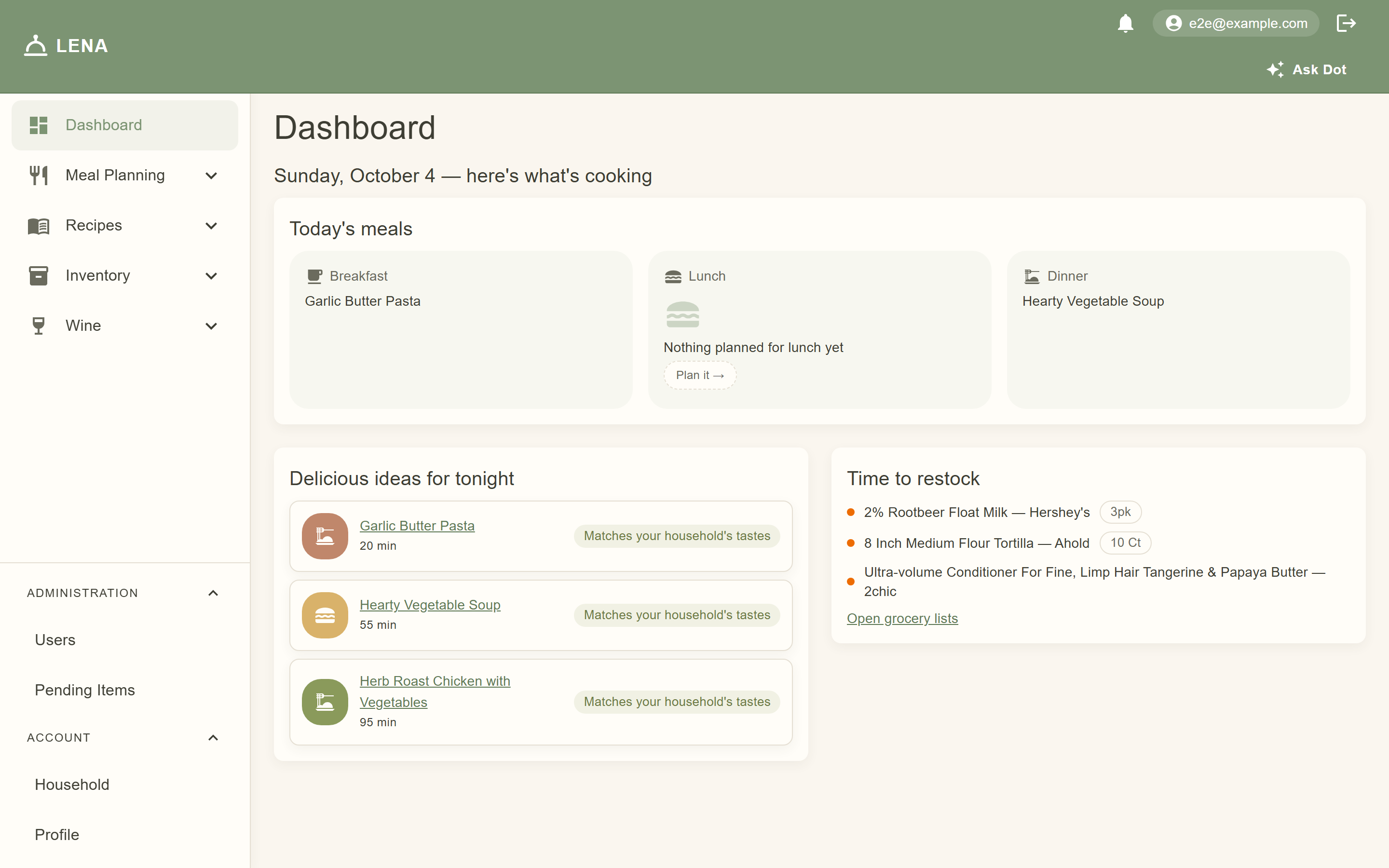

If nothing is planned for today, each empty slot says so and offers a Plan it → shortcut — or open Meal Planning → Weekly Plan and fill in the week.
If someone has invited you to join their household, the invite appears at the top of the Dashboard with Accept / Decline buttons. You don't have to go hunting for it.
The Delicious ideas for tonight card suggests recipes you might want to cook, each with a reason chip:
| Reason shown | What it means |
|---|---|
| Similar to your menu | Shares ingredients with things you're already planning to cook — a good way to use up what you buy |
| Due for a revisit | A recipe you rated well that you haven't cooked in a while |
| Matches your household's tastes | Belongs to the categories (cuisine, dish type, course…) your household reaches for most |
| Trending in your household | Been on your menus a lot recently compared to its overall history |
| Recommended for you | A suggestion based on what your household tends to enjoy |
Suggestions get better the more you use LENA — ratings, meal plans, and recipe picks all feed them (see Analytics & Recommendations).
Next to the suggestions, the Time to restock card lists pantry items that are at or under the minimum quantity you set — ranked by how often your household actually uses them, so the staples you reach for daily surface first. It links straight to your grocery lists, where the same items appear under a Time to restock section with one-tap Add buttons.
Items already on your latest list don't get suggested again — LENA knows you're already planning to buy them.
The bell in the top-right of the web app shows how many household notifications are unread. LENA notifies the other members of your household when shared data changes — for example:
- A meal plan slot is added, changed, or removed
- A grocery list is generated
- An event is created, updated, or its dishes change
- A household invite is sent or accepted
Click the bell to see recent notifications, click one to jump directly to the item (opening the recipe, event, or pantry in question), and use mark all read to clear the count. The menu's footer links to Notification settings.
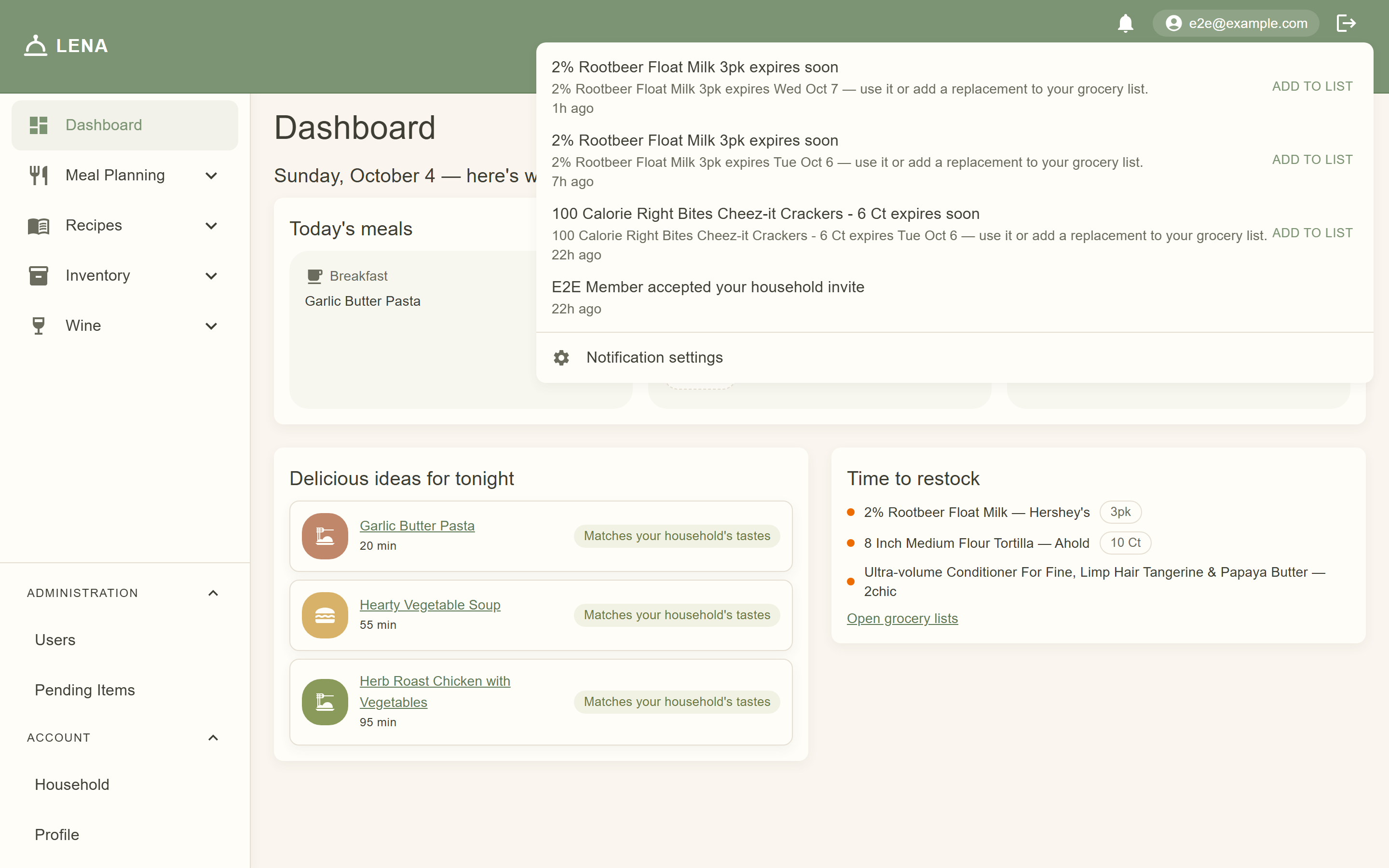
The bell quietly checks for new notifications about every 30 seconds, so updates from your family appear without refreshing the page.
On mobile, the unread count appears as a badge on the People tab, and the feed there shows the same reminders — tapping one opens the recipe, pantry, or event it refers to.
Beyond household activity, LENA checks about once an hour and sends reminders to every member of the household:
- Protein defrost — if a meal plan slot calls for a recipe with protein ingredients, LENA reminds you to start defrosting. Up to 8 lbs means 48 hours ahead; heavier items add 24 hours per extra 4 lbs (10 lbs → 3 days, 20 lbs → 5 days). Which inventory categories count as protein is set by an admin under Inventory → Categories (the Protein column).
- Multi-day prep — recipes with a step that takes 24 hours or longer (marinades, ferments, slow cures) get a reminder early enough to start that step.
- Expiring pantry items — items whose expiry date is within a few days get a reminder. Its Add to list action drops the item onto your current grocery list as a replacement so you remember to restock.
Expiry reminders need an expiry date on the pantry item — set Expiry Date when editing an item on the Inventory Items page.
Open Notification settings from the bell menu (web) or the gear icon in the mobile People tab's top bar to control what reaches you:
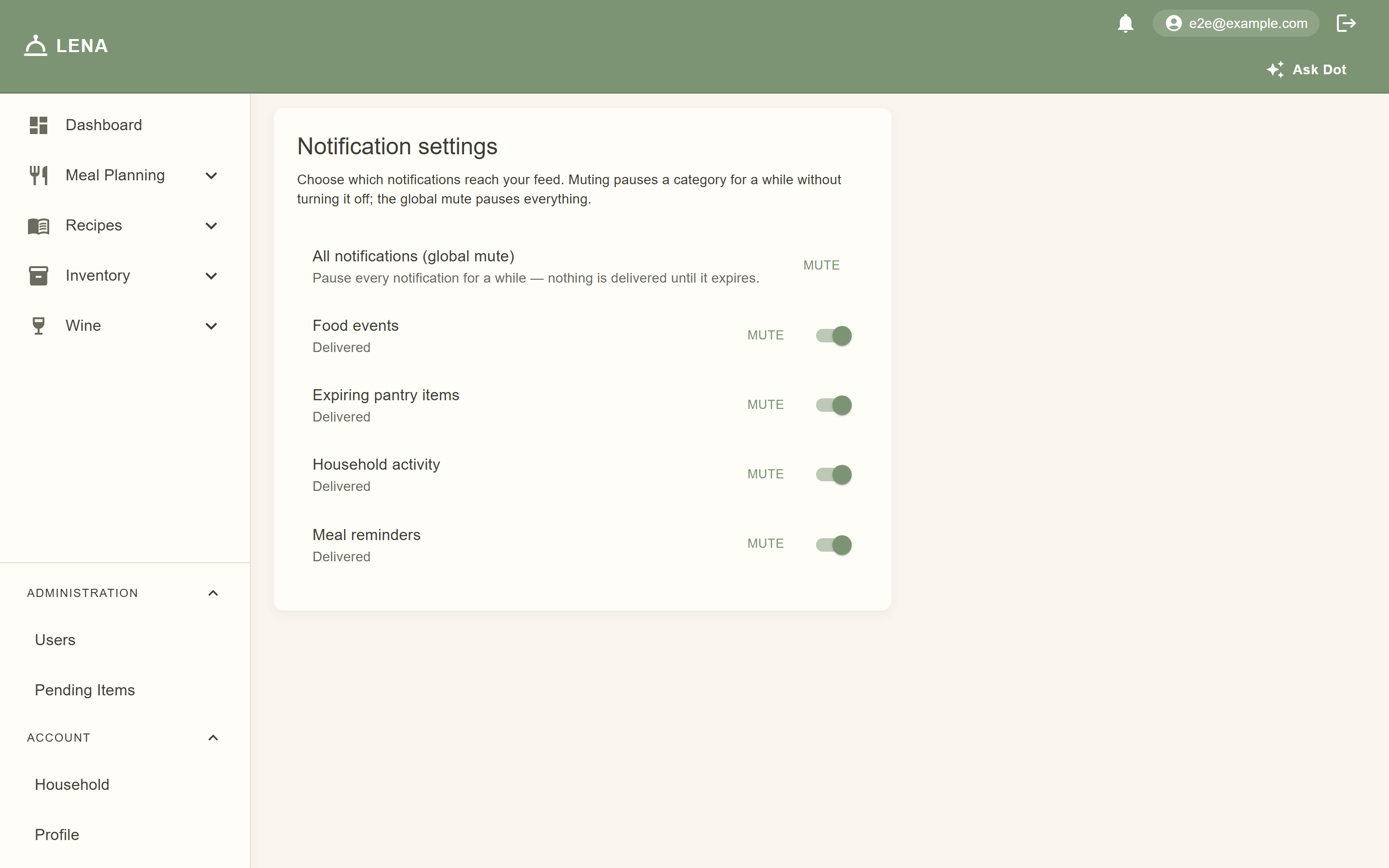
- Each category — Household activity, Food events, Meal reminders, Expiring pantry items — can be turned off entirely with its switch, or muted for a preset window (1 hour, 8 hours, 1 day, 1 week). The mute control is labeled — Mute on web, Snooze on mobile.
- All notifications (global mute) pauses everything for a chosen window — muting is the only option here, so muting can never be permanent by accident.
- An active mute shows Muted until … and can be cleared early.
Opting out affects only you — other household members keep receiving their own reminders.
Each category also carries an independent Push switch — off by default — so a category can reach your phone's notification shade even when its feed row is hidden (or vice versa). The All notifications row's Push switch is the master opt-in; muting still silences push and feed together. Push is Android-only for now — the iOS app hides the Push switches and never asks for notification permission. On Android the app asks for the OS notification permission the first time you sign in, and tapping a push opens the same place a feed tap would — the recipe, the pantry, or the event.
Push delivery needs a Firebase-backed server deployment (
LENA_PUSH_PROVIDER=fcm); without credentials the server logs deliveries instead and nothing reaches the phone.