Repository navigation
Mobile Ask Dot
The Ask Dot tab is the same household-scoped chat as the web — questions are answered from your pantry, plans, and events, and each reply shows the lookups it used.
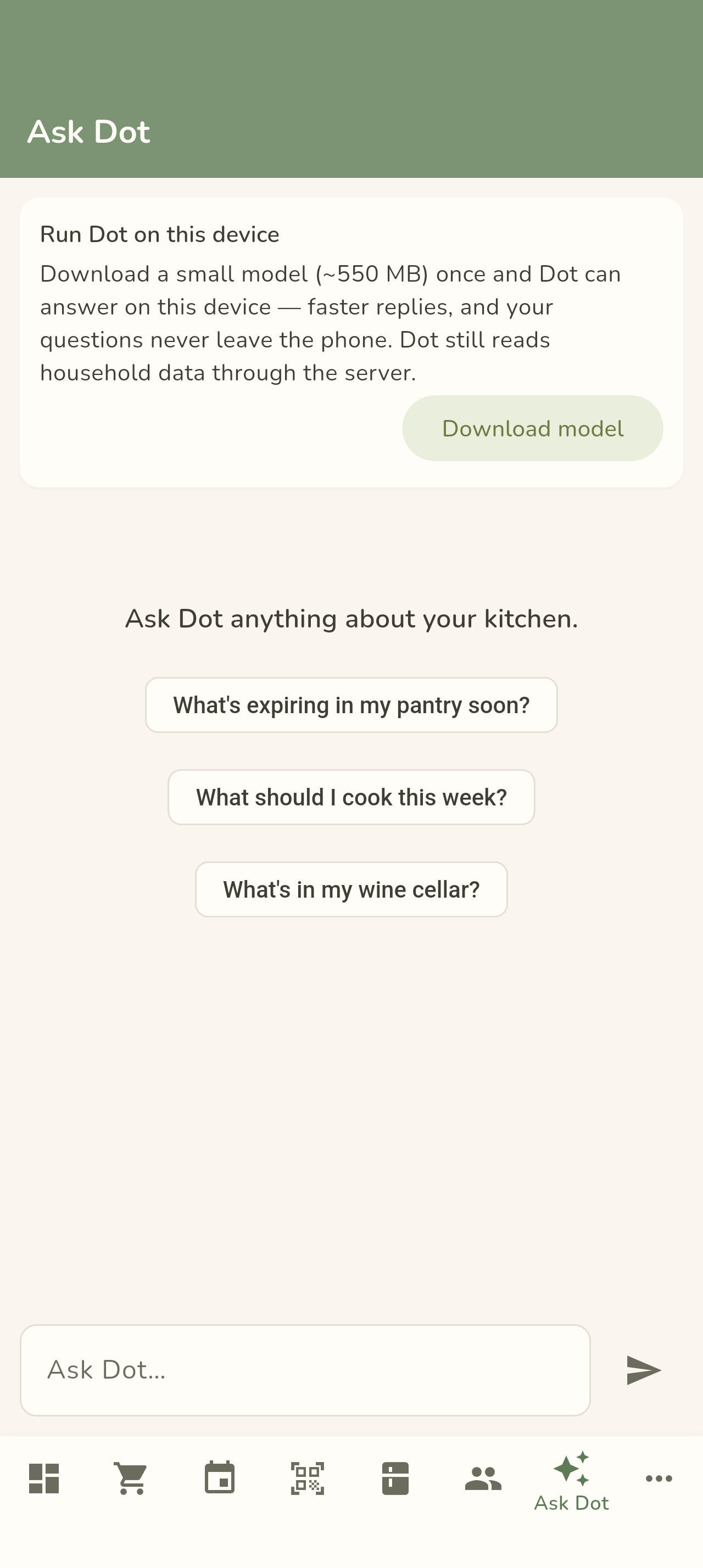
Type a question — "What should I make for dinner?", "What's expiring soon?" — and Dot answers from your actual household data, with a footer listing which lookups informed the answer. A fresh chat shows a few prompt chips across the top that mirror the web suggestions, so you can tap one instead of typing.
Dot can run right on your phone — a small Gemma model handles inference locally, so nothing leaves the device for the thinking step. The first time you open the tab an opt-in card offers the download (with a progress bar and cancel); the overflow menu can delete the model or force server-only mode. Each reply's engine label shows where it came from — On this device or Via server — and if the local engine isn't ready, Dot quietly uses the server instead.


- Download — from the opt-in card; progress shows in place and can be cancelled mid-flight.
- Delete — the overflow (⋮) menu offers Delete model, reclaiming the storage and returning Dot to server mode.
- Fallback — if the model isn't installed or the engine can't start, replies still work; the badge just reads Via server.
Either way, Dot uses the same read-only, household-scoped lookups as the web assistant — see Privacy & Local AI for exactly what the model can reach and what never leaves the device.
See AI Assistant for what Dot can do and how to enable it.
← Back to Using the Mobile App