Repository navigation
Ingredients
LENA draws a line between the food and the product:
- An ingredient is the generic thing a recipe calls for — garlic, olive oil, corn.
- An item is a branded product you can actually buy — Ahold Garlic Salt, Green Giant Corn Niblets.
Recipes, meal plans, and grocery lists can reference either, so a recipe can say "corn" without committing you to a brand — and your pantry stays item-precise.
When you add a line to a recipe, the Ingredient picker comes first. Type a name to search the catalog of generic ingredients, or pick Create "…" to mint a new one on the spot. The Preferred brand picker underneath is optional — use it when the recipe genuinely wants a specific product ("Heinz ketchup"), and the row still displays ingredient-first.

A line can be:
| Form | Example | What it means |
|---|---|---|
| Ingredient only | garlic |
Any garlic product counts |
| Ingredient + preferred brand | salt — Ahold Garlic Salt |
Prefer this product, but it's still "salt" |
| Item only (classic) | Ahold Angel Hair Pasta |
Exactly this product |
Existing branded recipe lines keep working unchanged — ingredients are additive, not a migration you have to do.
When a grocery line is ingredient-only, the first time you check it off LENA asks "Which <ingredient> did you buy?" Pick the product you grabbed and two things happen: the line is checked and the pantry is credited with that item, and LENA remembers it as your household's usual brand for that ingredient.

From then on, that ingredient's grocery lines show a "usually buys …" caption and check straight off against the remembered product — no picker. You can also tap Check off without a brand to credit the ingredient generically instead.

A catalog item can carry a canonical ingredient (admins set it under Inventory → Items → edit — the Catalog ingredient field). If your household buys a product that's categorized differently — or isn't categorized at all — the Household ingredient field on the same dialog lets your household map it to a different ingredient without touching the shared catalog. Your override wins everywhere your household looks; other households keep the catalog mapping.
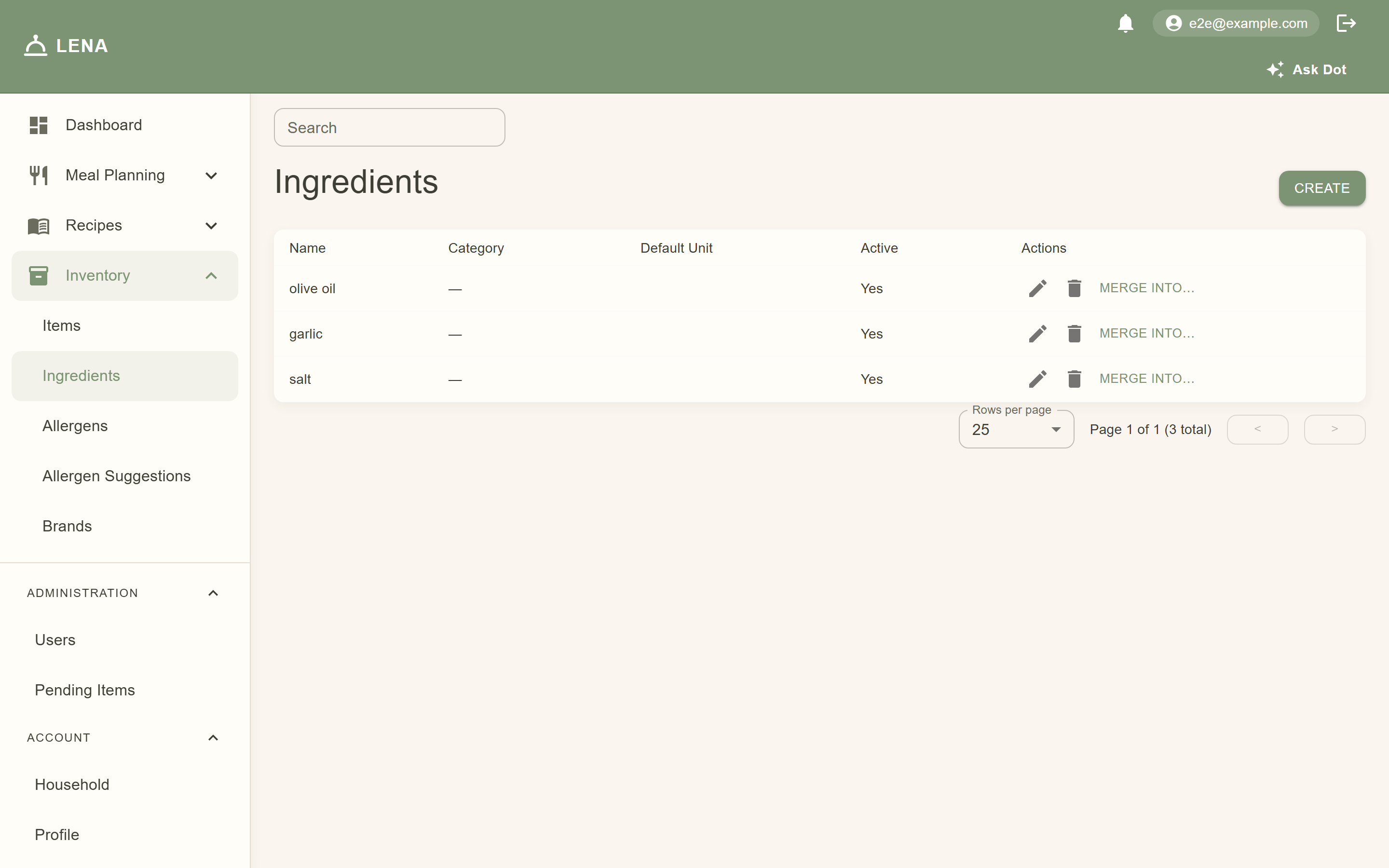
Inventory → Ingredients lists every ingredient with search, create, edit, deactivate — and Merge into…, which repoints every recipe line, grocery line, usual-brand memory, and household override from a duplicate into the canonical ingredient. Use it when "carrot" and "carrots" both got created.
Ingredients also carry allergen flags (contains / may contain, set in the ingredient edit dialog) — flagging an ingredient protects every recipe that references it. See Allergy Tracking.
- Grocery lists — ingredient-primary labels with "usually buys …" brand captions; the brand picker on first check-off
- Allergy warnings — ingredient flags roll up into recipe, meal-plan, and grocery warnings (Allergy Tracking)
- Meal plans & events — recipe lines display the ingredient name with the preferred brand after a dash
- Household tweaks — a tweak can swap a line to a different ingredient or add an ingredient-keyed line without touching the shared recipe
- Barcode scanning — a scanned item shows its resolved ingredient, and unlinked items offer to map one
- Mobile — the same pickers and flows as the web (Grocery Lists, Recipes)