ID List EN
Organize information about fellow streamers, collab partners, and raid candidates into manageable cards.
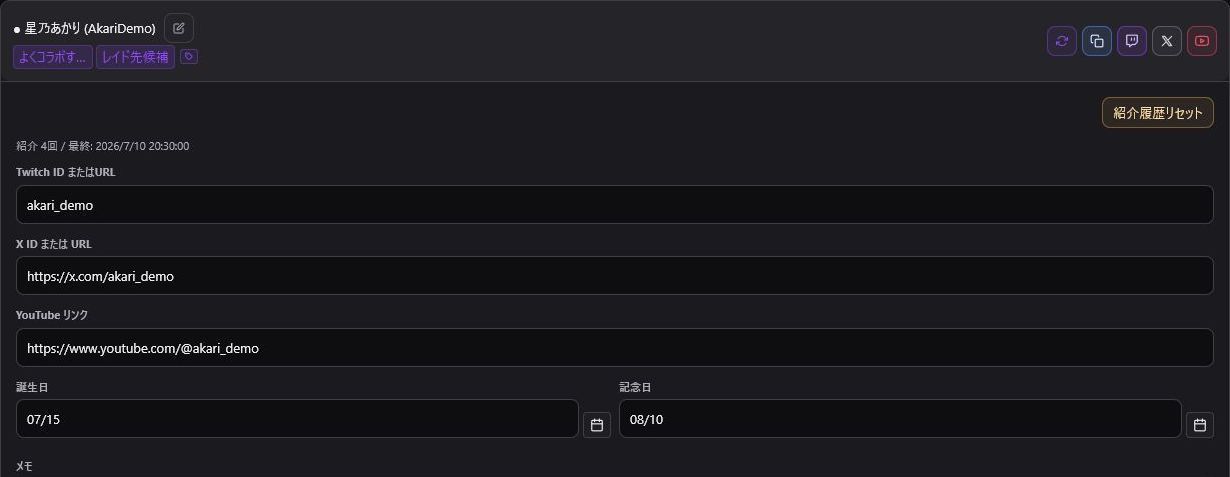
- Display Name & Twitch Login ID
- Social links (X/Twitter, YouTube)
- Notes & Memos
- Birthdays & Anniversaries
- Tags & Group categories
- Shoutout count & Last shoutout date
Click "+ Add" to create cards or new groups. A single streamer can be assigned to multiple groups, and you can filter the list using top tag pills.
Sort options include: Name, Group, Last Shoutout Date, Shoutout Count, and Birthday. Make sure to enter their official Twitch login username (ID), not just display names.
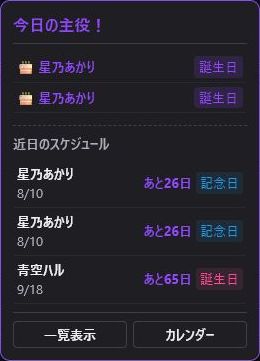
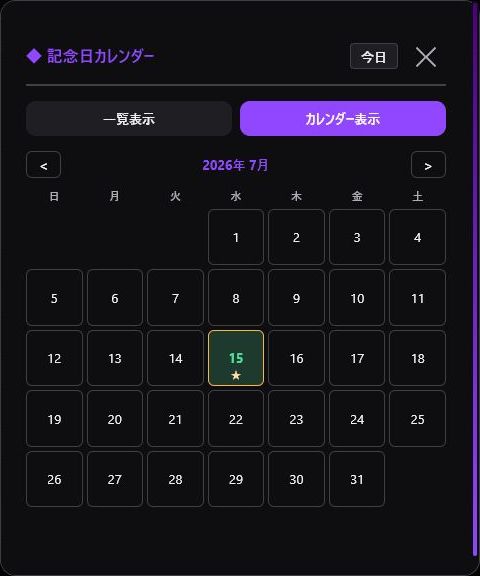
Registered dates will trigger top notification alerts and populate the anniversary calendar.
Remember to periodically create a Data Backup of your ID List.