Page Tags
Tags label pages for filtering, search grouping, and archive categories.
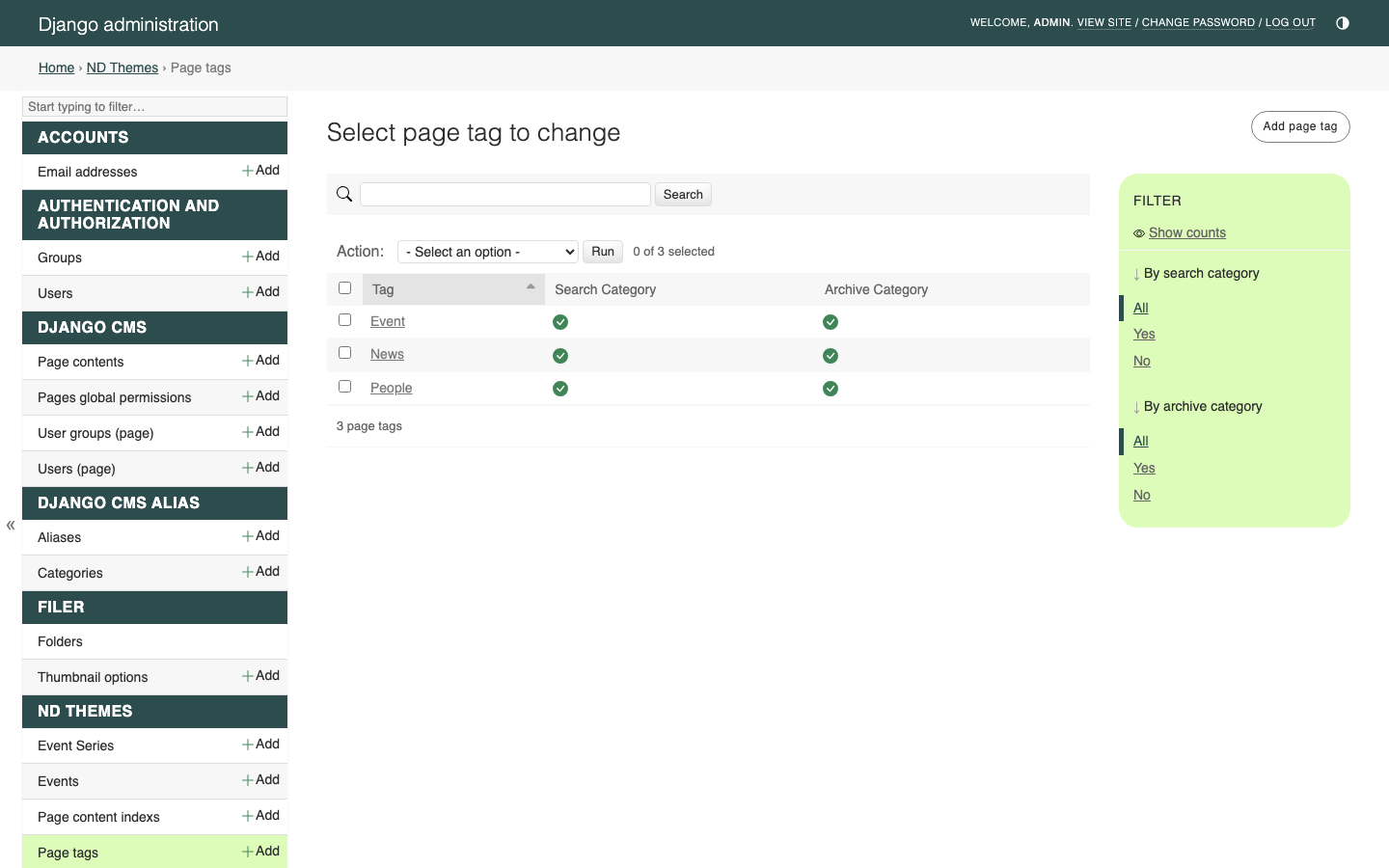
Manage tags in Django Admin at /admin/ndthemes/pagetag/. Assign tags to pages in Page-Meta.
Related: Page-Meta, News, Events, People, Archiving, Navigation-and-Search.
- Sign in with Admin access.
- Go to
/admin/ndthemes/pagetag/. - Add or edit a tag.
| Field | What it does |
|---|---|
| Tag | The label (unique), for example News, Event, or People
|
| Search category | When checked, this tag can group results on /search/
|
| Archive category | When checked, this tag can appear as a category in /archive/ browse |
A tag can be both a search category and an archive category.
| Feature | How tags apply |
|---|---|
| Page-Meta | Assign one or more tags to a page |
| Generic Child Page List | Filter listed children to matching tags (News) |
| Event List / Events Insert | Filter event pages by Page Meta tags (Events) |
| Person List (Grid) / Person List (Stacked) | Filter person pages by tags (People) |
| Side Navigation Child Page List | Optional tag filter for side links (Navigation-and-Search) |
| Archive Link | Optional tags build /archive/ or /archive/Tag1+Tag2/ links (Archiving) |
| Archive browse | Tags with archive category drive category filters |
| Search results | Tags with search category group matching pages on /search/
|
| Page Tags widget | Displays the current page’s Page Meta tags |
Many sites start with:
| Tag | Typical flags |
|---|---|
News |
Search category, archive category |
Event |
Search category, archive category |
People |
Search category (archive category optional) |
The Event tag is also used when the system auto-tags new event and series pages created from Admin (if the tag exists).
- Create tags in
/admin/ndthemes/pagetag/with the right search category / archive category flags. - On each content page, open Page → Page Meta and select tags.
- On listing widgets, select the same tags so filters match.
Keep naming consistent — list widgets and archive/search features match on the tag records you assign, not on free-text guesses.
- Prefer a small, shared vocabulary of tags over many one-off labels.
- Turning on archive category or search category does not archive or index a page by itself — you still tag pages in Page Meta and use archive/search as documented.
- Renaming a tag changes the label everywhere that tag is used; plan renames carefully.