Site Settings
Site-wide values used in the theme, contact areas, event placement, and auto-archiving.
Manage settings in Django Admin at /admin/ndthemes/setting/.
Related: Events, Archiving, Page-Tags, Navigation-and-Search.
- Sign in with a staff account that can access Admin.
- Go to
/admin/ndthemes/setting/. - Open a setting to edit its value (or page / enabled flag, depending on type).
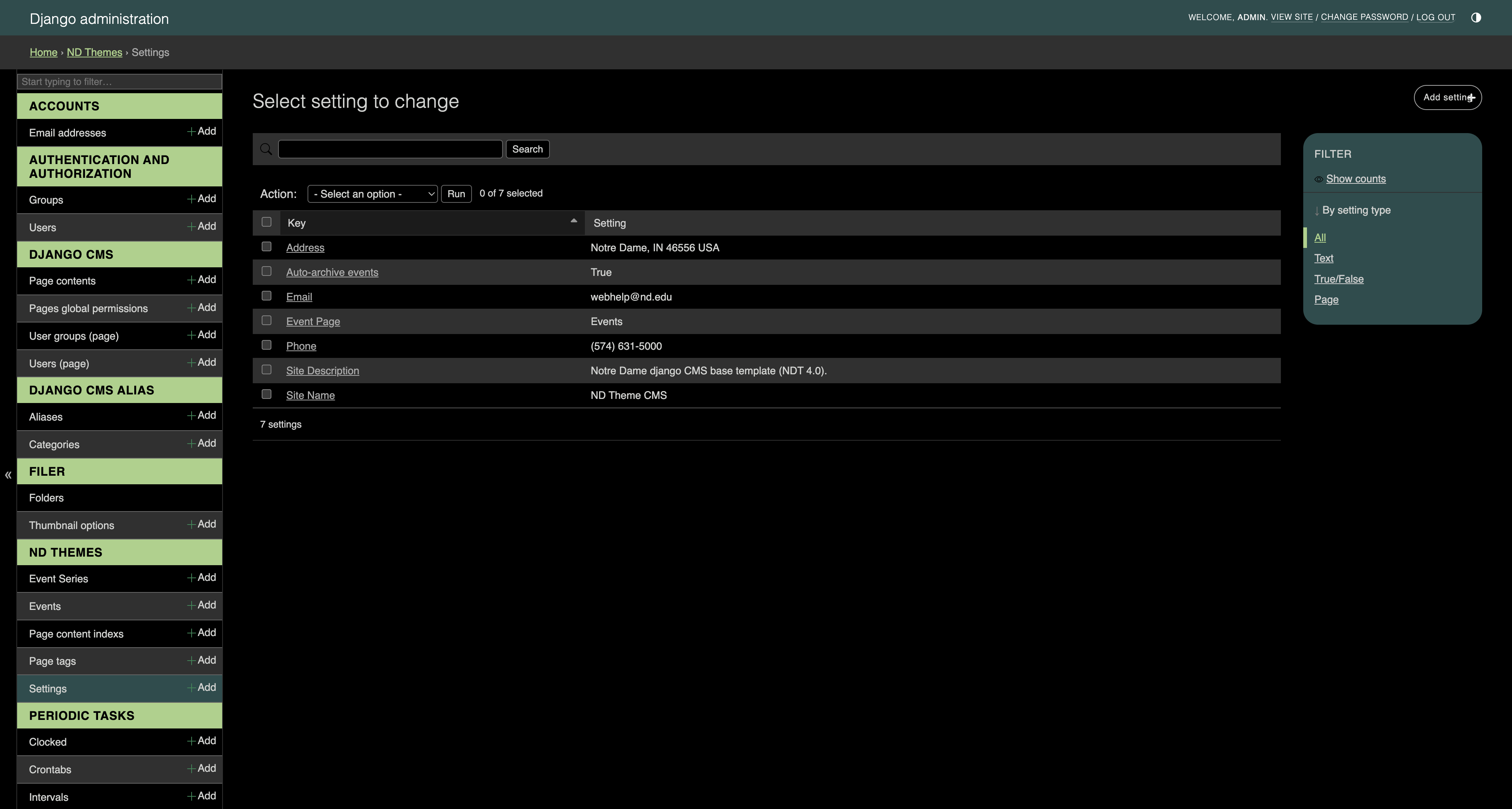
After a setting is created, its key cannot be changed in Admin (key is read-only). Edit setting type, value, enabled, and page as appropriate for that setting.
If you need a new key, add a new Setting row — do not rename an existing one.
These keys are the baseline set used by the theme:
| Key | Type | Where the value lives | Purpose |
|---|---|---|---|
| Site Name | Text | Value | Site name used in theme context |
| Site Description | Text | Value | Short site description |
| Text | Value | Public / contact email | |
| Phone | Text | Value | Public / contact phone |
| Address | Text | Value | Public / contact address |
| Auto-archive events | True/False | Enabled | When enabled, past events can be auto-archived (see Archiving) |
| Event Page | Page | Page | Parent CMS page for newly created event (and series) pages (see Events) |
Edit the Value field. Keep Enabled checked so the setting is active in the site context.
This is a boolean setting. The theme reads the Enabled checkbox:
- Enabled checked → auto-archive task may archive eligible event pages
- Enabled unchecked → auto-archive does nothing
See Archiving for the exact rules (schedule vs event end time).
- Set Setting type to Page (already set for this key).
- Choose the CMS page in the Page field — usually your Events listing or another intentional parent.
- Save.
New events and event series without another parent are moved under this page. Details: Events.
- Treat keys as stable identifiers — create carefully; you cannot rename them later.
- Only staff with Admin access should change these values; mistakes affect the whole site.
- After changing Event Page, new events use the new parent; existing pages stay where they are unless you move them in the page tree.