Settings and Diagnostics
AdultHideout groups settings by purpose so the interface remains usable despite the large number of supported websites.
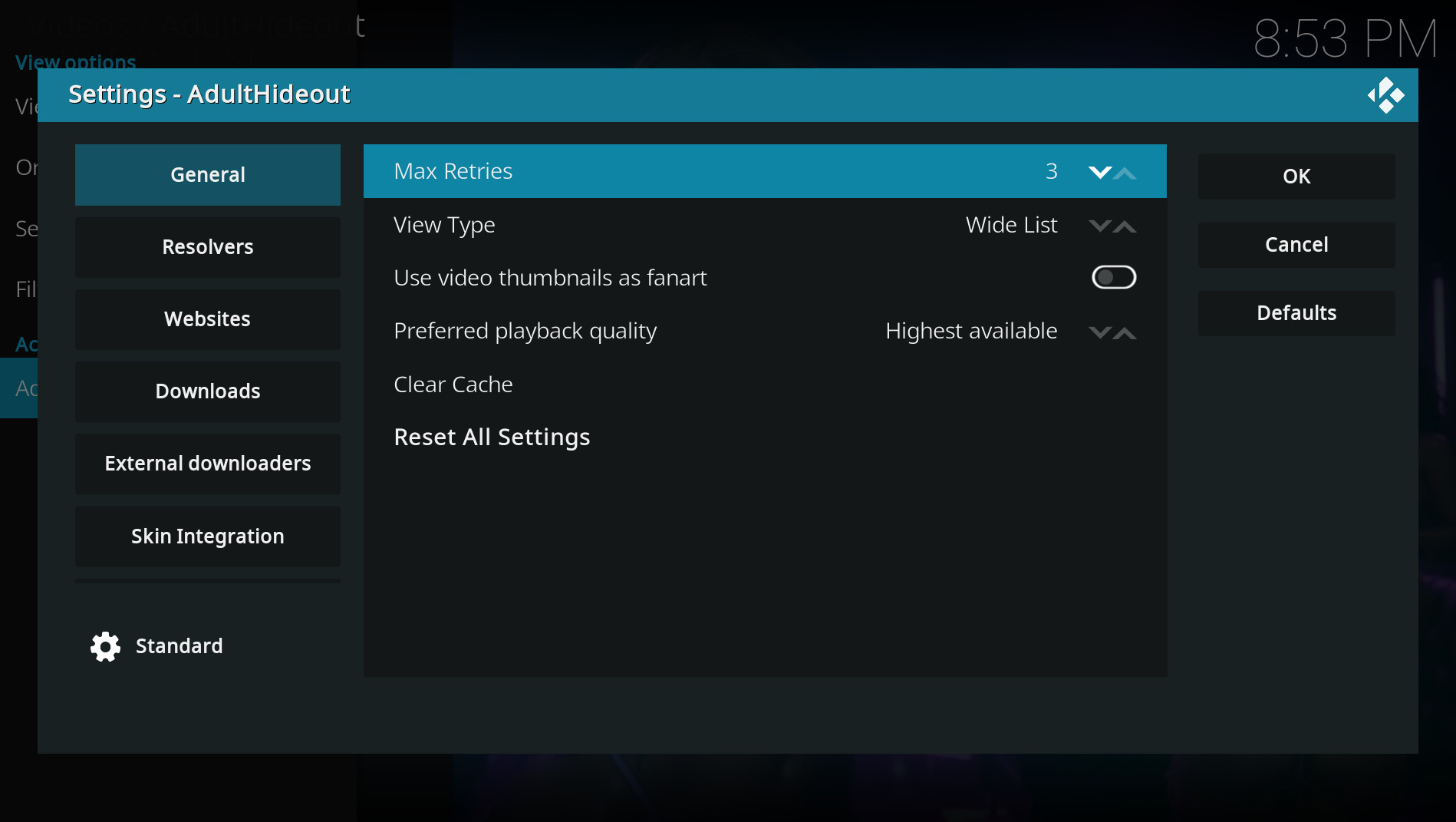
- General controls retries, view type, thumbnail fanart and preferred playback quality. Its final section opens AdultHideout Diagnostics.
- Resolvers enables, disables and prioritizes supported mirror resolvers.
- Websites enables or restores website sources in manageable alphabetical groups.
- Downloads contains normal download and offline-video controls.
- External downloaders contains optional FFmpeg and aria2 configuration.
- Skin Integration contains features intended for custom Kodi homes and widgets.
- Use All Websites in the main-menu filter dialog to remove content/type filters.
- Use Restore hidden websites in Settings when a source was hidden through its context menu.
- Use Reset All Settings only when you want to return every AdultHideout setting to its default.
AdultHideout Diagnostics is the platform-independent KVAT companion add-on. Maintaining hundreds of websites manually is not realistic, and a problem may only occur on one Kodi platform. Diagnostics therefore runs inside the same Windows, Android, Linux or macOS Kodi environment used for playback.
You can test one website, a selected group or the complete catalog. Smart Scan checks listings and artwork first, then inspects suspicious results more deeply. Explicit full tests can also open a video and verify playback and seeking.
The resulting privacy-safe JSON report helps identify failures before every problem has to arrive as a separate user issue. Open AdultHideout Settings → General → AdultHideout Diagnostics → Open diagnostics. The launcher remains visible when Diagnostics is not installed; AdultHideout then offers to install it from the AdultHideout Repository before launching it.
See Reporting Issues and Uploading Logs when a Kodi log is also required.