Repository navigation
Home

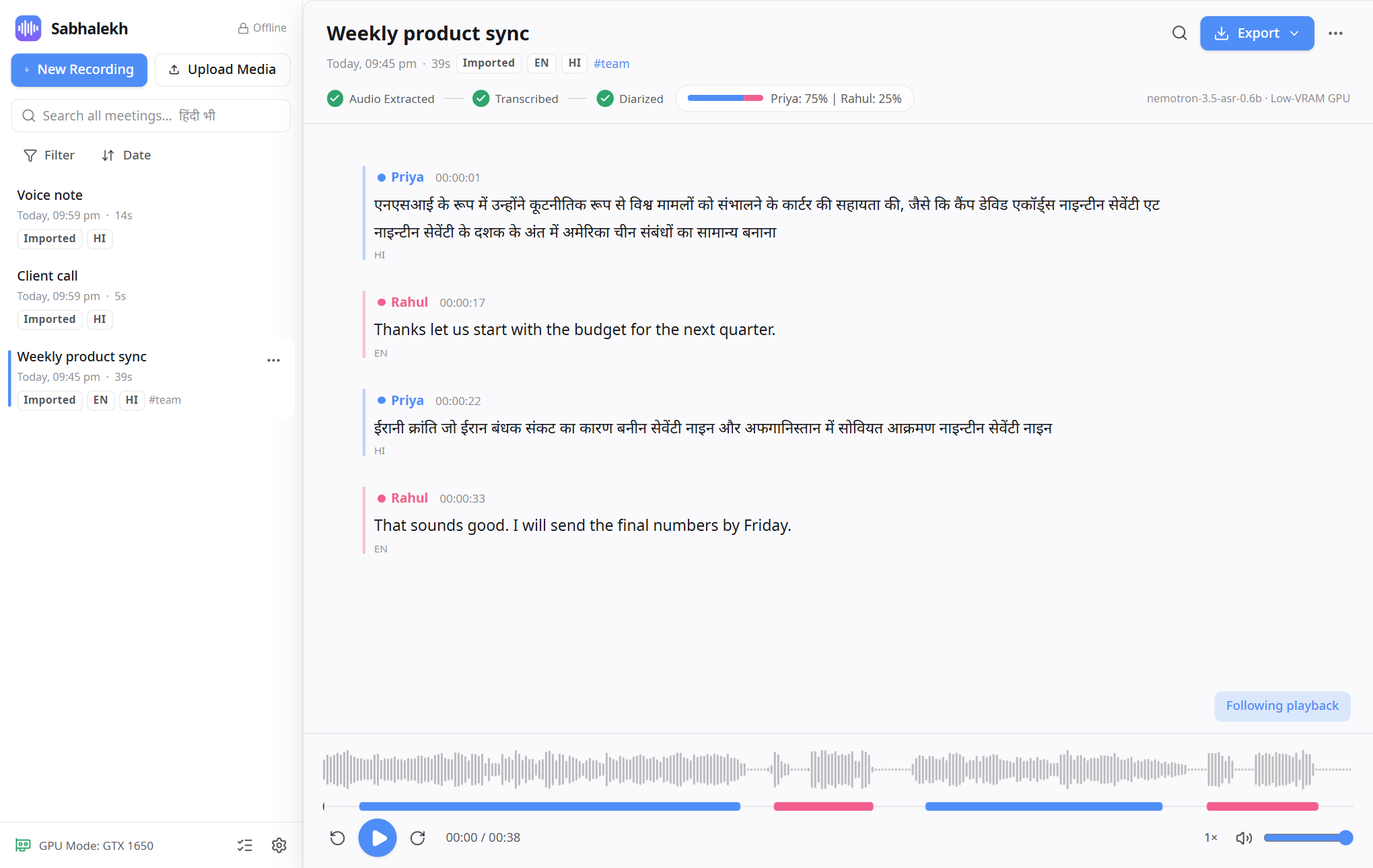
Sabhalekh records your online meetings, or takes an audio or video file you already have, and writes down what was said: who spoke, when, and their exact words. It works with English, Hindi and Hinglish.
It runs entirely on your own Windows PC. You don't need an account or an internet connection, and your recordings are never uploaded anywhere.
| Installation | Download, install, and what to do if Windows shows a warning. |
| Getting started | The welcome guide and a tour of the window, in five minutes. |
| Recording a meeting | Record a Teams, Zoom or Meet call, step by step. |
| Importing audio and video | Transcribe a file you already have. |
| Working with transcripts | Play, name the speakers, fix mistakes. |
| Searching | Find any word in any meeting, in English or Hindi. |
| Exporting | Save as Word, PDF, subtitles, text and more. |
| Languages and Hindi | Hinglish, Devanagari or Roman script, and translation. |
| Settings reference | What every option does. |
| Hardware and speed | Graphics cards, CPU mode, and how long processing takes. |
| Offline model packs | Add the Whisper model for translation, and GPU speed for it. |
| Keyboard shortcuts | Every shortcut on one page. |
| Privacy | What is stored, where, and what never leaves your PC. |
| Troubleshooting and FAQ | Silent audio, slow processing, wrong speakers and other common problems. |
| Building from source | For developers: build the app and the installer yourself. |
Found a bug or have an idea? Open an issue. This guide is
generated from the wiki/ folder in the repository, so
pull requests that improve it are welcome.