Repository navigation
Chatting
- Window tree (left) holds only Status and your Channels. Unread channels turn red.
-
Switchbar (top) has a small square button for every private window - people, repeaters (blue) and room servers (purple). A button turns red when it has unread messages. Drag the grip to dock the bar at the top, bottom or either side, or let it float.
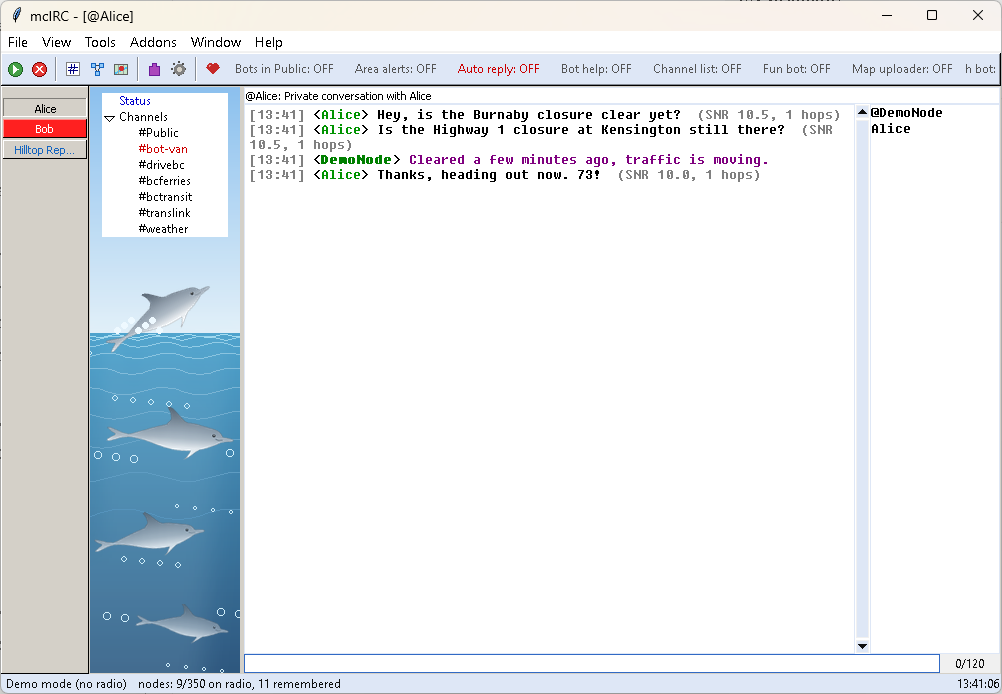
- Nick list (right) shows who has spoken in the channel. Double-click a name to open a private window.
- Input line - type text and Enter to send. A counter shows the message length limit; keep messages short, the mesh is a small shared radio channel.
- Status window shows connection events and command output.
- Channels (tree): mark as read, open log, clear, close, Leave channel (remove from node); right-click Channels itself for Join channel...
- Switchbar buttons: node info, show on map, log in / status / reboot (repeaters), mark as read, open log, close. Middle-click a button to close it.
- Names in the nick list: private message, Add as favorite / Remove from favorites, node info, copy name.
-
Names in the chat text (who wrote a line, or an
@[mention]): private message, reply (@[name]), add as favorite, node info, copy name, and Fun - the fun actions of the Dolphins addon (slap with a large trout, a pod of dolphins, ...).
A closed channel comes back automatically when someone speaks in it, or from View > Channels list.
-
/join #nameadds the channel to your node if it isn't there yet and opens it. Without a key it is a hashtag channel: its key comes from its name, so everyone who joins#nameshares it. For a private channel add its key:/join #name <32-character key>. -
/part(in the channel) or/part #nameremoves it from your node and closes its window. A hashtag channel can be joined again any time; a private channel's key is gone unless you saved it (MeshCore tools > Channels > Copy key). Public can't be removed. (The window list shows it as #Public like the other channels; on the node it is MeshCore's built-in Public channel - a real#publicwould be a different hashtag channel.) - In an extra node's windows (
#test [915]) they work on that node.
One status per node - the main one, then each node from More nodes - with its battery, e.g. Connected (Wi-Fi 192.168.1.57) · 3.92 V. It turns red when a battery is low (a node can still answer mcIRC but stop transmitting), when a node stops answering, or when your last messages weren't repeated by anyone although repeaters heard you earlier.
Every window is logged to its own text file in logs/ (#general.txt, @Alice.txt, ...), with session start/close lines like mIRC. After a restart the windows come back with their latest history (Options > Display sets how many lines).
Beside each channel: your own node as @name, then your favorites as +name, then everyone else who has spoken there (A-Z). The names stay after a restart, and everyone who wrote in the chat history shown at start is listed too (2.0.10).
Favorites: right-click a name > Add as favorite. A favorite is also starred on your node (the star the phone apps show), and a star you set on the node from the phone becomes a favorite in mcIRC the next time mcIRC reads the node's contacts. Someone who isn't a contact on your node can only be a favorite in mcIRC.