Cropping
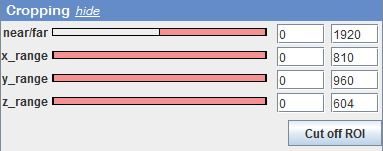
The sliders for x, y and z crop the data along their original axes. The near/far slider restricts rendering along the view direction, i.e. rendering starts a certain distance away (from the user’s eyes) and only continues for a certain distance. Furthermore, any of the selection tools offered by ImageJ/Fiji can be used to draw a selection into the 3D rendering window. Clicking the ‘Cut off ROI’ button will then remove the parts of the volume which are currently projected into the selection area.