Transformation
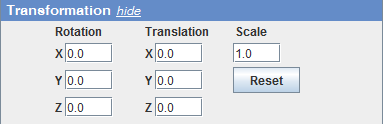
The transformation panel displays the transformation parameters of the rendered 3D object and provides also means for entering exact values. An alternative way for transforming an object is interactively via the mouse (the HAND tool must be selected in the ImageJ/Fiji menu bar):
- Dragging with the left mouse button rotates an object. If the alt key is pressed, rotation is restricted to either the horizontal or the vertical axis.
- Dragging with the left mouse button and holding the SHIFT key pressed translates an object
- The mouse wheel is used for zooming. When zooming with the mouse, the object is automatically translated such that the mouse pointer keeps pointing at the same structure, i.e. one zooms into the mouse pointer. There is a reset button which resets all transformation parameters to their default values.