Repository navigation
Home

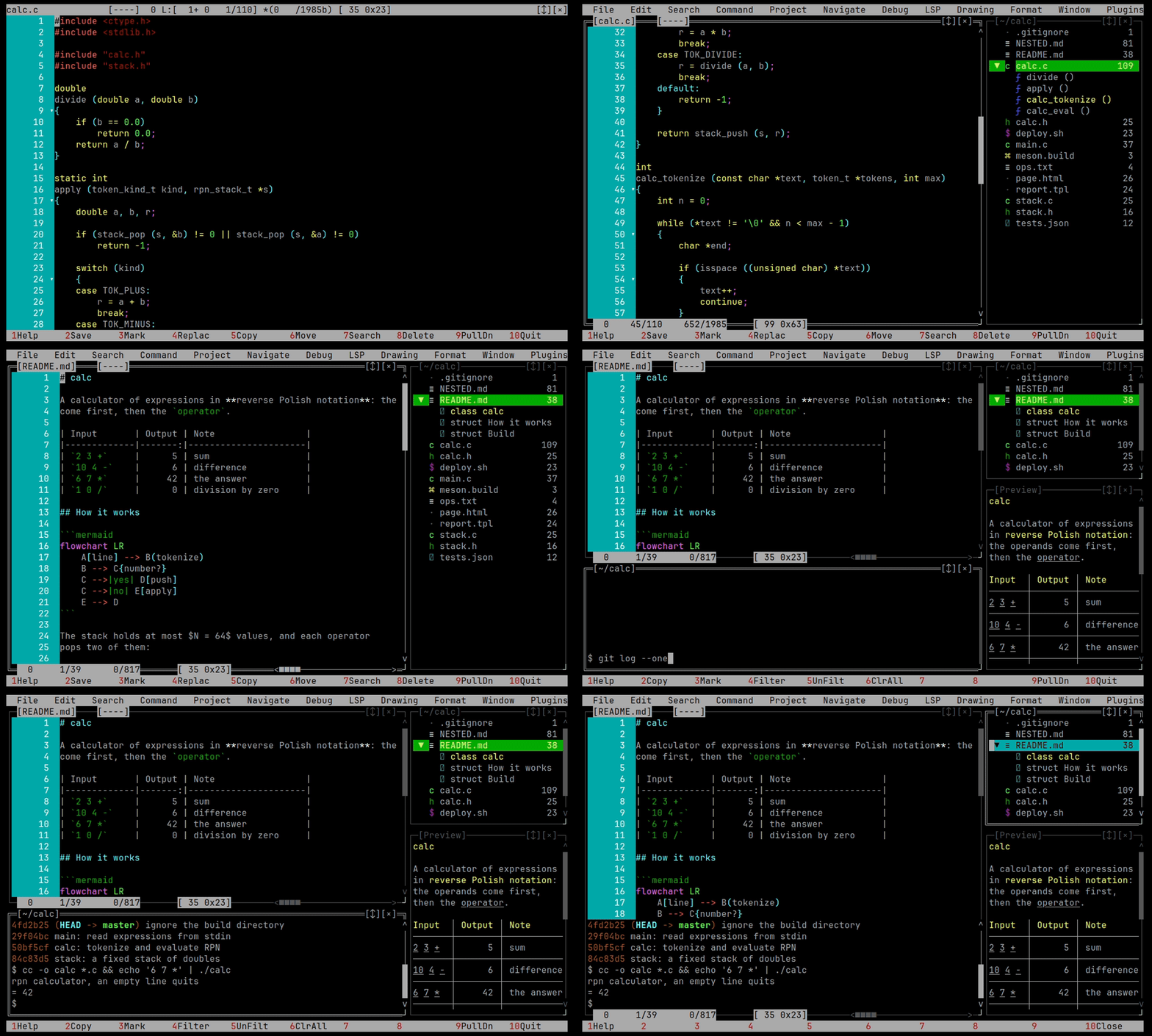
bluerig is a terminal IDE. It runs full screen in any terminal, from the Linux console to tmux and a remote session over ssh, and it is at home with the keys of mcedit: F2 saves, F3 marks, F7 searches, F10 quits.
bluerig continues cooledit, the editor Paul Sheer wrote, whose terminal version lived on for many years as the internal editor of GNU Midnight Commander. bluerig takes that editor with the fixes and features it gained there, and grows it into an editor of its own: a project at hand, a build, a debugger, git, a terminal and a preview of the file, each in a window beside the text, and all of it still light enough to open a file in an instant.
| Editing | Blocks and column blocks, search and replace with regular expressions, a line filter, bracket folding, bookmarks, completion, and an undo history you can jump around in. |
| Macros and the user menu | Keys recorded into a macro and bound to a key, a Macro Explorer, and a menu of shell commands run on the file or the selection. |
| Syntax highlighting | Over a hundred languages and formats, in plain text rules that one language can hand to another: the script in HTML, the code in markdown, a template over HTML. |
| Preview | The file the way it is meant to read, beside its text and as you type: markdown with tables and mermaid diagrams, JSON and XML as trees and tables. |
| Project | The project of a file found by itself: its tree with the outline of the file, any of its files or symbols a few letters away, the header of a source. |
| Build | meson, cmake or make, found by itself; the errors marked in the gutter and gone to one after another. |
| Git | Status, staging, the diff, a commit message written in an editor window, the log and the branches, side by side as in gitui. |
| Debugger | GDB and the debug adapters of Python, Go, the shell and JavaScript: breakpoints in the gutter, steps, the variables and the stack beside the source. |
| Terminal | Your shell in a window under the file, hidden and shown again with Ctrl-O, with a scrollback you can search and filter. |
| Skins and keys | 16-colour, 256-colour and true-colour skins; key bindings changed in a dialog, in the default, Emacs or vim style. |
| Lua scripts | Scripts that add actions, menus, dialogs and full-screen views; the renderers of the Preview are Lua scripts too. |
Packages for Debian, Ubuntu, Fedora, Arch and macOS come with every release; there are also openSUSE Tumbleweed, a PPA for Ubuntu, a Homebrew tap and a Nix flake:
sudo zypper install bluerig bluerig-lua          # openSUSE Tumbleweed
sudo add-apt-repository ppa:bluepanels/bluerig   # Ubuntu 24.04, 26.04
brew install blue-panels/tap/bluerig             # macOS, Linux
nix run github:blue-panels/bluerig               # Nix
Installing has them all and the build from source. The site of the project is https://blue-panels.github.io/bluerig/.
Coming from mcedit? Coming from mcedit lists what stays the same and what is new.
F1 opens the built-in help, and man bluerig the manual page. Every menu
entry shows its key. The plugins (project, build, debugger, git, terminal,
spell, ctags) have help pages of their own, reached from the help index.
The animations on this wiki are recorded from scripts in the
demos/ directory of the wiki repository, against a small demo
project, so that they can be recorded again when bluerig changes.