Repository navigation
Terminal
Ctrl-O shows your shell in a window at the bottom of the screen, the file in a window above it. Ctrl-O in the terminal hides it again, and the file takes the whole screen back. The shell goes on running while it is hidden: what it prints in the meantime is there when it comes back.
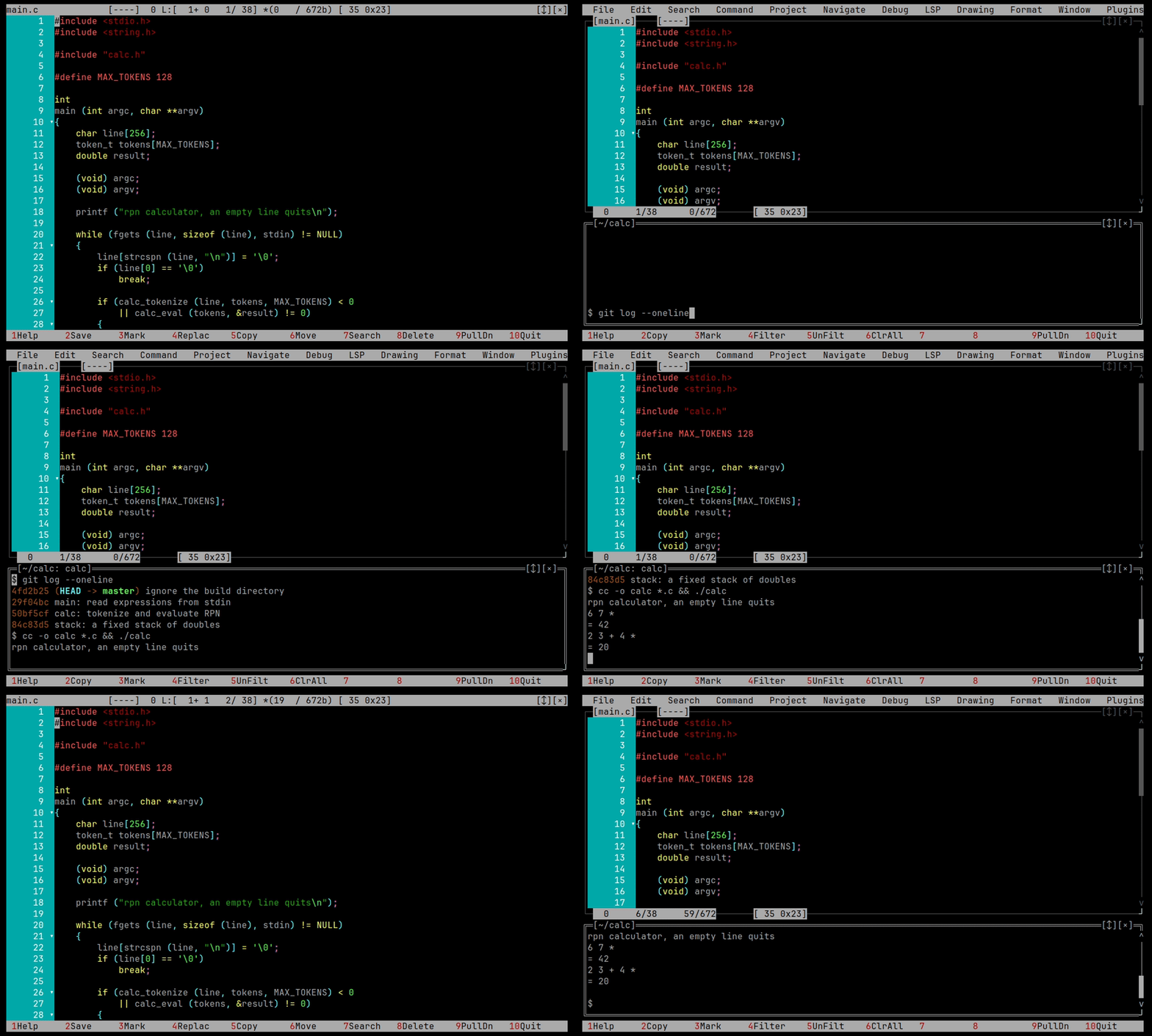
The shell is the one SHELL names (bash, zsh, fish, tcsh and the other shells
that print a prompt) and it starts in the directory of the file. The window is
a window of the editor like the others: moved, resized, shown full screen and
closed with its frame or from the Window menu; its title is the directory of
the shell and the command it runs. Closing it ends the shell, after a question
when a command is running. Full-screen programs, an editor or a pager, run in
it as in any terminal.
It is the terminal of Midnight Commander, with its scrollback:
| Key | Does |
|---|---|
| Shift-arrows | Mark the output |
| Ctrl-Ins, F2 | Copy the marked output to the clipboard |
| Alt-s | Search the output for what you type next |
| Alt-Shift-S | Show only the rows that match what you type next |
| F4 | Show only the rows that match the mark, or the word under the cursor |
| F5 | Turn that filter off, and on again |
| PgUp, PgDn, Ctrl-Home, Ctrl-End | Scroll the output |
| Ctrl-L, Ctrl-Shift-L | Clear the screen; clear it and the scrollback |
Every other key goes to the shell. The search and the filter follow the output as it grows.
In [Terminal] of ~/.config/bluerig/ini, window_height is the height of the
window the first time it is shown, in percent of the screen (25 by default),
and search_direction=up makes Alt-s run upwards, as in less.
The Git plugin types its pushes and pulls into this shell, and the debugger runs a program in a terminal tab of its own.