Repository navigation
Project
bluerig knows the project a file is part of, without being told: the nearest
directory above the file with a .bluerig or a .git in it, else the outermost
one with a build file (meson.build, CMakeLists.txt, Makefile and the
like) up to the home directory, else the directory of the file. File > Open
project chooses another one.
The files of the project are what git knows and does not ignore, in a repository; else everything under the project but hidden directories and build trees.
| Key | Does |
|---|---|
| Alt-Shift-P | Open a file of the project by a few letters of its name |
| Ctrl-E | The recent files of the project, the latest first |
| Alt-Shift-T | Show the tree of the project, give it the focus, hide it |
| Alt-Shift-A | Switch between a source and its header |
| Alt-F7 | Find a text in the files of the project |
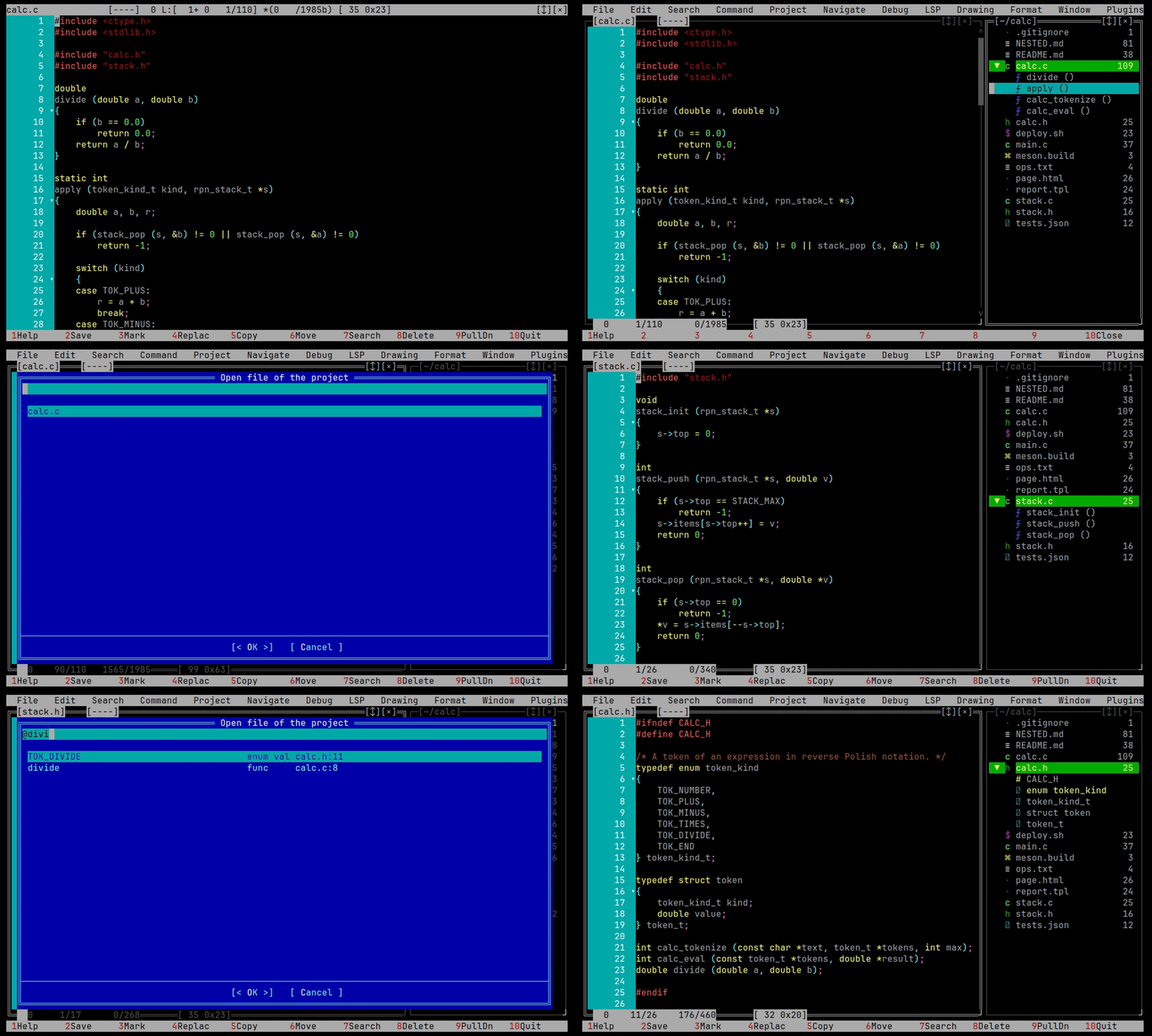
Alt-Shift-P takes a few letters of a name, in order: edwi finds
src/editor/editwidget.c, the last part of the name first. With nothing typed
it lists the recent files. The same line goes further:
| Typed | Goes to |
|---|---|
main:42 |
line 42 of the file that matches main
|
:42 |
line 42 of the file in front |
@divi |
the functions, structures and other symbols of the project with these letters |
calc@ |
the symbols of calc.c, in their order; calc@tw those that match tw
|
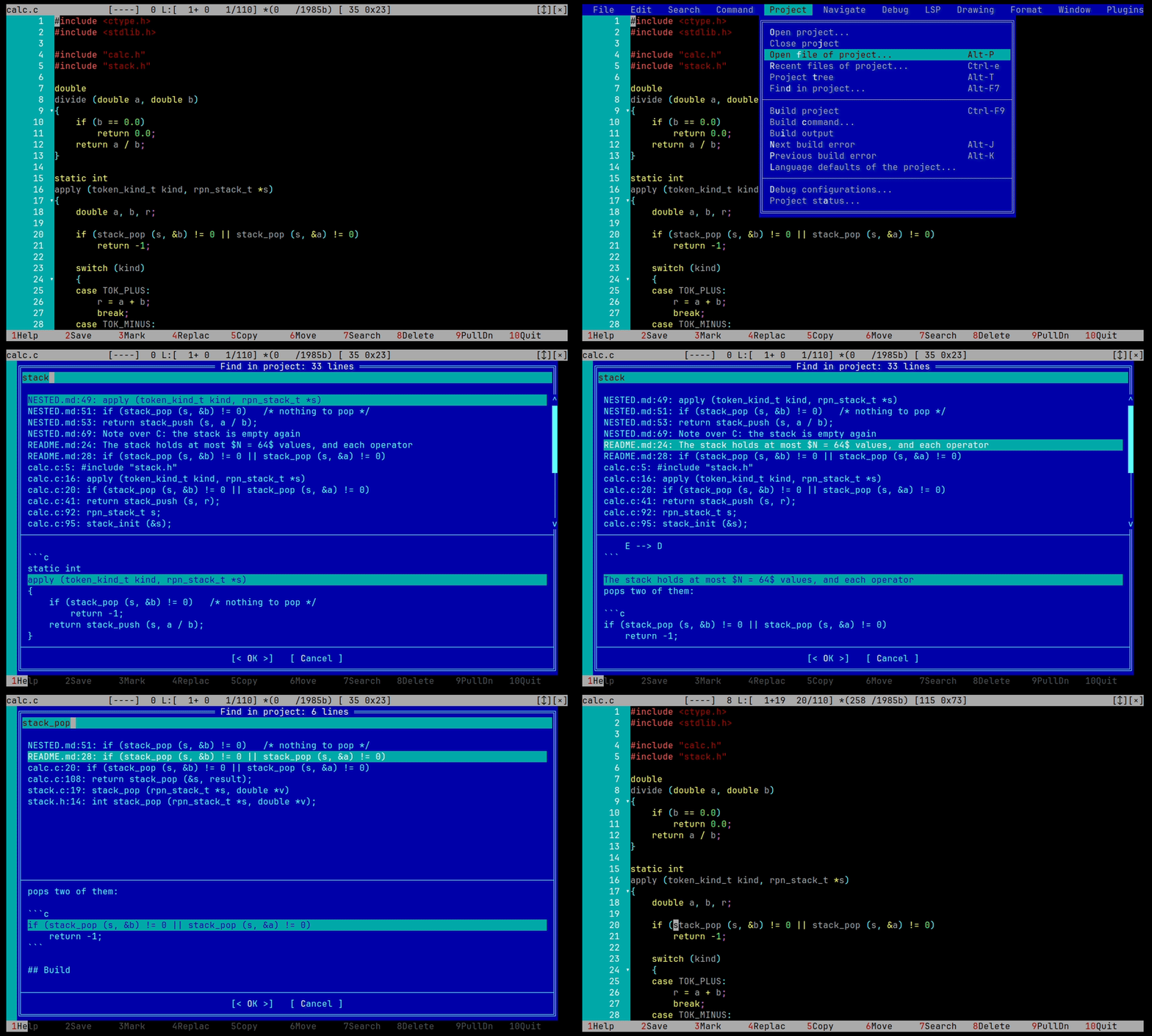
Alt-F7, or Project > Find in project, looks for a text in the files of
the project as it is typed: the lines that have it are listed, the file around
the line of the cursor is shown under them, and Enter goes there. The word of
the cursor is offered first. A text with no capital letter is found in any
case; binary files and .bluerig are skipped.
The tree stands at the right of the screen, titled with the root of the project. The file in front is in bold, and the tree opens down to it whenever another file comes to the front. Under that file comes its outline, its functions, structures, types, macros and variables, with the one the cursor is in shown in bold; Enter on one goes to its line. The outline is made from the text as it is, saved or not, whenever the editor rests after a change.
Enter opens a file or a directory, Right and Left open and close, and a letter goes to the next name that starts with it.
The symbols, the outline and the jumps come from ctags: the ctags plugin
indexes the project in the background into .bluerig/tags and keeps the index
fresh as files are saved. Universal Ctags is best
(sudo apt install universal-ctags). A tags file of your own at the root of
the project is used as it is.
| Key | Does |
|---|---|
| Ctrl-Enter | Jump to the declaration of the name under the cursor |
| Alt-g | Find the references to the name |
| Alt-Minus, Alt-Plus | Back and forward along the jumps, as in a browser |
| Alt-h | The history of the jumps |
| Alt-y | The symbols of the file |
| Alt-q | Search a symbol of the project |
| Alt-= | The members of a class or a structure |
| Shift-Tab | Complete the symbol before the cursor |
The same commands are in the Navigate menu. An Emacs TAGS file is read
by the etags plugin: Alt-Enter lists the definitions of the name under the
cursor.