Repository navigation
Syntax highlighting
bluerig colours over a hundred languages and file formats: C and its family, Python, shell, Go, Rust, JavaScript and TypeScript, HTML, CSS, markdown, JSON, YAML, TOML, meson and cmake, git commit messages, diffs, and many more. A file that has no rules of its own still has its numbers, strings and symbols coloured. Ctrl-S turns highlighting off and on, and Options > Syntax highlighting picks the rules by hand when the name of a file says nothing.
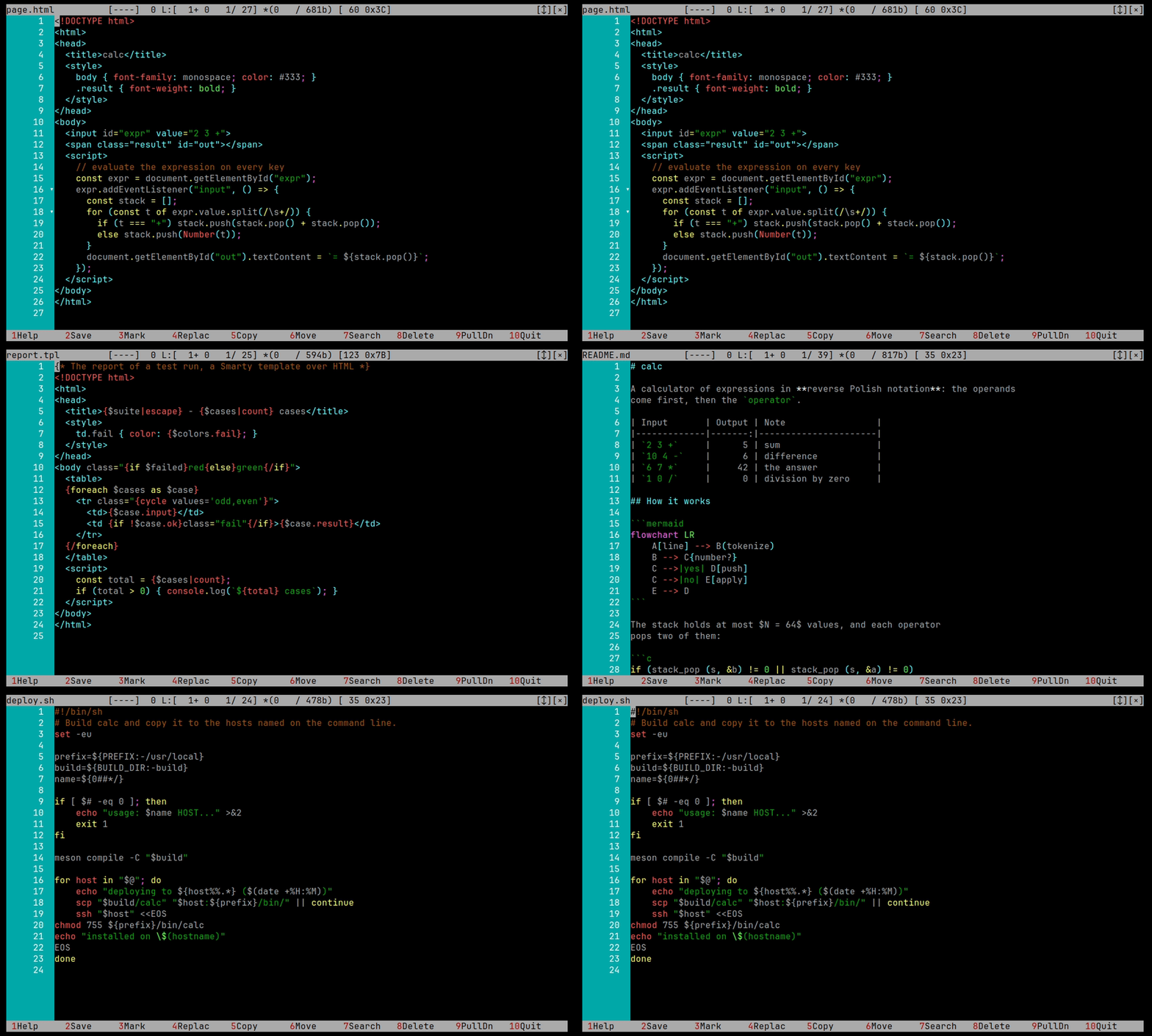
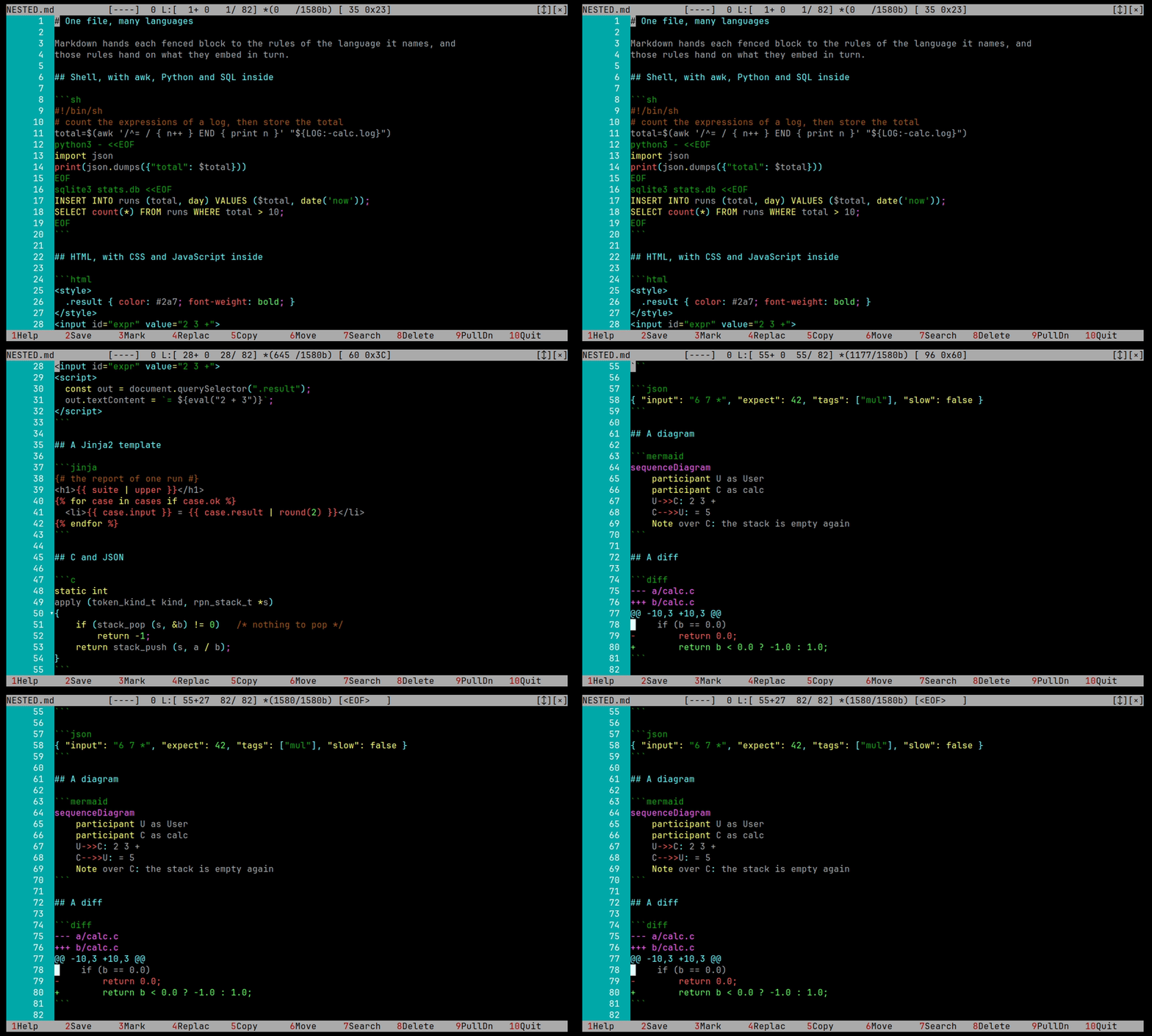
The rules of a language are plain text, and they can hand a part of the text to the rules of another language:
- HTML hands its
<script>to JavaScript and its<style>to CSS; - a fenced block of markdown is coloured as the language it names,
```c,```sh,```mermaid; - a shell script colours what stands inside
${...}by rules of its own,${host%%.*}and${PREFIX:-/usr/local}; - a Jinja2 or Smarty template is a layer over HTML: the tags of the template are coloured wherever they stand, in the text, inside an HTML tag, in a string of an attribute or in a script, and HTML reads the rest as if they were not there.
A rule does not say what color its text is, but what the text is:
keyword whole if KEYWORD_CONTROL
context " " STRING_QUOTED_DOUBLE
    keyword \\" CONSTANT_CHARACTER_ESCAPE
The token is read as a scope, keyword.control, a kind of keyword, the
names Sublime Text and TextMate use. The colors come from the
skin, so one skin colors the editor and the code together,
and the same kind of text looks the same in every language. A skin that names
no colors keeps those of mcedit. The tokens the installed files use are
listed, with their classic colors, in README.txt of the syntax directory.
Rules that name colors, yellow or rgb345, keep working, and your own
files may keep them.
Options > Syntax file opens ~/.local/share/bluerig/syntax/Syntax. It is
read before the installed one and holds only what you add or want otherwise:
an entry of yours wins for the files it matches, and every other file type
still comes from the system file. (Older versions made a full copy of the
system file there; such a copy hides every file type added after it, so keep
in it only the entries you changed.) It is read again for every file opened,
so a change shows as soon as you open a file.
A minimal section:
file .\*\\.calc$ Calc\sProgram

context default
    keyword whole push    yellow
    keyword whole pop     yellow
    keyword       +       brightcyan

context # \n brown

context " " green
    keyword \\"           brightgreen
-
filetakes a regular expression for the name, a description, and optionally a regular expression for the first line of the file. - A
contextis a span between two delimiters with its own colour and keywords: a comment, a string.exclusive,oneline,wholeandlinestartrefine where it starts and ends. - A
keywordis coloured wherever it stands in its context;*inside it is a wildcard, and\s,\t,\nstand for a blank, a tab and a newline. -
embed TYPEunder a context hands what it holds to the rules of another type;embed softlets that type keep its own strings and comments past the closing delimiter. -
overlay TYPEmakes the whole syntax a layer over another one, as the templates above are. - A color is a scope token (
KEYWORD_CONTROL), or one of the 16 named colors (brightcyan,brown, ...),color16tocolor255,rgb000torgb555andgray0togray23, with attributesbold,italic,underline,reverse,blink.
The full reference is the Syntax Highlighting section of man bluerig, and
the installed rules (bluerig -f prints where) are the best examples.