Repository navigation
Skins and keys
Options > Appearance chooses the skin bluerig is drawn with, and applies it
at once. About fifty skins come with it, in 16 colours, 256 colours and true
colour: the classic blue default, gruvbox256, nord256,
catppuccin256, kanagawa256, rose-pine256, tokyo-night-16M and the
four seasons-*16M, among others.
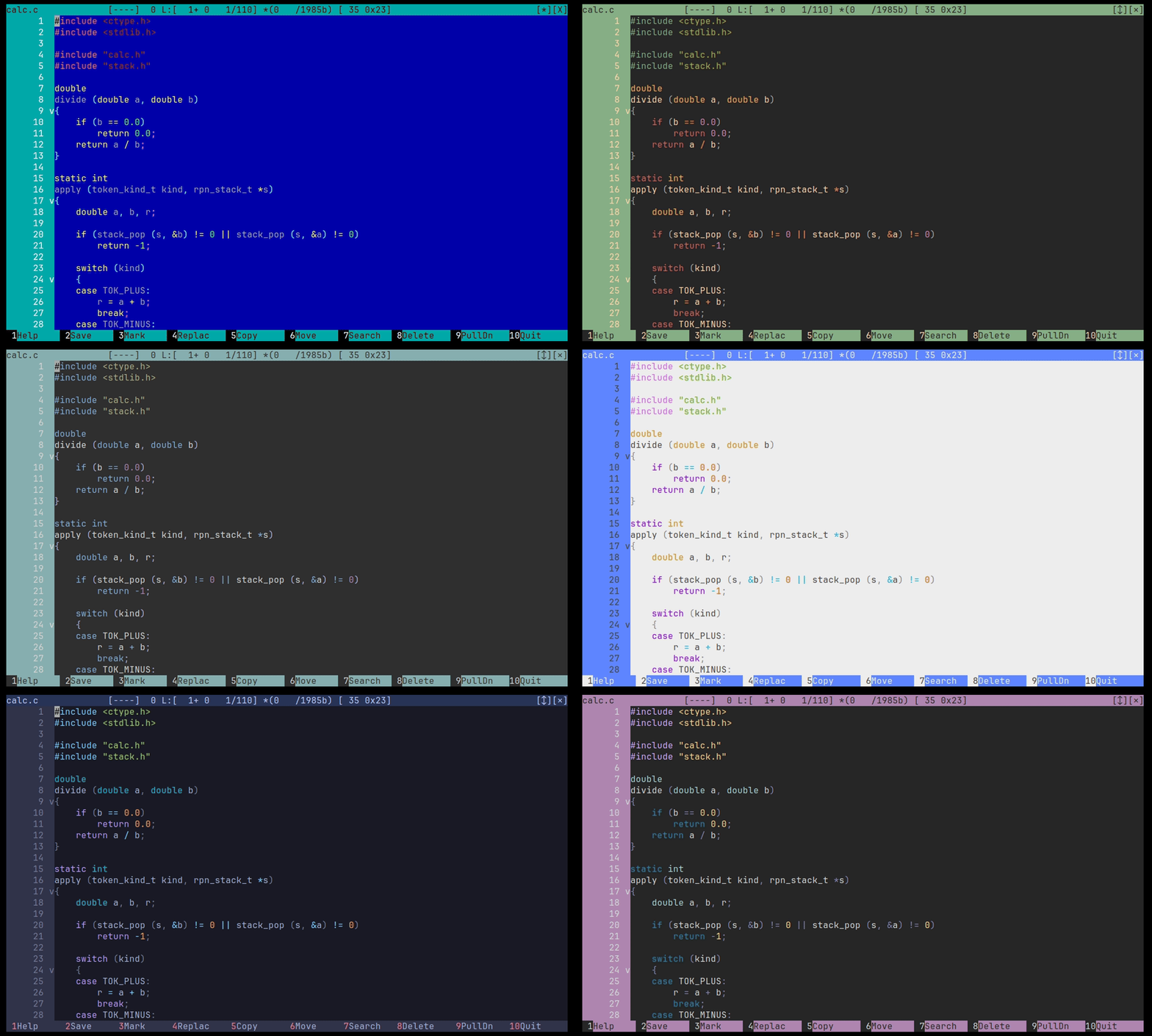
The skin is the first one named by:
-
bluerig -S NAME(--skin=NAME), - the environment variable
BLUERIG_SKIN, -
skin=in the[bluerig]section of~/.config/bluerig/ini, - the skin called
default.
Your own skins go in ~/.local/share/bluerig/skins/; the format is in
skins/README.txt of the data directory (bluerig -f prints where). A skin
with true colours sets truecolors=true in its [skin] section, one with 256
colours 256colors=true. A skin also draws the scrollbars of the windows and
the marks of the build and of the debugger in the gutter.
The skin colors the code too, in a section of its own:
[syntax]
    comment = gray
    keyword = yellow
    keyword.control = brightmagenta
    string = green
    string constant.character.escape = white;red
A key is a kind of text, as the syntax rules name it; the longest one the skin names wins, and what it does not name keeps the colors of mcedit. gruvbox256, nord256, catppuccin256, catppuccin-latte256, kanagawa256, rose-pine256, everforest256 and tokyo-night-16M color the code as their themes do, and a change of skin in Options > Appearance repaints the open files at once.
Every key can be changed. Options > Key bindings lists every action with
the keys it answers to, changes them, and writes the result to
~/.config/bluerig/keymap.ini, which is read last and wins over the keymaps of
the system. The package installs three keymaps: keymap.default.ini,
keymap.emacs.ini and keymap.vim.ini. To take one of them:
ln -s /etc/bluerig/keymap.vim.ini ~/.config/bluerig/keymap.iniA line of a keymap names an action and its keys:
[editor]
Save = f2
SaveAs = f12; ctrl-f2
The plugins have sections of their own: [project], [build], [debugger],
[mcterm] for the terminal; the ctags plugin reads ctags.keymap.
Terminals do not agree on what they send for many keys, F11 and Shift-F5 and Ctrl-arrows among them.
- Options > Learn keys teaches bluerig the sequence your terminal sends for a key it gets wrong.
- Options > Key sniffer shows what a key press arrives as, and the action it is bound to now: the place to look when a binding seems to do nothing.
-
Escfollowed by a key is the same asAltwith it, andEscfollowed by a digit is a function key:Esc 5is F5,Esc 0is F10.old_esc_mode_timeoutin the ini file says how long bluerig waits after Esc for the key that goes with it.