Repository navigation
Preview
Ctrl-Alt-P, or Window > Preview, opens a window at the right of the file that shows it the way it is meant to read. The file keeps the focus: the Preview is drawn again as you type, follows the cursor, and switches to the file window that comes to the front. Give it the focus to move around in it with the keys of the editor; the mouse wheel scrolls it without the focus.
The viewer finds the type of the file by its name or by how its text starts, and asks the renderer of that type to draw it. A type with no renderer is shown as its text. The renderers are Lua scripts, so a build without Lua has none.
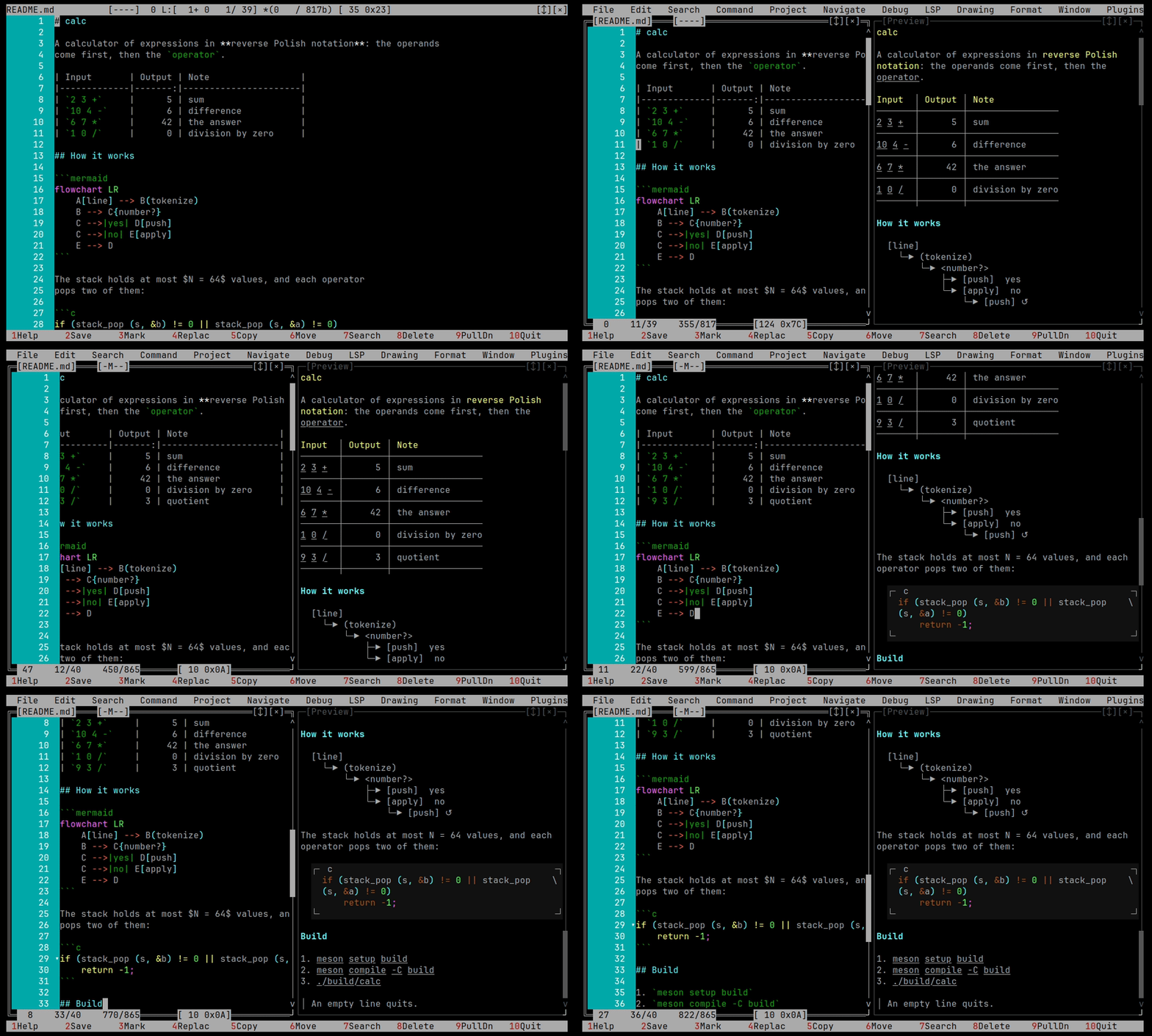
Headings, emphasis, lists, quotes, rules, tables with their borders, blocks of code in the colours of the editor, formulas as symbols, and mermaid diagrams drawn as text: flowcharts, sequence diagrams, class diagrams and pie charts. The settings of the renderer are in Options > Manage plugins.
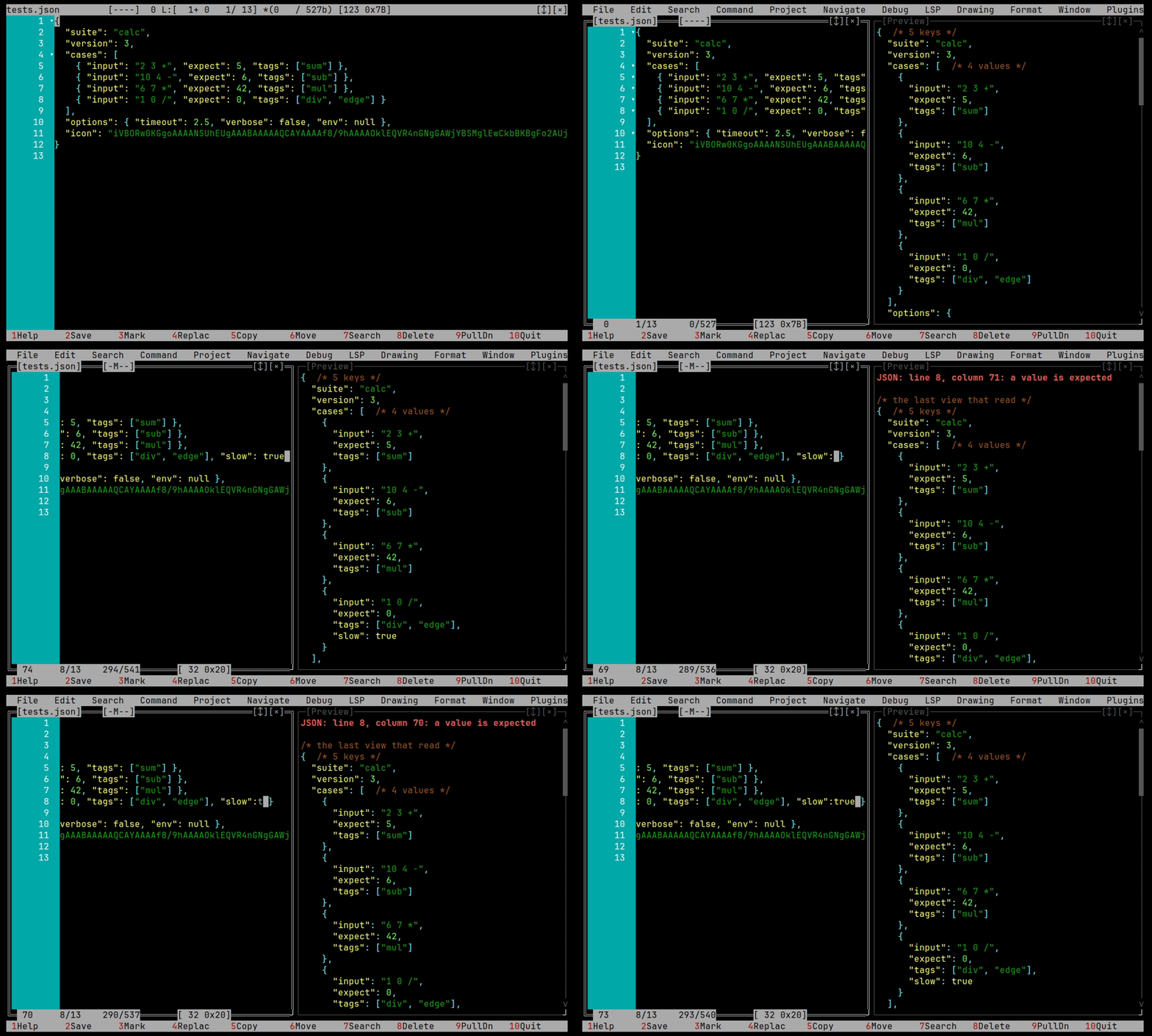
JSON, and JSON Lines, come out one value to a line in the colours the editor gives JSON, with the size of every object and array beside it; a long array is packed to the width or cut short, and an array of objects of one kind becomes a table. Comments and a comma before a closing bracket are accepted. While the text does not parse, halfway through a change, the error and its place are shown above the last view that did.
XML comes out an element to a line: a short text on the line of its element, the attributes one to a line when they do not fit, the number of elements an element holds beside it, and a run of like elements as a table.
A string of base64 in JSON or XML, a value, a text or a data: URI, is cut to
its first letters, with what it holds beside it in parentheses: the start of
the text, or the kind of file its bytes start like, and the size. Only the
start is decoded, so a string of megabytes costs no more than a short one.
A Lua script can register a renderer for a type of file, or show any text of
its own in the windows of the viewer. See
doc/LUA_PLUGINS.md.