Repository navigation
Git
The git plugin shows the changes of the work tree and the commits of the
branch the way gitui does, in windows frame to frame, and has the message of a
commit written in a window of the editor. It runs the git of the system, so
your hooks, configuration and identity apply.
Alt-Shift-C opens it on the tab Status, Alt-Shift-L on the tab Log.
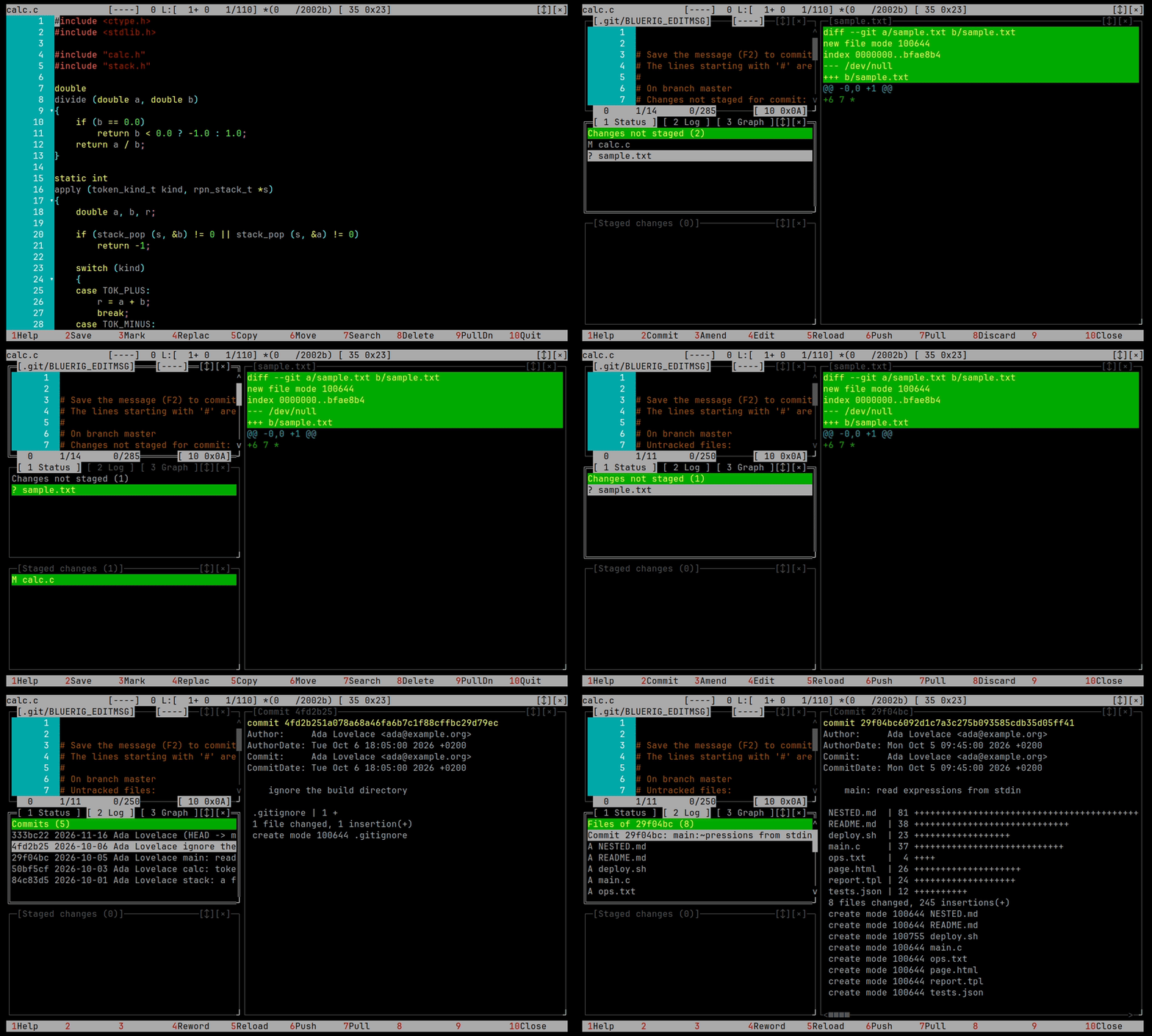
 +-[BLUERIG_EDITMSG]---------------------++-[Diff]----------------+
 | the message of the next commit      || the diff of the file  |
 +-------------------------------------+| or of the commit      |
 +=[ 1 Status ] [ 2 Log ] [ 3 Graph ]==+|                       |
 | the changes not staged              ||                       |
 +=====================================+|                       |
 +-[Staged changes]--------------------+|                       |
 | the staged changes                  ||                       |
 +-------------------------------------++-----------------------+
| Key | Does |
|---|---|
| Enter, Space | Stage the file under the cursor, or unstage it |
| a | Stage all the changes, or unstage all |
| c, F2 | Go to the message; F2 there commits what is staged |
| A, F3 | Amend the last commit with what is staged, and its message |
| e, F4 | Open the file in a window of the editor |
| Tab | The next window: the changes, the staged ones, the diff |
| Right, Left | Into the diff and back |
| 1, 2, 3 | The tabs Status, Log and Graph |
Log lists the commits of the branch; Enter on one shows the files it
changed, and the diff of the file under the cursor comes at the right.
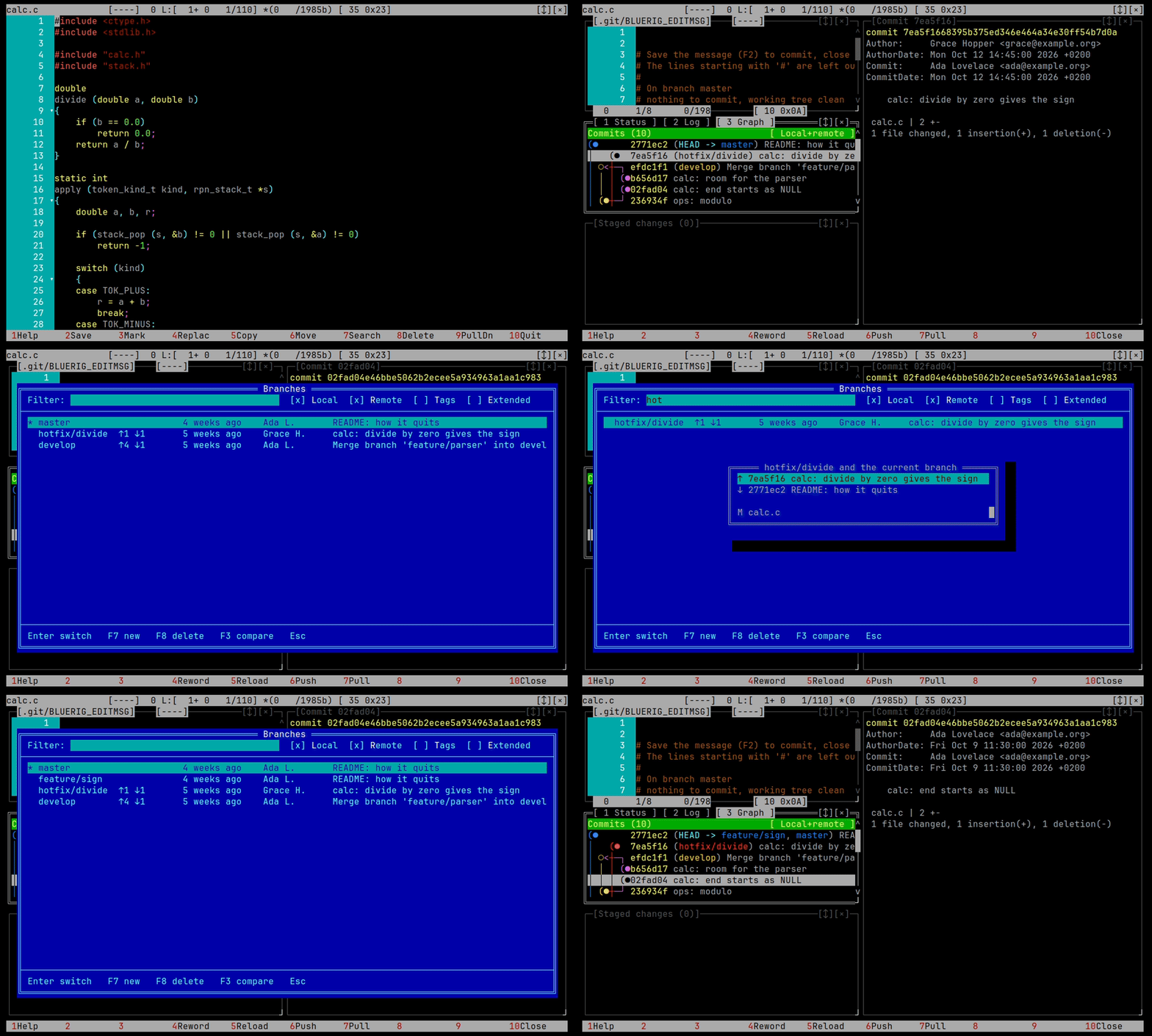
Graph draws the commits of all the branches the way git-graph does,
each branch in a column of its own, main or master first.
F6 pushes, F7 pulls and Shift-F5 fetches, typed into the shell of the terminal, so that git can ask for a password there. F6 asks first: the remote, force with lease (checked by itself after an amend or a reword made here), set upstream and include tags. A push without a lease is never made.
b (or Shift-F7) lists the branches, those of the remotes and the tags, with how far each one is ahead and behind, and filters them as you type. Enter switches to one, F7 makes a new branch, F8 deletes one, and F3 shows what a branch has that the current one has not.
The message is an ordinary editor window: write it, amend it, or give any commit of the branch another message. F11 there opens a menu of trailers, checks, and a message written by AI from the staged diff.
bluerig -G DIR opens the git window alone, which is how the git panel of
Midnight Commander can use it.