Repository navigation
Formatting tools
Three small tools for the way fiction is laid out on the page.
Markdown has no way to centre or right-align a single paragraph. Authors Toolbox adds one.
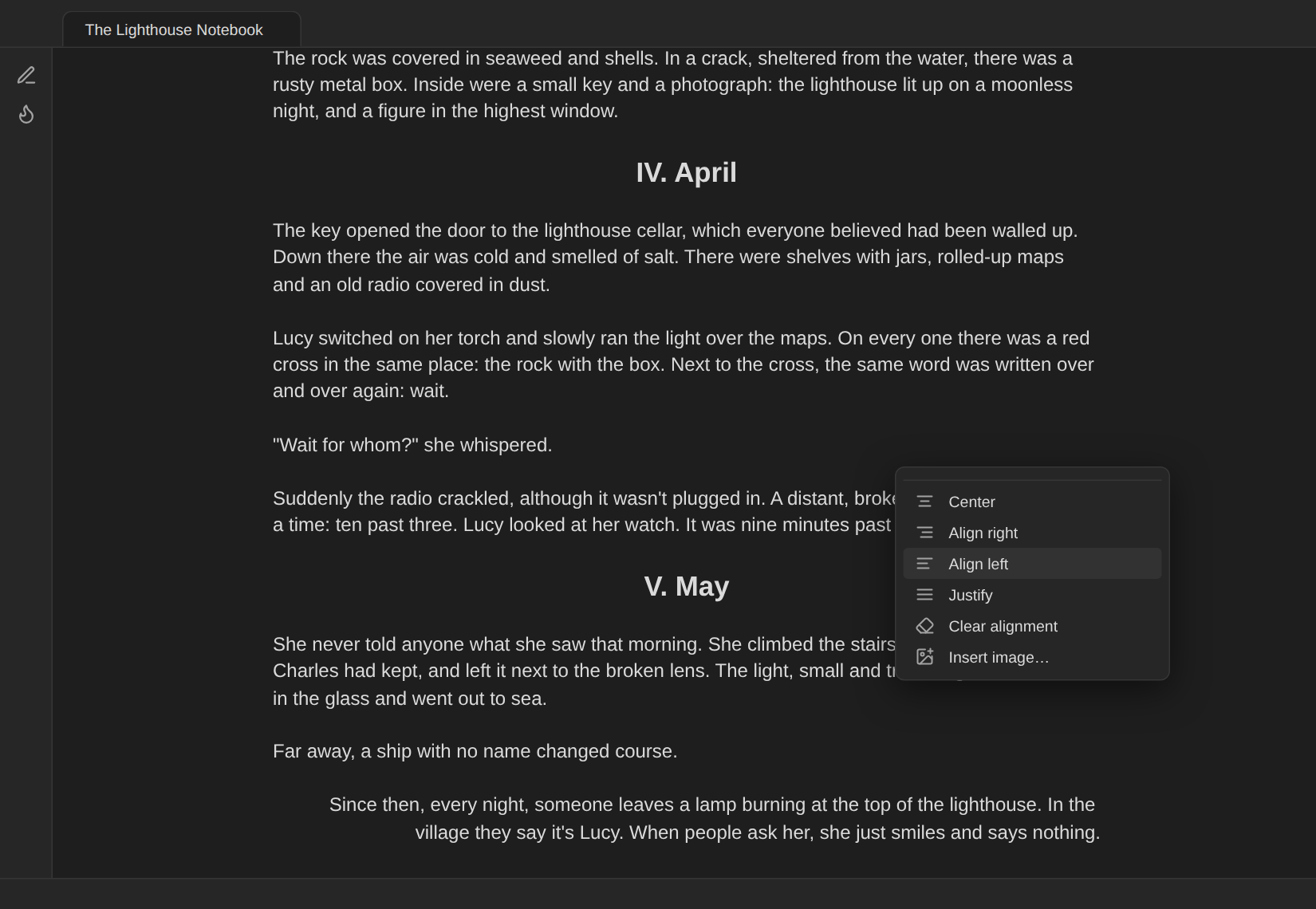
- Put the cursor in a paragraph (or select several) and choose Center, Align right, Align left or Justify from the right-click menu or the commands (Center selected text, …). Clear alignment removes it; choosing the same alignment again also toggles it off.
- The plugin writes an invisible marker at the start of the paragraph, for example
%%center%%. It is an Obsidian comment, so the text stays plain Markdown and other apps simply ignore it. - The alignment shows in Live Preview (the marker hides unless the cursor is on that line), in Reading view, in Obsidian's PDF export and in the plugin's own manuscript export.
- It works on headings too (
## %%center%%Chapter one), which is how the chapter titles in the screenshots are centred. - Lists, tables, quotes, code blocks and embeds are skipped.
Justified text uses the note's language for hyphenation, so long Spanish words break correctly.
Insert image… (command or right-click menu) opens a picker:
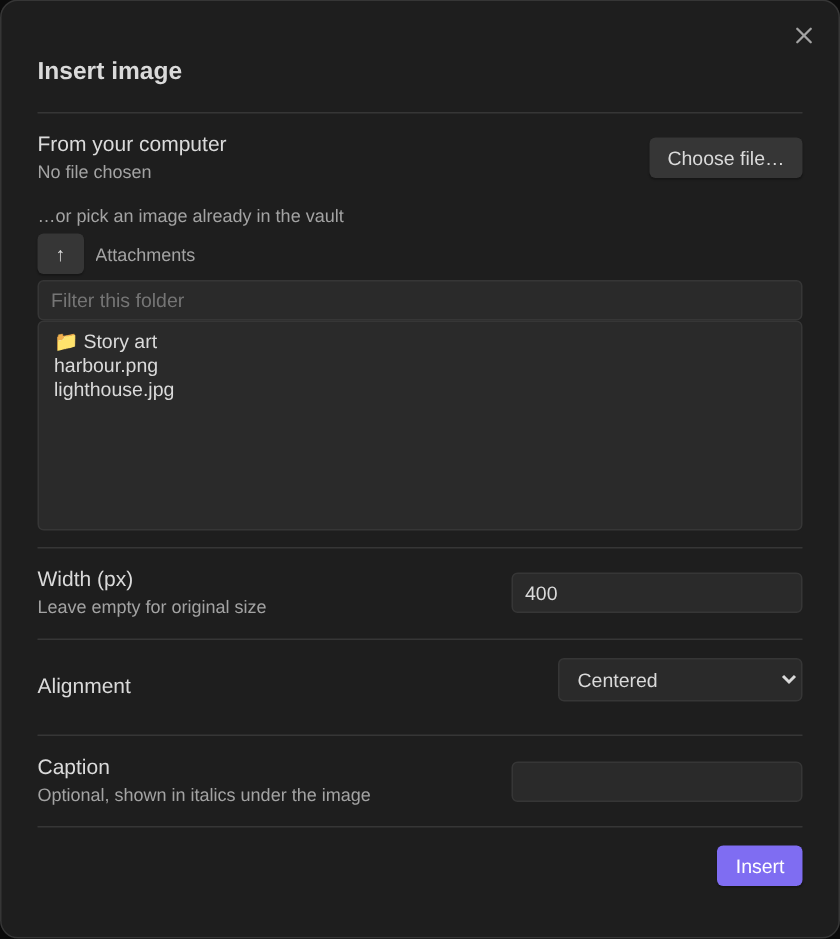
- From your computer: choose a file; it's copied into the image folder from the settings, or Obsidian's attachment folder.
- …or pick an image already in the vault: browse folder by folder, starting in your attachments folder, with a filter box. Only images are listed, and the vault is never scanned as a whole, so it stays fast in large vaults.
- Width in pixels (empty for the original size), alignment (inline, centred, left, right) and an optional caption, written in italics under the image with the same alignment.
The result is ordinary Markdown: ![[lighthouse.jpg|400]] plus an alignment marker and the caption line.
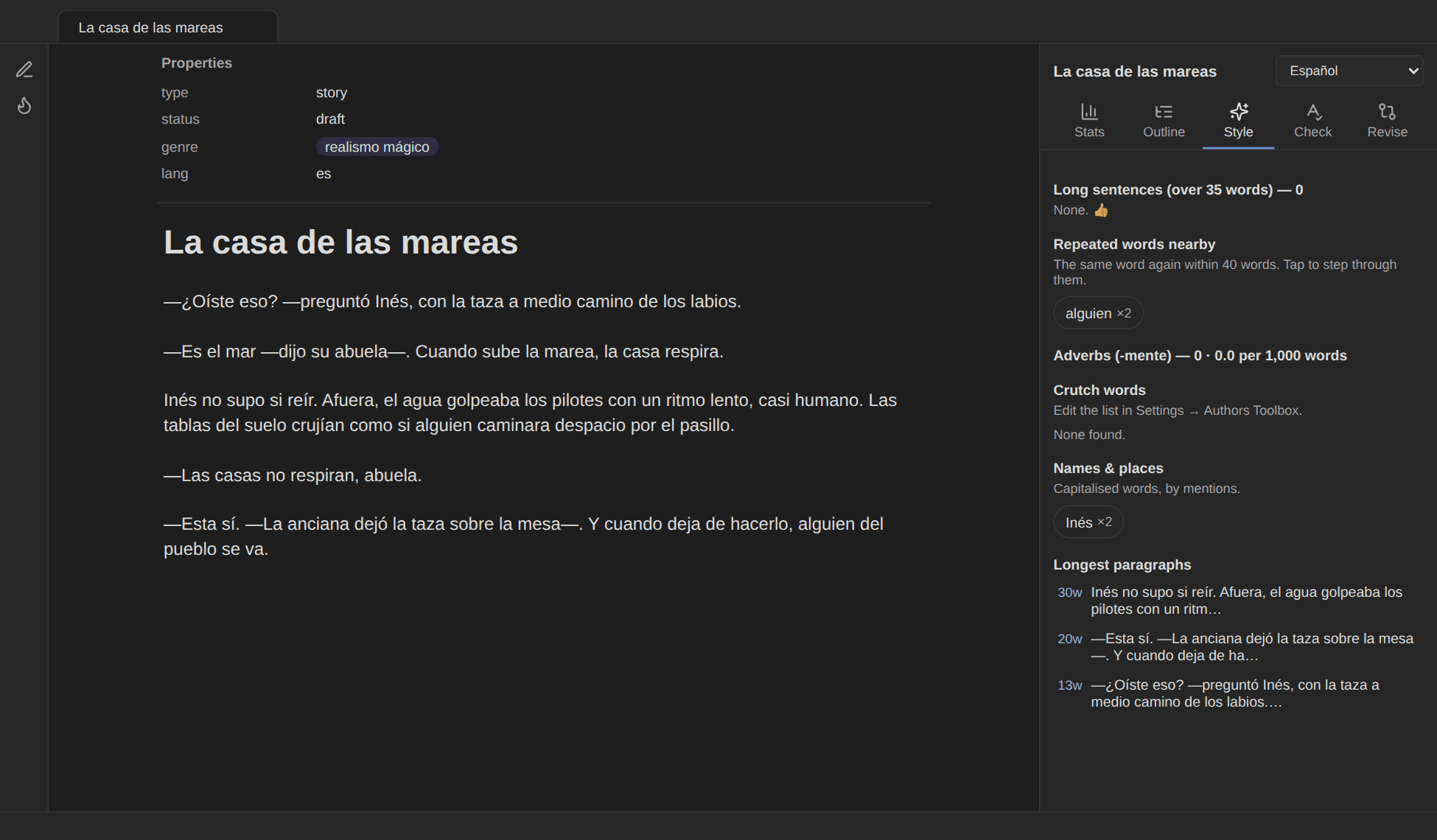
In Spanish, dialogue starts with a raya: —¿Vienes? —preguntó. In Markdown, a line that starts with - becomes a bullet list, so dialogue typed with a hyphen breaks. In story notes, Authors Toolbox fixes this as you type:
- A
-typed at the start of a line becomes —. -
--anywhere becomes —, for the dashes around a speaker tag:—Vuelve --dijo él-- por favor.→—Vuelve —dijo él— por favor. - Hyphens inside words (semi-dormida) are left alone, and task lists (
- [ ]) are never touched. - Undo right after the change gives you back the plain hyphen.
- Convert dialogue dashes (- → —) in this note fixes dialogue pasted from elsewhere: every line that starts with a hyphen followed by text gets a raya.
It applies to story notes: notes with type: story, or notes in the story folders from the settings. It never applies to scripts or other notes, so ordinary lists keep working. Turn it off with Dialogue dash (raya) in the settings.
The statistics recognise raya dialogue: the narrator's tags between dashes (—dijo ella—) are counted as narration, not dialogue.