Repository navigation
Writing panel
The writing panel is a sidebar about the note you're working on. Open it from the pen icon in the ribbon or with Open writing panel. It follows the active note and updates a moment after you stop typing.
At the top: the note's name and a language menu (Auto-detect, English US, English UK, Español). Choosing a language saves it as the note's lang property; it decides which rules the statistics, style insights and grammar check use, and sets the hyphenation language for justified text.
The tabs depend on the kind of note:
| Note | Tabs |
|---|---|
| Story or any prose note | Stats · Outline · Style · Check · Revise |
Poem (type: poem) |
Poem · Stats · Style · Check · Revise (see Poetry) |
Script (type: script) |
Script · Scenes · Cast · Notes · Check · Revise (see Screenplays) |
The Check tab is described in Spelling and grammar and Revise in Revision mode.
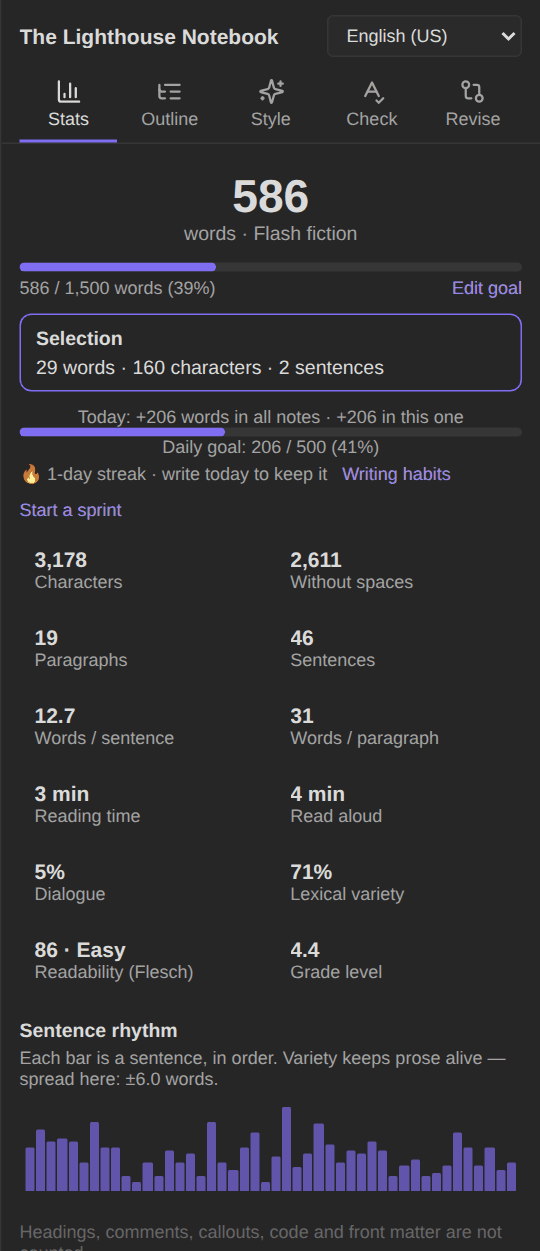
- Word count and a length category: flash fiction (under 1,000), short story (1,000–7,499), novelette (7,500–17,499), novella (17,500–39,999), novel (40,000 and over).
-
Word goal: a progress bar towards the note's
word_goalproperty (or the default goal in the settings). Edit goal changes it. - Today: words written today in all notes and in this one, the daily goal, your streak, and links to writing habits and a sprint.
- Selection: select text to see its words, characters and sentences.
- Characters (with and without spaces), paragraphs, sentences, words per sentence and per paragraph.
- Reading time and read-aloud time (230 and 150 words per minute by default; both are settings).
- Dialogue: the share of words inside dialogue.
- Lexical variety: the moving-average type/token ratio over 100-word windows; higher means a richer vocabulary.
- Readability: Flesch Reading Ease and the Flesch–Kincaid grade level for English, INFLESZ (Szigriszt-Pazos) for Spanish.
- Sentence rhythm: one bar per sentence, in order. A flat row of bars means sentences of the same length; varied bars read more naturally.
Headings, comments, callouts, code blocks, tables and front matter are left out, so the numbers describe your prose.
Paragraphs: by default a paragraph is a Markdown paragraph (text between blank lines). Turn on Count each line as a paragraph in the settings if you write one paragraph per line without blank lines.
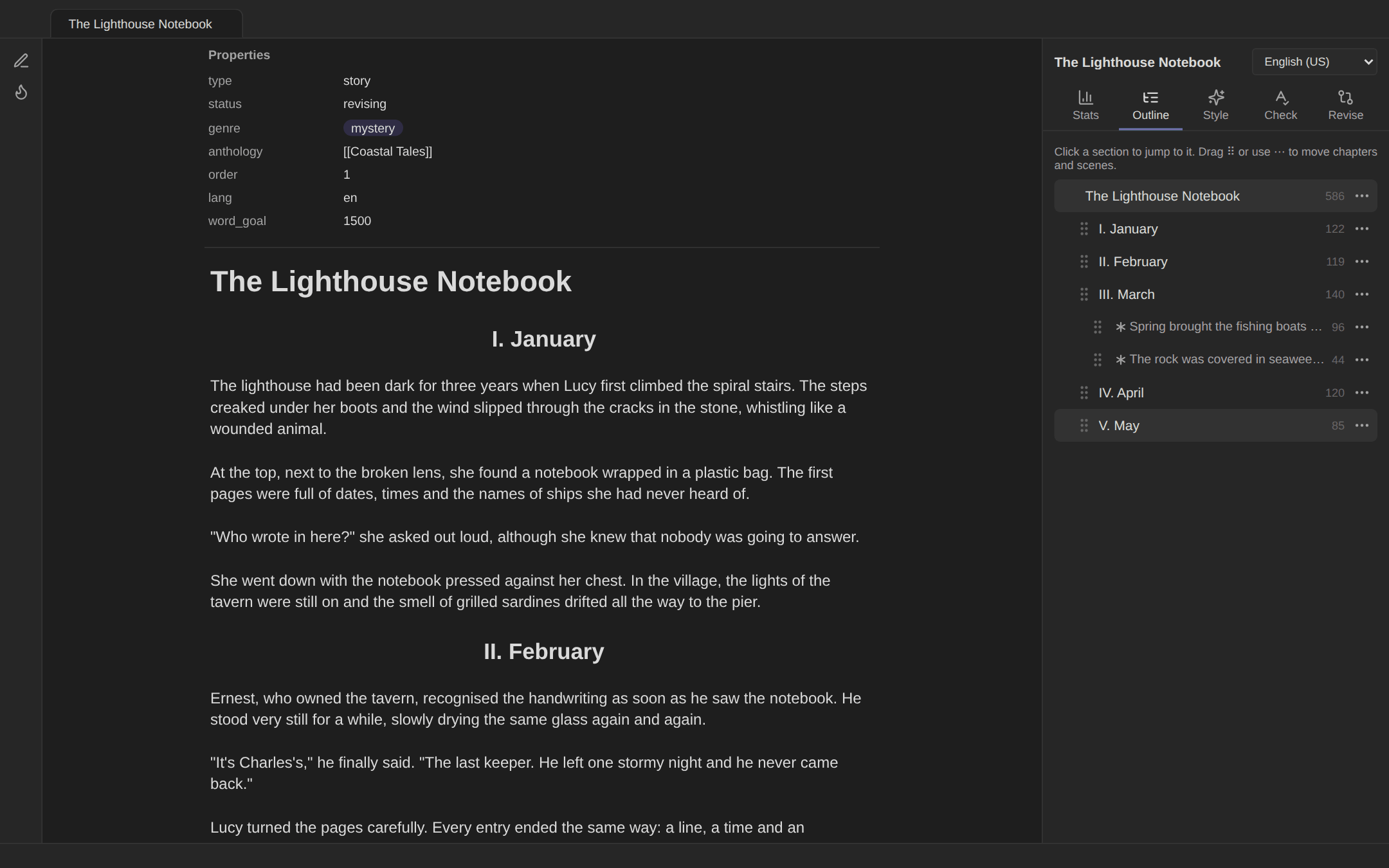
The outline lists the note's chapters (headings) and scenes (text between scene-break lines) with their word counts.
-
Scene breaks: a line with only
---,***,___,* * *,#,⁂,§or~~~. - Tap a row to jump to it in the editor.
- Reorder chapters and scenes by dragging the ⠿ handle, or with the ⋯ menu (Move up, Move down, Move to top, Move to bottom, and Select text to select the whole chapter or scene). The text moves with its heading and all its scenes, blank lines are kept tidy, and the whole move is one undo step.
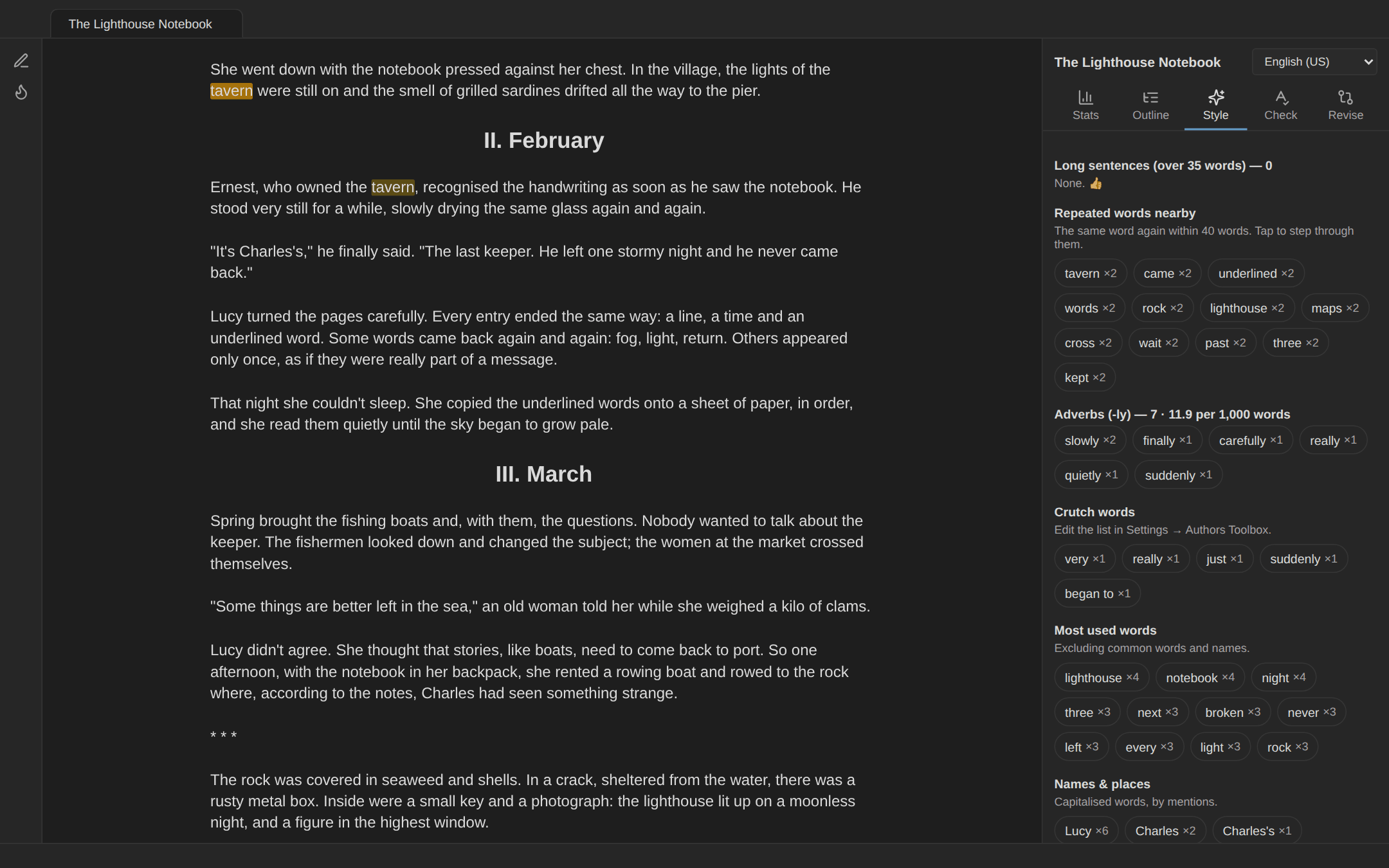
Each section lists what to look at; tap an item to highlight every occurrence in the text, and tap again to step to the next one.
| Section | What it finds |
|---|---|
| Long sentences | Sentences longer than the threshold (35 words by default). |
| Repeated words nearby | The same word (four letters or more, not a common word or a name) again within 40 words. |
| Repeated sentence openers | Three or more sentences in a row that start with the same word. |
| Adverbs | Words ending in -ly (English, with a list of exceptions such as family or early) or -mente (Spanish), with a rate per 1,000 words. |
| Crutch words | Words and phrases from your lists (very, really, just, suddenly, began to… / muy, de repente, empezó a…). Edit the lists in the settings. |
| Most used words | Content words used three times or more. |
| Names and places | Words capitalised (almost) every time they appear in mid-sentence, by number of mentions. Useful for spotting a character who vanishes, or two spellings of a name. |
| Longest paragraphs | The three longest paragraphs. |
The rules follow the note's language: Spanish uses Spanish common words, adverbs and crutch words, and recognises dialogue that starts with a raya (—).
A line that starts with a dash (—, –, or a hyphen right before the text) is a dialogue turn; later dashes on the same line switch between speech and narration (—Ven. —dijo ella—. Ahora.). Elsewhere, text inside “…”, «…» or "…" counts as dialogue. Each line is checked on its own, so dialogue in the middle of a paragraph is found too.