Repository navigation
Screenplays
Notes with type: script are written in Fountain, the plain-text screenplay format, and shown as a screenplay: Courier, standard indents for each element, in the editor (Live Preview), in Reading view and in Obsidian's PDF export.
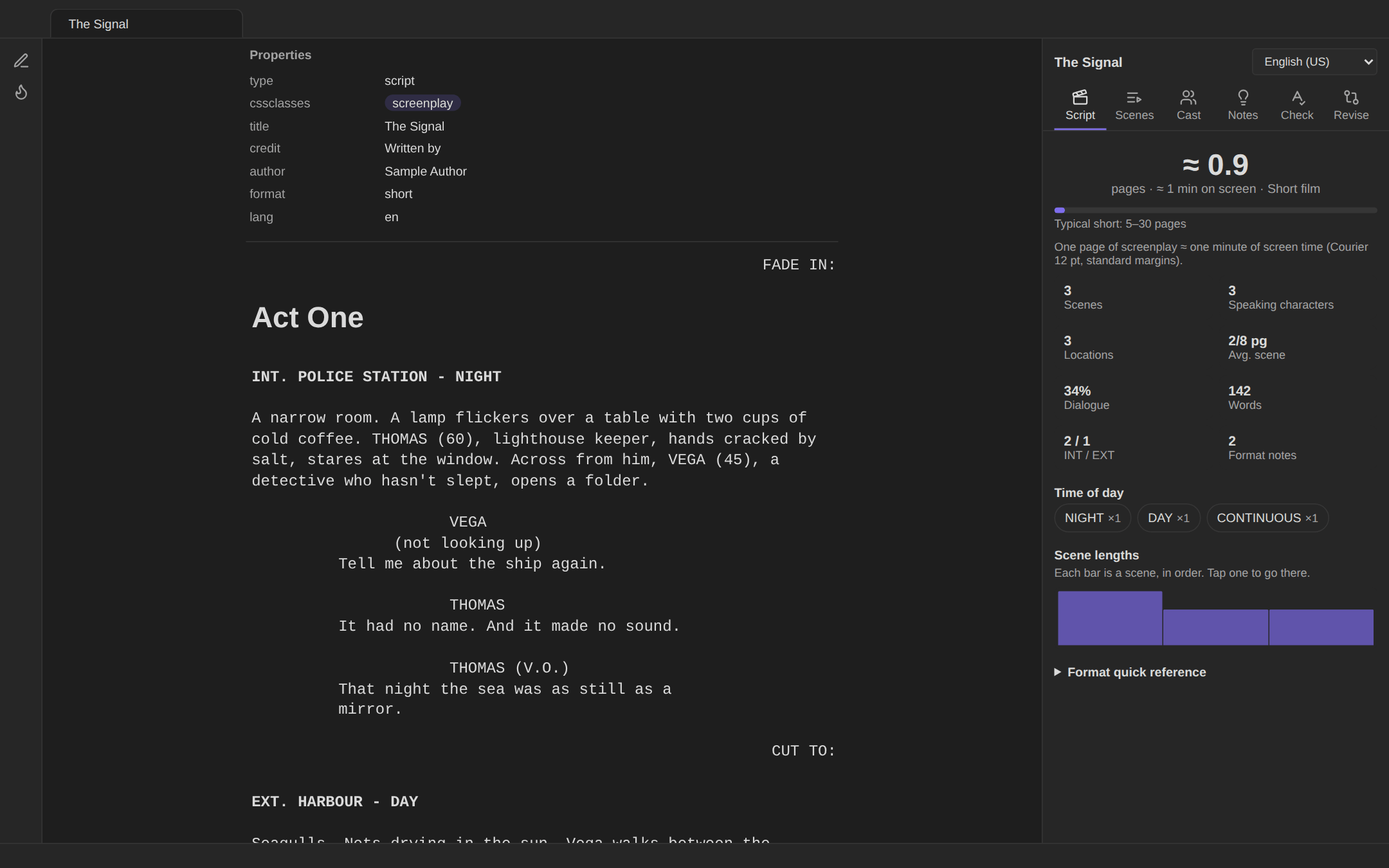
Fountain needs no special markup for most things. Authors Toolbox recognises:
| Element | How to write it |
|---|---|
| Scene heading | A line starting with INT., EXT., INT./EXT., I/E or EST., or any line starting with . (forced). |
| Character | A line in CAPITALS followed by dialogue. @Name forces it. Extensions like (V.O.), (O.S.), (CONT'D) are kept. |
| Parenthetical | A line in ( ) under a character or inside dialogue. |
| Dialogue | The lines after a character. |
| Transition | A line in capitals ending in TO:, or FADE IN:, FADE OUT., CUT TO BLACK., and the Spanish FUNDIDO A NEGRO, CORTE A:… > forces one. |
| Centered text | > THE END < |
| Acts and sequences |
# and ## headings group scenes. |
| Page break | === |
| Lyrics | A line starting with ~. |
| Notes | A line in [[ … ]], or an Obsidian comment %% … %% (exported as a Fountain note). |
| Action | Everything else. ! forces a line to be action. |
- Smart Enter: after a character name or a parenthetical, Enter starts the dialogue on the next line; after dialogue or action, it leaves the blank line the next element needs. Shift+Enter always inserts a plain line break. (Turn it off with Smart line breaks in scripts.)
-
Suggestions: typing a character name in capitals suggests the characters already in the script, plus
(V.O.),(O.S.)and(CONT'D). In scene headings, it suggests the locations you used and the times of day, in English and Spanish (DAY,NIGHT,CONTINUOUS,DÍA,NOCHE,CONTINUO…). -
Format line as… scene heading, action, character, parenthetical, transition or centered, from the right-click menu or the commands. It rewrites the line in the right form (for example
cocina - noche→INT. COCINA - NOCHE).
Estimated pages and screen time (one page ≈ one minute), with the length category (short film up to 40 minutes, medium-length up to 70, feature film beyond) and, if the note has a format property (short, feature, pilot), the typical page range for it. Then scenes, speaking characters, locations, average scene length in eighths of a page, the share of dialogue, words, INT/EXT and time-of-day counts, a scene-length chart (tap a bar to go to that scene) and a Fountain quick reference.
Pages are estimated the way script software counts them: every element is wrapped at its standard width (61 characters for action, 35 for dialogue, 26 for parentheticals…) and a page holds 55 lines.
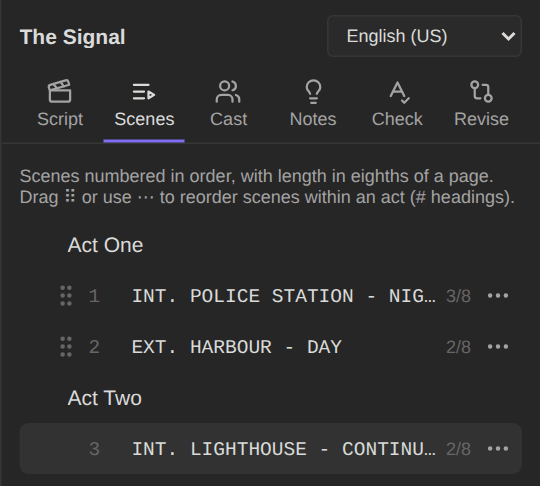
A numbered scene board grouped by act, with each scene's length in eighths of a page. Drag a scene (⠿) or use its ⋯ menu to move it within its act; the whole scene, up to the next heading, moves in one undo step.
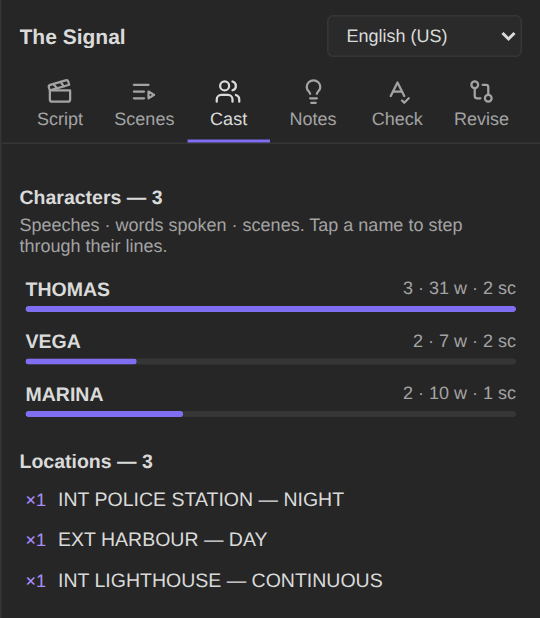
Every speaking character with speeches, words spoken and the number of scenes they appear in (tap a name to step through their lines), and every location.
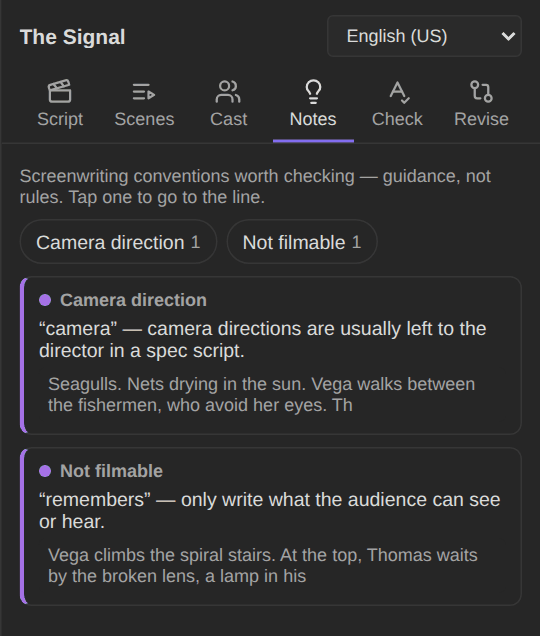
Coaching on screenwriting conventions. These are suggestions, not rules:
- action paragraphs longer than 4 lines, and speeches longer than 6;
- scene headings without INT./EXT., without a time of day, or not in capitals;
- long parentheticals (they're for brief delivery notes);
- camera directions (the camera pans, close on…) in a spec script;
- things the camera can't show (thinks, remembers, recuerda…);
- characters who speak before they're introduced in the action in CAPITALS.
Tap a note to go to the line.
-
Screenplay: new script… creates a script in the scripts folder from a built-in template: the title-page properties (
title,credit,author,draft_date,format), a logline callout, and a first scene that shows how each element is written. -
Screenplay: adapt this story into a script creates a script linked to the story (
adapted_from: "[[Story]]"), in the story's language, and opens it next to the story so you can adapt it scene by scene. -
Screenplay: turn script formatting on/off for this note adds or removes
type: script.
Screenplay: export as .fountain writes a .fountain file into an Exports folder next to the script, with a title page from the note's properties (title, credit, author, adapted_from, draft_date, contact). Callouts and images are left out and comments become Fountain notes ([[ … ]]). Open it in Final Draft, Fade In, Highland, WriterSolo or Beat.
The spelling and grammar check works in scripts too, and skips character names, scene headings and transitions.