Repository navigation
Writing habits
The page has three tabs: Overview (how you are doing), Works (where each poem, story and screenplay stands) and Ideas (what could come next). Sections fold; the page remembers which ones you opened or closed. On a narrow pane the calendar and sprints start folded.
The top of the Overview says it in sentences: today against your goal, the week (and its goal), the streak and what to write to extend it, the genre you write most, and how many works are in each status. Every number tile has a line of text under it, so nothing depends on a tooltip. The chart has a Show as a table option and the calendar a text summary for screen readers.
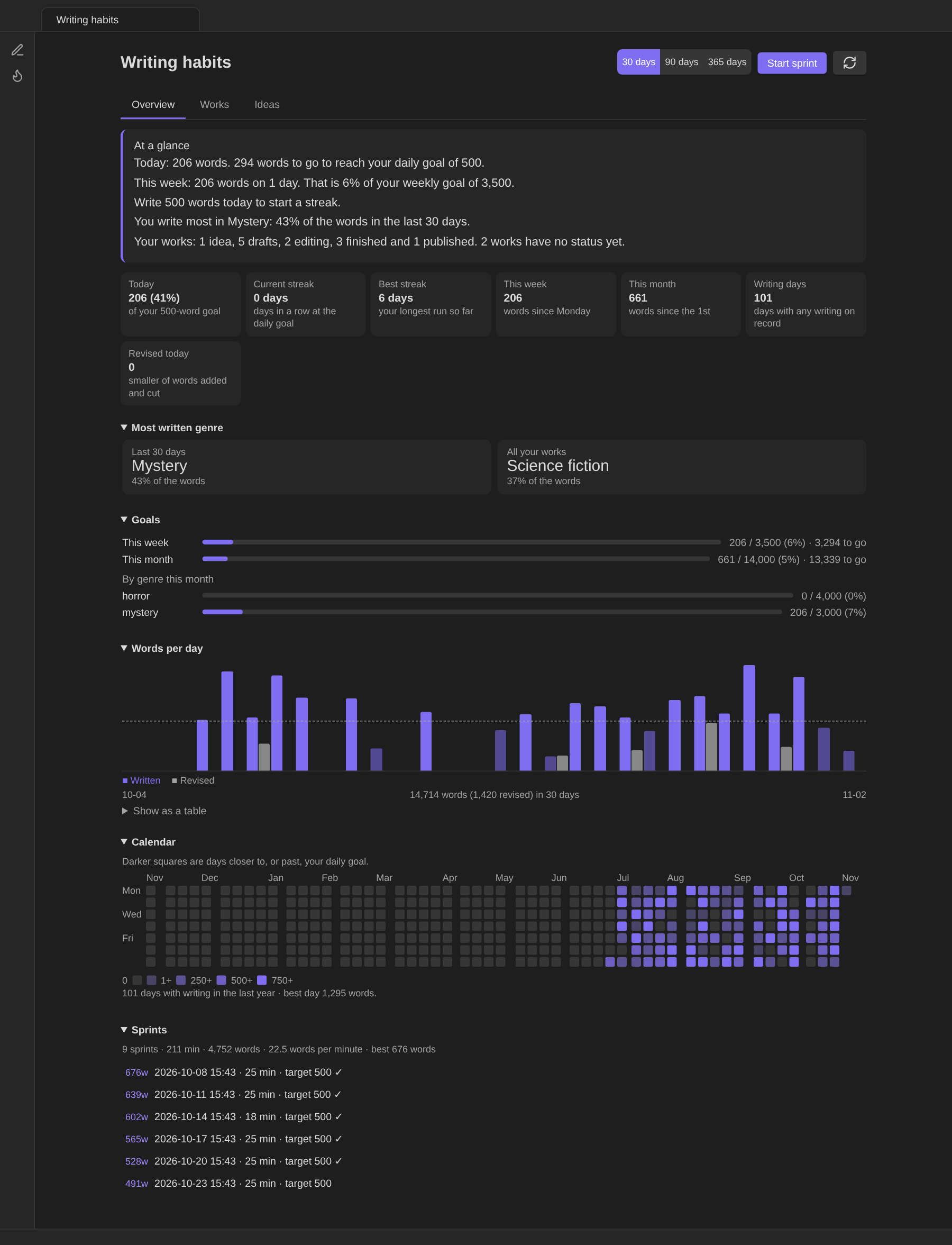
The writing-habits dashboard shows how much you write, how regularly, and what you write. Open it with the flame icon in the ribbon or Open writing habits.
- A bar for each of the last 30 or 90 days, or each week of the last year, with your daily goal as a dashed line. Days that reach the goal are drawn brighter.
- Tiles: today (and the share of the goal), current streak, best streak, this week, this month and writing days.
For each note and each day, the plugin remembers the word count the first time it saw the note that day and the latest count. Words written = latest − first, never below zero, summed over all notes. So:
- cutting a paragraph never "un-writes" a day;
- moving text between notes counts once for the note that grew;
- the count only updates for notes you open in Obsidian (it reads the editor, not the disk).
About 13 months of history are kept (400 days) in the plugin's settings, and renaming a note keeps its history.
Revising is work too, and it often shrinks the word count. Revised words measure it: for each note, the smaller of the words added and the words cut since the day's first draft (the automatic daily draft of Revision mode). Rewriting a paragraph, 80 words out and 70 in, counts 70; adding a page without cutting anything counts none.
- The words-per-day chart gets a second, grey bar for revised words (with a Written / Revised key), and a Revised today tile appears once you have revised something.
- It works for notes in your writing folders, once the note has a draft from today (or from before today, when it hasn't changed since). Very long notes (over about 150,000 words) are not compared.
- It never changes words written.
- Settings → Writing habits → Count revision days toward the streak (off by default): a day that reaches the daily goal in revised words keeps the streak going, as writing would.
- Daily goal (Settings → Writing habits) is a number of words across all notes. A streak counts consecutive days that reach it; with no goal, any writing counts. Today doesn't break the streak until it's over.
- Weekly and monthly goals (Settings → Writing habits) show a progress bar under the tiles: words this week (Monday to Sunday) or this month, the share reached and how many are left. Streaks keep following the daily goal.
-
Goals per genre: one line per genre in Goals per genre (
horror: 5000), words per month. The dashboard shows each genre's progress this month. Names are matched without regard to case or accents. - A note's own word goal (
word_goalproperty) is shown in the Stats tab.
A year of days as a grid (columns are weeks, Monday at the top), darker the more you wrote. The legend gives the word counts where each of the four darker steps starts: with a daily goal, half the goal, the goal and one and a half times the goal; without one, quarters of your best day. Hover a square for the date and the words. On a narrow pane (a phone, a split view) the grid shows the last 13 weeks.
A sprint is a timed burst of writing with a word target.
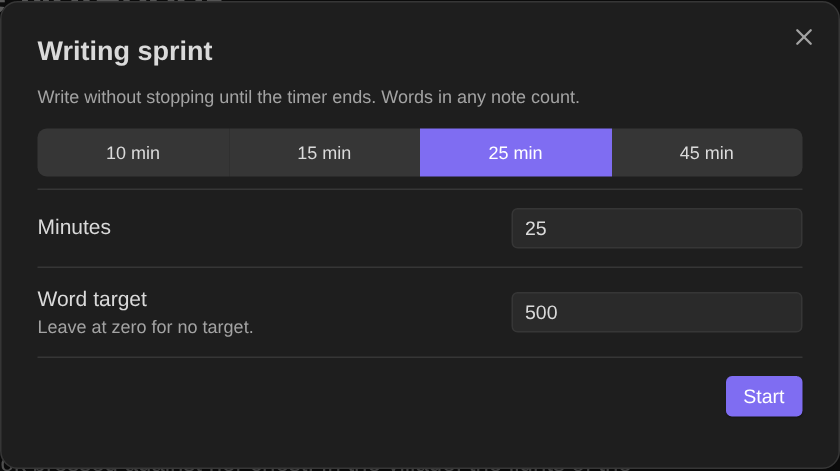
- Start one from the dashboard, the Stats tab or Start a writing sprint…: choose the minutes (10, 15, 25, 45 or your own) and a word target (0 for none).
- A countdown and the words written so far appear in the status bar and at the top of the writing panel. Words in any note count.
- At the end (or with Stop the writing sprint) a summary shows words, words per minute and whether you hit the target. Sprints are kept in a log; the dashboard shows how many, total minutes and words, average speed and your best sprint.
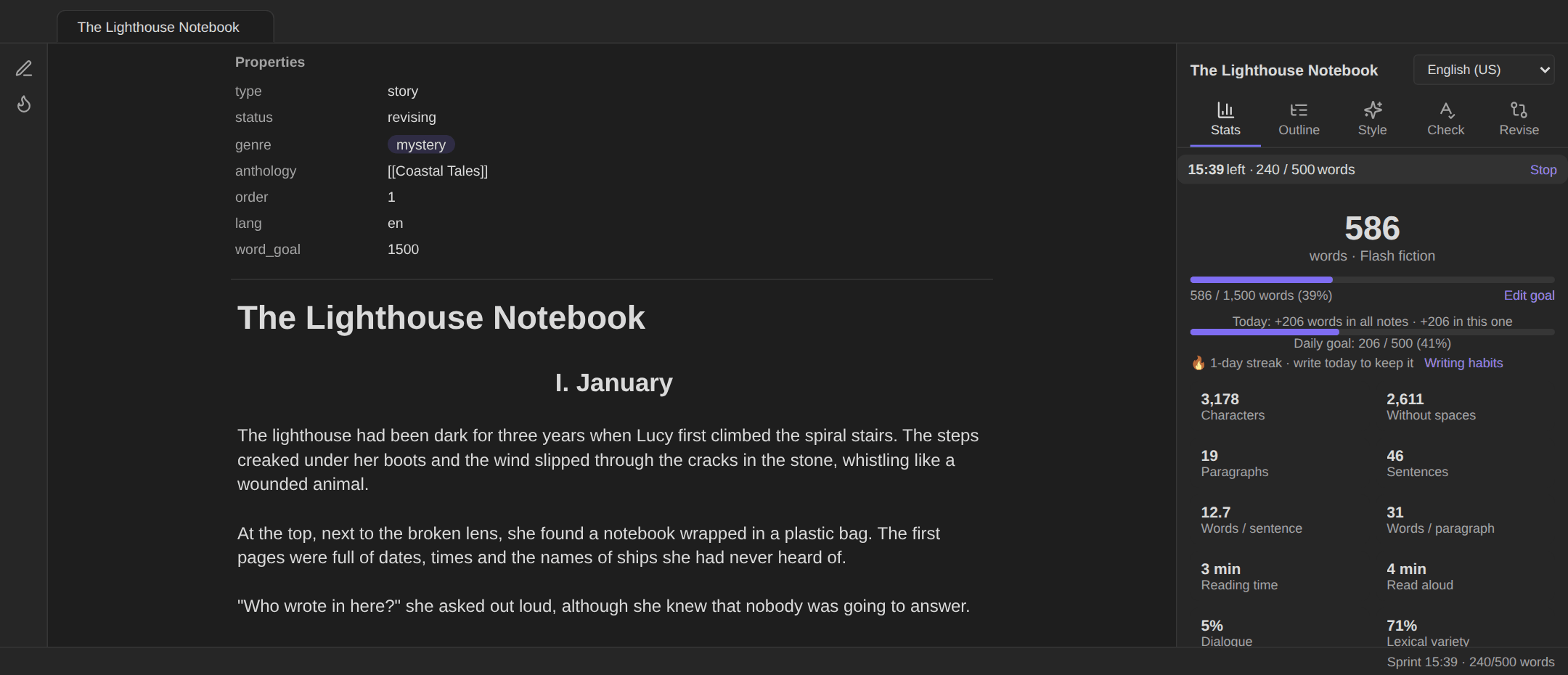
Give each work a genre property, one or several:
genre: [horror, cuento urbano](genres and género work too.) Or use Set genre of this note…, which suggests the genres you already use:
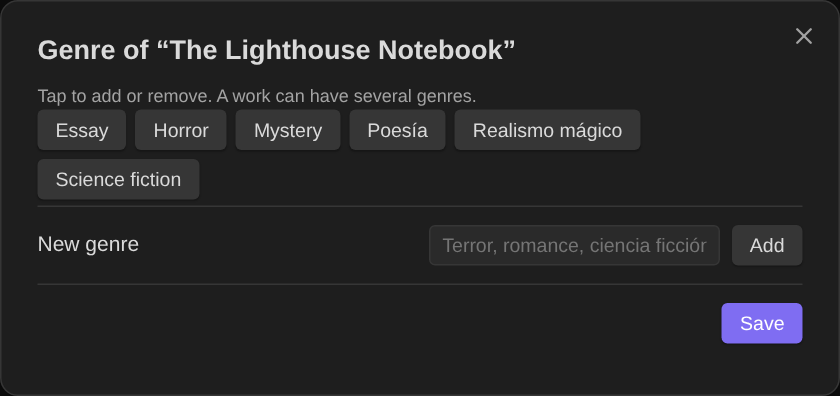
The dashboard then shows:
- Most written genre card (last 30 days and over all your works) on the Overview, and "You write most in …": the genre with the most words written in the selected period, and its share.
- A row per genre: words written in the period (bar), number of works and their total words.
- Works with no genre yet, so you can tag them in place.
Genres are matched regardless of capitals (terror and Terror are the same genre), and values written as #terror or [[terror]] work too. A work with two genres counts fully in both.
Give each work a status: idea, draft, editing, finished or published (also borrador, edición, terminado, publicado…). Or use Set status of this note…; one tap saves. The Works tab shows poems, stories and screenplays side by side, with a count per status and the works under each one (lines for poems, pages and scenes for screenplays, words for stories). Works with no status are listed first so you can set it in place.

If a work has submissions, the plugin suggests a status (accepted → published; sent anywhere → finished) as a Mark as… button. Nothing is changed without your tap.
Everything here is written on this device from your own text; no service and no model are involved.
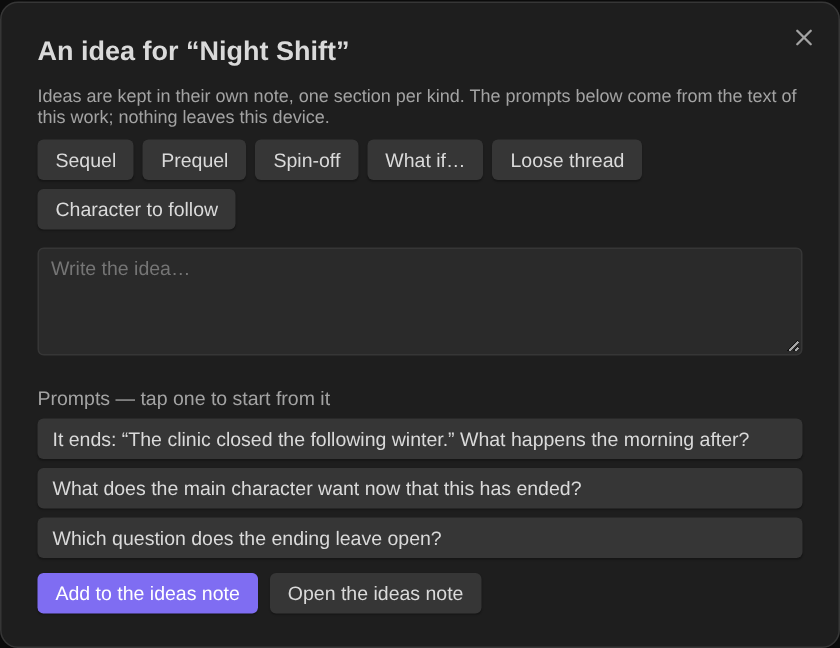
- Add an idea for this work… (command, or the button in the Ideas tab) opens a window with the kinds Sequel, Prequel, Spin-off, What if…, Loose thread and Character to follow. Prompts drawn from the work are offered for each kind: how it ends, questions left open near the end, names mentioned only once or twice, characters who disappear before the end (for screenplays: the last scene, characters with few lines, locations used once), plus a few craft questions. Tap one to start from it.
- Ideas go to one plain note per work,
Ideas/<Work> ideas.md(folder in the settings), withtype: ideasandidea-for: "[[Work]]", and one section per kind. Edit it like any note. - Ready for a next step lists finished and published works with no ideas note yet.
-
Series: give a continuation
sequel_of: "[[Original]]"and the Ideas tab groups it under the work it follows, with the words of the whole series.

-
Forms: the same breakdown by kind of work, from the
typeproperty: story, poem, screenplay, article, essay… -
Projects: works grouped by their
anthologyproperty, with total words, words written in the period and progress towards the project note'sword_goal.
Both read the notes in your writing folders (Settings → Writing habits; by default the story folders and the scripts folder). Hub and anthology notes themselves are not counted as works.