Repository navigation
Logs
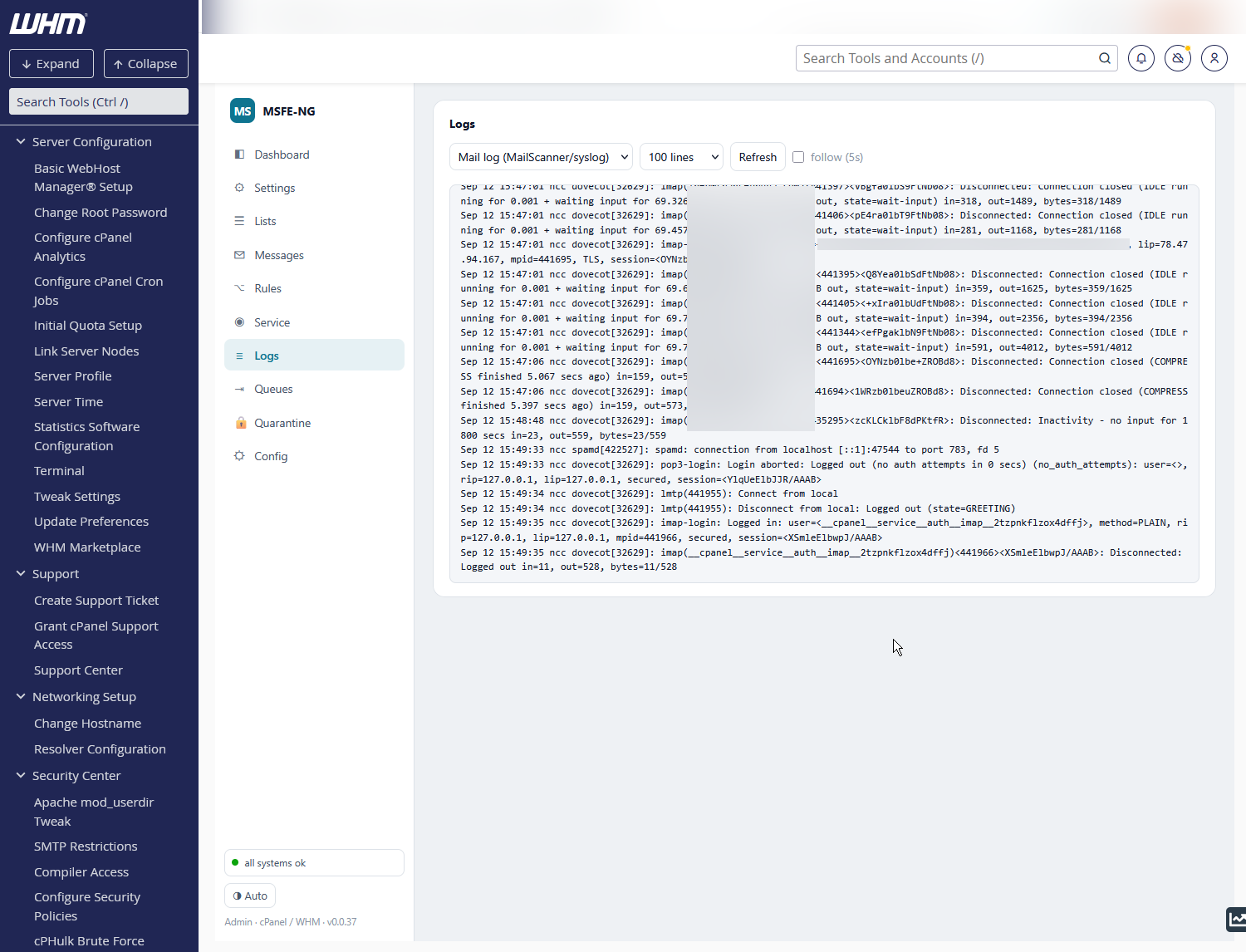
A tail of either the mail log (MailScanner / syslog) or the Exim mainlog (deliveries), 100 / 300 / 1000 lines. Refresh reloads; follow (5s) keeps the view scrolled to the newest lines.
The search box below the tail works like grep -i over the entire current
log file, not just the lines on screen: type a message id, an address, a
host name — plain text, case-insensitive — and press Enter or Search.
The counter shows which hit you are on and how many there are; the viewer
jumps to the newest hit with a few hundred lines of context, every
occurrence highlighted and the current line emphasised.
- ◀ older / newer ▶ (or Enter / Shift+Enter in the box) walk through the hits; the window follows you through the file.
- ✕ (or Esc) clears the search and goes back to the tail.
- Following pauses while a search is active; tick follow (5s) again after clearing.
- The search covers the current file and its rotated siblings
(
maillog-YYYYMMDD,exim_mainlog-YYYYMMDD.gz…), oldest first. If there are more than 5000 hits, the newest 5000 are listed. When a hit lives in a rotated file the counter names it.
📅 Any day ▾ opens a calendar of the days actually present in the logs (current + rotated files): days with lines are highlighted, the rest greyed out, today outlined. Pick one and:
- with a pattern in the box, the search is restricted to that day (the counter
reads
3 / 41 · 16 Sep); - with an empty box, the viewer opens the log where that day begins.
Any day in the calendar (or ✕ / Esc) removes the restriction. Switching between the mail log and the Exim mainlog resets the day, since they rotate independently.
Behind the scenes the day boundaries are found by binary search over each
file (logs are time-ordered), so the calendar costs a few seeks per day, not a
scan. Rotated .gz files are unpacked once into /var/cache/msfe-ng/logs
and cleaned up when they rotate away.
Where to look for what:
- Was a message scanned, what score, what happened to it? — mail log; paste the message id from the Messages tab into the search box.
- Was it delivered, deferred, bounced? — Exim mainlog.
- MailScanner won't start / crashes? — the Activity console on the Service tab follows the systemd journal, which the mail log does not show.