Repository navigation
Quarantine
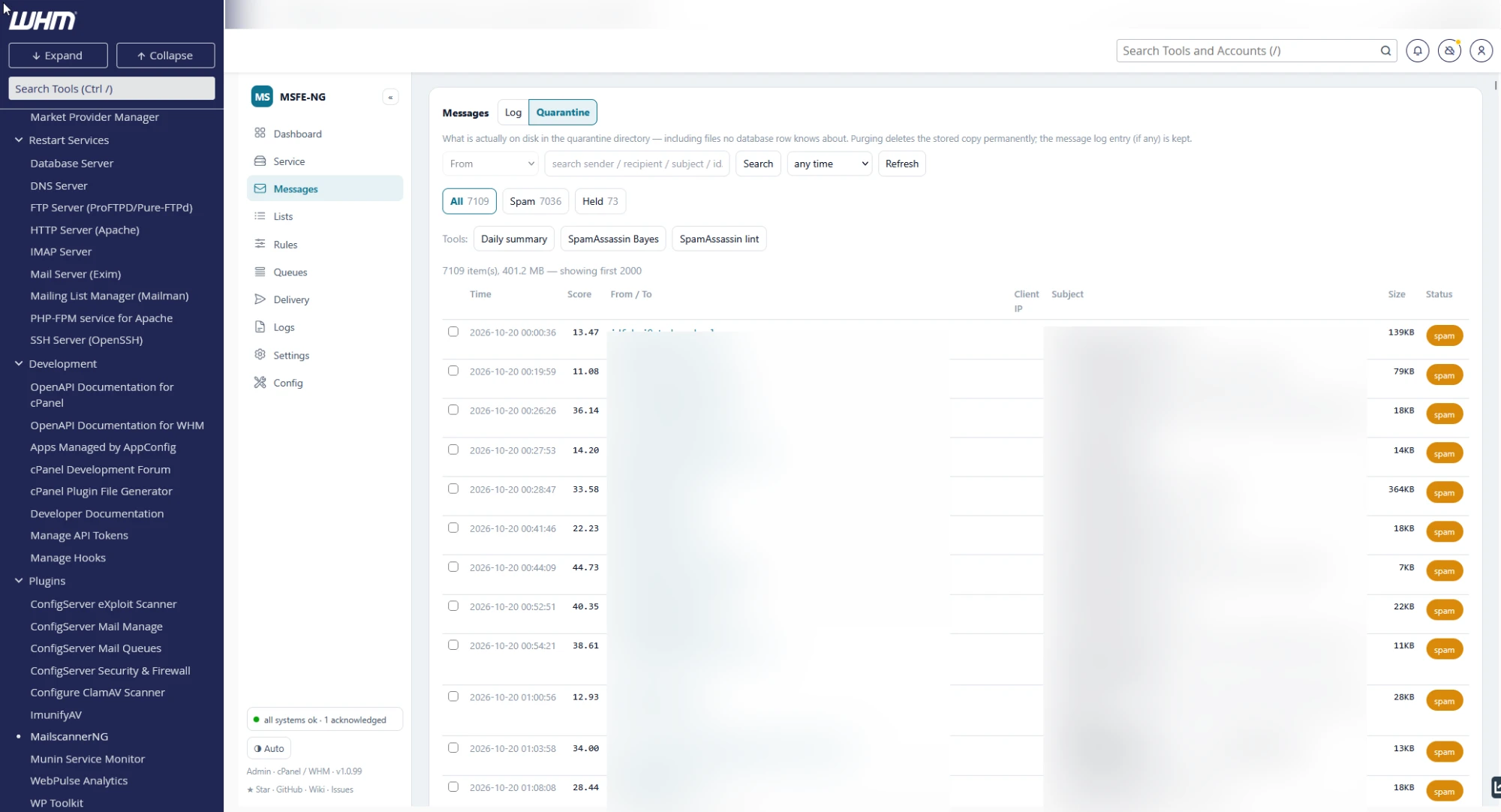
The screenshot shows the previous layout, when the quarantine had its own tab.
The Quarantine view of the Messages tab (switch Log | Quarantine at the top of the card): what is actually on disk in the quarantine directory — including files no database row knows about — in the same columns as the message log: time the copy was stored, score, From / To, subject with the message id (click to copy), size and a spam or held badge. Sender, recipient, subject and score come from the log when it has a row; otherwise the subject says (not in message log). Click a row to open the same full message screen as in the Log view — scan report, spam components, header IPs, headers, source and rendered views, Bayes training and release actions — with Back to quarantine returning to this view and its search. A copy that no database row knows about has no detail to show, so its click shows the stored headers instead. A held entry that holds only a removed attachment (MailScanner's Quarantine Whole Message = no keeps just the blocked file) says so, lists the file(s), and shows the headers of the archive copy of the message when the archive has one.
Search uses the search bar shared with the Log view and covers the whole quarantine, not only the rows on screen: type a sender, recipient, subject fragment or message id (the id is matched on disk, the rest in the message log, so a copy without a log row is found by its id only); the time window keeps the copies stored since that day. The All / Spam / Held chips show how many copies of each kind match and narrow the list; the search shows as removable pills, as in the Log view. The totals line shows the matches against everything on disk. Purge selected works on the matches, which makes "everything from this sender" or "all spam of last week" a two-click clean-up.
Tick rows for the selection bar:
- Copy to INBOX — put the chosen messages straight into the INBOX of their recipients, with a confirmation that lists each message and its recipients. The copy is handed to Dovecot's delivery agent: it is not re-scanned, so a message held for a false positive (a blocked attachment, a spam score) arrives exactly as it was sent, and it is not re-sent, so nothing leaves the server. Only recipients whose domain is hosted here get a copy; the others are listed as skipped in the output below the buttons, as is an address that has no mailbox. When a held entry holds only the removed attachment, the archive copy of the message is what gets delivered; without one the row says the message is no longer available. For a recipient that is not the logged one, use Deliver to INBOX in Messages and type the account.
- Release selected — re-send through Exim the chosen copies that have a message log row, to their original recipients or to the address typed in the forward box.
- Purge selected — delete the chosen copies permanently.
Below the list, Older than N days → Preview is a dry-run that counts what would go; Purge older then deletes it.
Purging removes the stored copy only; the message's log entry, headers and reports stay in the Log view — just without content, release or Bayes actions. In the Log view, the Quarantined chip lists the held messages that the log knows about.
Retention (Keep message bodies for) in Settings prunes both the quarantine and the archive nightly, so manual purging is only needed to free disk early.