Repository navigation
Queues
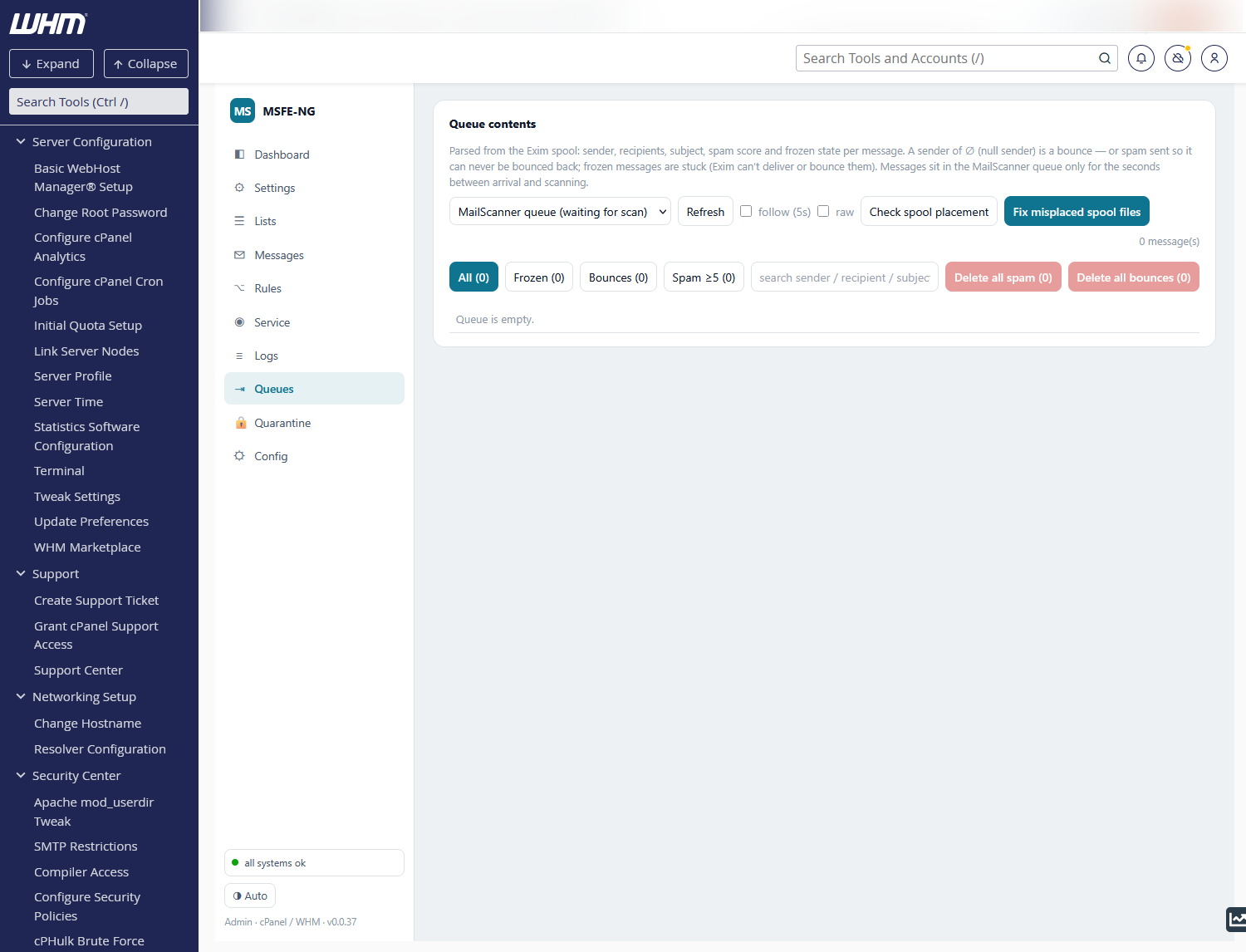
Both Exim queues, parsed directly from the spool and shown one below the other: the MailScanner queue (mail waiting for a scan — normally empty or seconds old) and the main queue (delivery), each with its own filters, selection and actions; Refresh both and follow (5s) at the top refresh the two together. Each row shows age, size, id, spam score (badged spam ≥5, high spam ≥10), sender, recipients and subject. A sender of ∅ is a null sender — a bounce, or spam sent so it can never be bounced back; frozen messages are stuck (Exim can't deliver or bounce them). A ? badge means the spool header could not be parsed: only age and size are known and the row is never auto-selected.
- Filters — All, Frozen, Bounces, Spam ≥5 — and a free-text search over sender, recipient, subject and id.
- headers / body / log — view that message from the spool.
- The paper-plane icon next to a sender or recipient runs a Delivery test for that address — handy for a message that keeps deferring.
- Deliver — force delivery now (works for frozen messages; from the MailScanner queue it bypasses scanning, and says so). Delete — remove permanently.
- Select rows (or all shown) for Delete selected / Deliver selected.
- Delete all spam / Delete all bounces — one click; if the queue is larger than the loaded page, deletion repeats until nothing matches.
-
follow (5s) auto-refreshes; raw shows Exim's own
-bplisting. - Every action runs
eximagainst the right queue for the wiring: with the named-queue method-qGmailscannerfor the scanning queue; with ConfigServer's two-config layout-C /etc/exim_outgoing.conffor the delivery queue (a bareexim -Mrmthere answers Spool file not found). The transcript shows the exact arguments.
Check spool placement reports files that sit in the wrong split-spool subdirectory (typically after an Exim upgrade changed the id format — see Troubleshooting); Fix misplaced spool files moves them where Exim expects them and forces a delivery run. Nothing is deleted. The monitor cron does this automatically every 5 minutes.
Rules that remove frozen / bounce / high-score messages from the delivery queue automatically are configured on the Config tab (all off by default). The scanning queue is never touched.