Repository navigation
Bedrock Players
Minecraft comes in two kinds. Java Edition runs on computers. Bedrock Edition runs on phones, tablets, Windows (the Microsoft Store version), Xbox, PlayStation and Switch. The server is a Java server, but it can let Bedrock players join the same world.
-
Open the menu. In a terminal, type
mc-server-installerand press Enter. (Already open? Close any window inside it with Esc first.) -
Open Settings: press the
skey on your keyboard. The bottom line of the menu lists these keys (s Settings). You can also click that word. -
Switch on "Bedrock players can join (phones, tablets, consoles)". In the Settings window, press Tab to move down until that switch is highlighted (or scroll down and click it), then press Space (or click it). A switch is on when its green block is on the right.
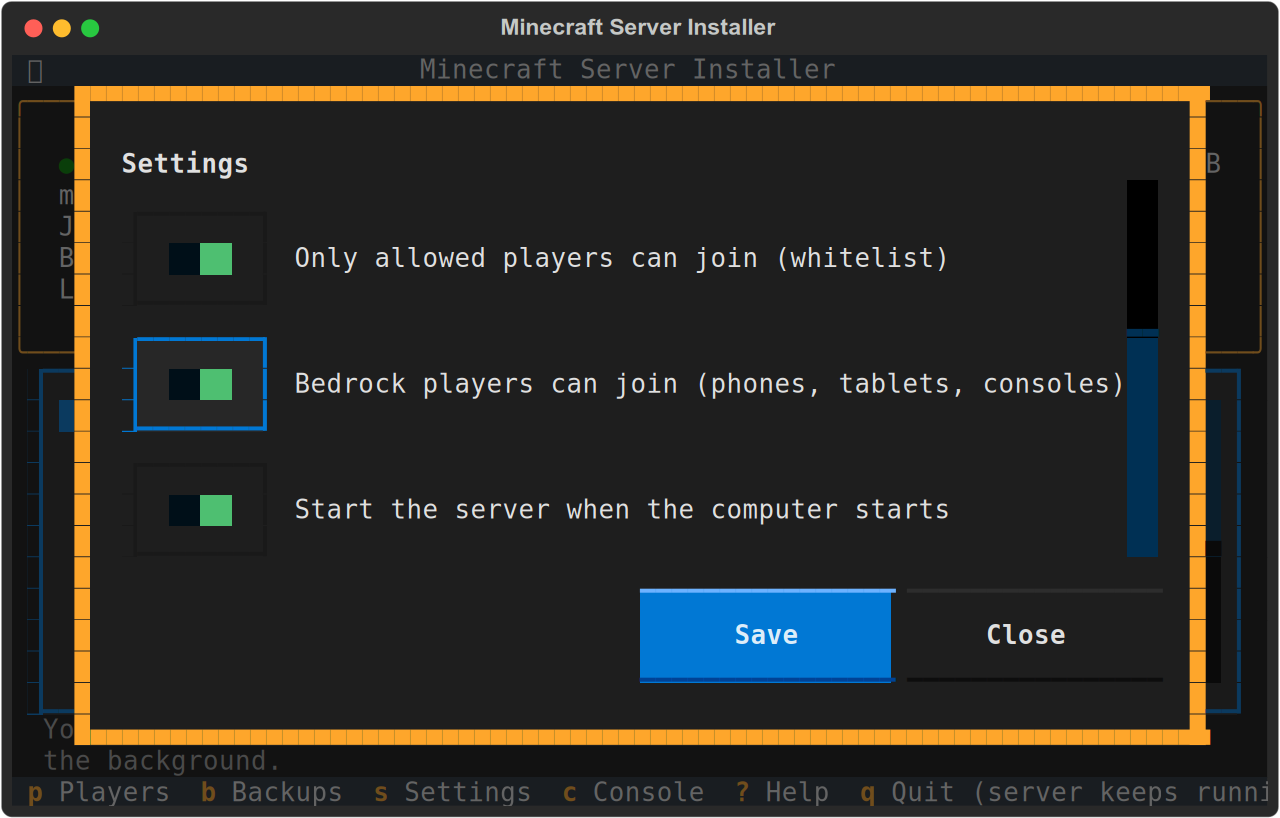
-
Choose Save. The menu downloads what Bedrock players need (about 50 MB); this takes a moment.
-
Restart the server, so it starts with Bedrock: option 13 stops it, then start it again with the memory you use (options 4 to 8).
The top of the menu then shows the Bedrock address too: the same address, with port 19132.
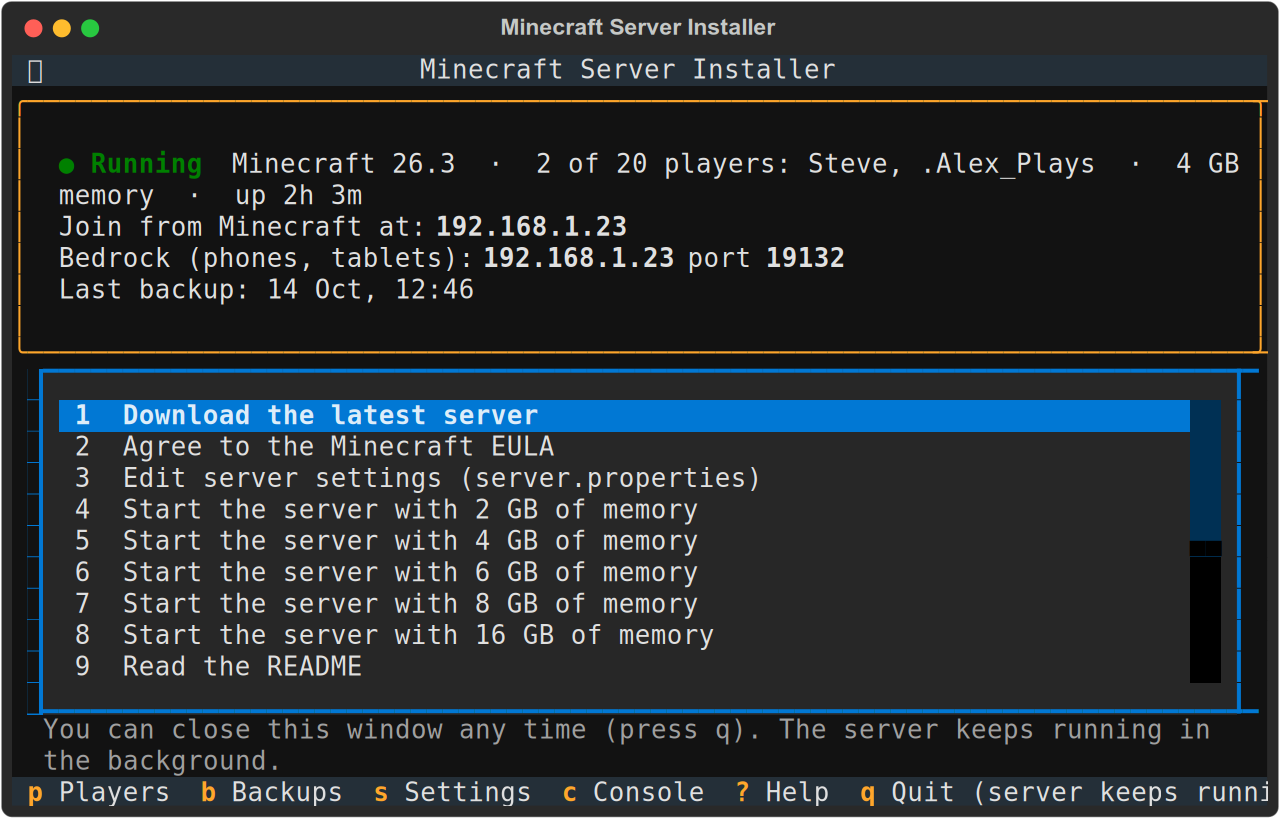
If the top of the menu shows this yellow line:
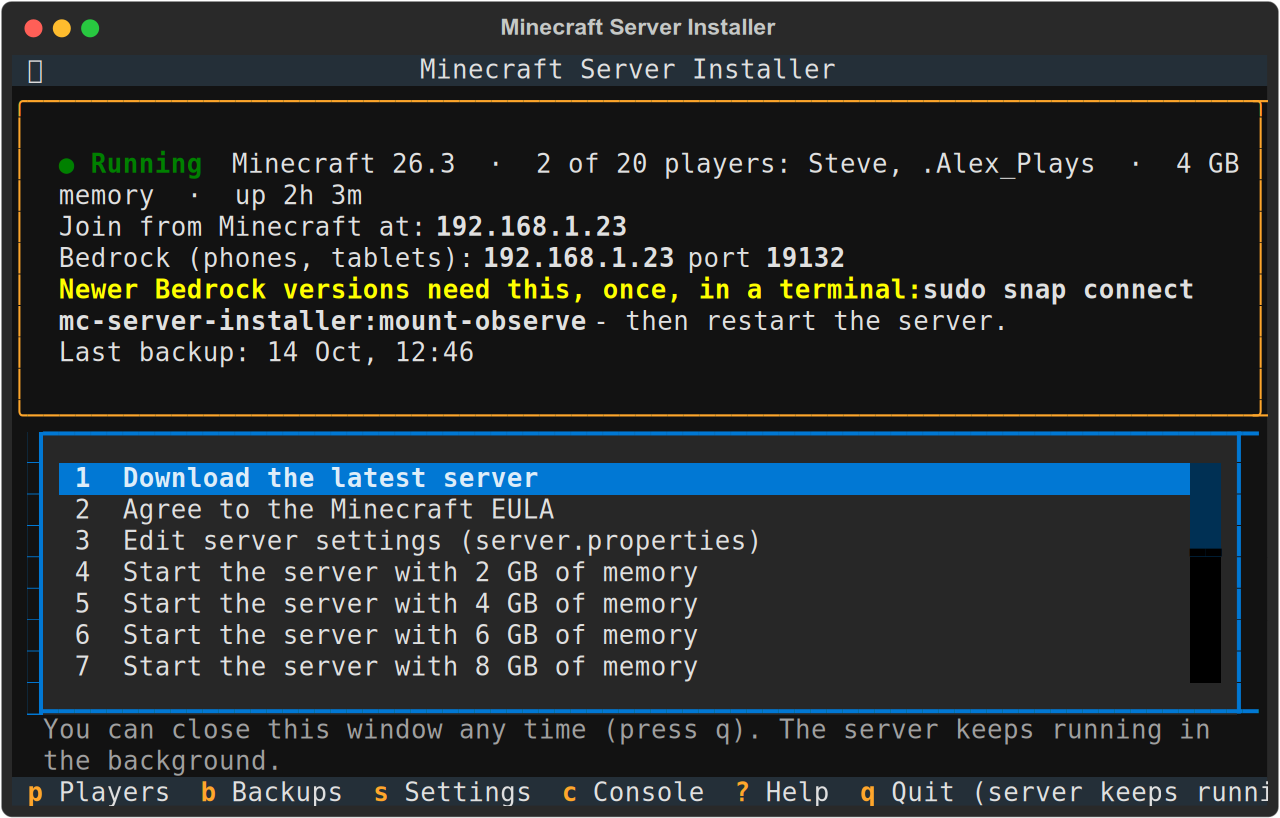
open a terminal and run:
sudo snap connect mc-server-installer:mount-observe
Then stop the server (13) and start it again. Bedrock is changing how it connects to servers, starting with Bedrock 26.60 (27 October 2026). For the new way, the snap must be allowed to see which disks are mounted. Snap permissions like this one are yours to give, so it isn't switched on by itself. You only do this once.
- In Minecraft, choose Play, then the Servers tab.
- Scroll down and choose Add Server.
- Type any name, the server's address from the top of the menu, and port 19132.
- Join. Players sign in with their own Microsoft (Xbox) account, as usual. They don't need to own Java Edition.
The first time, Minecraft may ask whether to trust this server. Say yes.
Consoles (Xbox, PlayStation, Switch) have no Add Server button, so they can't join a home server by themselves. Phones, tablets and Windows can.
Bedrock players show up with a dot in front of their name, like .Steve; spaces in a gamertag become underscores. Use that name wherever the menu asks for one (the whitelist, operators), for example .Steve or .Big Steve.
The world is the same for everyone. Java and Bedrock players can see and play with each other. A few things look or behave a little differently on Bedrock, because the two editions aren't identical.
With the whitelist on, Bedrock players must be added like everyone else (Players and Operators). If the menu says it can't find a gamertag:
- Check the spelling.
- Have that player try to join once. They are turned away, but the server learns who they are.
- Add them again.
To make a Bedrock player an operator while the server is running, they must be playing at the time. With the server stopped, you can add them any time.
Bedrock support comes from free, open-source projects (GeyserMC and Floodgate) that run on Fabric. Gameplay is unchanged. They are made for each new Minecraft version, usually within days of its release. So, with Bedrock on:
- A new Minecraft is installed once Bedrock support for it exists. Until then, the update waits, and the menu says why.
- Option 18 (choose a version) only offers versions Bedrock support exists for. The older the version, the more likely it is that phones and tablets, which update themselves, can't connect to it. Bedrock works best on the latest Minecraft.
- Bedrock support is kept up to date every day. New builds follow Bedrock's own updates. If nobody is playing, the server restarts by itself to use a new build; otherwise it is used at the next start.
Switch it off in Settings and restart the server. Bedrock players can no longer join; nothing else changes.
See Playing Together: Bedrock needs two more ports forwarded.