YamlSlotLight
The 'light* type is the most complex type because its for lights with dimmer, color temperature and color functionality. Its based on the type switch and has the same attributs but extends it with additinal attributes:
| Slot attribute | default value | optional / Mandetory | Description |
|---|---|---|---|
| dimmerItem | - | O | openHAB Dimmer item to dim the light (inside the popUp) |
| colTempItem | - | O | openHAB Dimmer item to set the color temperature of the light (inside the popUp) |
| color | - | O | openHAB Color item to set the color of the light (inside the second popUp) |
| effect | - | O | opehHAB String item to enable an effect. The item must have an option list! |
Example for a valid effect item in openHAB:
//Effect lampe
String Effect_Kugellampe "Effect [%s]" {channel="mqtt:topic:mosquitto:Wohnzimmerspot02:effect",stateDescription=""[options="blink=Blink,breathe=Breathe,okay=OK,channel_change=Channel Change,finish_effect=Finish,stop_effect=Stop"]}
Example definition of slot type light:
    ...
    slots:
      - class: ohItem
        type: light                 #lovelace ui field type
        text: Kugel farbig          #Text shown for the item
        item: Switch_Kugellampe     #Switch item in openHAB
        dimmerItem: Dimmer_Kugellampe        #openHAB item to control the brightness of the light
        colTempItem: Dimmer_Kugellampe_temp  #openHAB item to control the color temperature of the light
        colorItem: Color_Kugellampe          #openHAB item to control the color of the light
        effectItem: Effect_Kugellampe        #openHAB String item to change the effect of the light
For example in cardEntities:

In cardGrid:
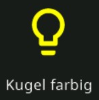
The type light looks in a cardGrid or cardEntities similar to the switch type but if you click on the text or icon a popup opens and you can set dependent on the defined light items the full light functionality:
Example with brightness and color temperature
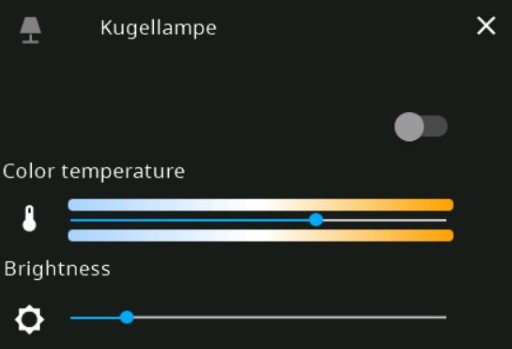
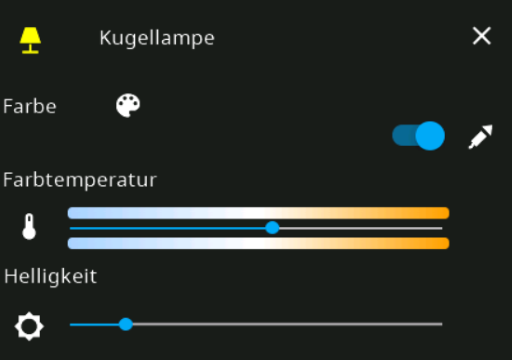
Example with color light and all other attributes including effect selector:
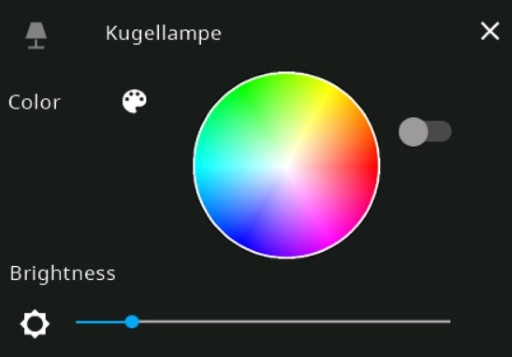
When you clik on the color palette icon a second popup opens:
In the HMI from the ticaki/ioBroker.nspanel-lovelace-ui fork you can activate an alternative popup by setting the slot attribute popupType to 2 (only for EU panels!)
Example with brigtness and color temperature and color when popupType is set to 2:
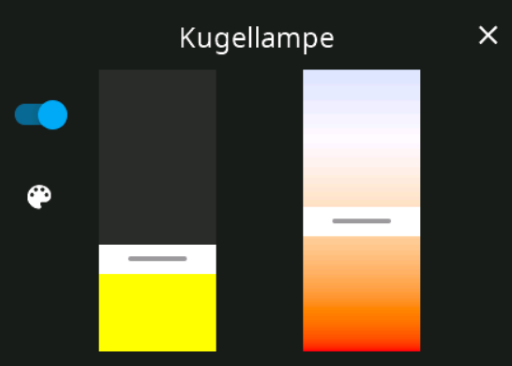
Example including effect selector when popupType is set to 2:
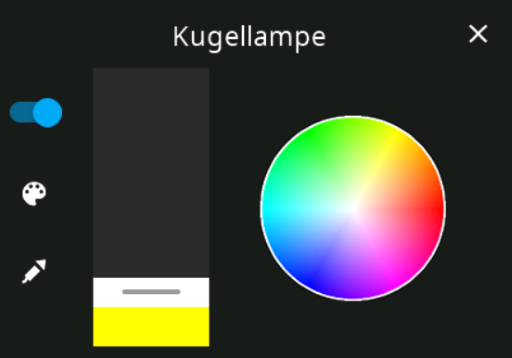
The popupLight type is identical to type light. The only difference is, that the light popup opens directly on a button press. You don't need to press the slot long to open the popup like with type type light.


Introduction
NSPanel Preparation
- Preparation
- Prepare NSPanel (extern)
- Flashing Tasmota to NSPanel (extern german)
- Configuring NSPanel and flash HMI jobr99 (extern)
- Flash latest HMI versions of ticaki (extern german)
- NSPanel Emulator (external german)
Installation of the Bridge
Yaml configuration
Further Concepts
Compatible HMI projects
Usefull Links