Install Guide Wine
This guide sets up Affinity by Canva (and Affinity V2 apps) on Linux by installing Wine directly, rather than through Lutris, Bottles, Heroic, or RUM. It is the most manual method, and the one with the most troubleshooting coverage.
- Why This Guide
- Requirements
- Installation Steps
- Troubleshooting
- Optional Enhancements After Installation
- Advanced: Optional Wine Source Patch
- Known Issues
- Uninstall
- Verified Environments
- Credits
Affinity apps need Windows Runtime (WinRT) APIs. Older Wine versions lack these APIs. You need Wine 10.17 or newer to fix a missing file that previously blocked the installer. A separate helper DLL and metadata file then provide the actual WinRT functionality.
Thank you Wanesty for being the first person to discover this update. See also her guide for installing and running Affinity with Wine.
- Wine 10.17 or newer (mainline or devel build)
- Winetricks
- curl
- About 10 GB of free disk space
- An internet connection
Note
As an alternative to these manual steps, try the experimental Affinity On Linux installer script to streamline installation under Wine.
Pick the instructions for your distribution.
Official Fedora mirrors often mix Wine versions. Use WineHQ's own repository to get the correct 10.17+ package.
-
Install curl and add the WineHQ repository.
sudo dnf install curl -y
sudo rm -f /etc/yum.repos.d/winehq.repo
sudo tee /etc/yum.repos.d/winehq.repo <<'EOF'
[winehq-devel]
name=WineHQ packages for Fedora 41
baseurl=https://dl.winehq.org/wine-builds/fedora/41/
enabled=1
gpgcheck=0
EOF
sudo dnf makecache
sudo dnf install winehq-devel -y
-
If installing
winetricksviadnffails, or tries to downgrade Wine, use the manual Winetricks install instead. This works on any distro, including Nobara.
sudo pacman -S --needed wine winetricks curl
# or, on AUR-based distros:
# yay -S wine winetrickssudo dpkg --add-architecture i386
sudo mkdir -pm755 /etc/apt/keyrings
sudo wget -O /etc/apt/keyrings/winehq.asc https://dl.winehq.org/wine-builds/winehq.key
sudo sh -c 'echo "deb [signed-by=/etc/apt/keyrings/winehq.asc] https://dl.winehq.org/wine-builds/ubuntu $(lsb_release -cs) main" > /etc/apt/sources.list.d/winehq.list'
sudo apt update
sudo apt install --install-recommends winehq-devel winetricks curl -ywine --versionThis should return wine-10.17 or newer.
A WINEPREFIX is a self-contained fake Windows install that Wine uses. Create a dedicated one for Affinity.
export WINEPREFIX="$HOME/.affinity"
wineboot --init
Warning
You might need to replace $HOME/ with your full home folder path, for example /home/YourUsername/, so it points to an absolute path. This matters if your shell doesn't follow standard POSIX rules.
Install the core components Affinity depends on, using Winetricks.
winetricks --unattended --force remove_mono vcrun2022 dotnet48 corefonts win11Note
The .NET 4.8 installation is large. It can take 10 to 20 minutes.
If you run into issues later, you may also want these winetricks components:
renderer=vulkandxvk-
tahoma(fixes pixelated fonts)
Note
- Affinity apps are available here: Affinity by Canva, Version 2, Archived.
- Make sure your installation file is in
~/Downloads. -
$HOMEmay not resolve correctly on your distro. Use your full path if needed.
WINEPREFIX="$HOME/.affinity" wine "$HOME/Downloads/Affinity x64.exe"This command installs Affinity by Canva (V3). See Legacy: Affinity V1 and V2 below if you are installing an older version instead.
Follow the normal installation prompts.
After installation finishes, check your Wine version:
- Wine 11 or newer: skip straight to Step 8.
- Older than Wine 11: continue to Step 5.
Photo, Designer, and Publisher 1 and 2 are the older, standalone Serif-branded apps, before Canva's V3 added account sign-in and cloud features. The same Wine setup on this page works for them too, with a few differences:
-
Separate installers. Each app (Photo, Designer, Publisher) ships as its own
.exe, download only the ones you use: -
Install each one separately, repeating the install command once per downloaded
.exe, against the same$WINEPREFIX. Run each installer file only once. -
Folder names differ. V1 and V2 install to
drive_c/Program Files/Affinity/Photo 2/,.../Designer 2/, or.../Publisher 1/(matching the app and version number), not the singleAffinity/Affinity/folder V3 uses. Adjust every path in Steps 5 through 8 to match. -
Copy the helper files into every app's own folder. If you install more than one V1/V2 app, repeat Step 6's
wintypes.dllcopy for each app's folder, not just the first one.
Warning
If you bought Affinity V1 through the Windows Store, you cannot activate that license on Linux, or on any operating system other than Windows. The Windows Store doesn't give you the product key you'd need after installation. Since V1 is no longer sold, your only options are to buy a V2 license instead, or use a Windows virtual machine to sign into your Microsoft account and download your V1 apps from there.
These files add the Windows Runtime metadata support Affinity expects.
cd /tmp
curl -L -o Windows.winmd https://github.com/microsoft/windows-rs/raw/master/crates/libs/bindgen/default/Windows.winmd
curl -L -o wintypes.dll https://github.com/ElementalWarrior/wine-wintypes.dll-for-affinity/raw/refs/heads/master/wintypes_shim.dll.so
If your download ends with .dll.so, rename it:
mv /tmp/wintypes.dll.so /tmp/wintypes.dll 2>/dev/null || truemkdir -p "$WINEPREFIX/drive_c/windows/system32/winmetadata"
cp /tmp/Windows.winmd "$WINEPREFIX/drive_c/windows/system32/winmetadata/"
cp /tmp/wintypes.dll "$WINEPREFIX/drive_c/Program Files/Affinity/Affinity/"If you installed multiple V1/V2 apps (see Legacy: Affinity V1 and V2), copy wintypes.dll into each of their directories too.
This step adds a DLL override, telling Wine to use the real wintypes.dll file you copied in Step 6, instead of its own built-in one.
WINEPREFIX="$HOME/.affinity" winecfgIn the Libraries tab:
- Type
wintypesunder "New override for library". - Click Add, then Edit, and choose Native (Windows).
- Click Apply, then OK.

WINEPREFIX="$HOME/.affinity" wine "$WINEPREFIX/drive_c/Program Files/Affinity/Affinity/Affinity.exe"Adjust the drive_c/Program Files path if you are launching a V1/V2 app instead, see Legacy: Affinity V1 and V2.
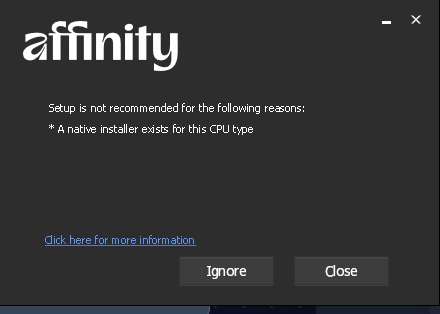
At the start of Step 4, the installer may show a dialog titled "Setup is not recommended for the following reasons: A native installer exists for this CPU type", with Ignore and Close buttons. This is a false positive. The installer's CPU/OS check misfires under Wine, and treats Wine as a platform with its own native (non-x64) installer available. Click Ignore, and installation proceeds normally.
wine: could not load ntdll.so: /lib/x86_64-linux-gnu/libc.so.6: version `GLIBC_2.38' not found
Users of the experimental script installer have mainly reported this, not people following this manual guide, because that installer bundles its own Wine build against a newer GLIBC than some distros ship. If you hit this while following the manual steps above, your distro's Wine package is likely too new (or too old) for your system's GLIBC. Update your distro, or fall back to your distro's own winehq-* package instead of any bundled build. See General Known Issues for more detail.
If you are on a distro-packaged (native) Wine 11.7 install, and Affinity or the installer complains about missing .NET 3.5, this is a known issue (#130) without a confirmed fix yet. If you hit it, try installing the dotnet35 winetricks component in addition to dotnet48 from Step 3, and report back on the issue thread with your results.
Root cause confirmed on a KDE Plasma 6.7.4 Wayland session: this is KDE bug 459373, "Maximized XWayland windows leave pixel gaps when using certain fractional scaling factors." Wine's window runs as an XWayland client, and KWin's maximize sizing breaks specifically at fractional display scales (125%, 135%, 145%, 150%, 175%) that don't divide evenly into your monitor's native resolution. It does not happen at integer scales (100%, 200%, 300%).
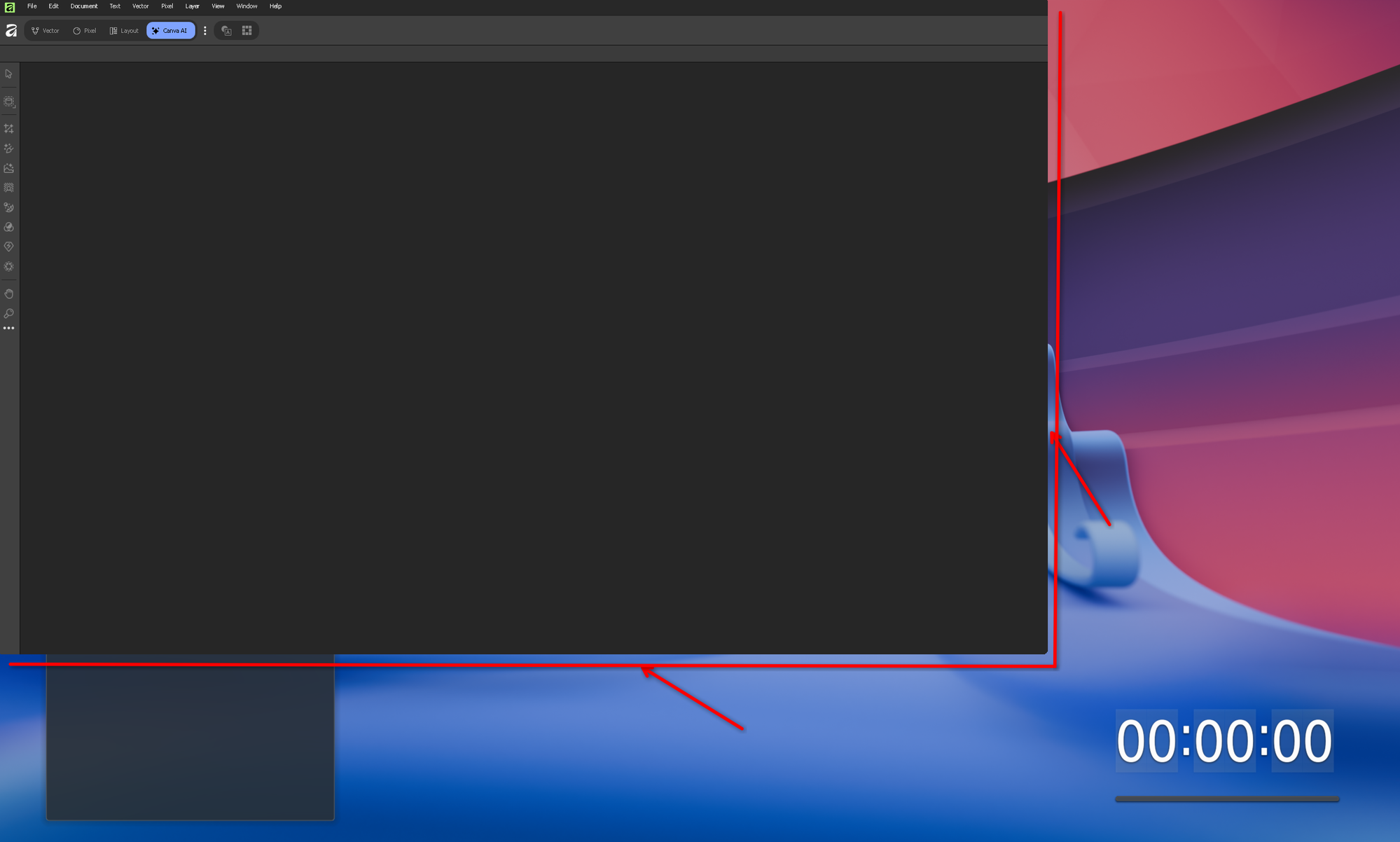
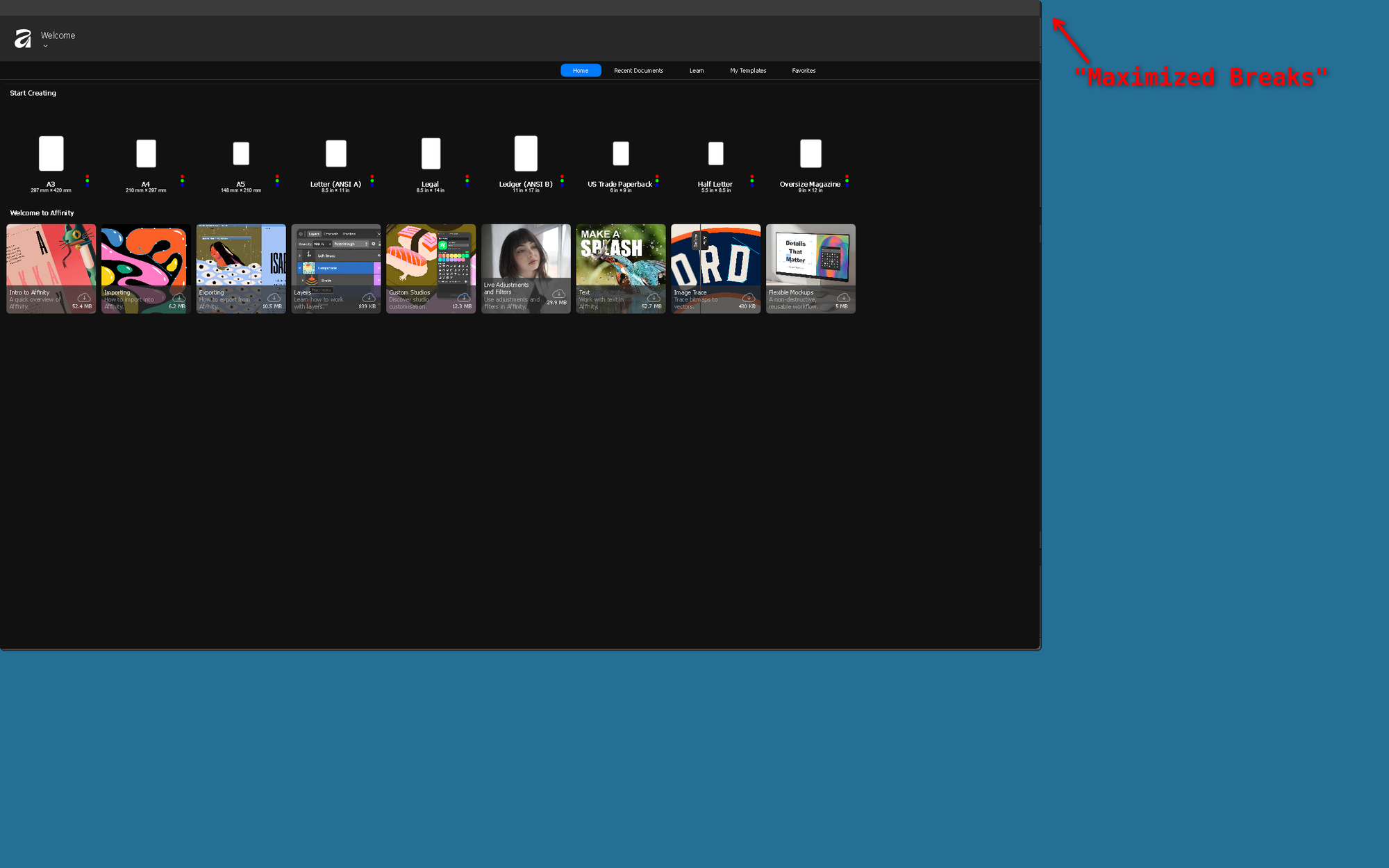
Workaround: switch to a scale factor that divides your native resolution evenly. For example, on a 2560x1600 panel, 150% leaves a large crop (2560 / 1.5 = 1706.67, not a whole number), while 160% does not (2560 / 1.6 = 1600 exactly). Change this in System Settings → Display & Monitor, or from a terminal: kscreen-doctor output.<name>.scale.<factor> (find <name> with kscreen-doctor -o). Plasma fixed this upstream in 6.2.0 for the general case, but a smaller residual edge sliver can still appear on some maximizes even at a "good" scale factor. It is far less severe than the crop at a bad fractional scale. This same interaction between KWin, XWayland, and fractional scaling may be the underlying cause of #126 (cursor offset on GNOME with display scaling), on a different desktop environment. #129 (title bar not showing when maximized) looked similar at first, but that reporter is on COSMIC, a different compositor that does not use KWin, so this specific cause does not apply there, see Affinity's own Maximize button computes an undersized window instead.
Do not switch Wine to its native Wayland driver (wine reg add "HKEY_CURRENT_USER\Software\Wine\Drivers" /v Graphics /d wayland /f) to work around this. As of Wine 11.15, winewayland.drv does not correctly manage Affinity's floating dockable panel windows: they detach from the main window with no borders, and the canvas area breaks. Stick with the default X11/XWayland driver.
This is a second, separate bug layered on top of the scaling one above, present even after the scale factor is fixed. Clicking Affinity's own Maximize button (its title bar draws its own custom chrome, not KDE's) can still compute an undersized target window, confirmed by measuring the actual X11 window geometry (xwininfo) before and after. Clicking Maximize is not reliable, including after a full logout/login (which rules out stale compositor state as the cause).
Workaround: manually drag the window's border out to the screen edges once (xwininfo confirms this reaches the true full physical resolution minus the taskbar strip). Afterward, the restore/un-maximize toggle keeps that correct size, so you only need to do the manual drag once per session.
A real fix, rather than this workaround, would need either a Wine-side patch to whatever work-area API Affinity's custom maximize logic queries, or a Harmony runtime patch via an AffinityPluginLoader/WineFix-style plugin. Not attempted yet, tracked on the Roadmap.
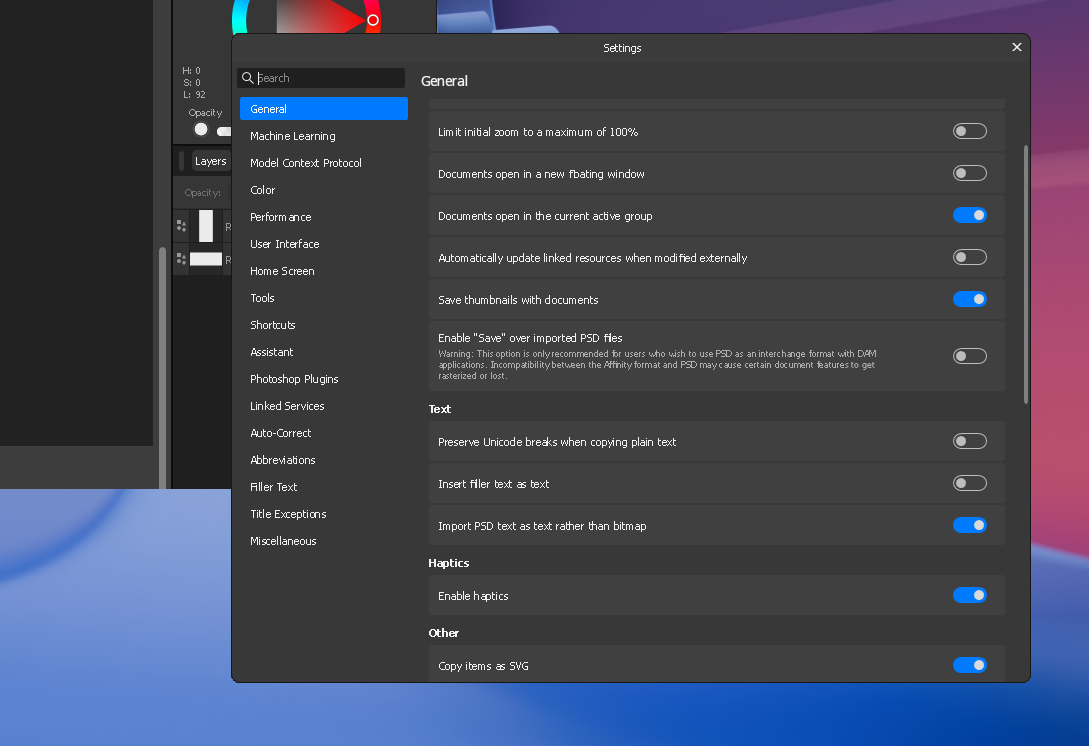
If Edit → Settings (or another dialog) opens with a blank white content area, this is a Wine dialog repaint bug: the dialog's initial paint never fires. Scroll the mouse wheel over the blank area, or resize the dialog slightly, to force a redraw. The content then appears correctly.
Fixed. Root cause fully traced via a decompiled managed stack trace: Serif.Affinity.Application.ProcessCommandLineArguments has a branch, only reached for an unrelated affinity-open-file: argument, that calls the WinRT type Windows.ApplicationModel.DataTransfer.SharedStorageAccessManager. Wine has no implementation of that type. The .NET CLR resolves every type referenced anywhere in a method's body when it JITs that method, not just the branch actually taken. So any call into ProcessCommandLineArguments throws a TypeLoadException (System.TypeLoadException) and crashes the app. This includes the unrelated affinity:// OAuth callback path: the exact same method handles it too, forwarded from the second Affinity.exe instance the browser launches, over a named pipe, to the already-running instance.
Fixed by LoginFix, a community AffinityPluginLoader plugin. See that page for the full explanation and build/install steps, and its Troubleshooting section for a manual-injection fallback script if the browser-to-Affinity handoff itself isn't completing. No custom Wine build needed, confirmed working on stock distro Wine 11.15.
Separately (and unrelated to sign-in): if Affinity's main window fails to create its Direct3D device at startup at all (Log.txt shows Attempting to create Direct3D device on default adapter followed by DisplayConfigGetDeviceInfo error: 87 and DXRenderer.cpp(1014): error 0x80004001), that's Wine's NtUserDisplayConfigGetDeviceInfo not implementing the SDR white level query. See Advanced: Optional Wine Source Patch below for a small, tested Wine source patch.
If the Fedora/Nobara package manager fails, or tries to remove Wine:
-
Download a local copy of winetricks.
cd ~
curl -L -o winetricks https://raw.githubusercontent.com/Winetricks/winetricks/master/src/winetricks
chmod +x winetricks
-
Use your local copy instead of the system command.
WINEPREFIX="$HOME/.affinity" ~/winetricks remove_mono
WINEPREFIX="$HOME/.affinity" ~/winetricks --force dotnet48
-
Optional: install it globally.
sudo mv ~/winetricks /usr/local/bin/winetricks
See Related Projects: AffinityPluginLoader & WineFix for what these do and full credit to their author, Noah C3. This community plugin greatly improves runtime stability, and fixes the "Preferences not saving" issue on Linux.
Quick install, replacing paths dynamically so these commands adapt to your prefix and Affinity directory:
# Define Wine prefix
export WINEPREFIX="$HOME/.affinity"
cd "$WINEPREFIX/drive_c/Program Files/Affinity/Affinity/"

# 1.) Download & extract AffinityPluginLoader + WineFix bundle
curl -L -o /tmp/affinitypluginloader-plus-winefix.tar.xz \
  https://github.com/noahc3/AffinityPluginLoader/releases/latest/download/affinitypluginloader-plus-winefix.tar.xz

tar -xf /tmp/affinitypluginloader-plus-winefix.tar.xz -C .

# 2.) Replace launcher for compatibility
mv "Affinity.exe" "Affinity.real.exe"
mv "AffinityHook.exe" "Affinity.exe"
Your existing launchers still work: wine .../Affinity.exe now automatically loads AffinityPluginLoader and WineFix.
Build and drop in LoginFix the same way, into the same apl/plugins/ folder as WineFix.dll:
cp "$WINEPREFIX/drive_c/Program Files/Affinity/Affinity/AffinityPluginLoader.dll" \
  path/to/AffinityOnLinux/Guides/Wine/LoginFix/
cd path/to/AffinityOnLinux/Guides/Wine/LoginFix
dotnet build -c Release
cp bin/Release/net48/win-x64/LoginFix.dll \
  "$WINEPREFIX/drive_c/Program Files/Affinity/Affinity/apl/plugins/"
This requires the .NET SDK installed on your Linux system, not inside the Wine prefix. See Related Projects: LoginFix for the full explanation of what it fixes.
Run Affinity as before:
WINEPREFIX="$HOME/.affinity" wine "$WINEPREFIX/drive_c/Program Files/Affinity/Affinity/Affinity.exe"- You should now see Affinity Plugin Loader output in your terminal log on startup.
- Preferences and settings should now save correctly on Linux.
Note
- Updates to Affinity may overwrite
Affinity.exe. If that happens, re-extract theaffinitypluginloader-plus-winefix.tar.xzbundle. - Sign-in used to be unreliable under Wine. Installing LoginFix alongside WineFix fixes the underlying crash, confirmed working on stock Wine 11.15.
- Always download from Noah C3's official GitHub releases.
See Tips and Tweaks: Desktop and Dock Icon Setup for pinning Affinity to your dock, taskbar, or application panel. Those steps are the same regardless of install method.
This section covers an optional, tested Wine source patch for a separate device-creation crash. It is not required for most users, and requires building Wine yourself from source.
Affinity creates a Direct3D device on startup, and queries DISPLAYCONFIG_DEVICE_INFO_GET_SDR_WHITE_LEVEL (the display's SDR reference white level, used for HDR/wide-gamut color pipeline setup) through DisplayConfigGetDeviceInfo. Wine doesn't implement that query (FIXME: Unimplemented packet type 11, in NtUserDisplayConfigGetDeviceInfo in sysparams.c). It returns an error instead, and Affinity's own error handling treats that as fatal for device creation (DXRenderer.cpp(1014): error 0x80004001, Not implemented). Affinity's own Log.txt confirms this.
This is unrelated to the Canva sign-in crash fixed by LoginFix, which is entirely inside Affinity's own process and needs no Wine changes. This patch addresses a separate device-creation failure, independently confirmed by testing with and without it.
The patch touches dlls/win32u/sysparams.c. This project tested it against Wine 11.15. It sets SDRWhiteLevel to 1000 (documented as 80 nits, the standard SDR reference white level) for every query, regardless of actual monitor calibration. This is good enough to unblock device creation, but is not a real per-monitor implementation.
Building Wine from source needs a full build toolchain, ./configure, and make. Expect 15 to 40+ minutes, even on a fast machine. Most users should not need to do this; it's documented here for reference, and as a candidate to submit upstream to WineHQ.
cd wine-11.15
patch -p1 < wine-11.15-sdr-white-level.patch
./configure --enable-win64
make -j$(nproc)
The patch file itself is at Guides/Wine/wine-11.15-sdr-white-level.patch in the project repository.
See General Known Issues for issues that affect Affinity on Linux across install methods, and the Troubleshooting section above for issues specific to this manual Wine setup.
See Install Guide: Uninstall Wine for removing Wine, Affinity, and their associated files from your system.
- Wine 10.17 (mainline / devel)
- ✅ Affinity 3.x (64-bit)
- ✅ Affinity 2.x (64-bit)
- ✅ Fedora 42
- ✅ Nobara 42
- ✅ Arch 2025.03
- ✅ Ubuntu
- ElementalWarrior: creator of wine-wintypes.dll-for-affinity
- WineHQ Team: added WinRT metadata support (MR #8367)
- Microsoft: provider of Windows.winmd metadata
-
Guide revision & testing
- Wanesty for finding this update
- GameDirection/InterfaceAS for testing and submitting the guide
- And of course the AffinityOnLinux community
- Noah C3: creator of AffinityPluginLoader and WineFix
- Harmony library by Pardeike