Whats new in GhostDeck 1.20
Settings that travel with you, a thermometer that speaks up, and a panic button for fan experiments.
GhostDeck 1.20 is about peace of mind. None of these features are flashy on a screenshot — they're the kind you set up once and then quietly rely on. Here's the tour.
You spent an evening tuning GhostDeck: profile colours that match your desk, hotkeys that don't collide with your games, AC/battery rules, an overlay laid out just right. Then Windows needs a reinstall, or you get a second laptop, and it's all gone.
Not anymore. Settings → Backup gives you two buttons:
- Export settings… writes every preference to a single JSON file.
- Import settings… brings it all back — colours, hotkeys, rules, overlay, alerts, language, theme — and applies it live, no restart needed.

The file is plain JSON, so it also makes a great "known good" snapshot before you experiment. And it's deliberately smart about what it does not import: machine-specific state like the firmware-change guard and the window position stays local, so a file from one laptop never confuses the safety checks on another.
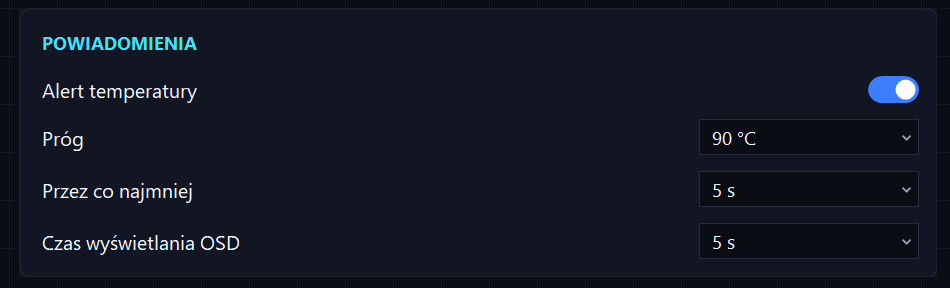
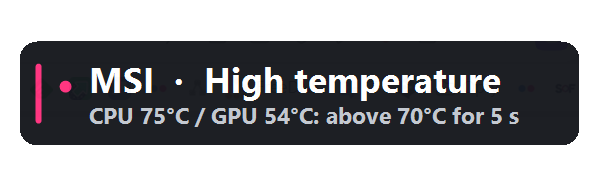
Your fans know when things get toasty — now GhostDeck can tell you. The new temperature alert (Settings → Notifications, off by default) watches the CPU and GPU and speaks up only when it matters:
- pick a threshold (70–100 °C, default 90),
- pick how long the temperature must stay there (5–60 s, default 10),
- get an OSD toast + tray notification, and an entry in the change history.
A short spike while a game loads won't trigger it — the temperature has to stay above the line. And once it fires, a built-in cool-down means a long hot session nudges you once, not every three seconds.
A toast you can't read is a toast wasted, so the OSD display time is adjustable too (1–15 s, same card) — it applies to every GhostDeck toast, and alerts always stay on screen for at least 5 seconds regardless.
Want to see it in action right away? That's what the 70 and 75 °C steps are for: set 70 °C / 5 s, open a browser with too many tabs, and watch it fire — no stress test required.
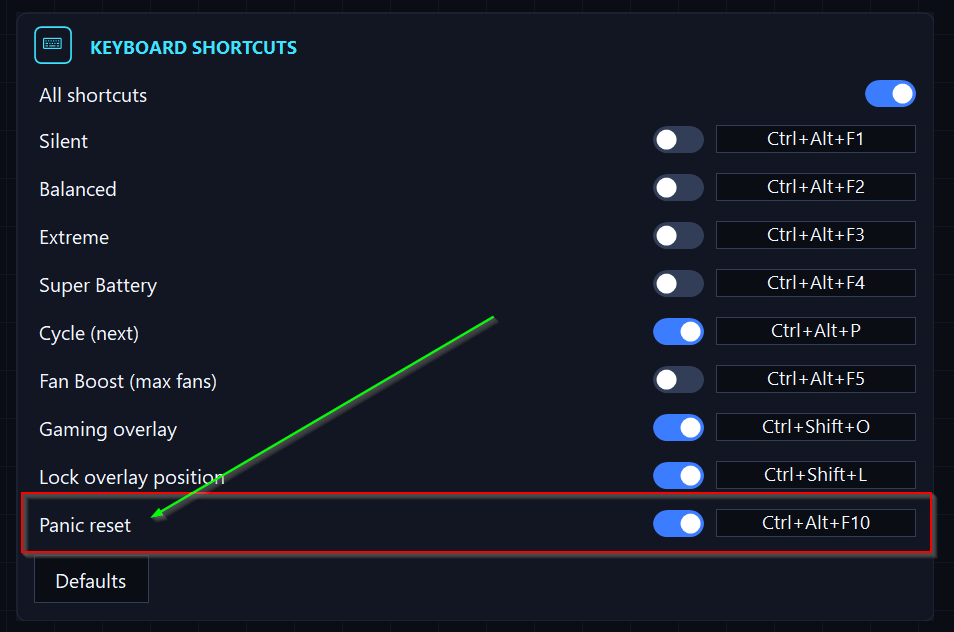
Fan curves are fun until they aren't. Maybe you set a curve that's too quiet for a heavy load, maybe Fan Boost is roaring and you just want silence now, maybe you simply lost track of what's active.
Press Ctrl+Alt+F10 (rebindable, like every GhostDeck hotkey). One press and the machine is back to a safe stock state:
- Fan Boost off,
- Balanced profile applied,
- fans back on the automatic curve — a custom curve or the Silent cap is released too.
An OSD confirms what happened, and the change history logs it like any other switch. It works even while the firmware-change guard is holding automatic writes after a BIOS update — a deliberate action from you always wins.
Not new in 1.20, but worth repeating because it pairs with everything above: after a BIOS/EC update, GhostDeck notices the firmware string changed, pauses all automatic writes (auto-switch, charge limit) and shows a warning — a red "Firmware changed — verify model" entry in the tray menu. Nothing touches the EC again until you've confirmed the model still matches. Your hotkeys and manual switches keep working; only the automation waits for your nod.
The 1.20 codebase got a spring cleaning: sources are now grouped into Core/ (hardware + app logic), UI/ (the tabbed window and its pages) and Forms/ (standalone windows), and the single 116 kB UI file was split into one file per class. Zero functional changes — but if you've ever wanted to read or contribute to the code, it just got a lot friendlier.
Grab the build from the latest release, and see the full changelog for every detail. Found a rough edge? Tell us — half of this release started as user feedback.