Whats new in GhostDeck 1.24.1
Fans that switch themselves off, disks and batteries on the dashboard - and a first for machines MSI's own interface left behind.
A community-driven release: five of its headline items came straight from user reports filed in the last two days. Thank you all - the credits are inline.
Fan Boost is the one control everybody forgets to switch back. Requested in discussion #51 (thanks @cesarcamps): Settings → Power → "Turn Fan Boost off automatically after" - 30 s, 1, 2, 3, 5, 10 or 15 minutes, or any custom value up to two hours (off by default).
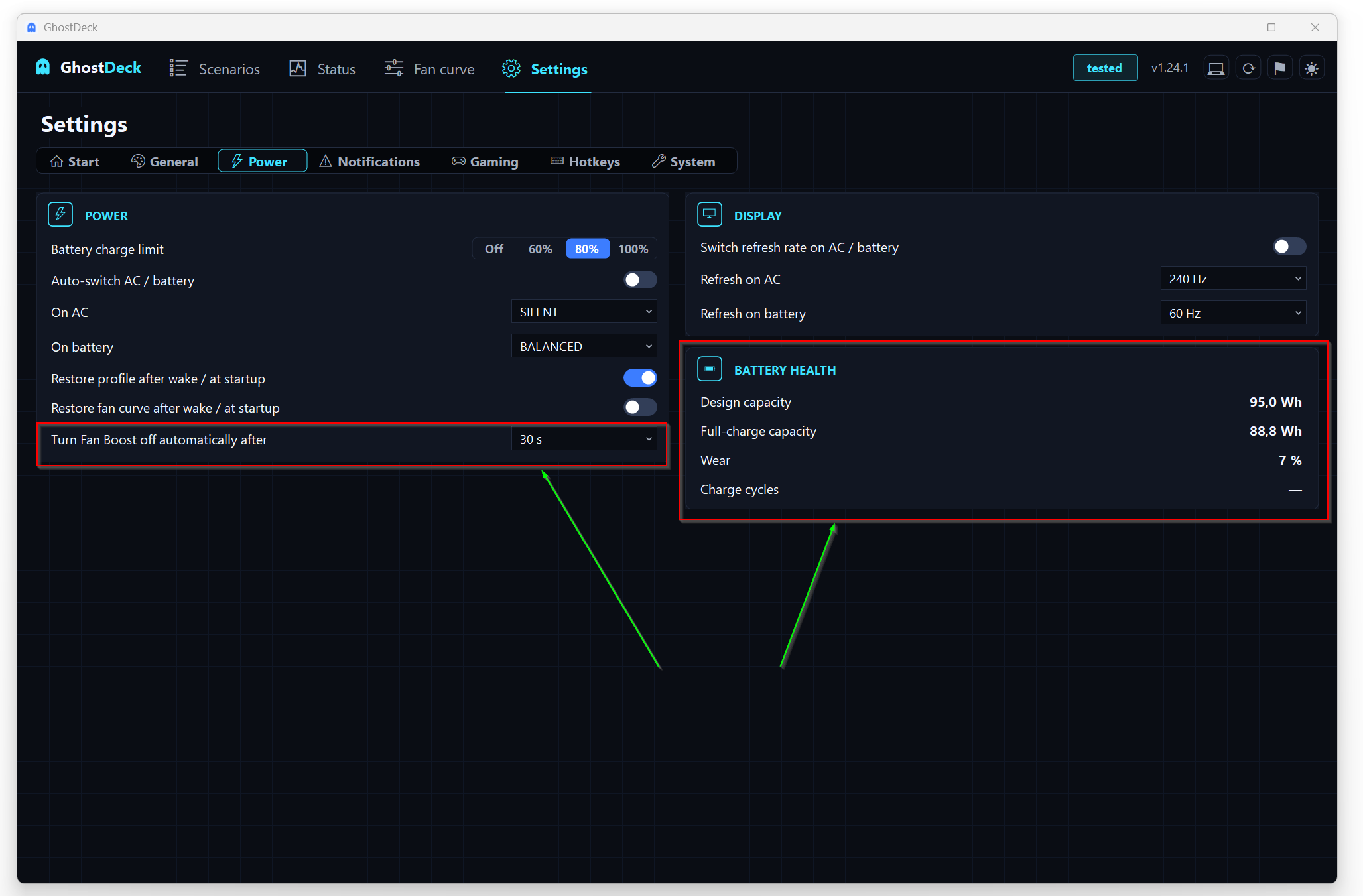
However you switch Boost on - tray, hotkey, the Scenarios tile or the command line - the countdown starts, and when it elapses the fans return to whatever the active profile or fan curve was doing, not to a generic default. You get an on-screen note and a change-log entry:
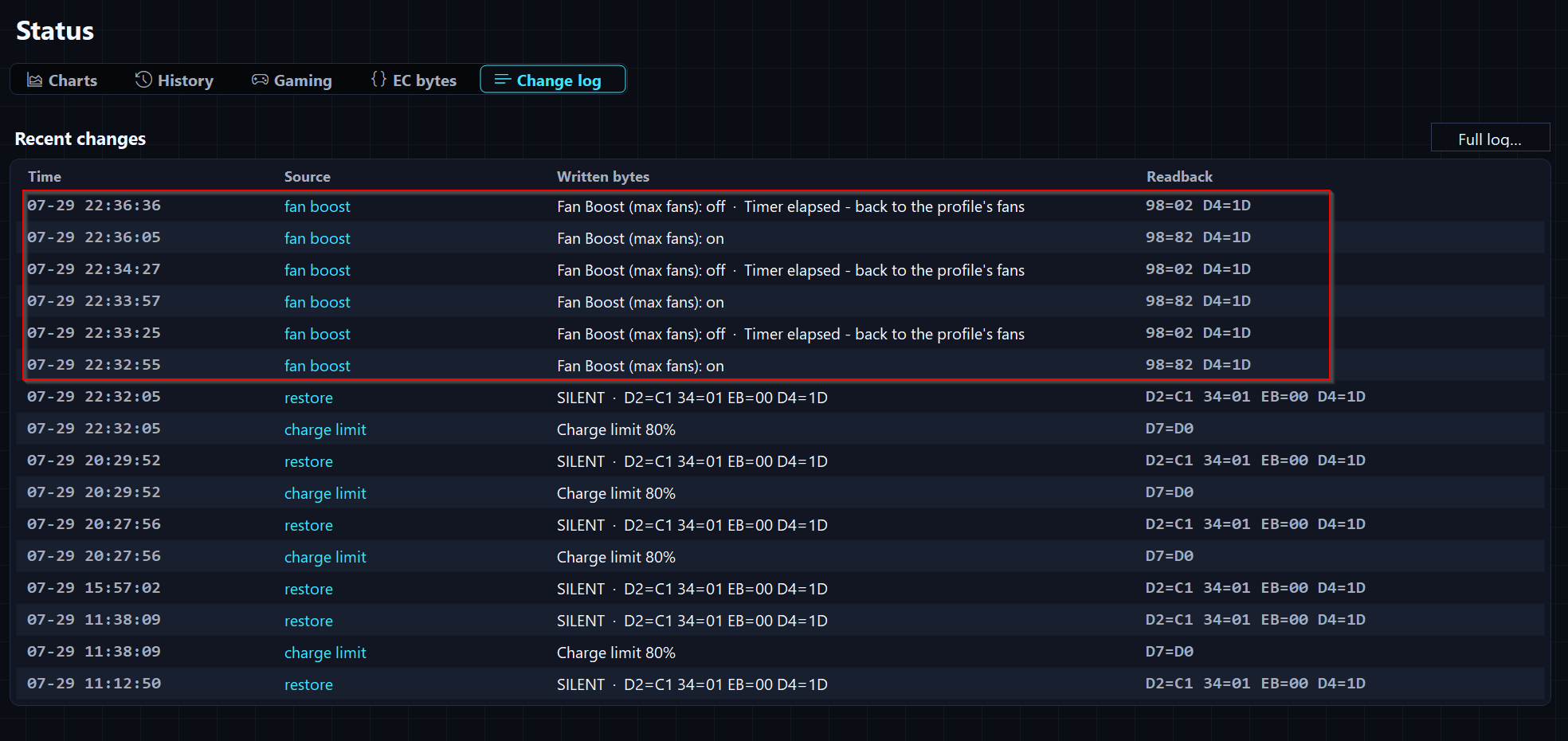
Switching Boost off by hand cancels the timer.
The EC resets to its factory fan mode on every cold boot, so a custom curve always needed re-enabling by hand. Requested in discussion #49 (thanks @inokra): an opt-in switch - Settings → Power → "Restore fan curve after wake / at startup" - makes GhostDeck remember the curve that was active (a preset or a manual one from the editor) and re-apply it a few seconds after startup and resume, with a change-log entry each time.
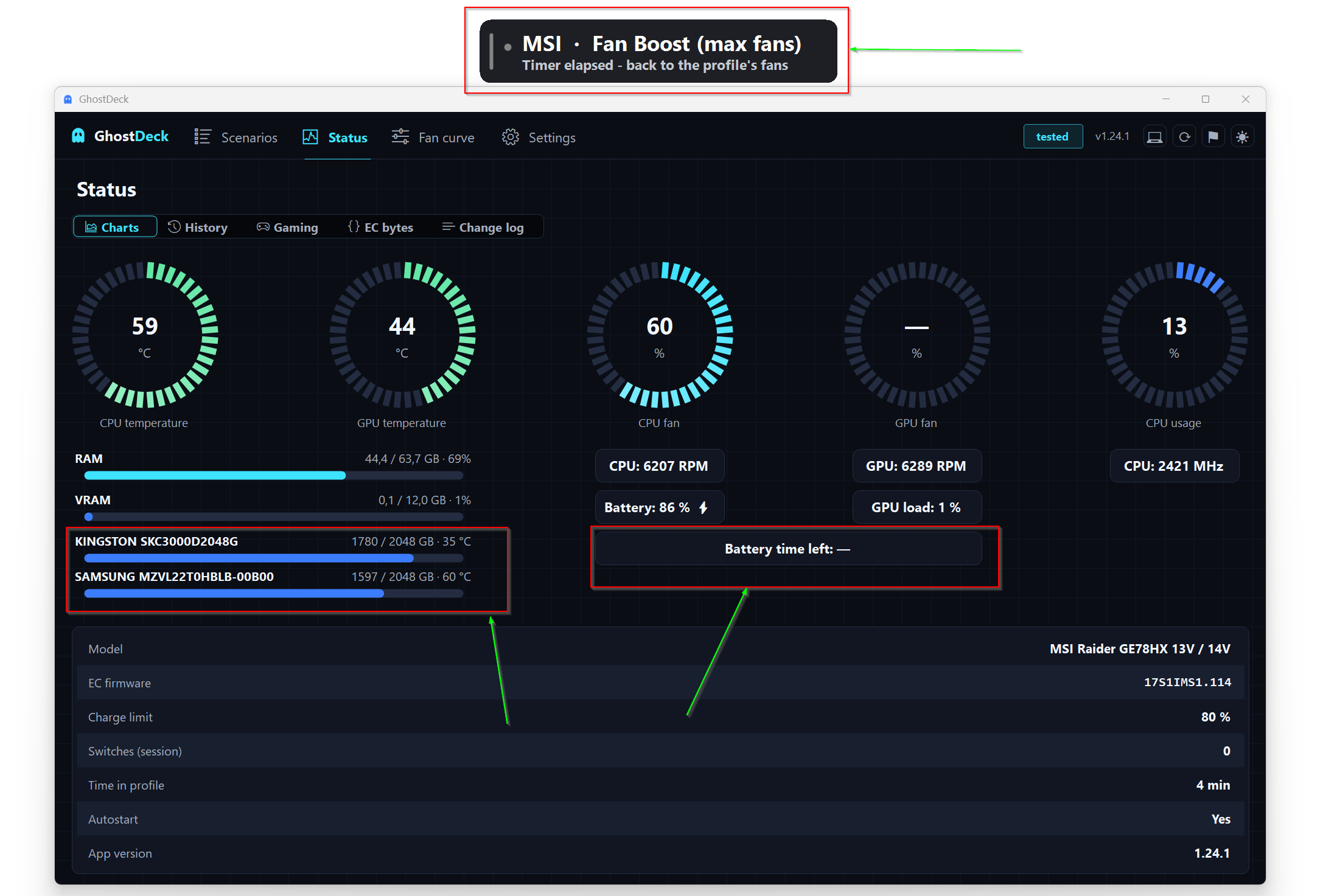
- Every physical disk is listed with its name, used/total space with a usage bar, and its live S.M.A.R.T. temperature. Temperatures come driver-free through a four-step ladder that ends at the NVMe health log itself, so drives that stay silent for common tools (some Kingston models, for example) still report. Both disks are available as an overlay metric; NVMe drives can throttle during long sessions, so this is worth watching.
- Battery time left - Windows' own estimate, shown while discharging: in the tray tooltip, on Status → Charts, and as an optional overlay metric for the HUD.
- Battery health panel (Settings → Power) - design capacity vs full-charge capacity, wear % and charge cycles, read straight from Windows' battery classes. The natural neighbour of the charge limit.
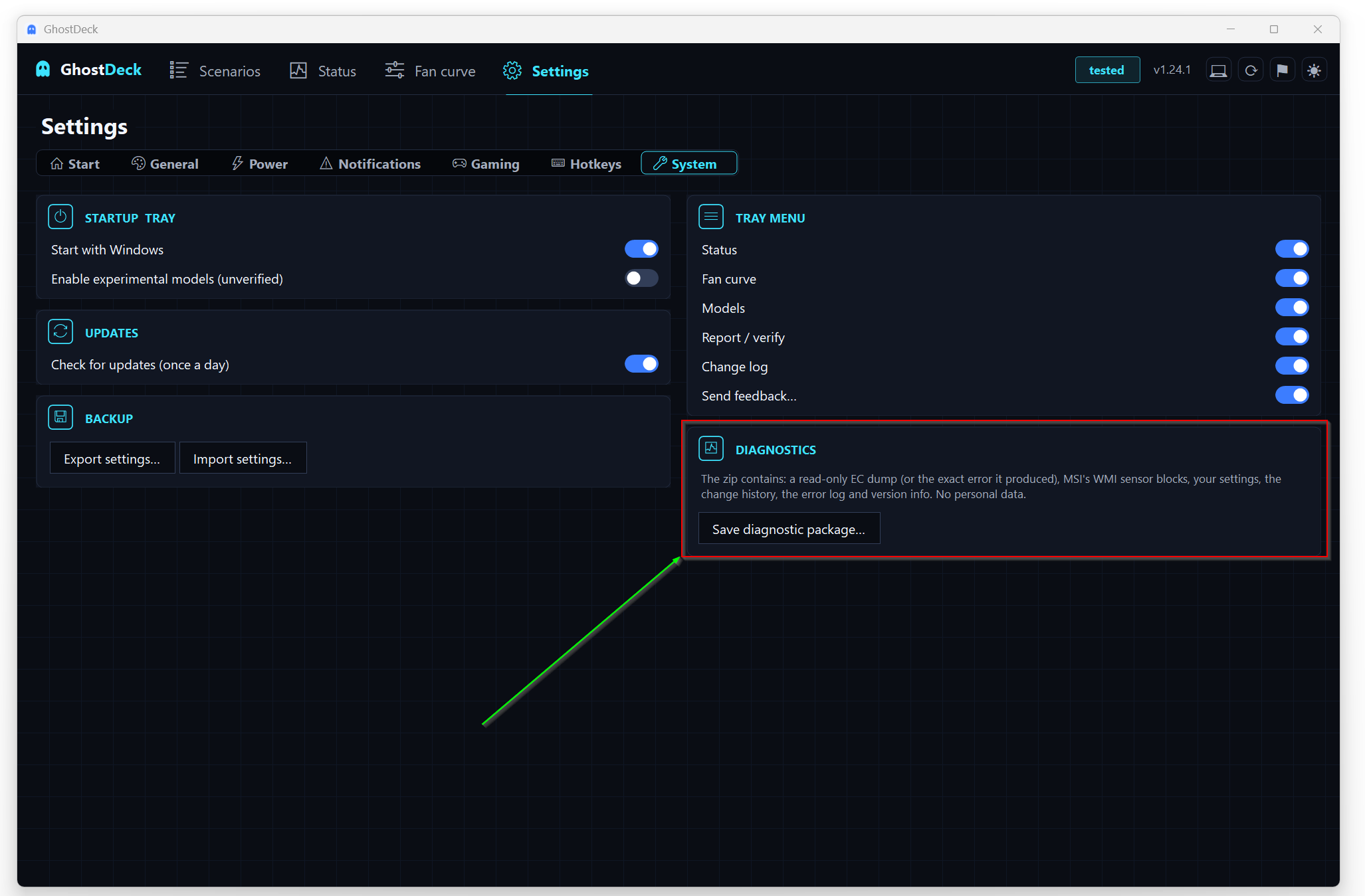
Settings → System → Save diagnostics produces a single zip with everything a bug report keeps asking for: a read-only EC dump (or the exact error it produced), the MSI WMI sensor blocks, your settings, the change history and the error log. No personal data lives in any of these files - the contents are described right on the card.
The most unusual item, born from an extraordinary investigation in issue #48 (thanks @SavAlexander). Some MSI machines - the Delta 15 A5EFK was the proof - ship firmware that simply does not implement the EC interface GhostDeck drives: the owner extracted his own BIOS and the interface GUID is absent from the firmware tables. No app can control what the firmware does not expose.
But the same firmware serves MSI's WMI sensor blocks, and GhostDeck now uses them: instead of a dead "unsupported model", such machines get live CPU/GPU temperatures on Status and in the overlay, an amber "temperatures only" badge, and a plain note explaining that profiles, fan curves and the charge limit are unavailable on that firmware. Read-only, driver-free - as always.
-
Raider GE76 12UE (
17K4EMS1) promoted to ✅ Tested with a verified fan curve and fan-RPM readout (#45/#47, thanks @moragab1993). -
Raider A18 HX A7VIG (
182KIMS1) promoted to ✅ Tested with fan-RPM readout (#50, thanks @afk789). -
GE66 Raider / GP66 Leopard (
1543EMS1): fan curve verified byte-for-byte and RPM enabled (#52/#53, thanks @krystian-pytlik). -
Vector A18 HX A9WHG (
182LIMS1) recipe confirmed from the owner's capture (#54, thanks @Skullkidsrevenge). - Both A18 HX boards: two independent captures showed MSI Center never touches the super-battery register there, so GhostDeck stops writing it and mirrors MSI Center exactly.
- Status sub-tabs and every Settings card got icons; the Backup card moved to the left column of System.
- Outline-style buttons (Details, Try again, backup) highlight under the cursor again.
- The capture wizard says what actually happened when the EC cannot be read - separate wording for access denied and for machines without MSI's WMI interface at all.
Update from the Updates tab (one click) or grab the signed build from the latest release. Full details in the changelog. 👻