Whats new in GhostDeck 1.23
Your laptop already knew how hot it runs. Now it knows how fast.
The gaming update: GhostDeck 1.23 adds an FPS and frametime counter for any game, a Gaming tab with live charts, and a session report that pairs your framerate with the thermal story no plain FPS overlay can tell. Plus seven community-verified models in a single release.
Every FPS overlay has the same dirty secret: most of them hook the game's rendering code (hello, anti-cheat headaches) or need a kernel driver. GhostDeck does neither. It opens a private ETW session and listens to the Present events Windows itself emits every time a game finishes a frame - the exact same source Intel's PresentMon uses. Nothing is injected, nothing touches the game process, no new drivers, no new dependencies.
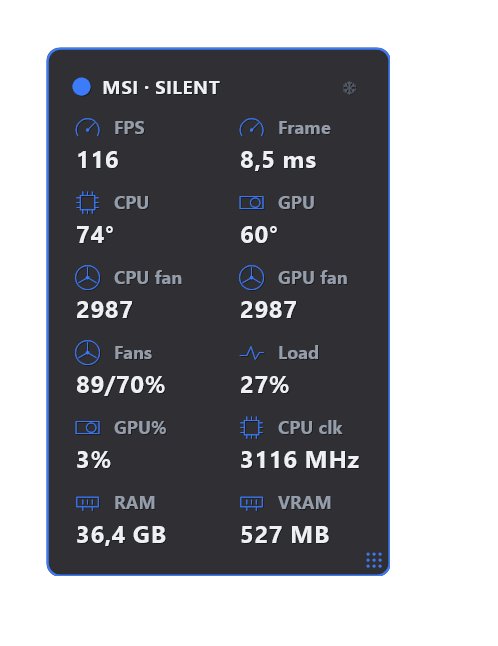
- The gaming overlay gains two metrics: FPS and frametime (enabled by default; tick them off in Settings → Gaming overlay if you prefer).
- The counter follows the game even when you alt-tab to the desktop or to GhostDeck itself - and a screenshot tool grabbing focus for a second won't blank it.
- The monitor runs only while the overlay or the Gaming tab is open. Close both and the cost is exactly zero.
A new sub-tab made for one question: how does it actually run?
- Live boxes: FPS, frametime, 1% low and a stutter counter (rolling 30 s).
- A frametime chart of the last 60 seconds - the flat line is what smooth feels like; the red dots are the hitches you felt, each one a frame that took more than twice the median.
- A picker with your last game sessions (5-50, configurable) - browse any of them and export it as JSON or CSV.
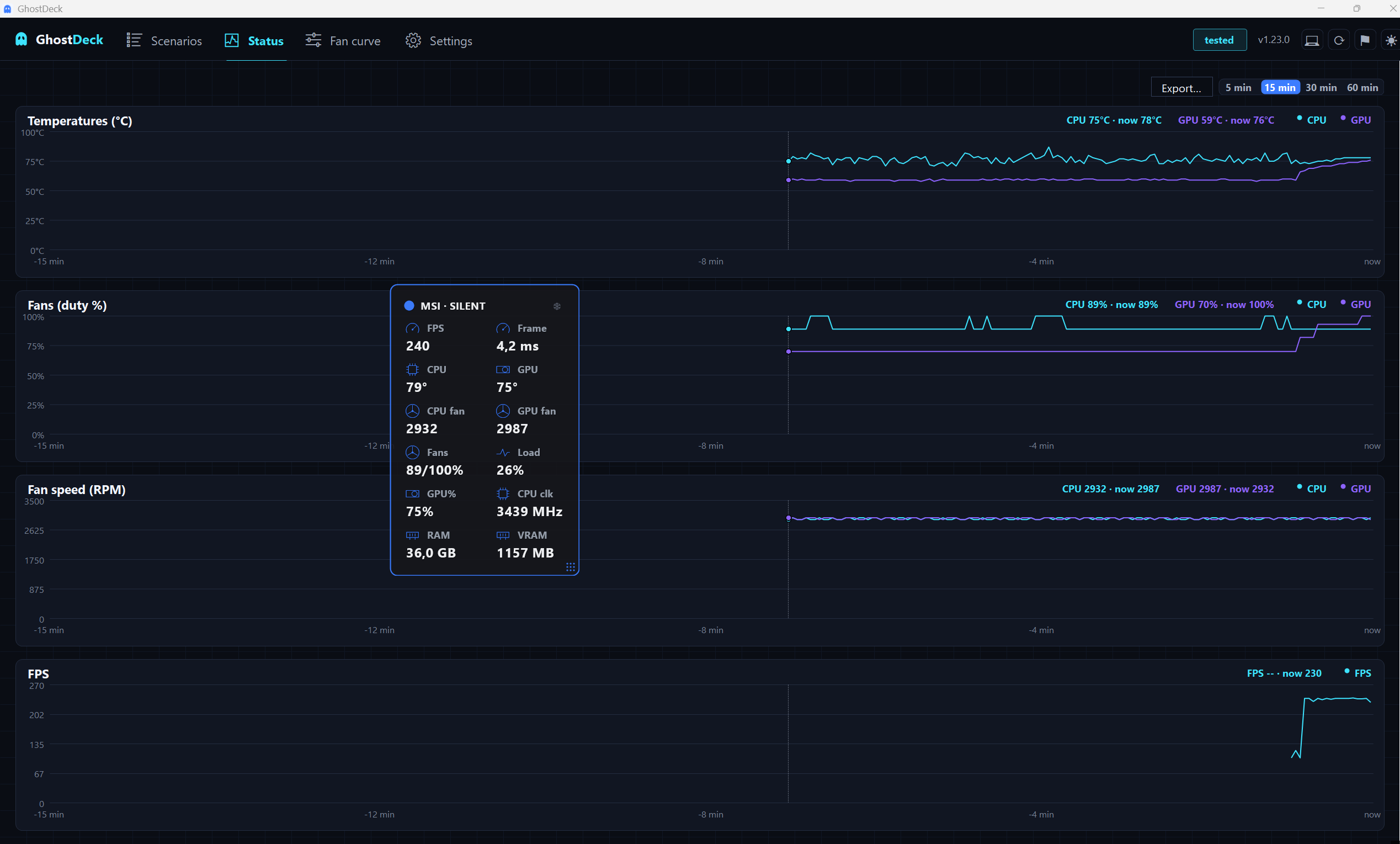
- The FPS also lands in Status → History next to temperatures, fan duty and RPM, so you can line up "the game dipped" with "the fans maxed out" an hour later.
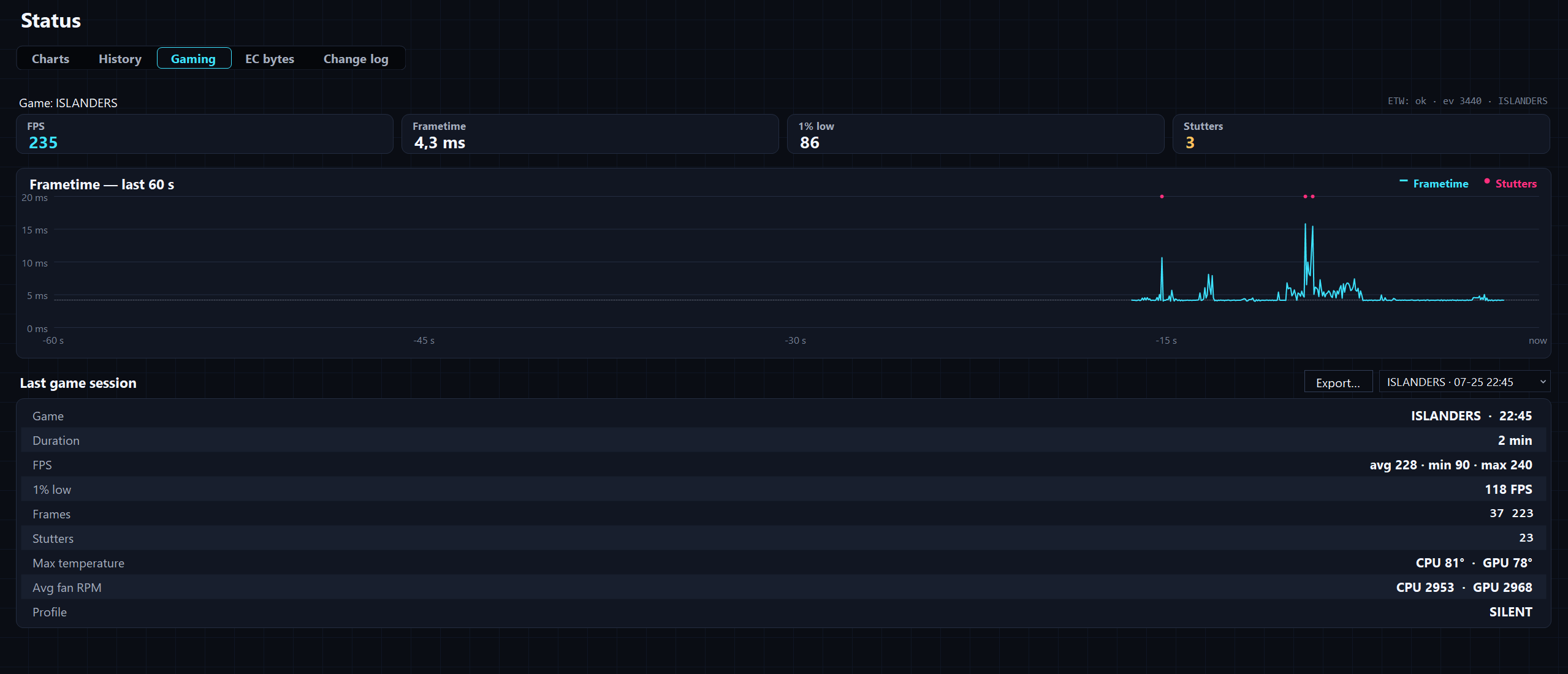
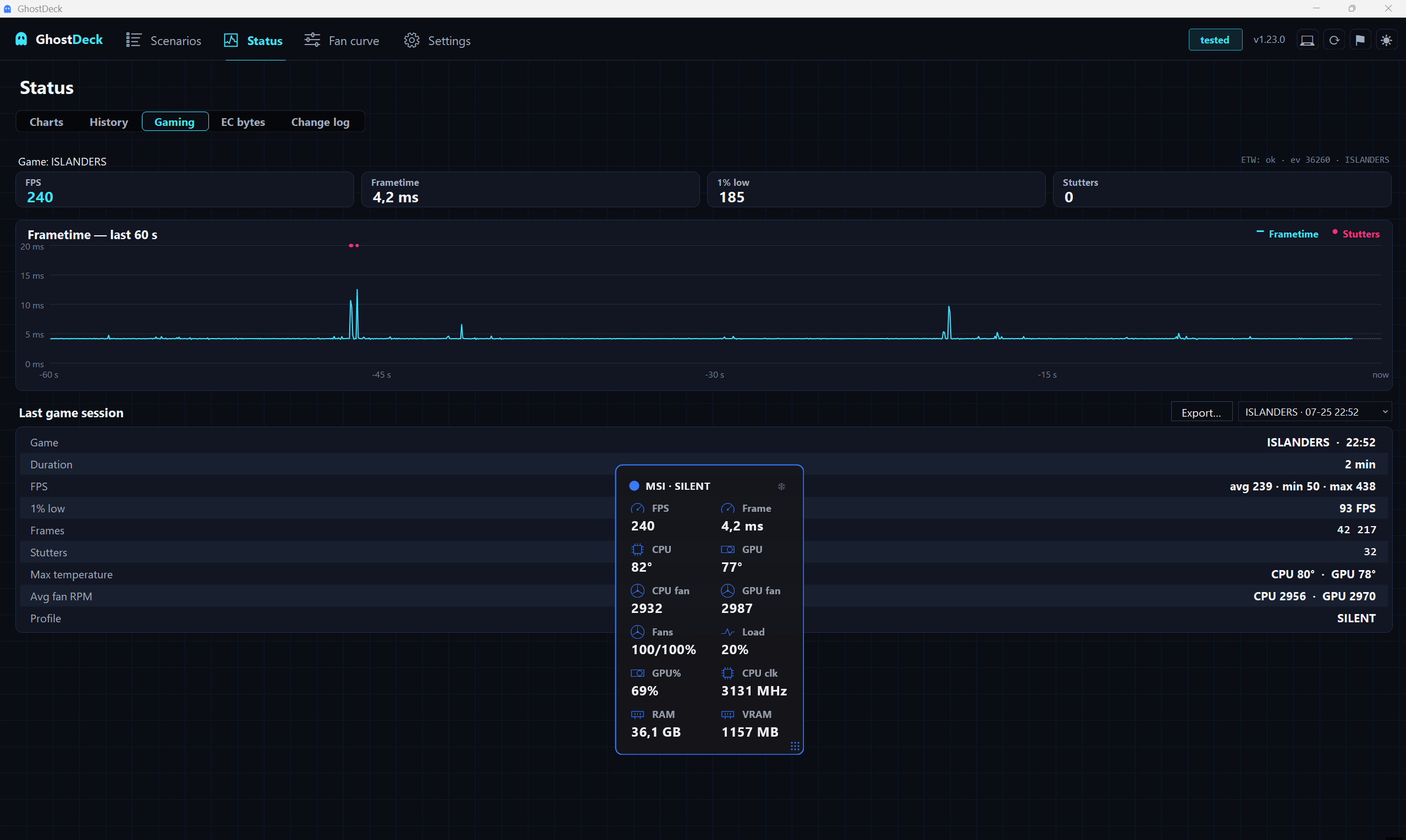
Pick any remembered session and pull its full data back out with Export…:
And here is the same story an hour later, on Status → History - FPS lined up with temperatures and fans:
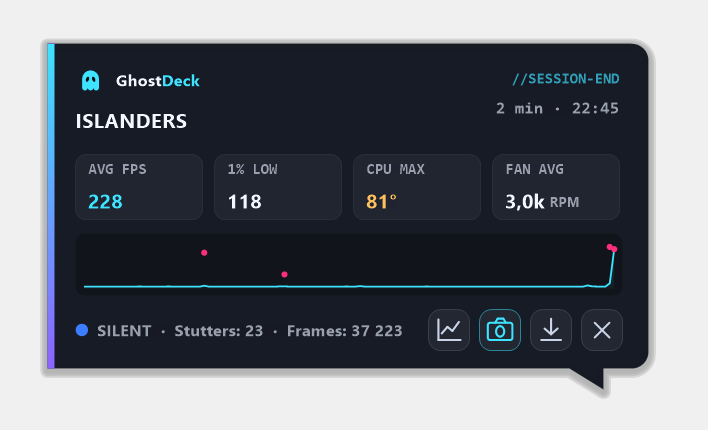
Quit the game and GhostDeck hands you the summary nobody else can write, because nobody else sees both halves:
ISLANDERS · 51 s · avg 209 FPS · 1% low 105 · CPU max 82° · fans 3.0k RPM · Silent
It arrives as a sleek borderless popup (no window chrome, GhostDeck-styled, with a frametime sparkline) that never steals focus from anything. You can:
- 📷 save it as a PNG - a clean card, ready for Discord,
- ⬇ export the data as JSON (with the frametime series) or CSV,
- 📈 jump to the Gaming tab, or just drag the popup anywhere.
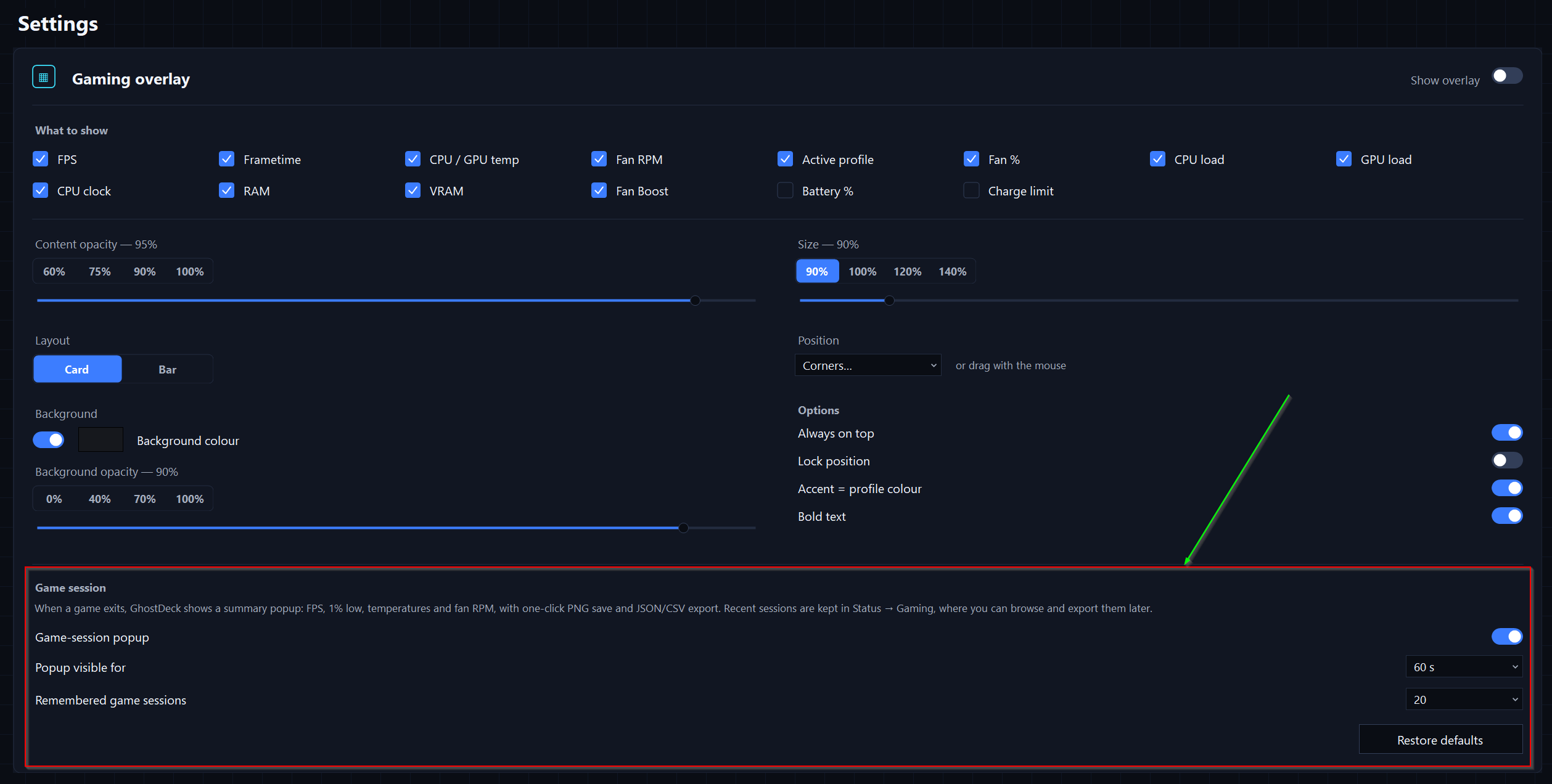
Any interaction pins it until you close it; otherwise it slips away after a configurable 20-60 seconds (or stays until closed - your call, Settings → Gaming overlay).
Everything is configurable in Settings → Gaming overlay - the popup itself, how long it stays, and how many sessions the app remembers:
A few ECs have a mind of their own: wake the laptop from sleep or hibernation and it's quietly sitting in Super Battery, whatever you had set before. If that sounds familiar, flip on Settings → Power → Restore profile after wake / at startup: GhostDeck remembers the profile at suspend and re-asserts it a few seconds after resume (and once at startup). Skipped automatically when the AC/battery auto-switch is managing profiles.
Seven models were promoted to ✅ Tested in this release alone, all on the back of owner reports with per-scenario EC captures:
| Model | Verified by |
|---|---|
| MSI Thin GF63 12VE (+ fan RPM) | @fwbvng |
| MSI Titan 18 HX Dragon Edition (+ RPM, + verified curve) | @Mung-Bean-Monkey |
| MSI Bravo 15 B7ED | @AnyTw |
| MSI Bravo 17 C7VE / D7VFK (+ verified curve) | @inokra |
| MSI GF63 Thin 11UC / 11SC | @Qaron-makaron |
| MSI Katana GF66 11UE / 11UG | @mewmrow |
| MSI Pulse/Katana 17 B13V/GK (+ verified curve) | @eaglent1 |
Fan-curve addresses were also hardware-verified on the Cyborg 15 A12VF (@hengeleng10-tech) and the Bravo 15 C7V (@dmas-dll), and the AMD Bravo boards no longer get a pointless super-battery write (that register simply doesn't exist there). Every verifier is credited in the app's Models → Thanks column.
- The fan-curve editor clamps EC values to 0-100 - boards that keep exotic data in the curve tables can no longer push points off the plot and break the page (#28).
- The History Export button no longer grows a few pixels with every chart refresh.
- New FAQ entry on antivirus false positives: how to verify any download against the release SHA-256 (spoiler: our releases are built from public source by GitHub Actions).
-
--status(CLI) now reportsfps,frameTimeMsandgame.
Update from the Updates tab (one click) or grab the build from the latest release. Full details in the changelog. Playing something on an experimental model? The Report my model… wizard takes five minutes and your name lands in the Thanks column. 👻