Whats new in GhostDeck 1.21
Fan curves that remember, an hour of hindsight, a command line for your scripts — and a thank-you column for the people who made it possible.
If 1.20 was about peace of mind, 1.21 is about control. This is the largest GhostDeck release yet, and a good chunk of it exists because owners of five different MSI laptops took the time to run reports and verify things on real hardware. More on them at the end — they're literally in the app now.
The curve editor was always fun; keeping only one curve was not. Now:
- Named presets. Dial in a curve, hit Save as…, give it a name. Build a whole library: "Night quiet", "Summer gaming", "Render mode".
- Switch anywhere. Pick presets in the editor — or from the tray menu, without opening the window at all.
- A preset per profile. Assign a different curve to Balanced, Extreme and Super Battery, and GhostDeck applies the right one automatically on every profile switch — hotkey, tray, panel or AC/battery auto-switch. (Silent stays stock by design: its power cap and the curve mode share one EC byte, a hardware fact no software can wish away.)
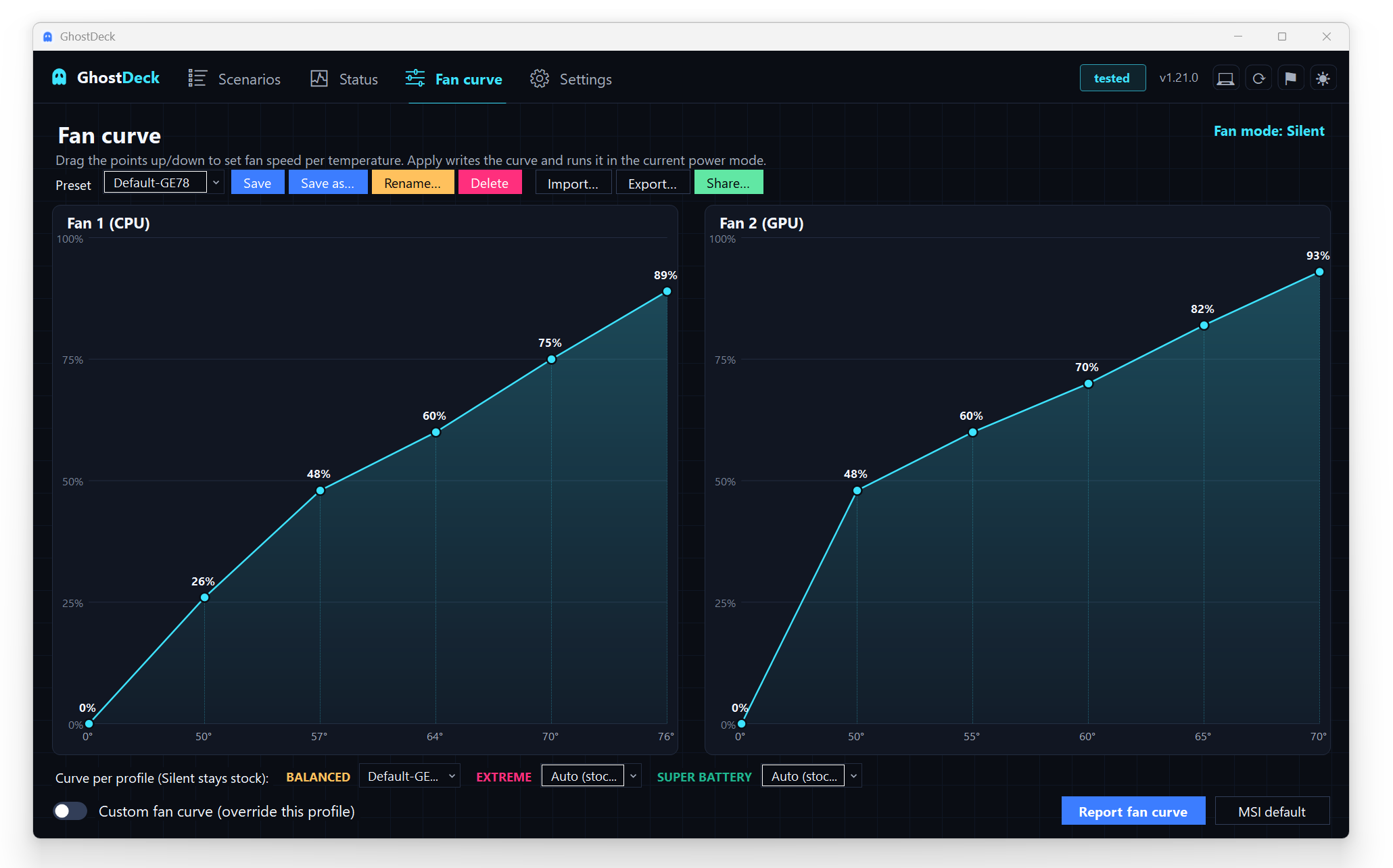
Presets live in your settings, so the backup from 1.20 carries them automatically. And two safety notes, because that's how we do things here: the panic hotkey ignores presets (panic means stock behaviour), and a profile changed by MSI software is left alone — GhostDeck never fights over your fans.
Every preset can be exported/imported as plain JSON — and the new Share… button goes one better: it opens a ready-made post in the new Fan curves discussion category, with your curve, model and firmware already filled in. Review, click, done. Found a curve that makes your model whisper? Someone with the same laptop is looking for exactly that.
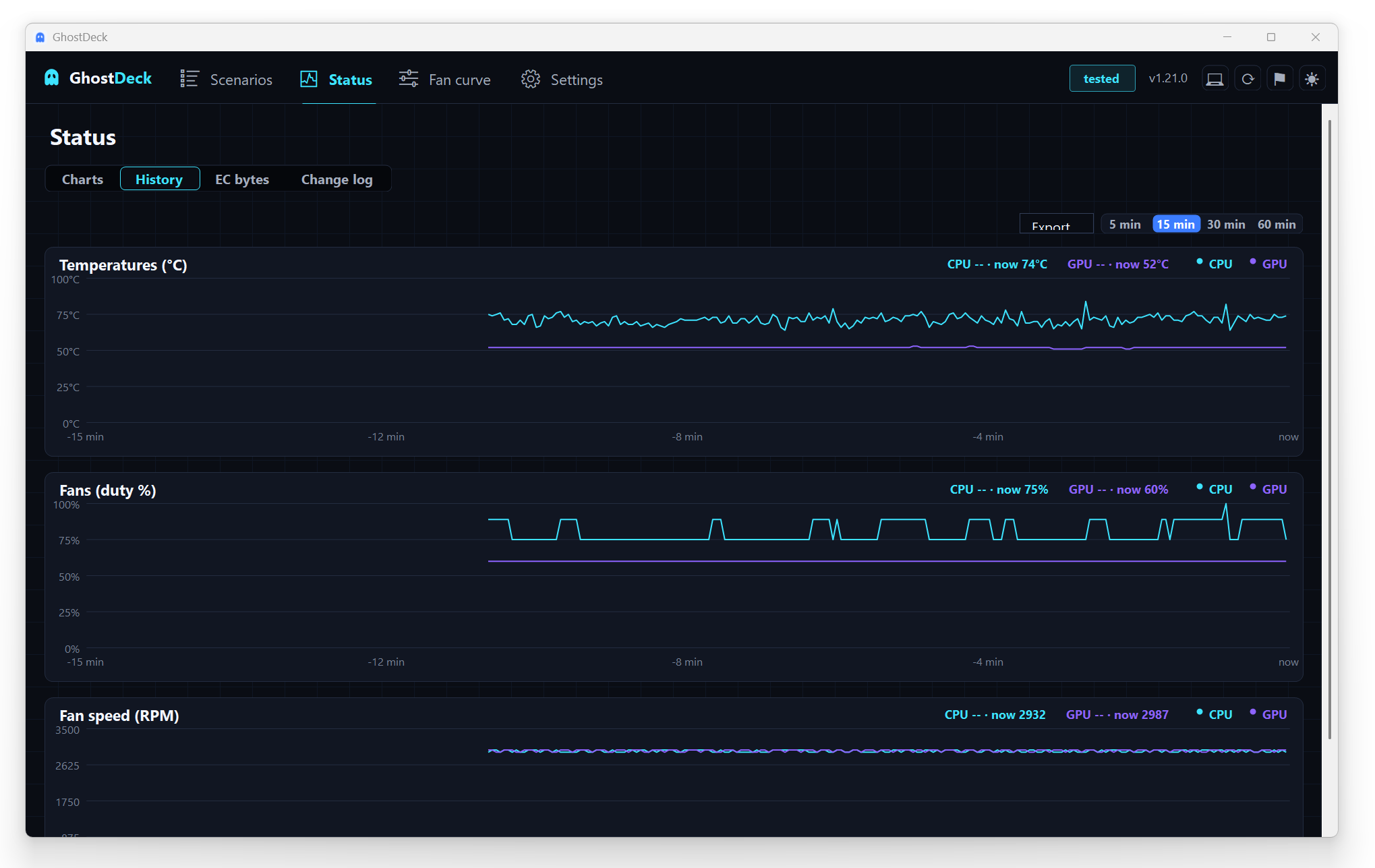
Live gauges tell you what's happening now. The new Status → History sub-tab tells you what happened for the last 5 to 60 minutes: CPU/GPU temperatures, fan duty, and — on models with known tach registers — real fan RPM.
- Hover for the crosshair: a tracking line with dots and a selected · now readout.
- Memory-only by design. The buffer lives in RAM, starts empty at launch, and nothing is written to disk or sent anywhere.
- …unless you want it: Export… saves the visible window as CSV or JSON (time, profile, temps, fans, RPM, CPU load) — ready for Excel, pandas or whatever you analyze with. Perfect for before/after proof of what a profile or curve actually changed.
GhostDeck.exe --profile Silent
GhostDeck.exe --fanboost on
GhostDeck.exe --curve "Night quiet"
GhostDeck.exe --panic
GhostDeck.exe --status      # JSON, pipe it wherever you like
The same exe you already run is now a full command-line interface. If the app is running, commands are executed by it — same safety gates, same OSD, same change history. If it's not, a one-shot mode talks to the EC and exits. Task Scheduler switching you to Silent at 22:00, a Stream Deck key for Fan Boost, a launcher script that goes Extreme for the game and back to Silent after — it's all a one-liner now.
There's a whole illustrated guide: Automating GhostDeck with the CLI, plus the full reference in docs/CLI.md.
This release also marks something we're genuinely happy about: the MSI Cyborg 15 A12VF joined the Tested tier — complete with real fan RPM readouts — thanks to a picture-perfect report from @hengeleng10-tech.
And because models don't verify themselves, the Models tab now has a "Thanks" column: the GitHub name of the person whose report or hardware verification carries each tested model, linking straight to their issue. As of 1.21 that's:
- @cesarcamps — Crosshair A16 HX (D7W/D8W), including the fan-curve verification
- @skandy121 — Sword 16 HX B13V/B14V, curve + RPM detective work
- @alibi90 — Raider GE67 HX 12U, plus a stream of sharp UI feedback
- @hengeleng10-tech — Cyborg 15 A12VF, the newest addition
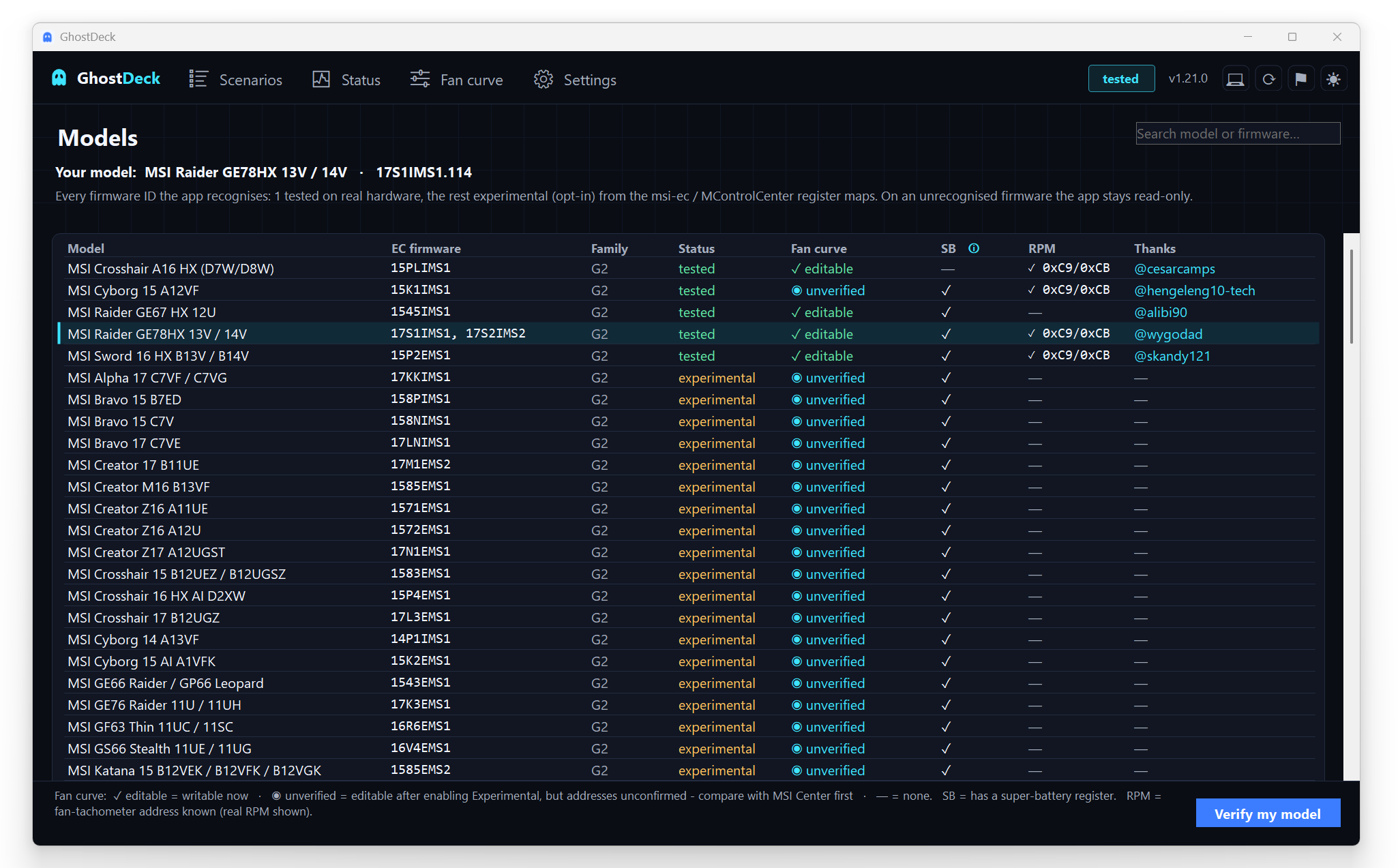
Your name could be here too — if your model says experimental, the in-app Report / verify (⚑) wizard takes two minutes and is read-only. That's the entire onboarding.
Grab the build from the latest release (or just click Install in the Updates tab), and see the full changelog. Rough edge? Tell us — this release is proof that we listen. 👻