Repository navigation
Home
Windows Maintenance Tool (WMT) is a portable Windows 10 and Windows 11 maintenance application. It brings software updates, system repair, cleanup, driver inventory, network and DNS controls, firewall rules, tweaks, disk analysis, NTFS compression, startup management, restore points, and system reports into one searchable desktop interface.
WMT is built with PowerShell and WPF. It is distributed as a portable executable or a PowerShell script, not as a traditional MSI application.
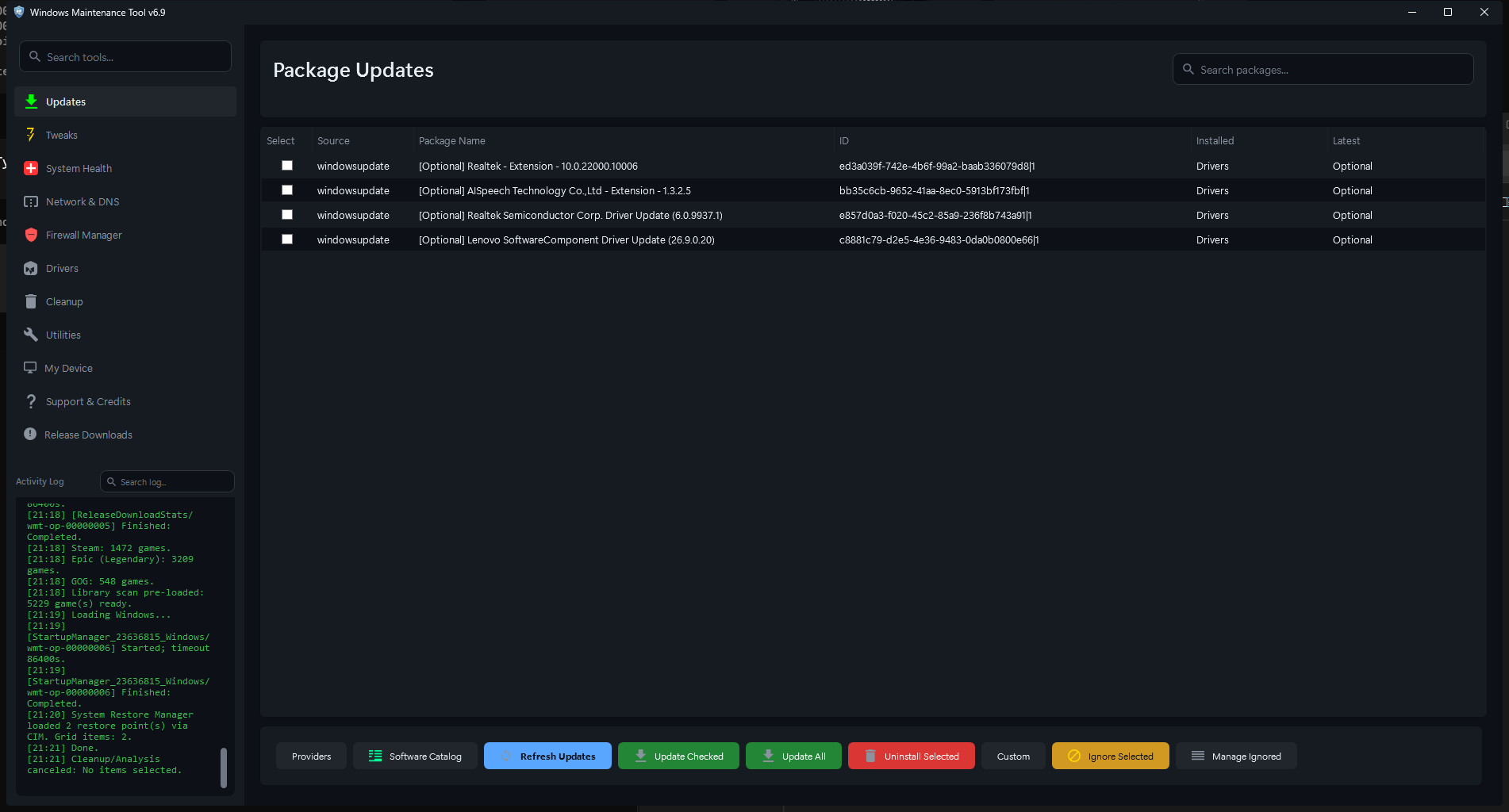
The Package Updates page after a scan. Screenshots in this wiki were captured from WMT v6.9 on a test system; personal identifiers and network details have been redacted.
Use maintenance tools carefully. Some WMT actions change Windows settings, delete files, remove drivers, alter firewall rules, or reset network configuration. Read the description and confirmation prompt, make a backup when appropriate, and run only actions you understand.
| If you want to… | Read |
|---|---|
| Install, update, or remove WMT | Installation |
| Learn the window layout, search, and shortcuts | Interface and Navigation |
| Follow safe task-based workflows | Using WMT |
| Check for and apply software updates | Updates and Software |
| Browse or install popular applications | Software Catalog |
| Manage Steam, Epic, and GOG games | Game Library |
| Repair Windows files and disk errors | System Health |
| Review hardware, battery, and storage details | My Device |
| Find what is using disk space | Disk Usage Analyzer |
| Clean temporary files, caches, and traces | Cleanup |
| Scan and back up the registry | Registry Cleaner |
| Compress folders or drives | Compact Compression |
| Inventory and clean driver packages | Drivers |
| Change DNS, hosts, or network settings | Network and DNS |
| Manage Windows Firewall rules | Firewall |
| Change Windows settings safely | Tweaks |
| Manage startup items and restore points | Startup and Restore |
| Use reports, WinRE, .NET, and other tools | Utilities |
| Understand tray mode and background work | Background Jobs and Tray |
| Find settings and generated files | Settings and Data |
| Learn keyboard shortcuts | Keyboard Shortcuts |
| Fix a problem | Troubleshooting |
| Verify a download or review security | Security |
| Understand local data handling | Privacy |
| Choose stable or rolling builds | Updates and Releases |
| Build or contribute to WMT | Developer Guide |
- Updates and software: scan WinGet, Microsoft Store, Windows Update, language package managers, PowerShell modules, Chocolatey, Scoop, Steam, Epic/Legendary, and GOG/GOGDL where available.
- Software and game libraries: browse a curated application catalog and a combined library of installed or owned games.
- Repair and diagnostics: run SFC, DISM CheckHealth/RestoreHealth, CHKDSK, Quick Fix, WinRE checks, and Windows Update repair.
- Cleanup: preview and remove temporary files, caches, logs, Recycle Bin contents, browser traces, broken shortcuts, and advanced community cleaner rules.
- Drivers: inventory third-party Driver Store packages, classify their usage, back them up, and remove ghost or old packages with safeguards.
- Network: flush DNS, reset networking, choose DNS providers, configure DNS-over-HTTPS, edit hosts, and manage firewall rules.
- Tuning: state-aware toggles for Windows services, power, Explorer, taskbar, privacy, gaming, updates, and more, with JSON export/import.
- Storage: WinDirStat-style disk usage analysis and tracked NTFS/Compact compression with an optional scheduled task.
- Management: startup apps, scheduled tasks, context-menu entries, services, and System Restore points.
The exact tools and available actions vary by WMT version, Windows edition and build, installed providers, sign-in state, network access, and permissions.
- Windows 10 or Windows 11.
- Windows PowerShell 5.1 when running
WMT-GUI.ps1directly. PowerShell 7 can load the script but is not the supported runtime. - Internet access for online scans, provider metadata, downloads, and community cleaner definitions. Many local tools work offline.
- Administrator access for many maintenance actions. Some actions request elevation individually; the source batch launcher requests elevation when starting WMT.
WMT does not replace a backup. Create a restore point before broad system changes when System Protection is available, and keep independent backups of personal files.
- Source code and project README
- Stable releases
- Rolling preview
- Issues and feature requests
- Published privacy policy
When reporting a problem, include the WMT version, Windows version, installation method, exact reproduction steps, and the complete error or relevant activity-log output. Remove passwords, tokens, account names, and other personal data before posting logs or screenshots.