Repository navigation
Utilities
Utilities is the toolbox page: system reports, SSD trim, compact compression, Windows Recovery Environment status, restore and startup managers, activation, task scheduling, context-menu customization, GPU reset, disk usage, and repair actions for Windows Update, .NET, and Group Policy.
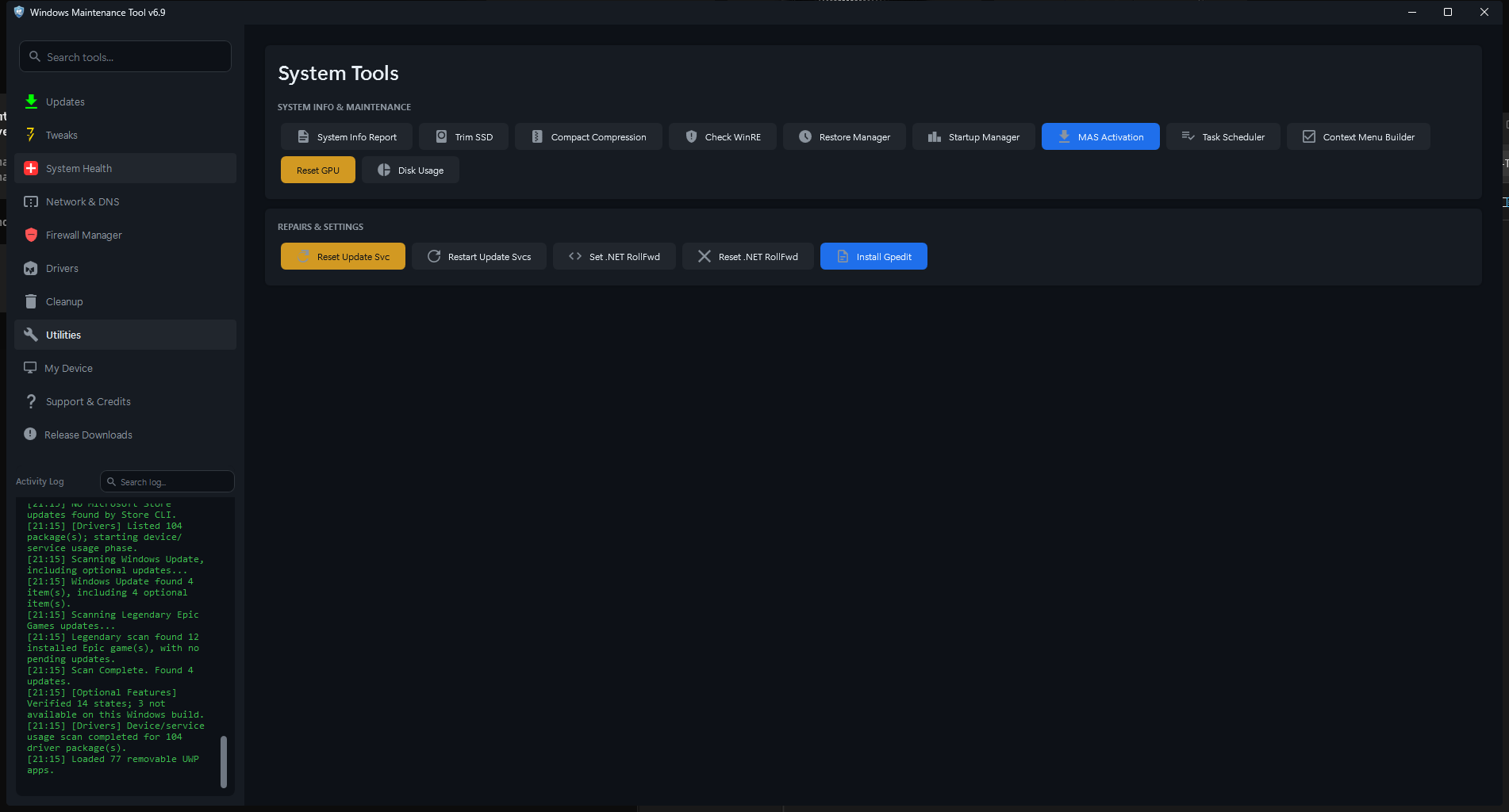
Utilities. The top card holds system tools; the lower card holds repairs and settings.
| Button | Action |
|---|---|
| System Report | Writes systeminfo, ipconfig /all, and driverquery reports to a folder you choose |
| Trim SSD | Runs Optimize-Volume -ReTrim on detected SSD volumes in a console |
| Compact Compression | Opens the Compact Compression window |
| Check WinRE | Checks Windows Recovery Environment status with reagentc /info
|
| Restore Manager | Opens the System Restore Manager |
| Startup Manager | Opens the Startup Manager |
| MAS Activation | Downloads and runs Microsoft Activation Scripts from massgrave.dev |
| Task Scheduler | Opens Startup Manager on its Scheduled Tasks tab |
| Context Menu | Opens the custom desktop context-menu builder |
| Reset GPU | Restarts the display driver, equivalent to Win+Ctrl+Shift+B |
| Disk Usage | Opens the Disk Usage Analyzer |
- Click System Report.
- Choose an output folder. The default is the WMT
datafolder. - WMT creates a
SystemReports_YYYY-MM-DD_HHmmsubfolder. - It writes:
System_Info_YYYY-MM-DD.txtNetwork_Info_YYYY-MM-DD.txtDriver_List_YYYY-MM-DD.txt
The reports contain hardware, Windows, network, and driver details, including computer name, usernames, IP and MAC addresses, and device IDs. Redact them before sharing publicly.
Trim SSD asks for confirmation and opens a live console. It enumerates fixed volumes with drive letters and checks the underlying physical disk media type:
-
SSD, SCM, Unspecified, and Unknown are treated as SSD and optimized with
Optimize-Volume -ReTrim. - HDD volumes are skipped.
- If
Optimize-Volumefails, WMT falls back todefrag <drive>: /L(retrim).
Trim is a maintenance operation, not a repair. It tells the SSD which blocks are no longer in use. It does not defragment an SSD and does not fix file-system corruption. Use System Health for CHKDSK.
Check WinRE runs reagentc /info and interprets the output:
- Whether Windows RE is enabled or disabled
- The recovery image location, when present
- The
reagentcexit code - Warnings when the recovery environment is missing or misconfigured
The result dialog offers Show technical details for the raw output. WMT does not automatically repair WinRE from this button.
Third-party activation tool. MAS Activation downloads a script from
https://get.activated.winand runs it withInvoke-Expression. It requires typingYES, I UNDERSTANDbefore running. WMT does not control the script, and activation may violate Microsoft licensing terms. Use it only if you understand the source and the legal implications.
This button is unrelated to normal maintenance. Most users should activate Windows through a legitimate license.
The builder creates a custom top-level Windows 11 desktop context-menu action. It warns that it replaces the "Set as desktop background" command.
| Field | Purpose |
|---|---|
| Menu Name | Label shown in the context menu |
| Command | Program or command to run; use %1 for the selected file |
| Icon Path | Optional icon file |
| Browse | Picks the command executable or icon |
| Remove from Menu | Removes the custom entry |
| Apply to Menu | Saves the entry |
| Cancel | Closes without saving |
The command runs with the permissions of the user who clicks it. Do not create a menu entry that runs an untrusted script.
Reset GPU asks for confirmation and sends the same reset as Win+Ctrl+Shift+B. The screen flashes black briefly, the display driver restarts, and open GPU-accelerated applications may recover or may need to be restarted.
Use it when the display freezes, artifacts appear, or a full-screen application loses the GPU. It does not fix a failing GPU or a bad driver installation.
| Button | Action |
|---|---|
| Reset Windows Update | Stops update services, renames SoftwareDistribution and catroot2, re-registers update DLLs, resets Winsock and WinHTTP proxy, and restarts services |
| Restart Services | Restarts wuauserv, cryptsvc, bits, and appidsvc
|
| Enable .NET RollForward | Sets runtime and/or SDK roll-forward |
| Disable .NET RollForward | Removes the roll-forward setting |
| Install Gpedit | Installs the Group Policy Client Tools and Client Extensions packages on editions that lack gpedit.msc
|
This is a heavy repair. It:
- Stops
wuauserv,bits,cryptsvc,msiserver,usosvc, andtrustedinstaller. - Removes all BITS transfers.
- Renames
C:\Windows\SoftwareDistributionandC:\Windows\System32\catroot2with a random.bak_*suffix. - Re-registers a long list of Windows Update and COM DLLs with
regsvr32 /s. - Runs
netsh winsock resetandnetsh winhttp reset proxy. - Restarts the services.
Effects:
- Update history and downloaded updates are reset.
- The renamed folders remain on disk and can be deleted later.
- Winsock reset can affect VPN or security software.
- A restart is recommended after the repair.
Use it when Windows Update repeatedly fails with download or install errors. It is not a general performance tune-up.
A lighter action that restarts the core update services without renaming folders or re-registering DLLs. Try it before the full reset.
Enable .NET RollForward offers three scopes:
| Scope | Effect |
|---|---|
| Runtime | Sets the machine-wide DOTNET_ROLL_FORWARD environment variable to LatestMajor
|
| SDK | Writes %USERPROFILE%\global.json with the newest installed SDK and rollForward: latestMajor
|
| Both | Applies both |
Disable .NET RollForward removes the machine variable and the rollForward property from global.json. It does not uninstall any .NET version.
Roll-forward lets applications run on a newer installed .NET runtime or SDK when the requested version is missing. It can fix "framework not found" errors, but it can also expose compatibility problems. Close and reopen applications, or sign out, for environment changes to take effect.
Install Gpedit looks for the built-in Group Policy packages in C:\Windows\servicing\Packages and installs them with DISM:
Microsoft-Windows-GroupPolicy-ClientTools-Package~*.mumMicrosoft-Windows-GroupPolicy-ClientExtensions-Package~*.mum
If the packages are absent, the install fails with a message. A reboot may be required. This is intended for Windows Home editions where gpedit.msc is not available by default. It does not add policy support to editions that genuinely lack the components.