Repository navigation
Firewall
The Firewall page lists Windows Defender Firewall rules, filters them by name or port, and lets you add, edit, enable, disable, delete, export, and import rules.
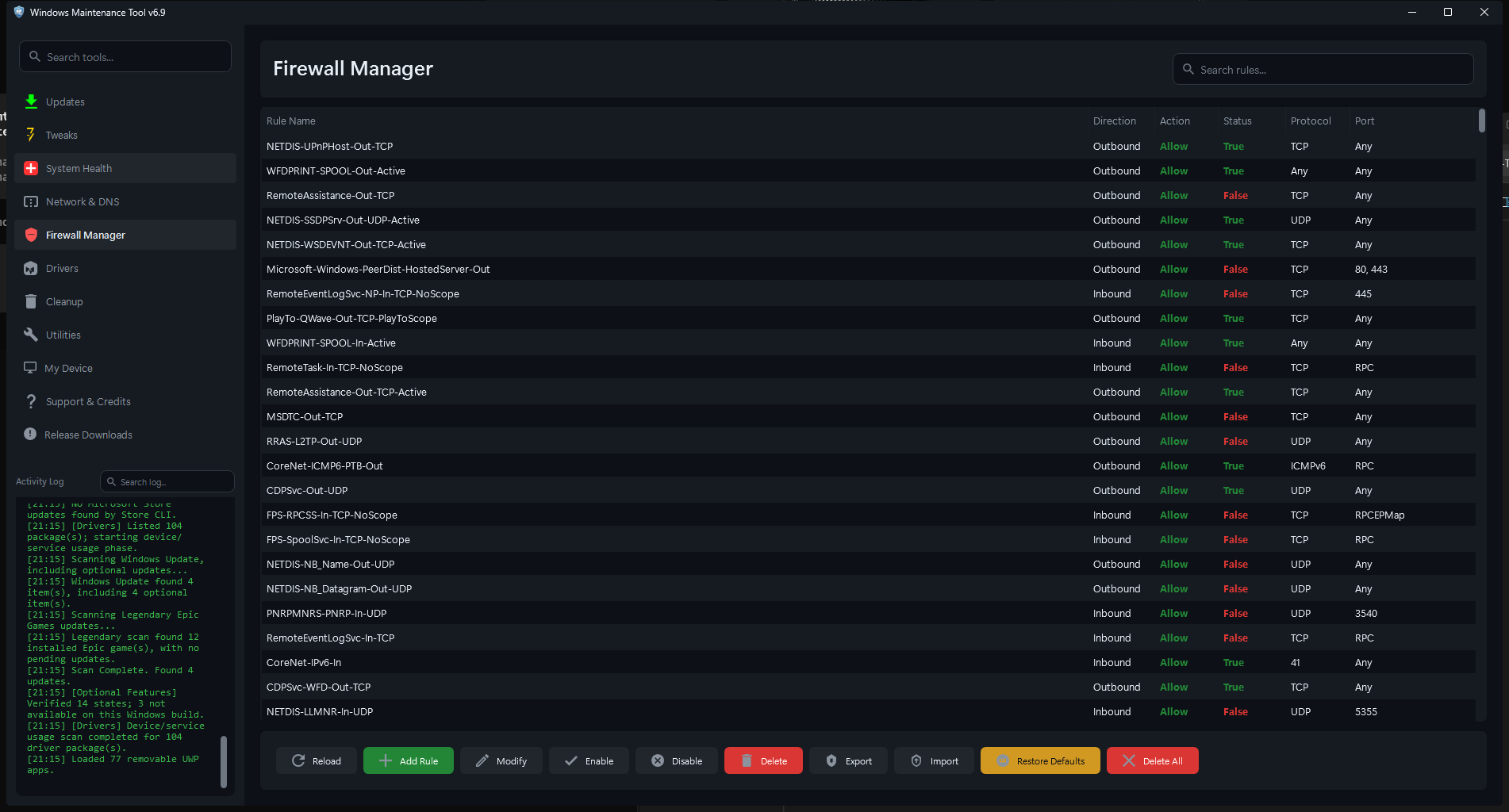
Firewall. The list shows rule name, direction, action, status, protocol, and port. The search box filters by name or port.
| Column | Meaning |
|---|---|
| Rule Name | Display name of the firewall rule |
| Direction | Inbound or Outbound |
| Action | Allow or Block |
| Status | Enabled or Disabled |
| Protocol | TCP, UDP, or Any |
| Port | Local port, when the rule is port-specific |
The search box filters by rule name or port. X clears the filter.
WMT lists rules through the Windows firewall APIs. It does not show every advanced property (program path, profile, remote address, authentication, or service). Use Windows Defender Firewall with Advanced Security when you need the full rule editor.
| Button | Action |
|---|---|
| Reload | Re-reads the current rule list |
| Add Rule | Opens the rule editor to create a rule |
| Edit | Edits the selected rule |
| Enable | Enables the selected rule |
| Disable | Disables the selected rule |
| Delete | Deletes the selected rule |
| Export | Exports the current policy to a .wfw file in data
|
| Import | Imports a .wfw policy file |
| Defaults | Resets Windows Firewall to its default rules |
| Delete All | Deletes every firewall rule |
Most actions apply to one selected rule at a time. Export, Import, Defaults, and Delete All operate on the whole policy.
The rule dialog has five fields:
| Field | Values |
|---|---|
| Rule Name | Any descriptive name |
| Direction | Inbound or Outbound |
| Action | Allow or Block |
| Protocol | TCP, UDP, or Any |
| Local Port | A port number or range, or blank |
Defaults for a new rule are Inbound, Block, TCP, and an empty port.
Behavior:
-
Add Rule creates the rule with
New-NetFirewallRule. -
Edit changes direction, action, protocol, and port with
Set-NetFirewallRule. The display name is not renamed by the edit flow. - A blank local port creates a rule that is not port-specific.
- Rules created here use the default profile and do not set a program path, remote address, or service.
- Invalid port text produces an error dialog and no change.
Blocking inbound traffic can break file sharing, remote desktop, game hosting, and local development servers. Allowing inbound traffic exposes a listening service to the network.
- Enable and Disable flip the rule's enabled state and reload the list.
- Delete removes the selected rule immediately after the API call succeeds. WMT does not show a separate per-rule confirmation, so verify the selection first.
- Deleting a rule is not reversible unless you exported the policy or remember its settings.
Export writes a Windows Firewall policy file to the WMT data folder:
data\firewall_rules_YYYYMMDD_HHmmss.wfw
The export uses netsh advfirewall export. It contains the firewall configuration, including rule names, directions, actions, programs, ports, and profiles.
The file name is generated automatically; there is no save dialog. Check the activity log for the exact path.
Import opens a file picker for .wfw files and runs netsh advfirewall import after you choose a file.
- Importing a policy replaces or merges firewall configuration depending on the policy contents. It can remove rules that are not in the file.
- Import a policy only from a system you trust. A
.wfwfile can open ports or disable protections. - Export the current policy before importing another one.
Defaults asks for confirmation and then runs:
netsh advfirewall reset
This restores the default Windows Firewall policy and removes custom rules. It can also re-enable the firewall if it was disabled. Applications that had custom allow rules must add them again, and Windows may prompt for network access the next time those applications run.
Delete All asks for confirmation and then runs:
Remove-NetFirewallRule -All
This removes every rule, including Windows built-in rules. The firewall service remains running, but with no rules the effective protection is drastically reduced or absent until rules are restored.
Use Delete All only on a test system or when you are rebuilding the firewall policy from a known export. Prefer Defaults when you want a clean, working configuration.
- Export the policy before bulk changes.
- Use Defaults to recover from a badly broken rule set, then re-add the applications you need.
- Do not disable the firewall to "fix" a connection problem. Add a narrow allow rule for the specific program and port instead.
- Check both Inbound and Outbound rules when an application cannot connect.
- A rule can be enabled but still not match because of profile, program path, or remote address restrictions set outside WMT.
- Changes take effect immediately; no restart is required.