Settings and Backup EN
Click the gear icon in the top right corner to access common configuration settings.
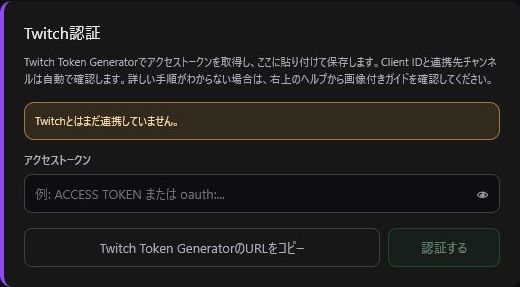
Save tokens, check linked account details, or disconnect authentication. For details, refer to Twitch Authentication.
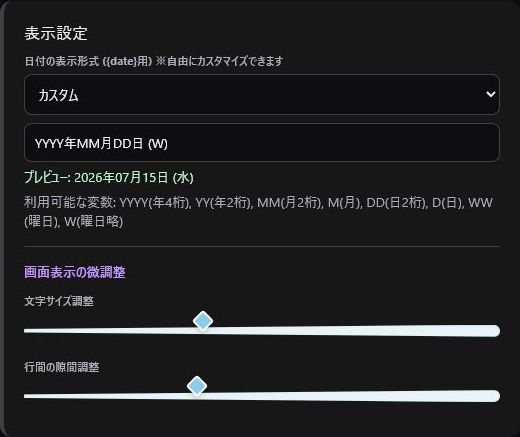
Customize date formats, font sizes, and line spacing. Date formats affect the top header status and {date} template placeholders.
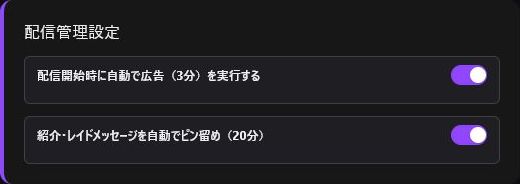
- Automatically run a 3-minute commercial break when stream starts.
- Automatically pin shoutout and raid messages in chat for 20 minutes.
Auto commercials are disabled by default. Enable only if needed and verify it does not conflict with Twitch's scheduled ad settings.
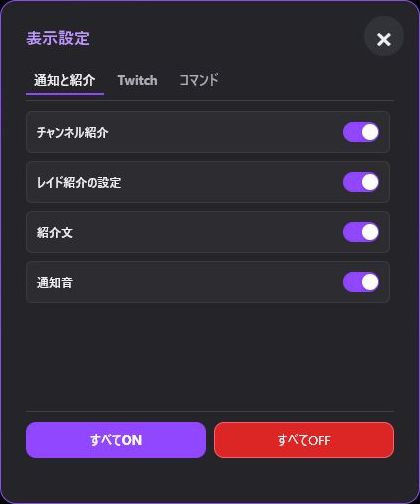
Show or hide individual feature blocks across "Notifications & Raids", "Twitch", and "Commands". Hiding a block will not delete its stored data.
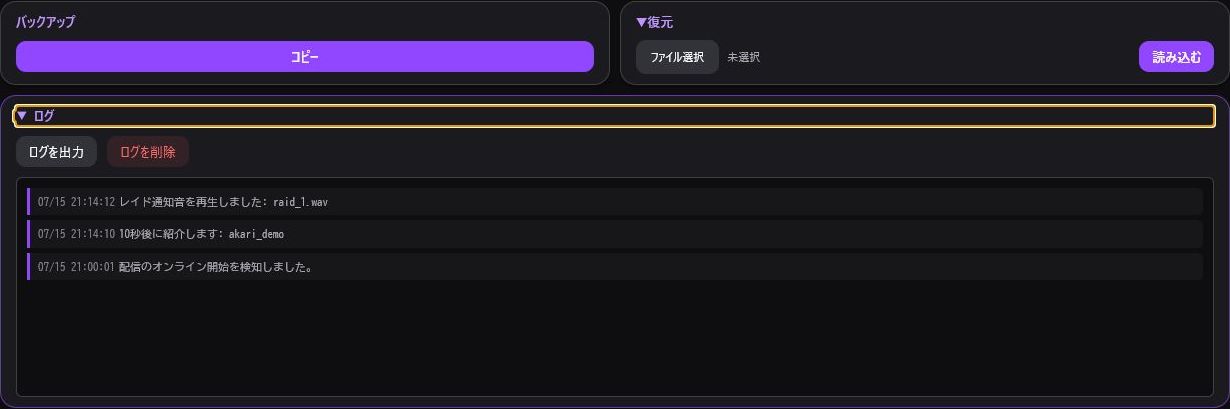
Export your settings using "Copy Backup" under the "Others" tab. Always perform a backup before updating OBS, migrating to a new PC, clearing browser cache, or restoring settings.
Data is stored locally within OBS or browser containers. If settings differ between OBS and your web browser, export a backup from one and restore it in the other.