Repository navigation
Channel Audio Profiles
Audio for this channel… in the channel-name menu (and My audio profile in Channel info) sets Music quality, low-latency mode and a bitrate cap for one channel. Quick presets: Voice, Music and Jam. Each value can also follow the global setting.
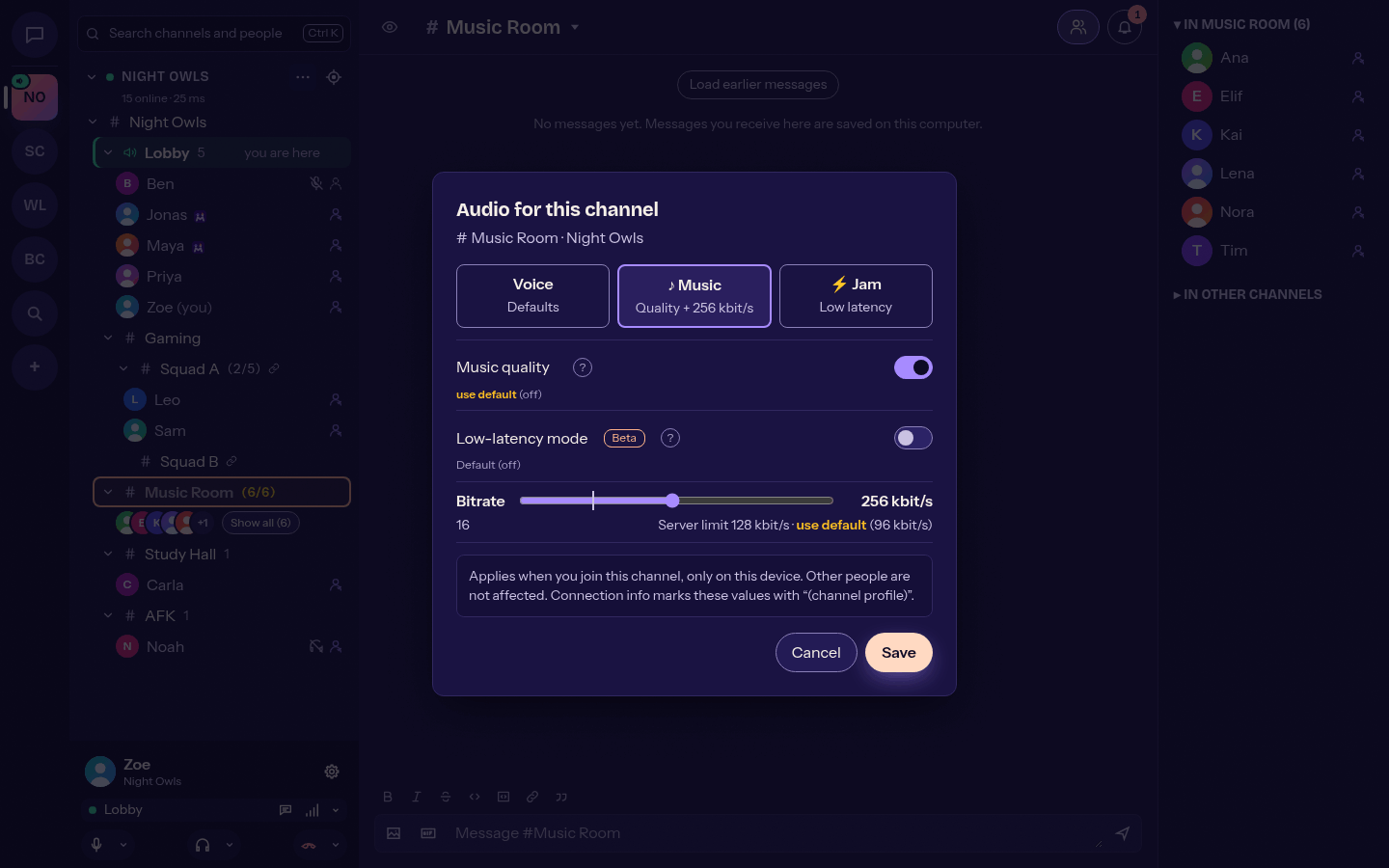
- The profile applies when you join the channel; your normal settings return when you leave. Global settings are never changed.
- Channels with a music or low-latency profile show a note or lightning badge in the header, and the connection info marks values that come from the profile.
- The server's bandwidth limit still wins.
- Profiles stay on this device, per server. Nothing is sent to the server.
For playing music together (Settings > Audio): 10 ms low-delay Opus packets, a minimal jitter buffer, small device buffers and no echo cancellation, noise suppression or automatic volume. It switches live without reconnecting and shows an estimate of the mouth-to-ear latency. It needs more bandwidth and can glitch on Wi-Fi; headphones are recommended.
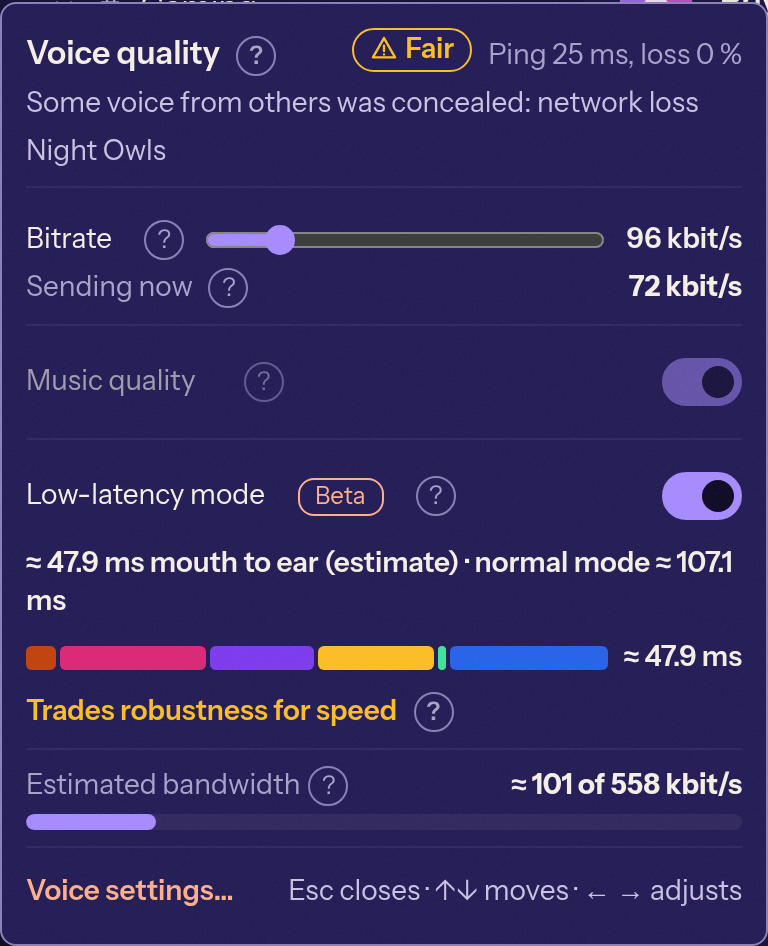
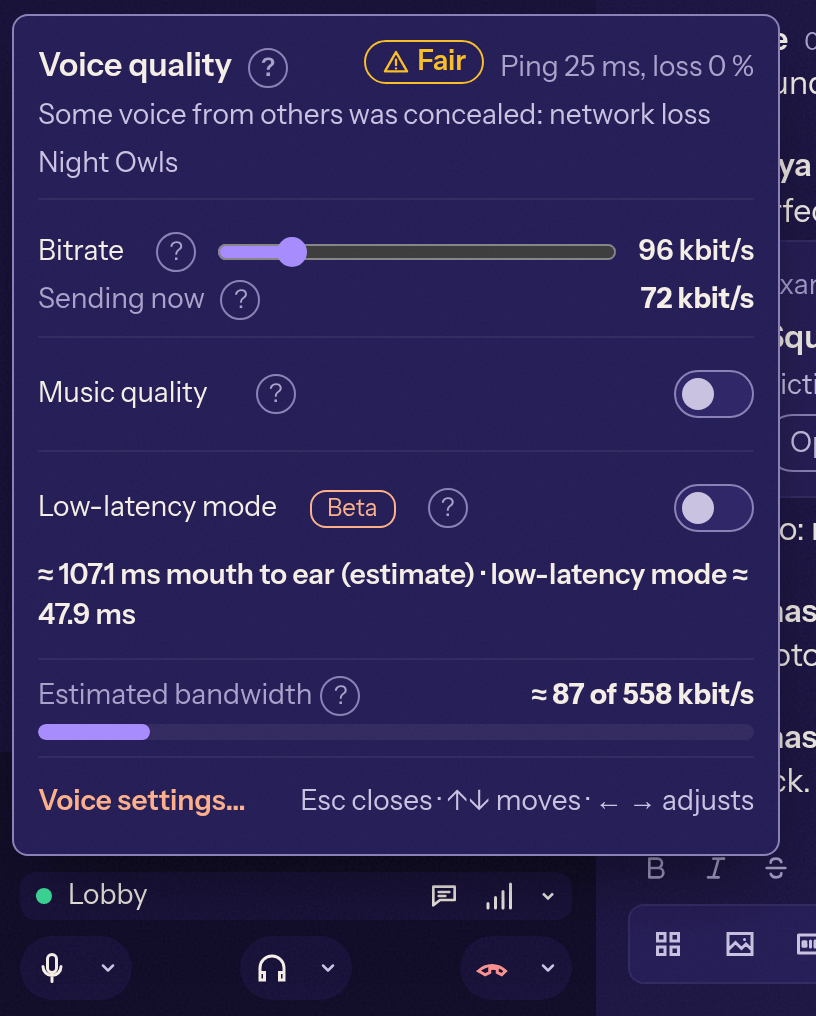
Right-click the connection info button (or press the menu key on it, or use the small arrow) to open Voice quality: the bitrate slider with the server limit and the bitrate being sent, and the Music quality switch. These are the same settings as in Settings > Audio.
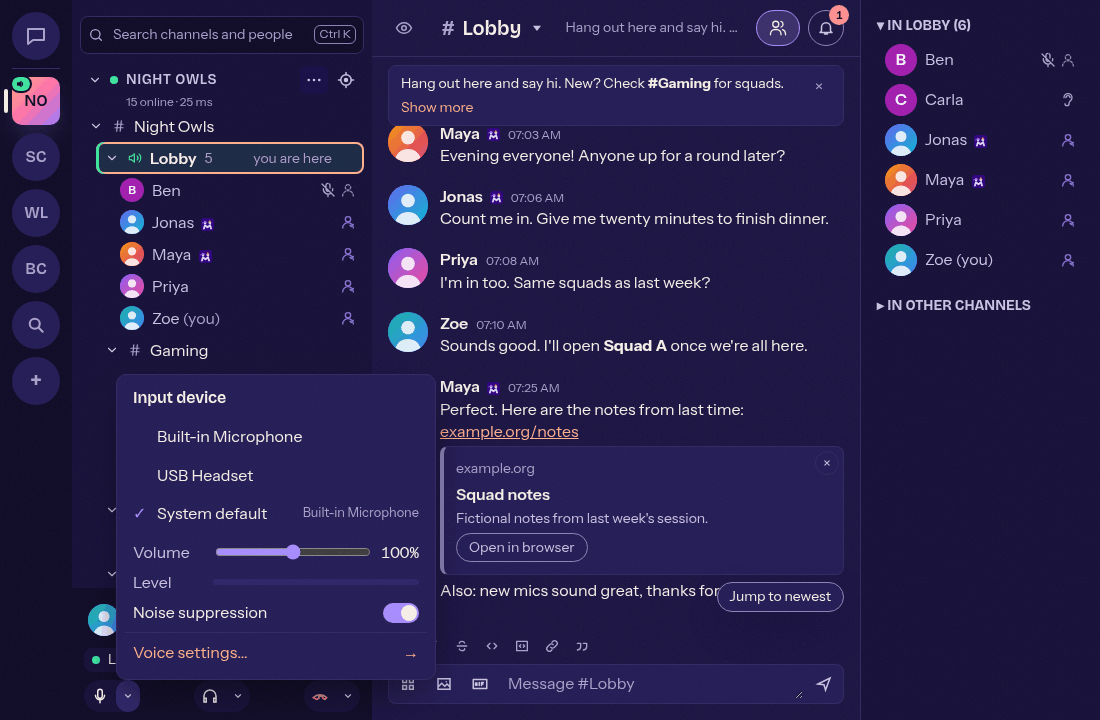
Right-click the microphone or headphones button to choose devices and set volumes. Left-click still mutes or deafens. Right-click the hang-up button for Leave voice (stay connected so chat keeps working) or to disconnect.
Settings > Voice offers four levels: Light (lowest CPU), Standard (default), Advanced (AI) (Beta, removes more noise for about three times the CPU) and Off.